Google has published the list of changes in the May Android system updates. And this is by no means a beta version of Android 17, which Pixel smartphone owners are already actively testing. System updates are something different, and this time the list of changes is short: Google Play services has been updated to version 26.17 and Google Play Store to version 51.3. For regular users, two items are of interest: the Sidekick gaming assistant is now accessible directly from the notification shade, and game discussions in Google Play support new languages.
New Android system updates have been released
What Are Google System Updates and How to Install Them
Google System Updates are Android updates that arrive on devices not through the manufacturer’s firmware, but directly from Google via Play Store and Google Play services. They affect smartphones, tablets, Wear OS watches, Android TV, Android Auto, and PCs with Google Play Games. In other words, all devices that are part of the company’s ecosystem.
Google System Updates are updates that affect system applications.
To check for the May 2026 Android update:
- Open your smartphone’s Settings.
- Go to the “Google” section.
- Open the “All services” tab.
- Navigate to “System services.”
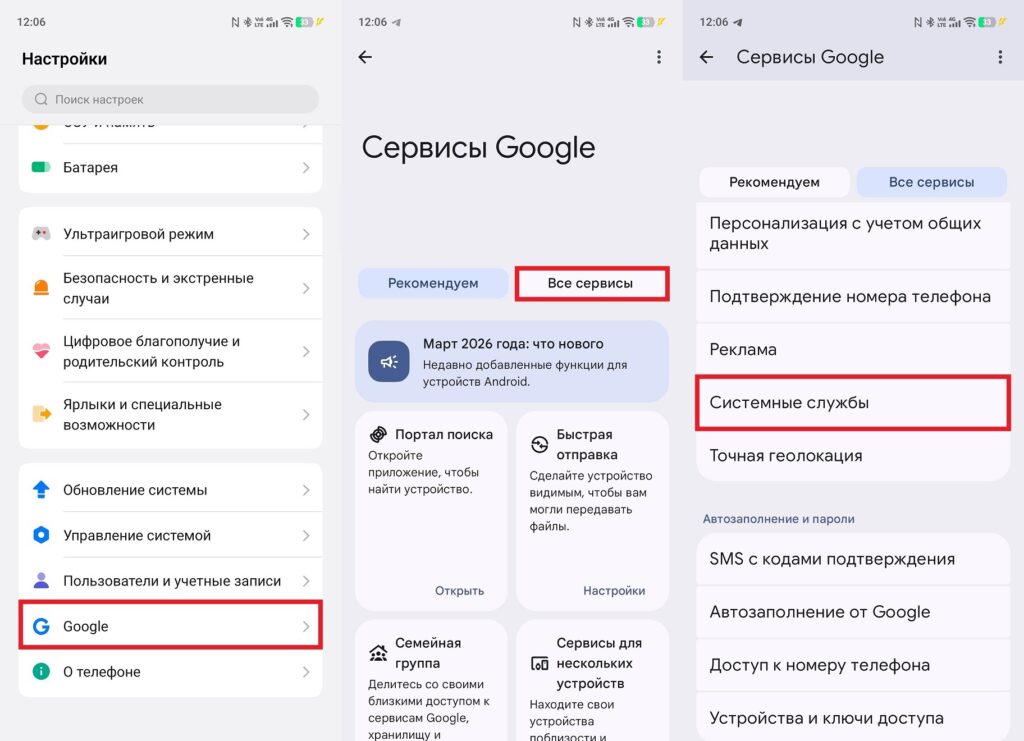
Updates can also install automatically
An important note: the appearance of a feature in the changelog doesn’t mean it’s immediately available to everyone. Some new features roll out gradually and may appear on a specific device weeks or even months later.
Google Play Sidekick Update on Android
The main user-facing change in this update is that Google Play Sidekick now launches directly from the notification panel. Previously, access to it was only through a floating icon inside a game, and if you accidentally hid it, bringing the assistant back was inconvenient. For those unfamiliar: Sidekick is Google’s gaming panel that works on top of games downloaded from the Play Store. It provides quick access to screenshots, screen recording, YouTube streaming, and Do Not Disturb mode. In supported games, Sidekick also shows achievements, progress, Play Points, and AI-powered tips based on Gemini artificial intelligence, which has already replaced the standard Assistant on most Android devices.
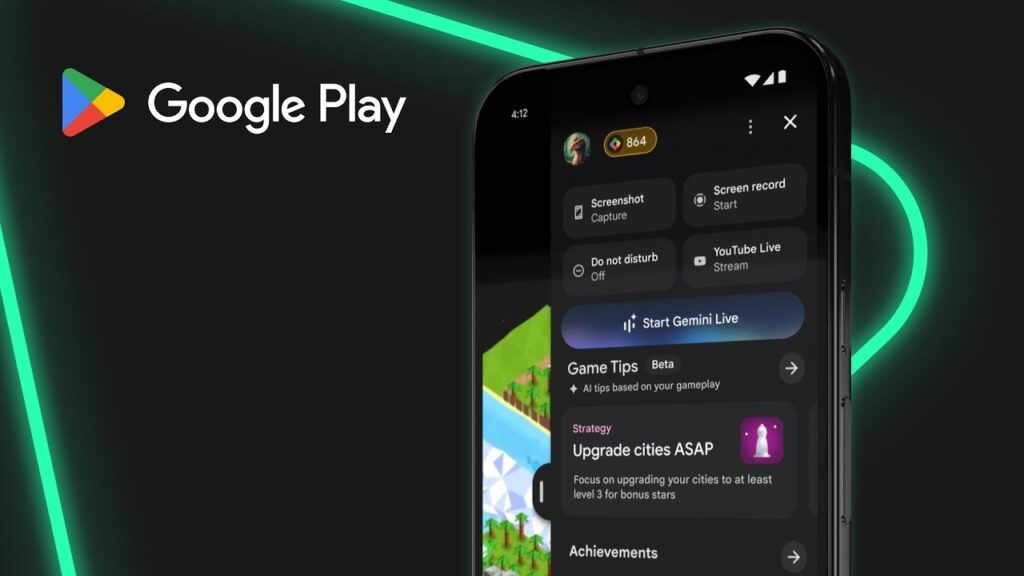
This is a gaming utility for Pixel smartphones. Image: Google
Currently, Sidekick works in more than 90 games and requires a smartphone running Android 13 or higher with at least 6 GB of RAM. If you’re gaming on a budget device with 4 GB, the panel won’t be available for now. However, for most users, this utility isn’t particularly relevant, as almost every smartphone manufacturer has its own equivalent built into their custom firmware.
Game Discussions in Google Play
The second notable change is that the Community Posts feature, which allows you to ask questions and share tips about games directly on the game’s page in Google Play, now works in more languages than just English. Spanish, Portuguese, Indonesian, Chinese, Japanese, and Korean have been added.
This update applies to all Android smartphones.
Russian isn’t on the list yet, but the expansion to six languages at once suggests that Google is actively scaling the feature. For those who play popular mobile games and are willing to communicate in one of the supported languages, this could be a useful alternative to forums and Reddit.
Warning When Signing In with a Google Workspace Account on PC
The Google Play services update adds a warning when signing in with a so-called Dasher account on Android devices for PC. Dasher is Google’s internal designation for managed corporate Google Workspace accounts — those issued by an employer or educational institution.
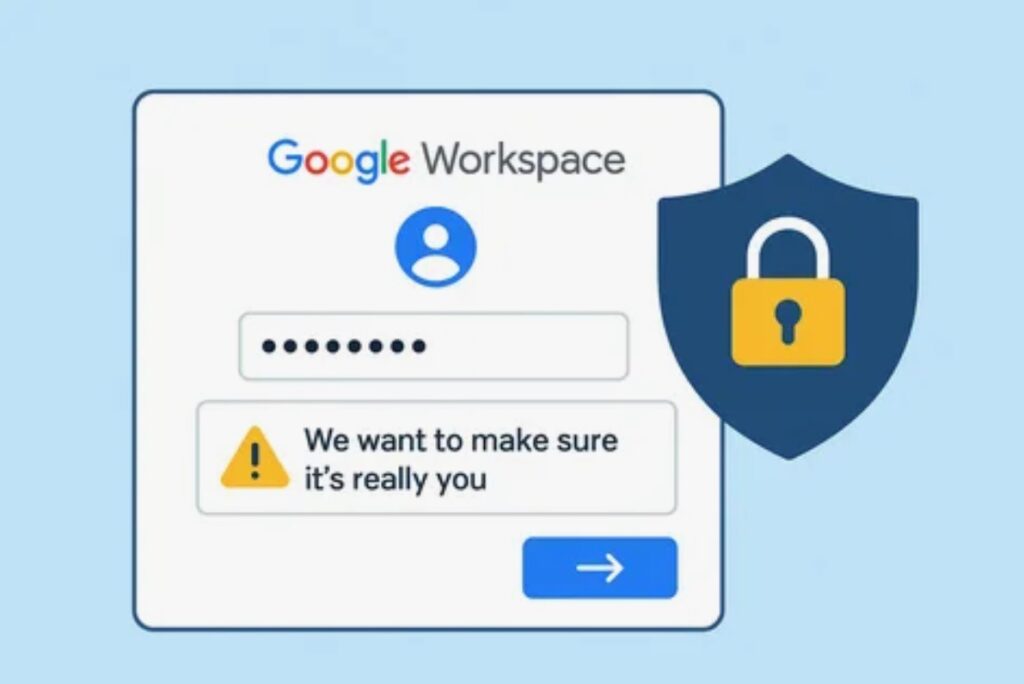
A warning is now displayed when signing into a work account. Image: ariosp.com
The practical meaning is simple: if you use Google Play Games on PC or another Android app on desktop and sign in with a work account, the system will now explicitly warn you about it. This helps prevent mixing work and personal accounts — a situation that can lead to problems with corporate security policies.
Fixes for Google Wallet and Developer Updates
In addition to the main changes, the update also covers several other technical areas:
- An unknown bug has been fixed in Google Wallet on smartphones. Google doesn’t disclose details, but if you’ve recently experienced glitches with contactless payments or cards displaying incorrectly — the update is worth installing.
- In the “Utilities” category, new developer tools have appeared: they cover smartphones, watches, TVs, automotive systems, and PCs. This doesn’t directly affect daily device operation, but in the long run, third-party apps may become noticeably more stable.
Overall, this update falls into the “quiet but useful” category: no flashy announcements, but with real under-the-hood improvements. We recommend not putting off the installation, especially if you regularly use Google Wallet or have noticed unstable app performance.
Should You Rush to Install Google System Updates for May 2026
The May Google System Updates release is one of the most modest in recent times. If you don’t play mobile games from the Play Store and don’t sign into a Google Workspace work account on PC, you most likely won’t notice anything new.
It's better to install the May update than to ignore it.
However, mobile gamers will definitely find the Sidekick access right from the notification shade useful, especially when the panel accidentally closes and needs to be quickly restored. The Wallet patches won’t hurt either, if only for stability’s sake. And remember: Google often adds to the changelog throughout the month, so by the end of May, new entries may well appear on the list.


