Signing a document right on your smartphone has remained one of those tasks that are harder on Android than you’d like. But alongside the release of the new Android 17 operating system, Google has started rolling out a system Signature app that stores your signatures and can insert them in other apps. The utility already comes with the June 2026 Google Play system update.
Overview of the new built-in Android app
Google Signature App — What Is It
This is a system app that works as a storage for your digital signatures. Google designed Signature as a vault for different signature variants, and other apps can request them from there — much like the built-in photo picker in Android pulls images from the gallery.
In practice, it looks like this: when an app supports signatures, a small window opens showing saved signatures or offering to add a new one. This means you don’t have to draw your signature from scratch every time — it’s pulled from the shared storage.
How to Add a Signature in Google Signature
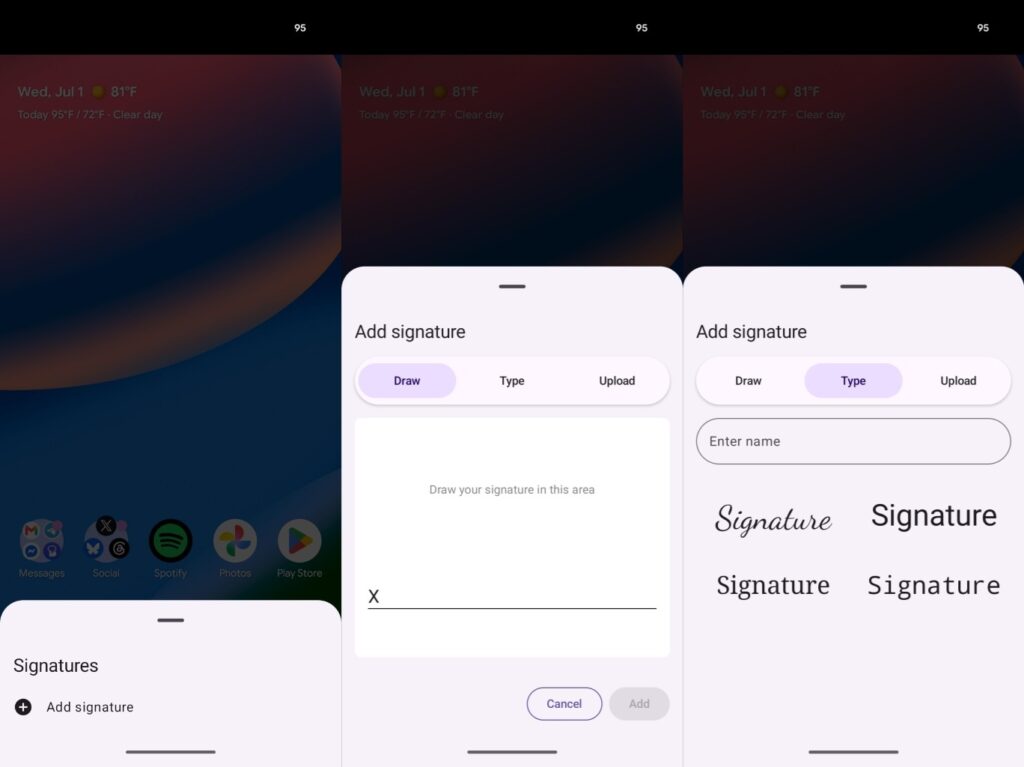
You can add a signature in several ways
Based on what has been discovered, you can add a signature in three ways:
- draw your signature with your finger directly on the screen (a digital version of your real signature);
- enter your initials, with several font options available;
- upload a photo of your signature through the app.
You can store multiple versions of each type. Additionally, there’s a separate “Manage signatures” page where all your signatures are collected and where you can delete unnecessary ones.
Who Needs a Document Signing App
The feature addresses a specific pain point: signing a document on Android is still not as convenient as on iPhone or iPad, where markups and signatures are done in literally a couple of taps. Previously, you needed separate apps for this, and sometimes even a stylus.
Signature will be useful for those who regularly sign PDFs and fill out forms, as well as undergo identity verification in various services (what’s known as KYC — identity verification during registration, for example at banks and exchanges). If you deal with documents no more than a couple of times a year, there’s no urgent need for a separate tool — but having the app won’t hurt either.
Which Smartphones Support Google Signature
The app arrives via a Google Play system update, not through the manufacturer’s firmware. This is important: you don’t need to wait for Samsung, Xiaomi, or another brand to add it to their shell — it’s delivered directly from Google.
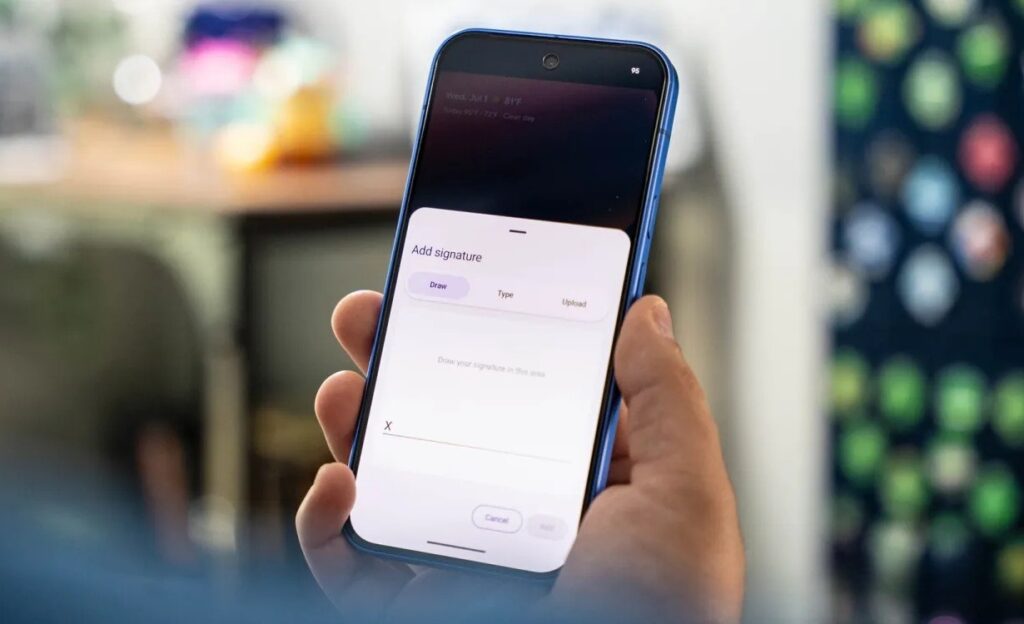
The app is rolling out with the Google Play update
The minimum compatibility level is Android 12 and newer, so it will appear on most current smartphones. If you frequently work with documents, the built-in signature storage may significantly simplify your routine over time.
Drawbacks of the Google Signature App
The main limitation is that at the time of publication, Google has not officially explained to developers how to use the app in their products. The app is already being distributed to users, but without support from third-party apps, its capabilities are limited: you can store signatures, but fully inserting them everywhere is not yet possible.
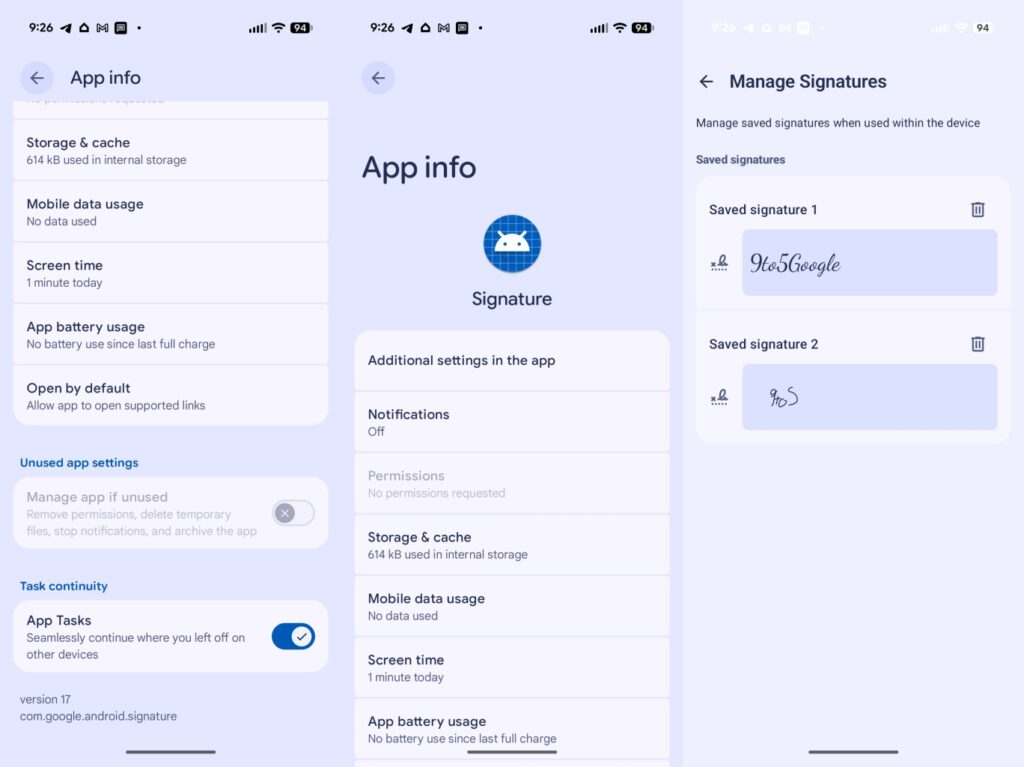
It’s not entirely clear yet how to use the digital signature in third-party apps
It’s also worth keeping in mind that some details became known from analyzing the app’s code. Such findings show features in action but don’t guarantee that everything will make it to the final release in exactly this form. For now, this is more of a foundation for the future than a ready-to-use everyday tool.


