Delta Chat is a decentralized messenger that doesn’t need a phone number, its own servers, or a VPN to work. Technically, it’s an email client with a chat interface: every message is sent via standard SMTP and IMAP email protocols. This sets it apart from other messengers. The app was released by German developers in 2019 and has since been downloaded over 1 million times on Google Play. If your usual messengers are affected by blocks and throttling, Delta Chat on Android can serve as a backup communication channel.
If you want, you can replace Telegram with this messenger, albeit not fully
What Is Delta Chat and How Does This Messenger Work
The user connects their email account or creates a profile through a special chatmail server, and the app turns the correspondence into a familiar chat. On the technical side, Delta Chat messenger sends and receives emails, but the user sees a messenger interface rather than an email client. There are dialogs, groups, attachments, voice messages, reactions, and notifications.
Delta Chat doesn't look like your typical messenger.
This means that Delta Chat works everywhere where email works, including corporate networks and restricted communication channels. There is no central infrastructure that can be blocked by a single court order. Delta Chat has no centralized data or encryption key storage: everything goes through mail servers chosen by the user. The app is completely free, ad-free, and open source.
Where to Download Delta Chat on Android, iPhone, and Computer
Delta Chat is available on Google Play and RuStore, and there’s also a desktop version. In addition, installation packages are available through F-Droid, Huawei AppGallery, Microsoft Store, and on the developers’ website.
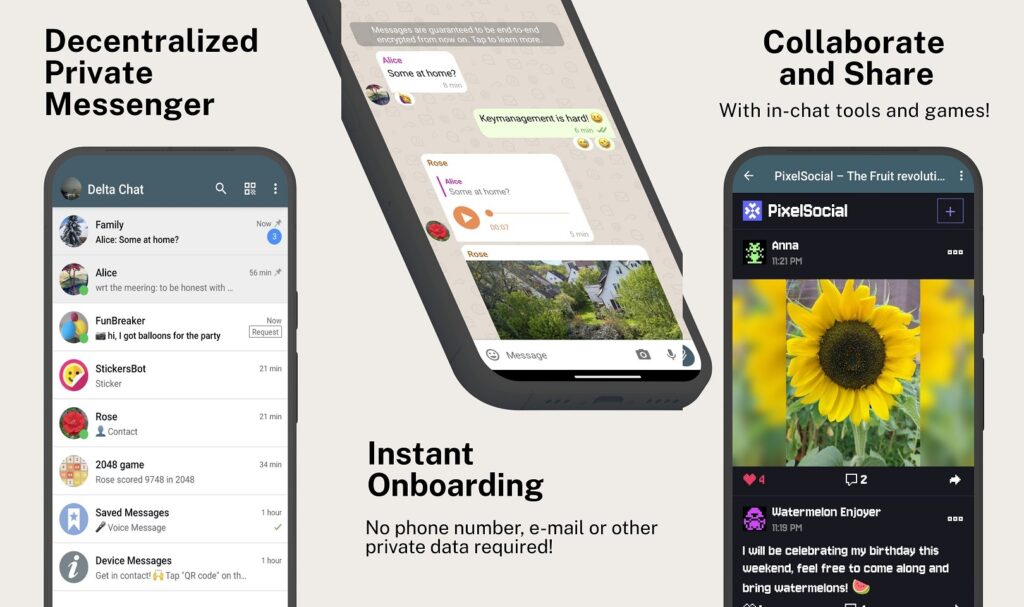
The messenger is secure and isn’t even blocked in Russia
The desktop version doesn’t require Delta Chat to be installed on a phone. This is convenient: you can chat on multiple devices simultaneously without being tied to a smartphone as the primary device. Here are the main download sources:
- Google Play — the standard method for most Android smartphones
- RuStore — if Google Play is unavailable or you prefer a Russian app store
- F-Droid — for those who install apps only from open sources
- AppGallery — for HUAWEI devices without Google services
- delta.chat website — desktop versions for Windows, macOS, and Linux
For Android, version 5.0 or newer is required — these are devices from around 2014 onward, so the limitation is minimal. The app interface is fully translated into Russian.
How to Register on Delta Chat Without a Phone Number
To register on Delta Chat, you don’t need a phone number, email, or any other personal data. There are two ways to start using the messenger. The quick way — through a chatmail server. Chatmail consists of specialized mail servers optimized for messenger needs: message delivery takes less than a second, there’s no spam filtering, and no registration requirements. By default, when creating a profile in the app, the chatmail server nine.testrun.org is used. Profiles on chatmail are created with random addresses and without requesting any personal information.
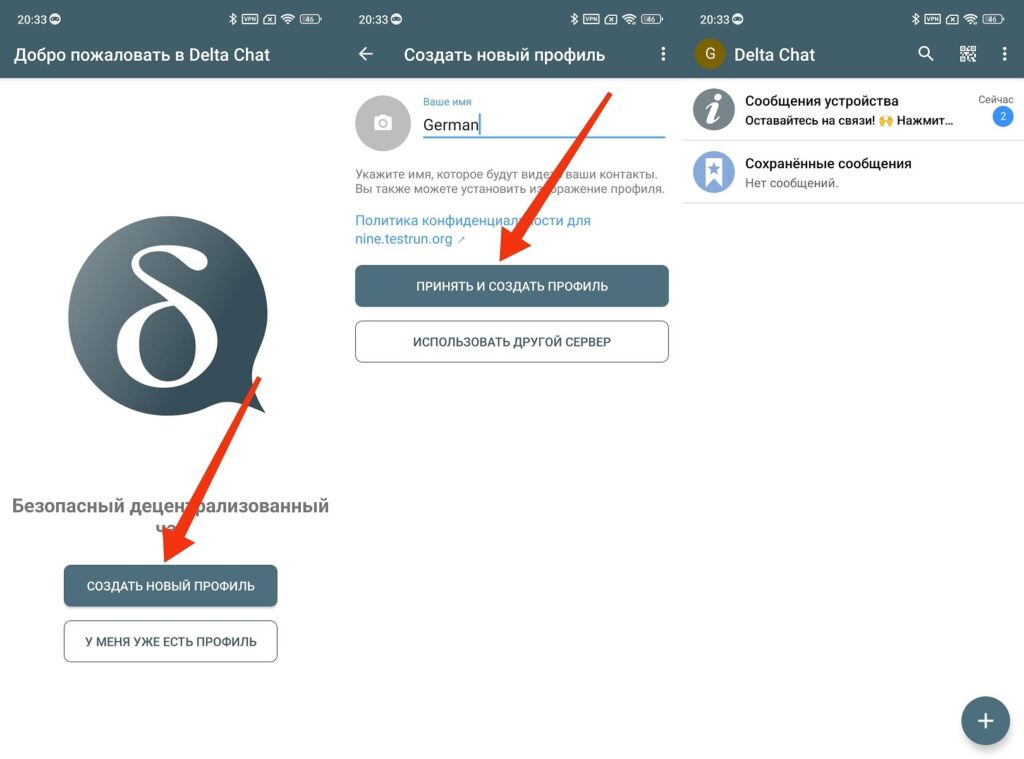
The simplest and fastest way to register
Here’s how it looks: you open the app, enter your name, tap “Accept and create profile” — and within a few seconds you can start messaging. No email or password needed.
The second way — through your own email. This is suitable if you want to use an existing address. To connect a Gmail, Yandex, or Mail address, you need to enable IMAP in your email settings and create a special app password. Then open Delta Chat, tap “Add profile,” “Create new profile,” then “Use another server” and “Use email as relay.”
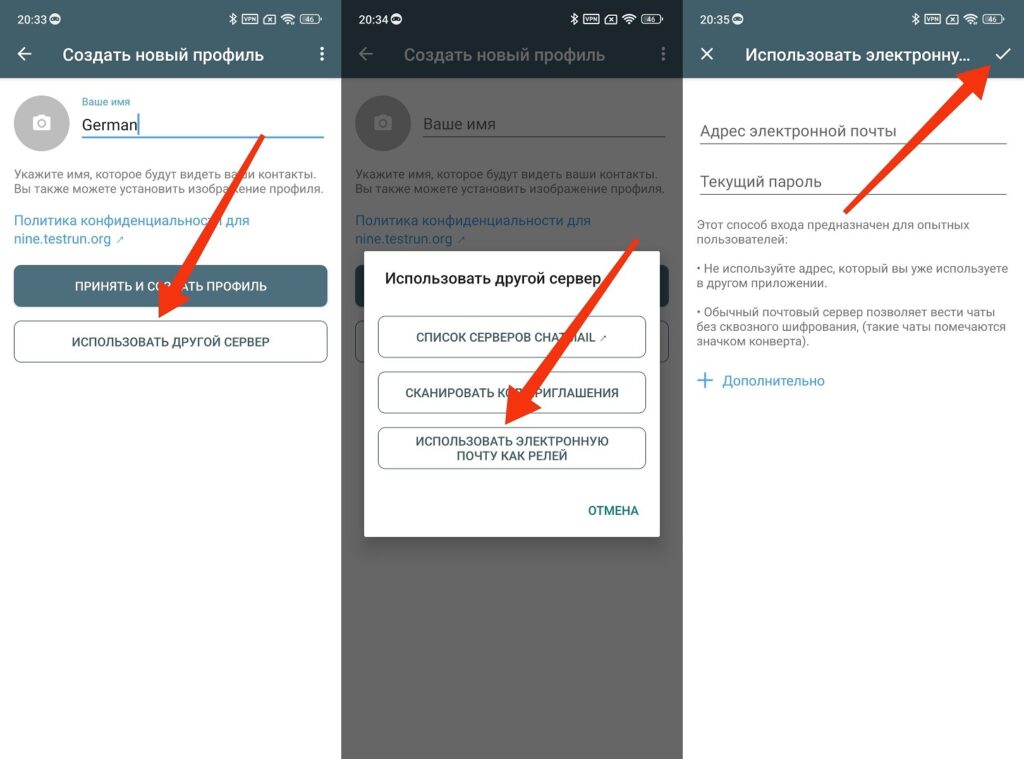
An alternative option that requires preliminary email setup
For Yandex Mail, the process is slightly more complex. In the case of Delta Chat, you’ll need to generate an app password in the “Security” section of Yandex settings and enable IMAP access.
How to Set Up Delta Chat via Yandex Mail or Gmail
If you chose the route with your own email, here’s the step-by-step process for setting up Yandex Mail:
- Go to your mail settings on the Yandex website through a browser
- In the “Mail programs” section, enable IMAP access
- Go to the “Security” section, then “App passwords”
- Create a new password for mail and copy it
- In Delta Chat, select “Create new profile,” then “Use another server” and “Use email”
- Enter the email address and the copied app password
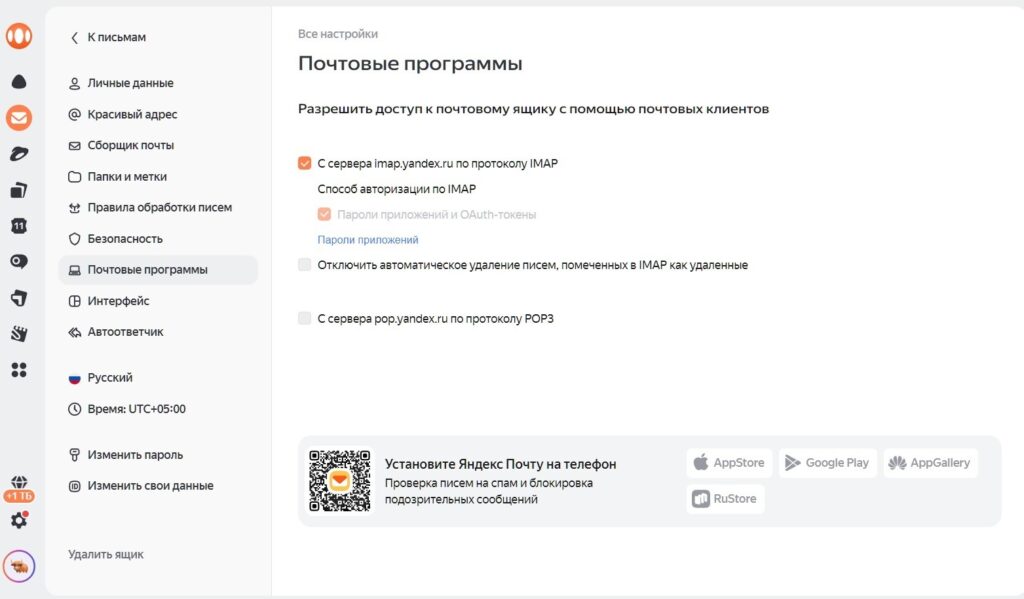
Enable IMAP in your mail settings
It’s important to note that when connecting regular email, there may be delays — this is unusual for messenger users where messages arrive instantly. If you want speed, it’s easier to use a chatmail server. There are also limitations. A popular service like Proton is not supported by Delta Chat. If you use Gmail or Yandex, the provider knows your identity. Anonymity depends on the choice of server, not on Delta Chat itself.
Delta Chat Features: Chats, Calls, Channels, and Mini-Apps
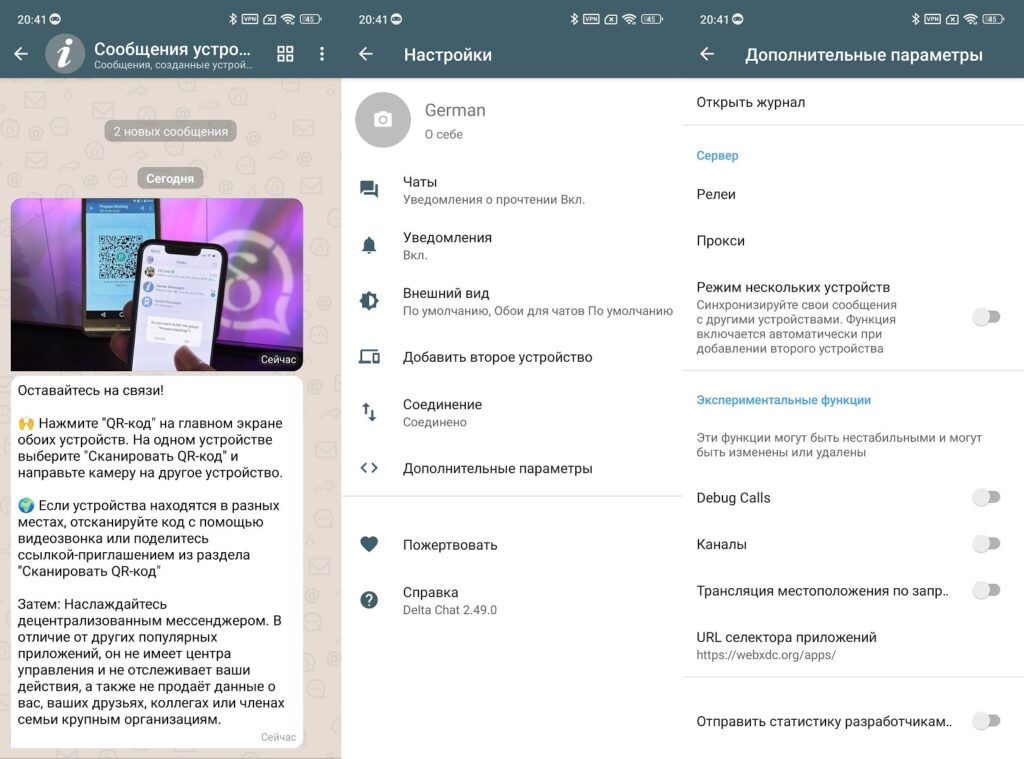
The set of Delta Chat features is broader than you might expect from an email-based messenger. There are personal and group chats, text, voice, and disappearing messages. You can send notes to yourself in “Saved.” Audio and video calls, as well as channels, work in beta and are disabled by default. To activate them, go to “Advanced settings” and enable “Experimental features.”