After the MAX messenger disappeared from the App Store, Apple’s store saw a flood of apps trying to cash in on the situation. I found one in just a couple of seconds: type “MAX” into the search bar, and the results show “MAX: Loan to Card.” The name hooks two audiences at once — those looking for the returned messenger and those who urgently need money. Some will download it without looking, assuming the app has finally been brought back. In reality, it’s a dummy, and in a worst-case scenario, it’s a way to trick you out of your data and money. Those who already have the messenger installed should figure out how to enable notifications in MAX right away so you don’t miss anything important. As for everyone else, let’s break down what this software is and how to avoid getting into a bad situation.
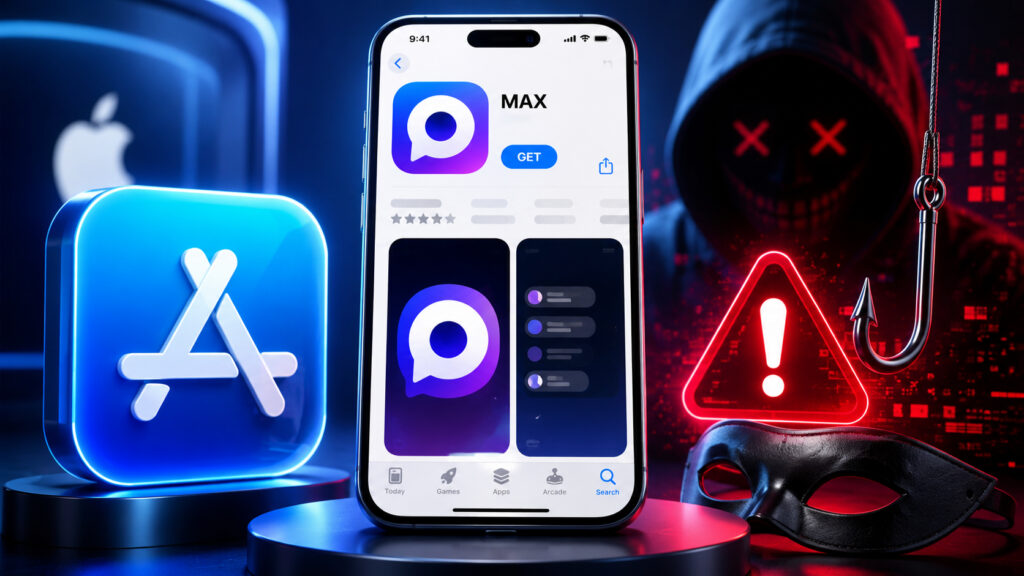
A fake MAX has appeared in the App Store
MAX: Loan to Card in the App Store — What Is This App
The listing looks almost convincing. At the top it says “MAX: Loan to Card,” the icon is similar, and the app ranks high in search. The rating, however, is honestly low — just 1.3 out of 5 — and it’s based on only a handful of reviews. That alone is the first red flag: the real MAX has millions of installs and a completely different review history.
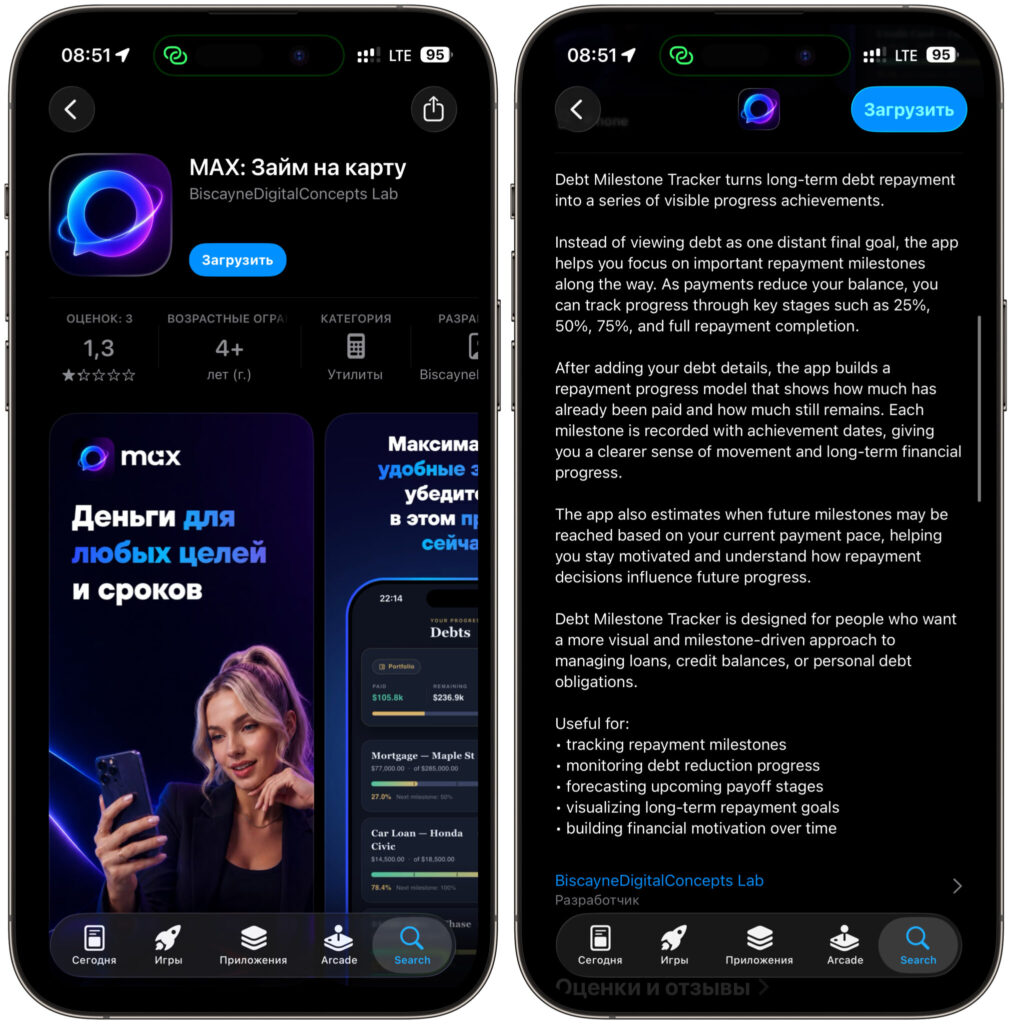
It all looks like a disguise, but it’s a fake
Then things get really interesting. Once you open the description, the Russian name sharply contrasts with the content. The text inside is entirely in English, and it talks not about chats and calls but about some debt repayment tracker called Debt Milestone Tracker. This app supposedly helps you track how you’re paying off a loan and predicts when you’ll close your debt. Not a single line about a messenger, not a hint of MAX features. It’s simply someone else’s program that was given a Russian name for traffic.
The developer here is some anonymous foreign company — it has nothing to do with VK, which makes the real MAX. There’s no Russian language in the app and no support either. For comparison, the official messenger is a full-fledged product, and even the web version differs from the app only in nuances, not by being an empty shell under someone else’s name.
How Scammers Disguise Themselves as MAX in the App Store
The scheme is as old as the App Store itself. When a popular app disappears from the store, users start searching for it manually, and bad actors slip anything with the right name into the search results. Previously, they disguised banking apps after sanctions; now it’s messengers’ turn. The logic is simple: a person is panicking, the familiar button is gone, and they grab the first thing that looks like the original.
The reviews under this listing speak for themselves. One is literally titled “Impersonates another application,” with a note about a fraudulent return to the store. The second is short and angry — just one word: “Scammers.” People have already stumbled upon it and are warning others.
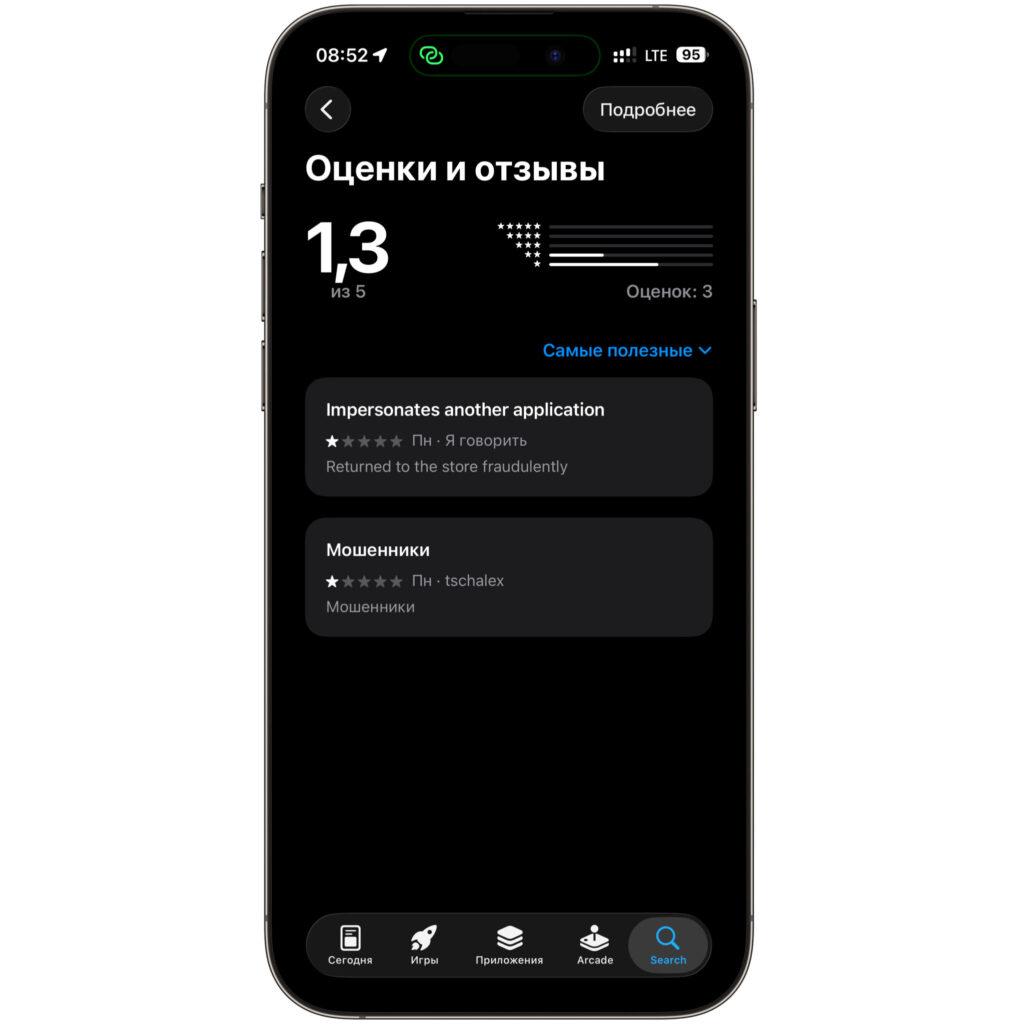
The reviews speak for themselves
There are plenty of alarming details beyond the reviews. The developer’s website link leads not to a website but to a regular Google Form. The combination of a loan-to-card service, an English-language credit tracker, and an anonymous developer is a classic phishing kit. In such apps, you’re typically asked to enter your card number, passport details, or an SMS code, and what you get in return is leaked credentials and zero money.
And one more important point. Even if this particular build is currently just a useless tracker, its contents can be changed with the next update at any moment, and then the harmless utility will turn into a full-blown scam.
How to Spot a Fake MAX in the App Store
The basic rule is simple: the real MAX is not in the App Store right now. Apple removed the messenger on June 3, citing sanctions rules, and it hasn’t returned yet. This means any listing named MAX in Apple’s store is either a namesake or a fake. If you see MAX in the App Store search results, that’s a reason to be cautious, not to celebrate.
What to look for first. The developer of the official messenger is VK, not anonymous foreign companies. The real app’s description is written in Russian and talks about chats, calls, and channels — not about repaying loans. A low rating with just a couple of reviews and a very recent release date almost always give away a fake. And the final argument: no legitimate messenger is called “Loan to Card.”
Separately, keep in mind a general rule for any financial apps. Never enter your card details, passport information, or SMS codes in apps you downloaded at random.
How to Install MAX on iPhone Without the App Store
If you actually need the messenger, there are working methods, and fakes are definitely not among them. The easiest way is to open the MAX web version directly in Safari and add it to the Home Screen: you’ll get a shortcut that launches almost like a full-fledged app. And if you want a proper full client, you can install MAX without the App Store using alternative but working methods.
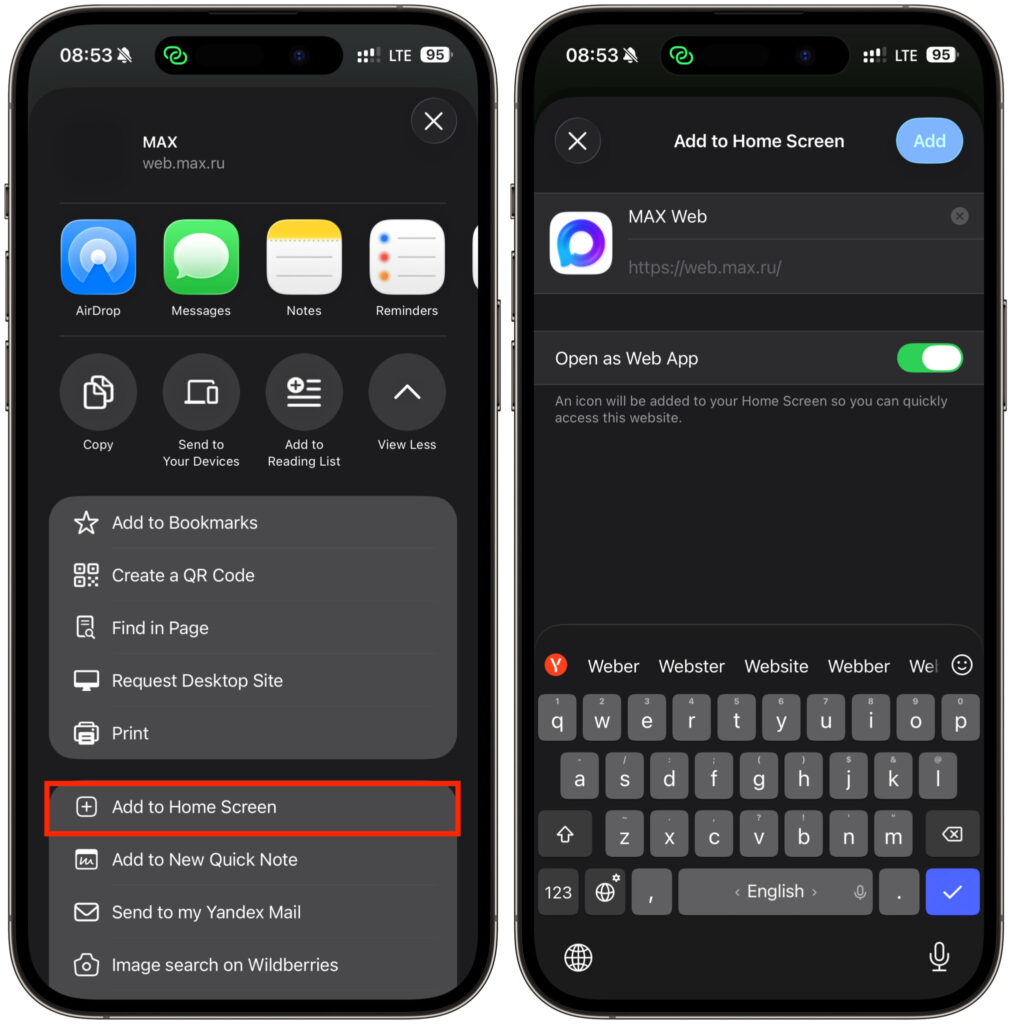
Add the web version to your Home Screen
For those who already had MAX installed on their iPhone, it’s important not to lose it. Go to Settings, open the App Store section, and turn off the “Offload Unused Apps” toggle. This way, the system won’t clear the messenger during automatic storage cleanup, and it will stay in place until the situation is resolved.
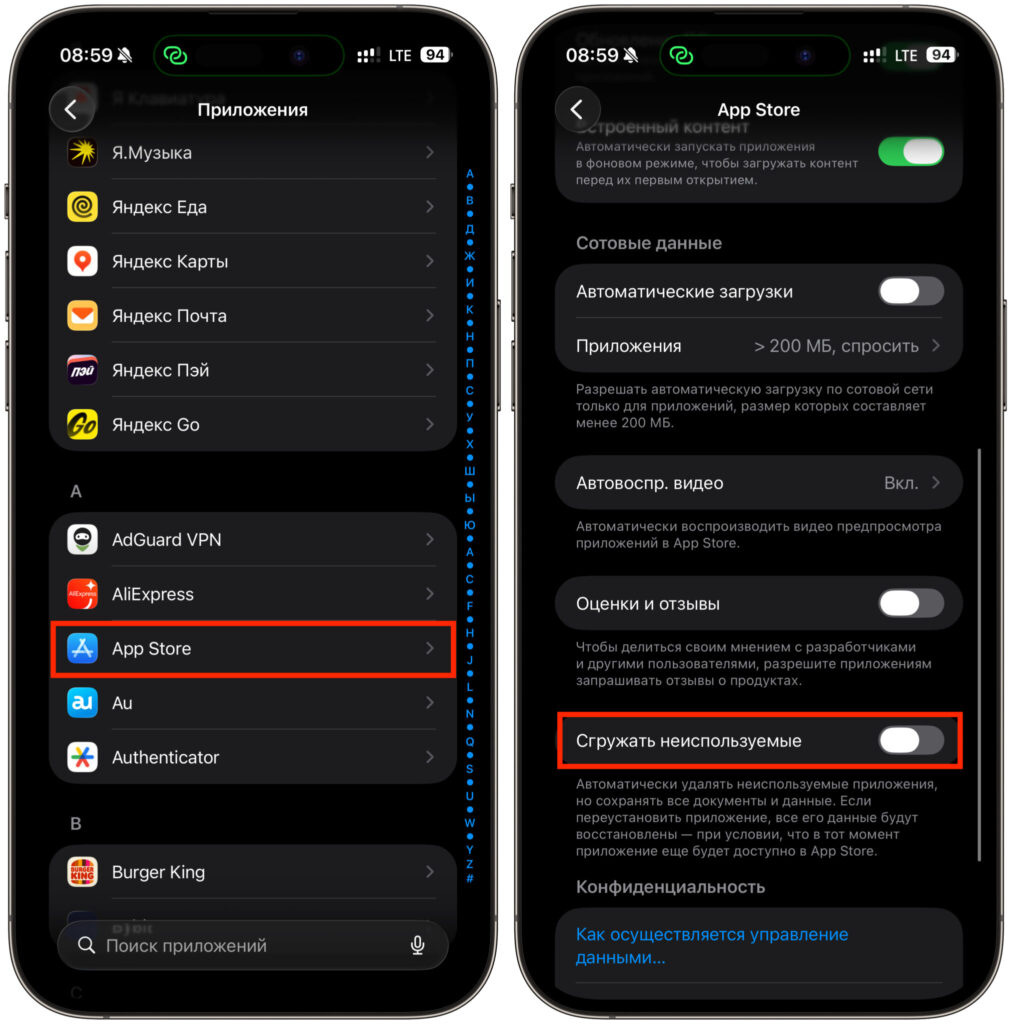
And turn off this toggle in Settings
And most importantly, don’t take the App Store search results at face value. As long as the official MAX hasn’t returned to the store, any app with that name should be avoided entirely.


