
Does it seem like your iPhone is eavesdropping on you?
You discussed a new coffee machine with a friend, and an hour later your feed is flooded with coffee machine ads. The coincidence is alarming, and one thought pops into your head: my phone is listening to me. Let’s figure out what iOS actually does: where the real threat lies, where it’s just ordinary psychology, and how to shut off the microphone for apps that don’t need it.
Why Ads Seem to Read Your Mind
Most of the time it’s not about the microphone — it’s about the data you give away yourself. Browser history, geolocation, card purchases, contact lists, time spent in apps — all of this builds a detailed profile. Ad networks know your age, neighborhood, habits, and social circle. They don’t need to listen to you — they already predict your desires quite well.
Add the frequency illusion effect. Once you pay attention to a topic, you start noticing it everywhere, even though those ads were running before. And a conversation about a coffee machine often follows someone nearby typing that query into a search engine. Phones on the same Wi-Fi network, shared contacts, close geographic proximity — that’s enough for algorithms to link you to your conversation partner.
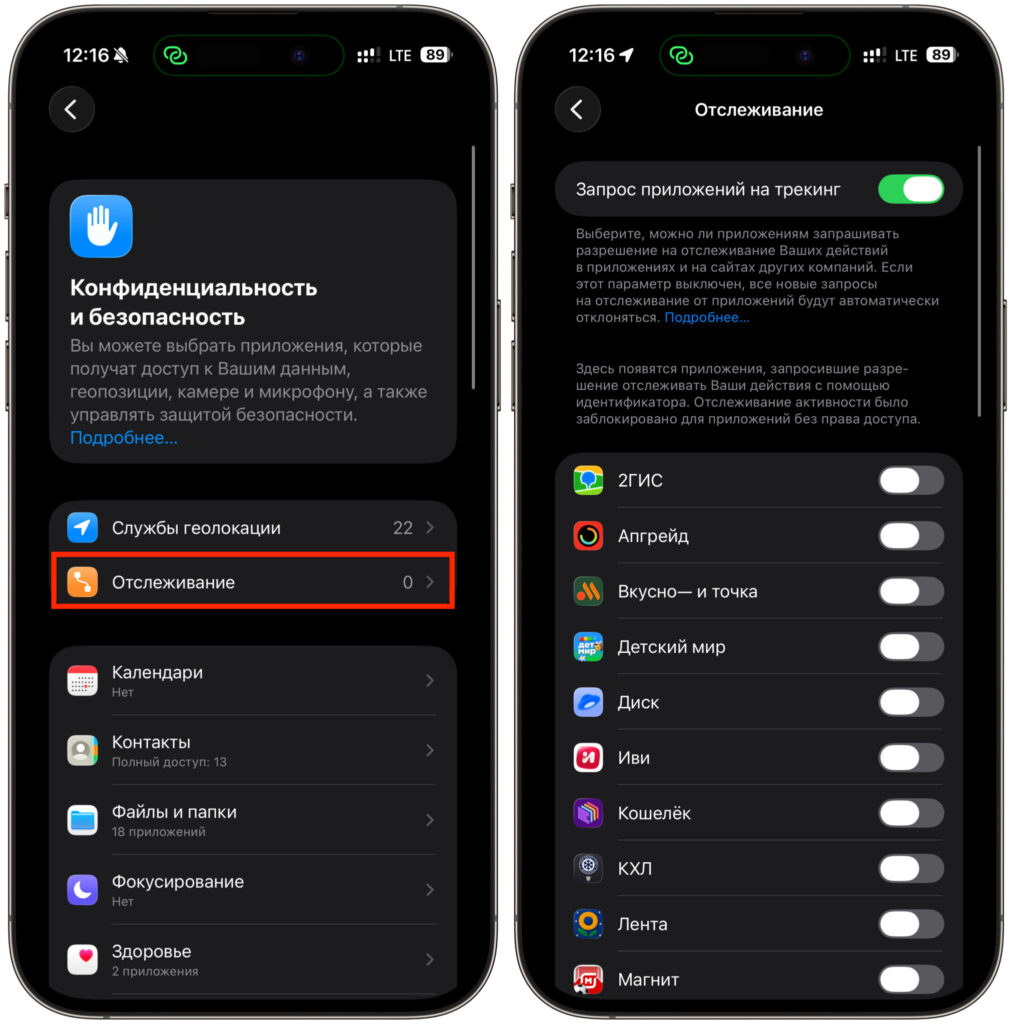
Every app now requests tracking permission
Apple has partially curtailed this mechanism. With the release of App Tracking Transparency, every app is required to ask permission to track you across other apps and websites. Most iPhone owners decline such tracking, and ad accuracy has noticeably dropped. But the profile built from your own actions hasn’t gone anywhere.
Can the Microphone Record Without Your Knowledge
Under normal circumstances, no. iOS doesn’t allow apps to quietly record audio in the background: as soon as the microphone is active, an orange dot appears in the status bar. If you see it where audio shouldn’t be needed, there’s reason to investigate.
This has been tested in practice. Researchers from Northeastern University ran more than 17,000 apps and didn’t find a single case of covert microphone recording. However, they did catch something else: some apps were taking hidden screenshots and sending them to external servers. A separate experiment by the company Wandera showed the same results. If an app were constantly recording and uploading audio, it would be obvious from traffic usage and battery drain. Nothing of the sort was found.
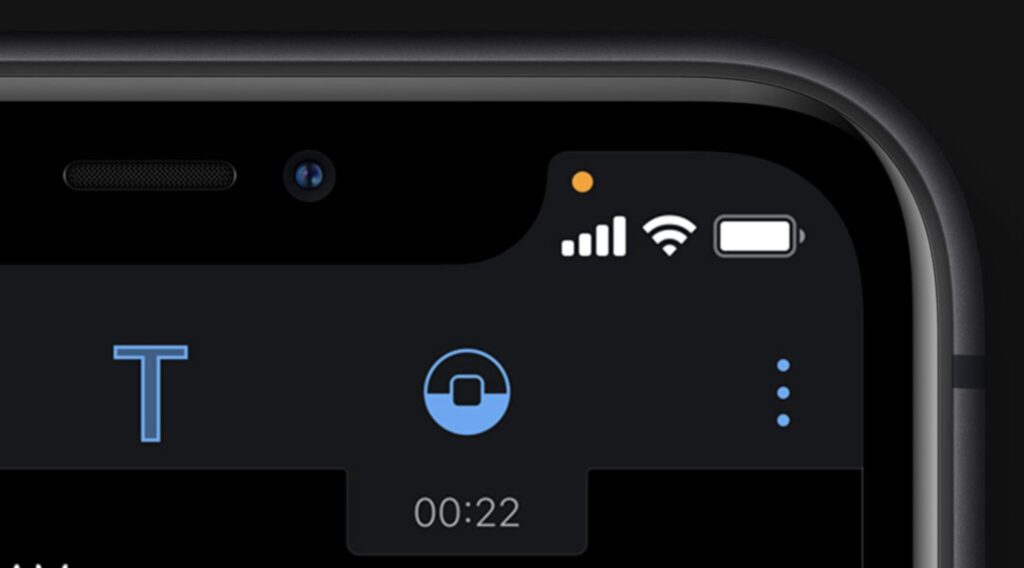
If the iPhone’s microphone is active, an orange dot always appears on the screen
Still, it’s too early to fully relax. In 2024, the outlet 404 Media published a presentation from Cox Media Group, where the company openly boasted about its Active Listening technology: claiming it could capture conversations near microphones and sell advertising based on them. After the publication, Google removed the company from its partner program, and Apple, Amazon, and Meta stated that this violates their policies. There’s no evidence that the technology actually worked on mass-market devices, but the impression lingered.
There’s also a reverse story about hardware. In Russia, cameras and microphones are intentionally removed from some corporate devices to physically eliminate any possibility of audio leaks. As for targeted threats like the Pegasus spyware — it can activate the microphone, but it targets specific individuals, not everyone.
What Siri Actually Hears and When
Siri is constantly listening, but only for one thing: the wake phrase. Recognition of Hey Siri happens directly on the device, and until that trigger fires, no audio goes anywhere. Press the side button or say the command — only then does the request recording begin.
The problem is false activations. The assistant sometimes mistakes a random sound for a command and records a snippet of conversation you never intended to record. This is precisely why Apple agreed to settle the class-action lawsuit Lopez v. Apple, paying $95 million. The plaintiffs claimed that Siri accidentally activated, and fragments of private conversations were sent to contractors and sometimes used for advertising. The company didn’t admit guilt, but U.S. users were entitled to up to $20 per device, covering cases from 2014 to 2024. Apple stopped having live employees review recordings back in 2019, making such review opt-in.
How to Check Which Apps Access Your Microphone
You can check which apps are reaching for the microphone in a few steps:
- Look at the status bar. An orange dot at the top means the microphone is active right now.
- Open Control Center, and the system will tell you which app activated it.
- Go to Settings, then Privacy & Security, then Microphone. Here you’ll find a full list of apps you’ve granted access to.
- Enable App Privacy Report in the same section: it shows which apps accessed the microphone, camera, and location over the past few days.
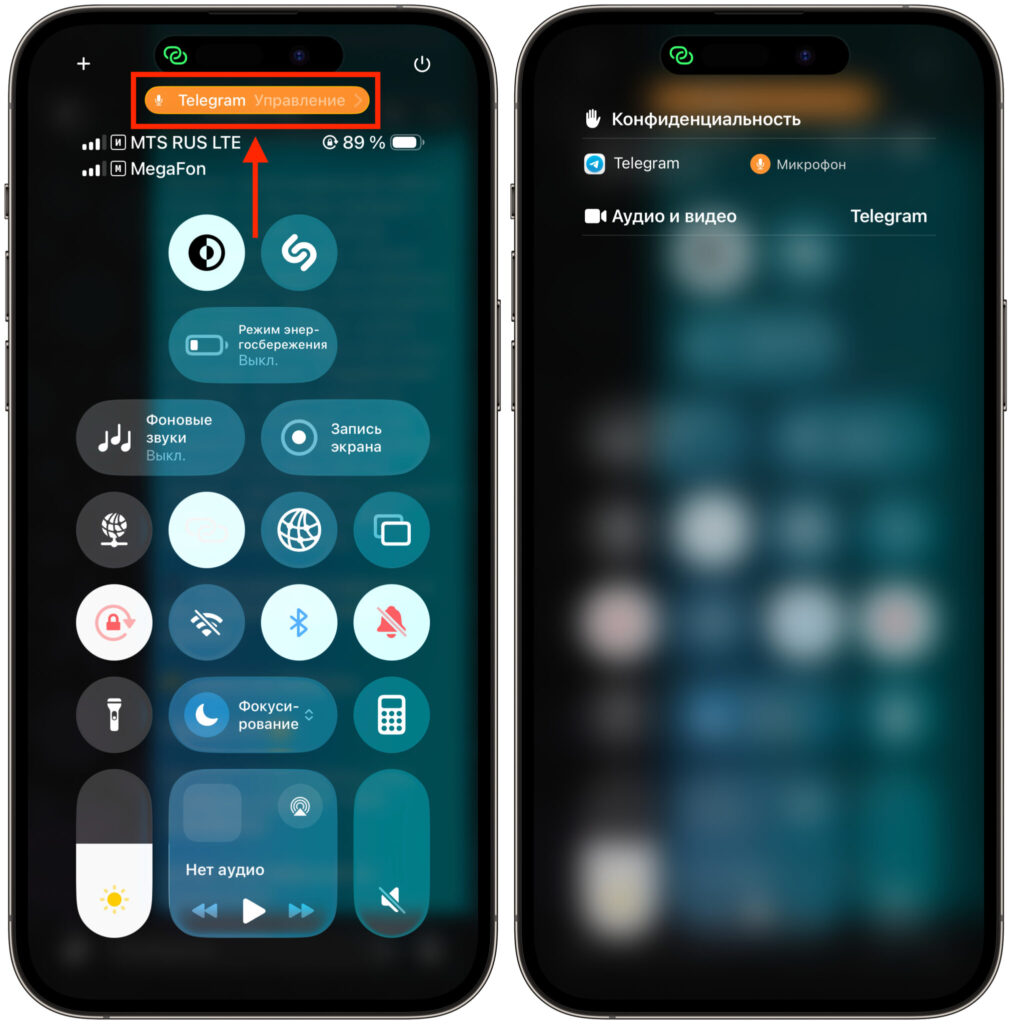
The Control Center shows which apps are doing what
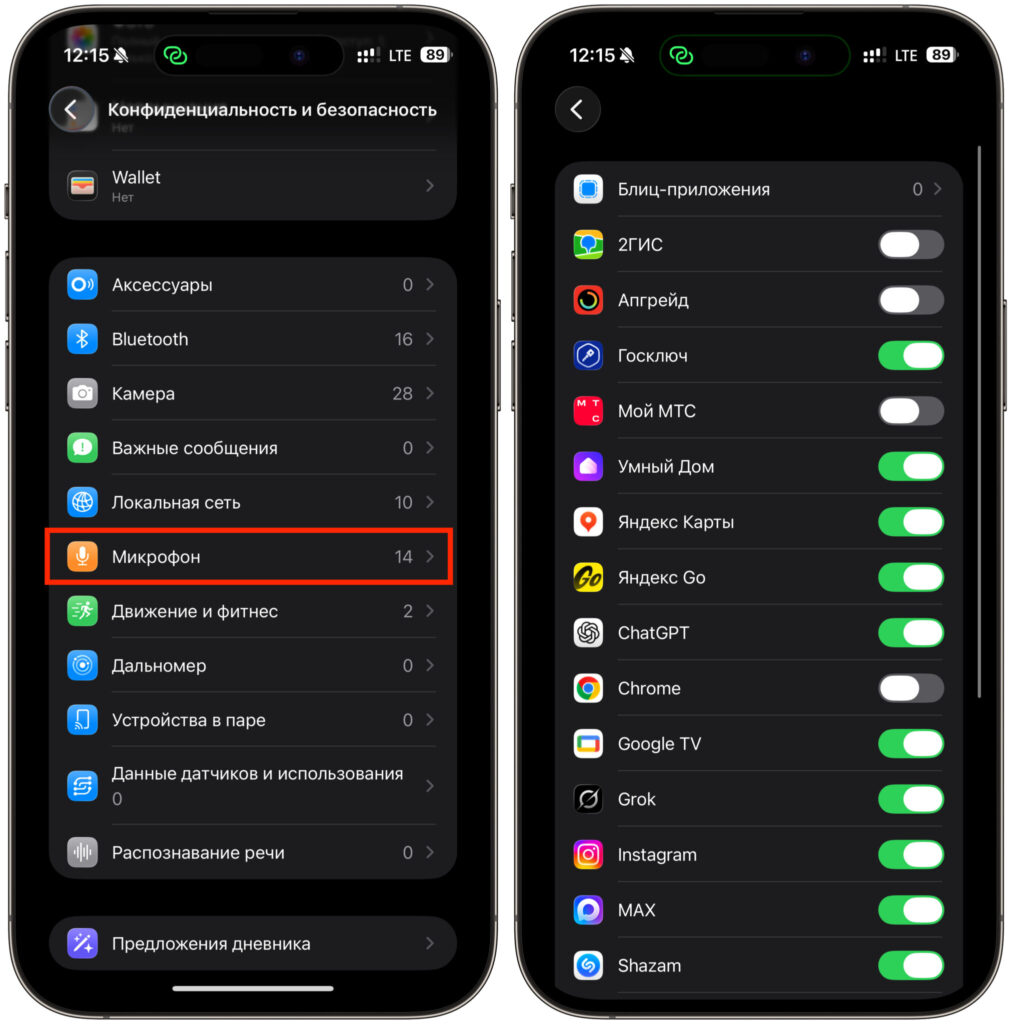
All apps that have microphone access have a green toggle
The microphone is needed for legitimate purposes too — for example, it can be used for recording audio on a Mac. So don’t focus on the mere fact of access, but on anomalies. If a messenger accesses the microphone every hour without any calls, that’s a good reason to ask questions.
How to Disable “Eavesdropping” in a Couple of Minutes
The most reliable approach: revoke access from those that don’t need it. Settings, Privacy & Security, Microphone — and turn off the toggles for apps that have no business with your voice. A game or a store will do just fine without your audio.
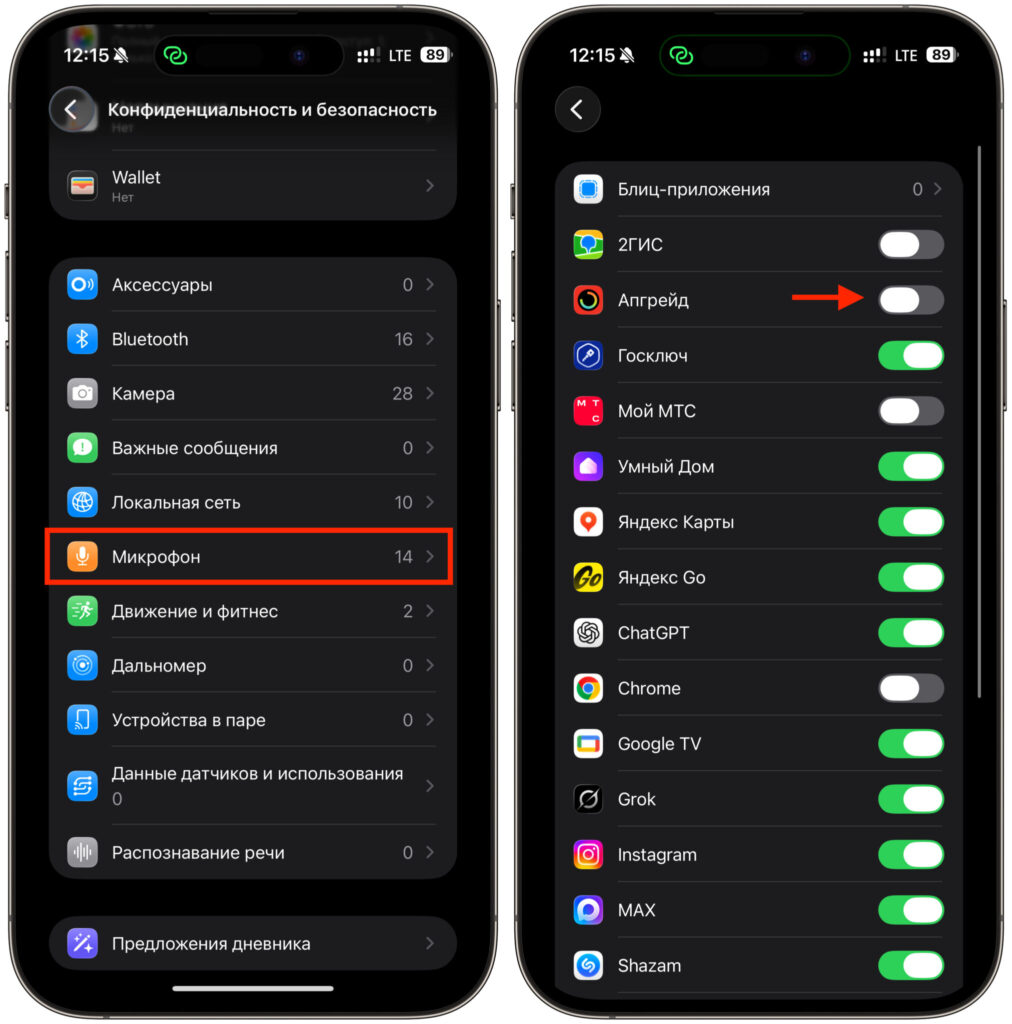
Turn off all unnecessary toggles in this section
Next, disable Hey Siri if you don’t use the assistant: fewer false activations, fewer accidental recordings.


