The resort season is in full swing. And along with their suitcase, most Russians bring the same question to Turkey: how to stay in touch with those back home? The situation became more pressing after Telegram was blocked in Russia — essentially the last major international messenger that was still holding on. Now loved ones at home are using MAX, and it’s the easiest way to organize proper communication. The only question is how it all works abroad. Let me break down without any ambiguity whether MAX works in Turkey.

Let’s find out if you can stay in touch with loved ones through MAX
How to Download MAX in Turkey on Android
Let’s start with the most practical part. How do you even get the MAX app in Turkey if it’s not already installed? Because without the app, there’s no way.
Option 1 — Google Play with a Russian Google account. If your account is registered in Russia or Belarus — simply open Google Play in Turkey and install MAX as usual. There are no restrictions: the app will be found and installed without any issues.
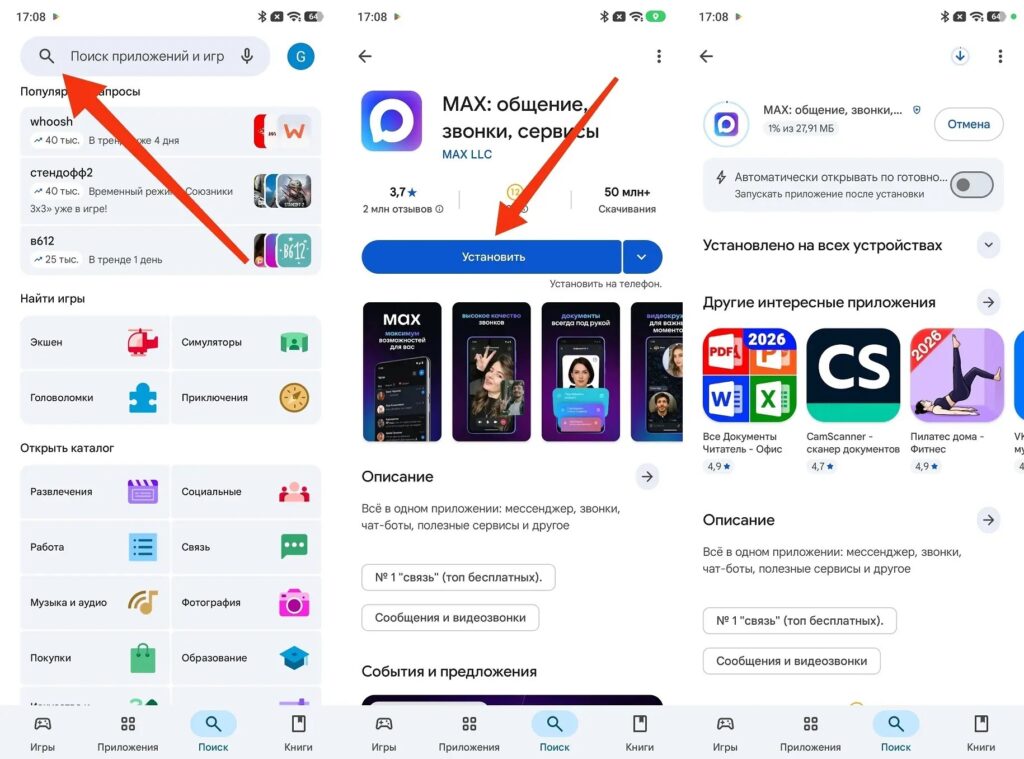
MAX remains available on Google Play
Option 2 — RuStore. If your Google account is foreign or the app doesn’t appear in search, you can download MAX through RuStore:
- Open your browser and go to rustore.ru.
- Download the RuStore APK file and install it, allowing installation from unknown sources in Android settings.
- Open RuStore, find MAX in search, and tap “Install.”
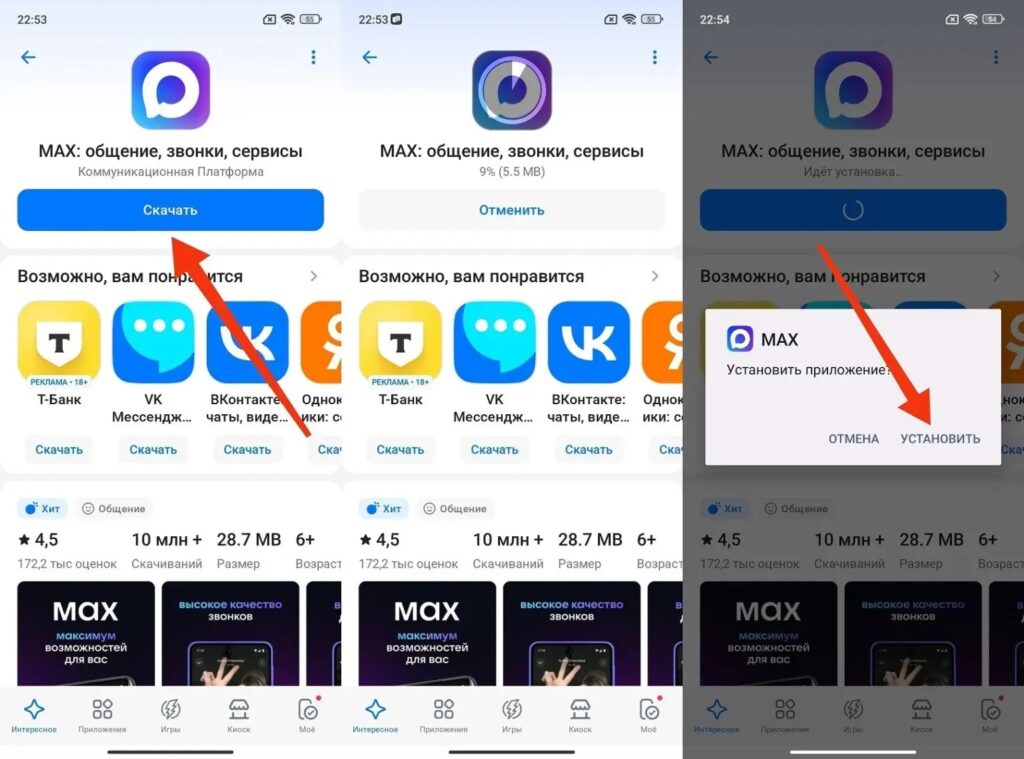
You can also download MAX in Turkey through RuStore
Option 3 — APK from the official website. Open max.ru in your smartphone browser, find the download link, and install the APK manually. You’ll need to allow installation from third-party sources.
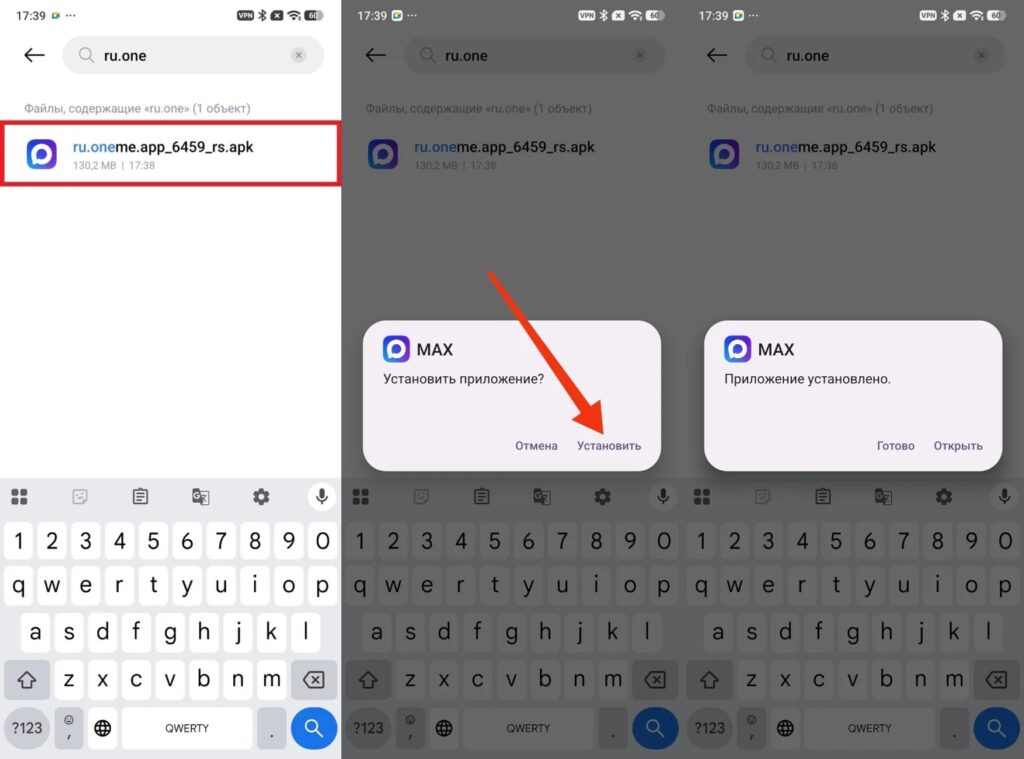
The least convenient but still working option
The MAX messenger is available through all three methods: choose whichever is most convenient.
How to Log into MAX in Turkey with a Russian Number
This is the most important scenario for most Russian tourists. If you’re already registered in the MAX messenger with a Russian number — everything is even simpler than it seems. If you logged into MAX before departure — connect to Wi-Fi in Turkey and use it. No re-registration, no additional codes, no settings. MAX works abroad for authorized users without any restrictions. Messages in MAX in Turkey and calls work over the internet exactly the same as at home.
If you need to log in again (for example, you reinstalled the app or logged out of your account):
- Open the MAX app abroad and tap “Log in.”
- Enter your Russian phone number with the +7 code.
- An SMS code will be sent to your Russian number.
- Enter the code and log into your account.
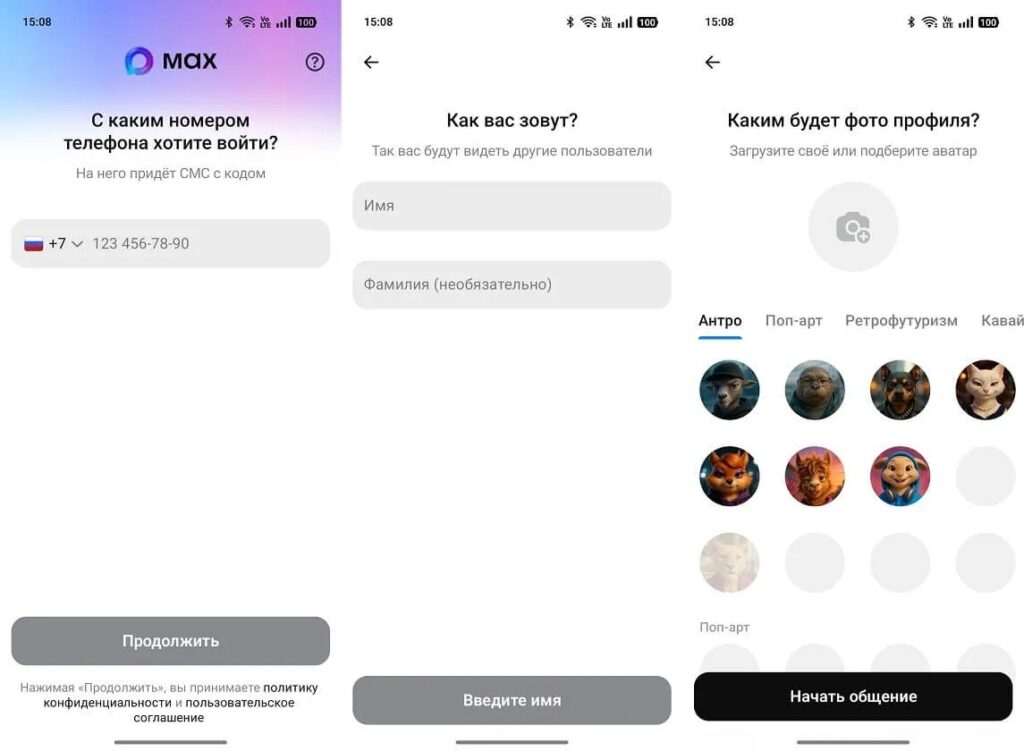
It’s better to log into MAX before departure
Key advice: log into MAX while still in Russia before your trip. Then in Turkey, you just need to connect to the hotel Wi-Fi — and everything works. Receiving SMS while roaming costs money, and this is easily avoided by logging in ahead of time.
Can You Register MAX with a Turkish Number
Yes, and it’s official. Since March 2026, Turkey has been included in the list of countries where registration is open. As of May 2026, MAX abroad supports numbers from 40 countries — from the CIS to Asia and Latin America.
If you have a Turkish SIM card and want to register:
- Install the MAX app using any of the methods described above.
- Open the app and select “Register.”
- In the country list, select Turkey.
- Enter your Turkish number in MAX and wait for the SMS code.
- Enter the code and fill out your profile.
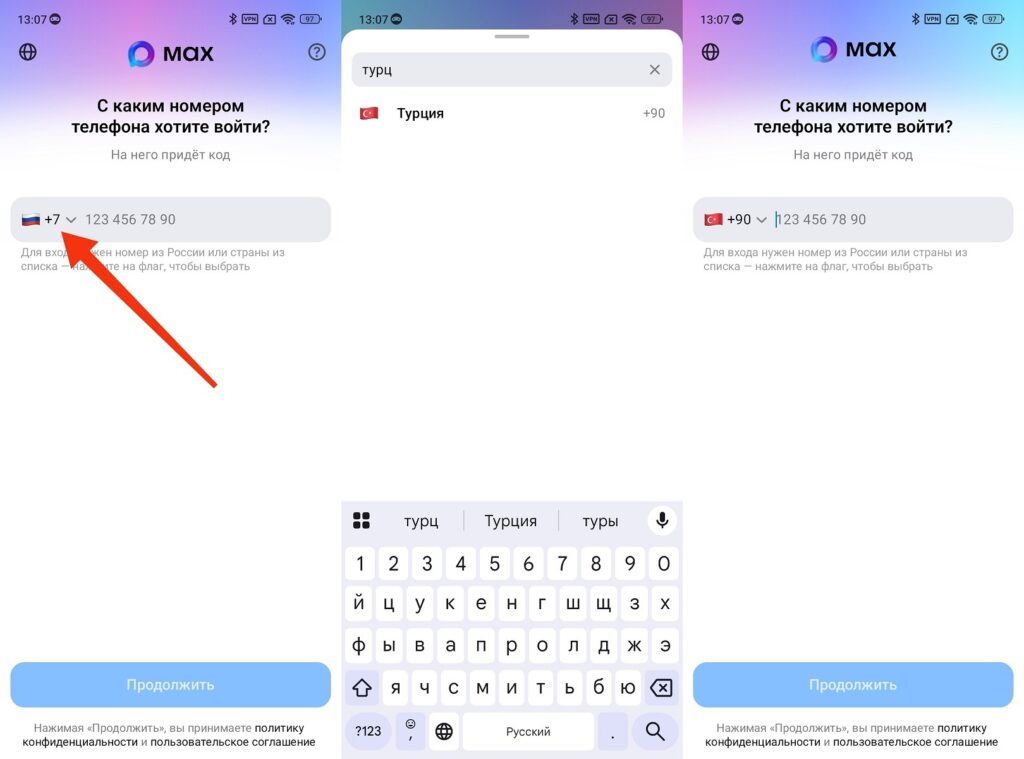
You can also register an account with a Turkish number
A foreign number in MAX works fully. Messages, calls, channels — all features without restrictions. Turkish MAX is the same messenger, just linked to a different number.
Does MAX Work in Turkey — An Honest Answer
Yes, MAX works in Turkey and works well. No technical blocks, no country-level restrictions. Is MAX available in Turkey in an official sense — yes, since March 2026 Turkey has been on the list of supported countries.


