WhatsApp* has released another update for iPhone via TestFlight — version 26.19.10.72. The main new feature is the “After Reading” timer for disappearing messages: you can now set up conversations to be deleted not after a day or a week, but a few minutes after the recipient opens them. The feature is already rolling out to some beta testers.
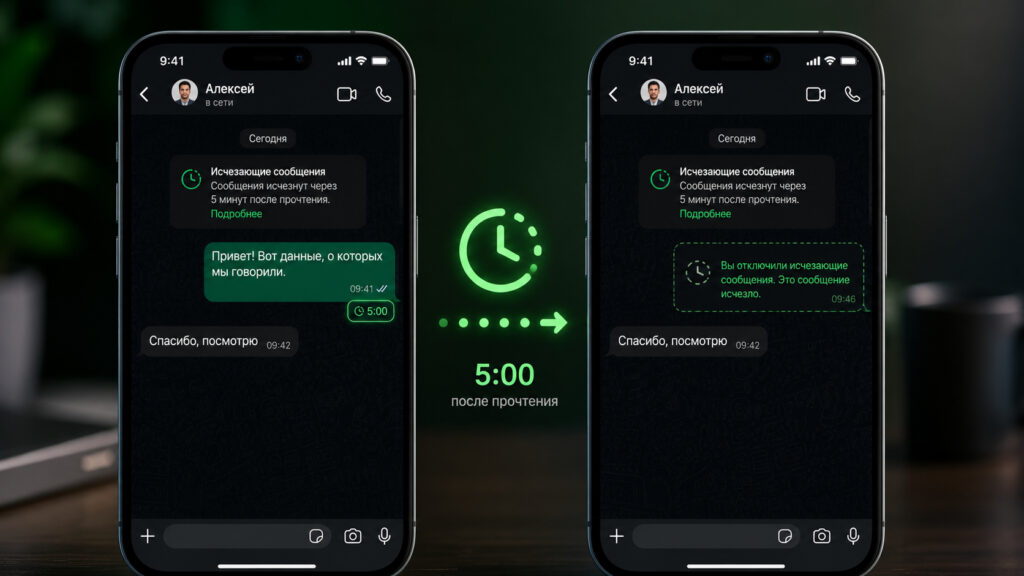
New disappearing messages in WhatsApp can vanish 5 minutes after being read
How to Enable Disappearing Messages in WhatsApp* on iPhone
Disappearing messages is a mode in which WhatsApp* automatically deletes conversations after a set period. Before this update, users had three timer options: 24 hours, 7 days, or 90 days. The mode can be enabled either for all chats at once or for individual conversations. The purpose of the feature is simple: less old correspondence is stored on devices and servers, and there are fewer risks if the phone ends up in someone else’s hands. Here’s how to enable disappearing messages:
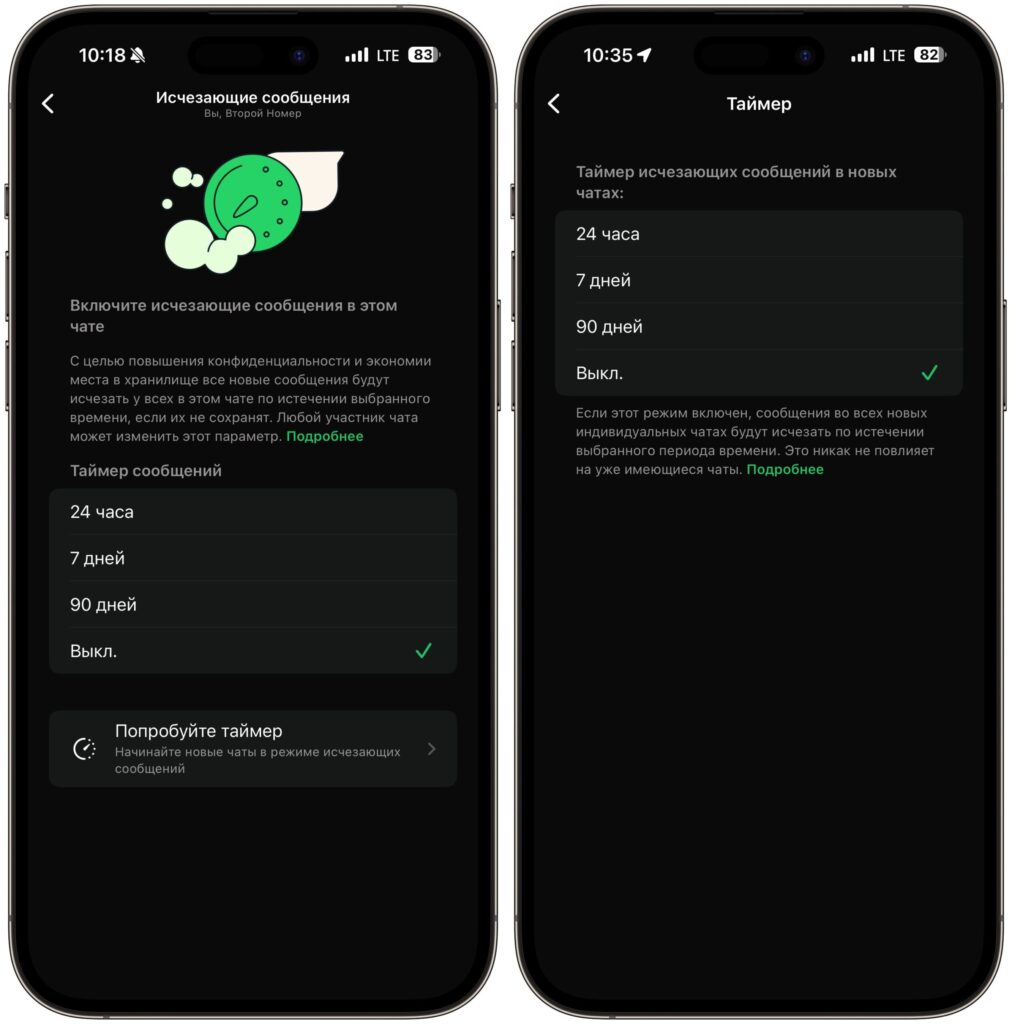
Currently the timer in disappearing messages is more suited for clearing memory so it doesn’t get cluttered
- Open WhatsApp and go to the desired chat;
- Tap the contact’s name at the top of the screen;
- Select “Disappearing messages”;
- Choose 24 hours, 7 days, or 90 days.
These are standard disappearing messages and they are available to everyone right now.
Automatic Message Deletion in WhatsApp*: What Changed
The main difference is that the countdown starts not from the moment of sending, but from the moment the recipient actually opens the message. You can choose from three intervals: 5 minutes, 1 hour, or 12 hours after reading. If the recipient never opens the message, it will still disappear — by default after 24 hours. Here’s how to enable the new feature:
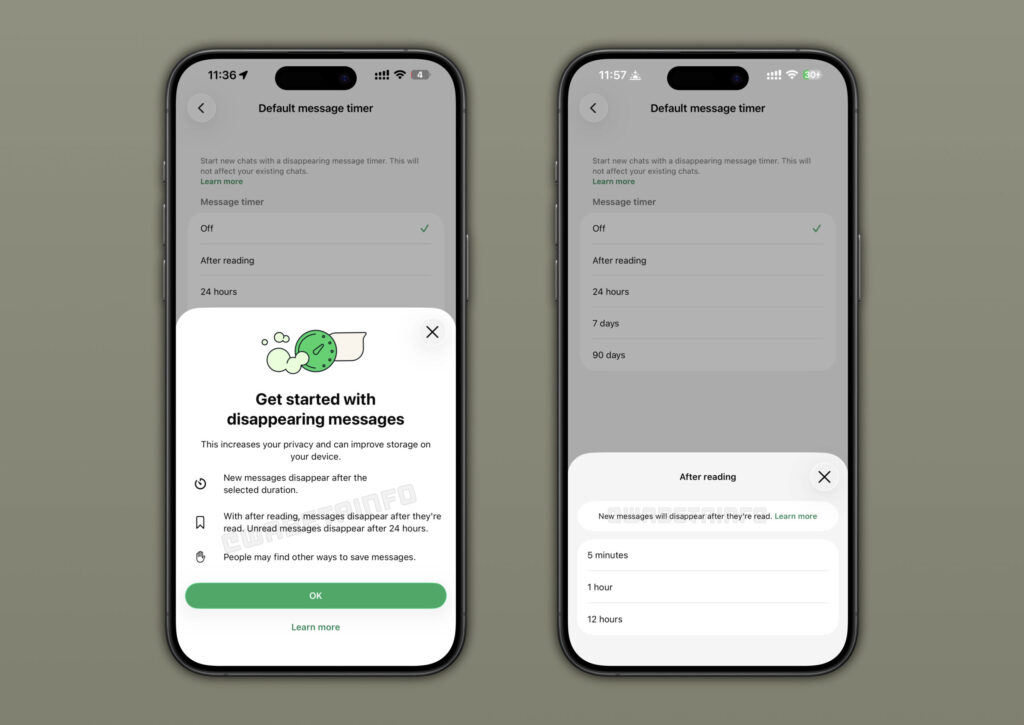
New disappearing messages can be deleted in as little as 5 minutes
- Open WhatsApp and go to the desired chat;
- Tap your contact’s name at the top of the screen;
- Select “Disappearing messages”;
- Tap the “After sending” line and choose a time from the available options.
The new “After Reading” timer was previously tested only on Android, and now WhatsApp* has started rolling it out to iOS as well. Access is not available to everyone at once: WABetaInfo reports that the feature is being enabled for some beta testers and will expand in the coming weeks.
This is a separate layer of privacy on top of regular disappearing messages. Previously, the timer didn’t account for whether the conversation had been read or not: 7 days meant everything would be deleted in exactly 7 days, even if the person never opened the chat.
When Are Messages Deleted After Reading in WhatsApp*
WABetaInfo provides a clear example. Let’s say you send a message and set the “5 minutes after reading” timer:
- on your device, the message will be deleted 5 minutes after sending, regardless of whether the recipient opened it or not;
- for the recipient, the message remains available until they open it — even for several hours;
- once they read it, a 5-minute countdown starts on their end, after which the message disappears;
- if they don’t open the message within 24 hours, it will disappear automatically.
This means the sender and recipient see the message for different amounts of time, but ultimately the conversation doesn’t linger for either of them.
The “After Reading” timer is disabled by default. Nothing will change until you activate it yourself. The setting can be applied not to all chats at once, but to individual conversations — for example, only to work correspondence or conversations where sensitive matters are discussed.
What Are Disappearing Messages in WhatsApp* For
The feature is useful for those who don’t want to store important messages for long
If you don’t use disappearing messages, there’s nothing new for you in this update — chat behavior remains unchanged. The feature is useful for those who:
- discuss work data, passwords, payment details in WhatsApp* and want such messages not to remain in the history;
- have personal conversations and don’t want old messages to stay on others’ devices for long;
- already had disappearing messages enabled but felt that 24 hours was too long.
There are some caveats, though. The recipient can still take a screenshot or photograph the screen with another phone — this is not a “self-destructing” conversation in the spirit of spy movies, but rather a way to simply reduce how long messages are stored. And the feature is not yet available to everyone: even after installing the beta, it may not appear in the settings, and you’ll need to wait a bit for it to be enabled.
*owned by Meta, recognized as extremist and banned in Russia


