Users who are accustomed to Telegram, when switching to MAX, first look for familiar features. Disappearing messages are one of the most sought-after. I fully switched to MAX and use it every day, so I decided to figure out whether you can set up auto-deletion in the Russian messenger and what alternatives you have.
Understanding the situation with disappearing messages in MAX
Let’s immediately define our terms. Disappearing messages are when you send text, a photo, or a file, and after a set time they are automatically deleted for both participants. In Telegram, this feature works as it should. You can choose a timer from a few seconds to several weeks, and when the time expires, the conversation simply dissolves. In MAX, everything is arranged differently. And this is where it gets interesting.
Auto-deletion of messages in MAX: does this feature exist?
In short — no. In the MAX messenger, as of the time of writing, there is no disappearing messages feature. In any form whatsoever. You can’t set a timer on a message, you can’t configure auto-deletion for a chat, you can’t send text that will disappear on its own after a minute.

Unfortunately, there is no auto-deletion of messages here
This may seem strange for a messenger that positions itself as a modern platform with tens of millions of users. But the fact remains: if you go into the settings of any chat in MAX, you won’t find any option for “Auto-delete,” “Disappearing Messages,” or “Self-destruct Timer.” Recently, MAX developers announced a large number of new features for the summer, so let’s hope this feature appears in the near future.
Is there a secret chat in the MAX messenger?
The second unpleasant surprise for those switching from Telegram. MAX has no secret chats. At all. No end-to-end encryption in a separate mode, no screenshot protection, no self-destruct timer for messages after reading.
The developers haven’t added secret chats either
Regular chats in MAX are, of course, encrypted during transmission. But this is standard encryption between the client and server, not end-to-end between two participants. Messages are stored on servers, synchronized between devices, and don’t disappear anywhere until you delete them yourself.
If you find instructions online for setting up secret chats or auto-deletion in MAX — don’t believe them. These are SEO articles written for traffic. They describe features that simply don’t exist in the messenger.
How to delete a message in MAX for all chat participants
MAX doesn’t leave you completely without tools. But the capabilities here are noticeably more modest than in Telegram.
- Delete a message for everyone. In MAX, you can delete a sent message not only for yourself but also for the other person. To do this, tap on the message, select “Delete,” and then “Delete for Everyone.” But there’s a limitation — you can only delete it within 7 days after sending. After that, the message will remain in the chat forever.
- Clear chat history. If you want to completely erase a conversation, MAX has a history clearing function. However, it only works on your device. The other person will continue to see all messages.
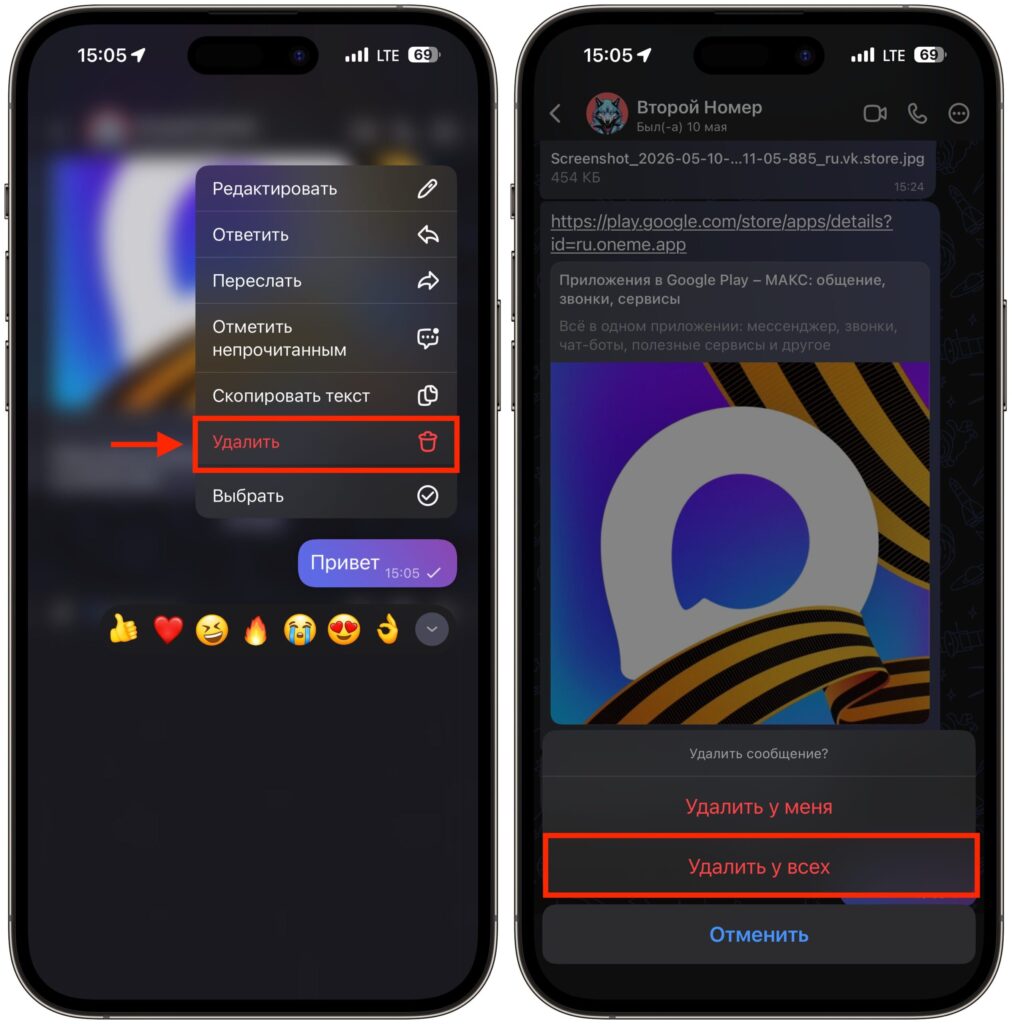
But there is an option to delete a message for everyone, even after sending
That’s essentially it. No automatic scheduled deletion, no self-destructing photos, no secret chats with a timer.
Password for MAX: how to set it up and hide personal data
Perhaps disappearing messages and secret chats will appear in future updates. But so far there are no official statements from VK about this. Since there’s no auto-deletion, it’s worth at least figuring out what is available. A few simple steps that will improve the security of your communication in MAX.
- Set a login password for the app. Go to “Settings” — “Security” and set a passcode. On devices with biometrics, you can enable Face ID or Touch ID. After that, no one will be able to open MAX on your phone without your knowledge.
- Hide your phone number. In the privacy settings, you can restrict who sees your number and prevent people from finding you by it. This won’t protect the content of your conversations, but it will at least make life harder for those trying to find you.
- Delete important messages manually. Yes, it’s inconvenient and
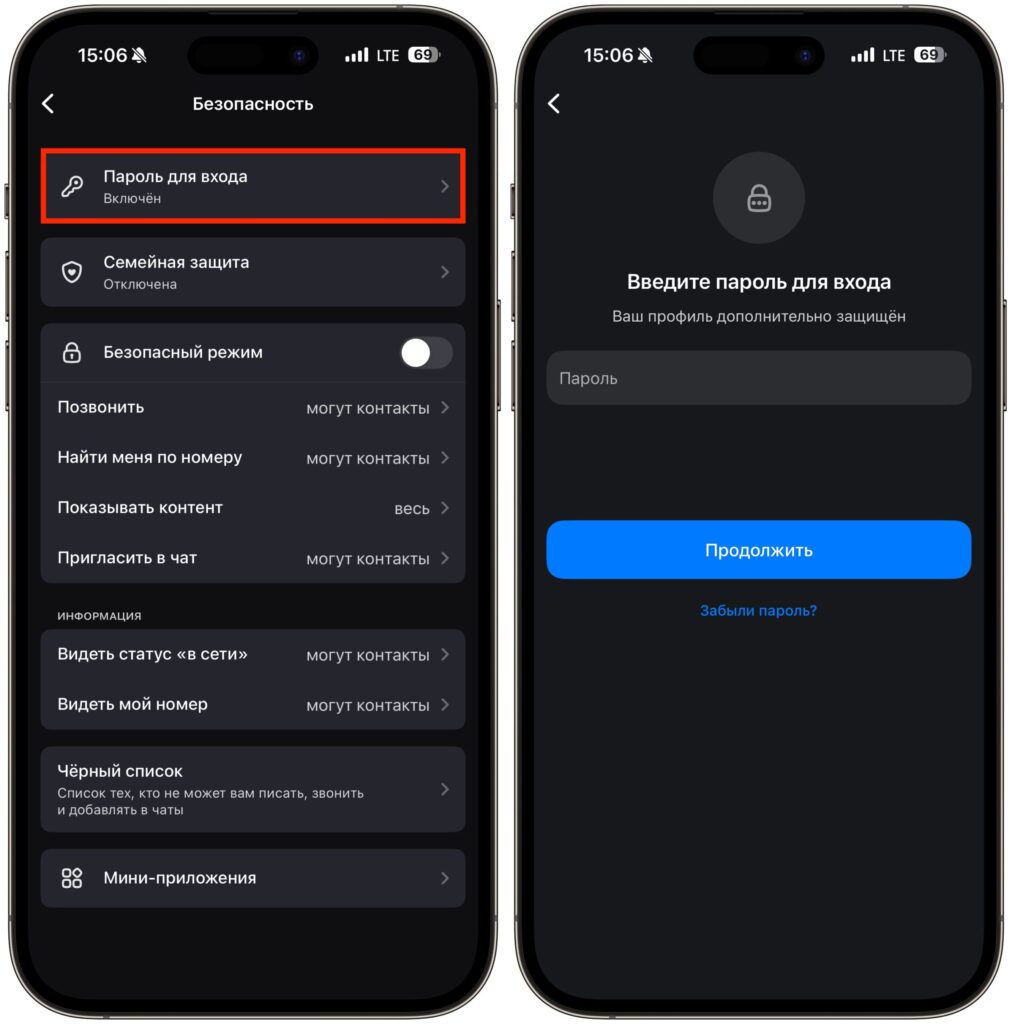
A password will prevent anyone but you from accessing your conversations
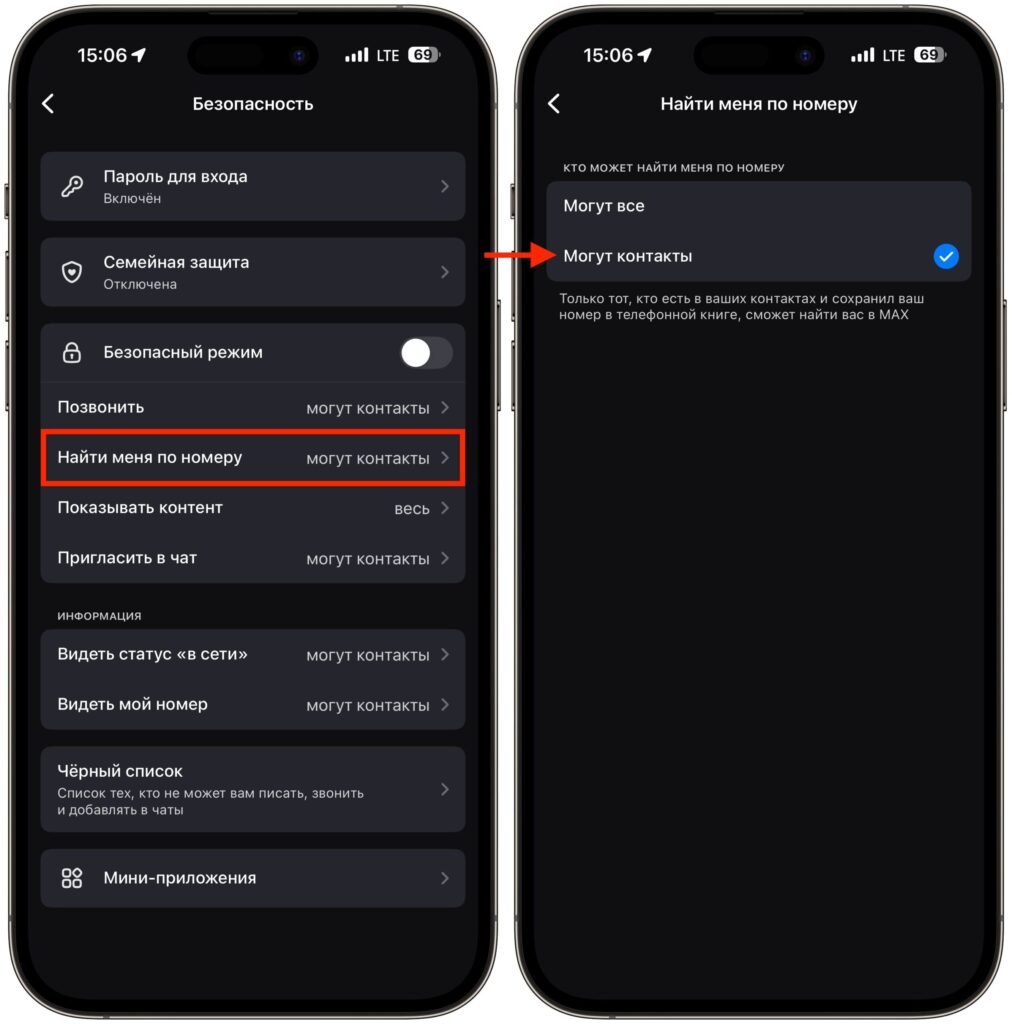
An additional level of protection will be the inability to find you by phone number


