The first PlayStation 5 emulator for smartphones, CapyPS5, is now publicly available for Android. Its latest version was downloaded more than 10,000 times in two days. Some games already run at a full 60 frames per second. In practice, the emulator needs a near-flagship phone and your own game copies taken from a PS5. The games that run well today are mostly 2D indie titles. The big 3D releases that sell the console either crawl along or do not load at all.
What you need to know
- CapyPS5 version 0.0.3 was released on October 24. Its APK passed 10,000 downloads on the project’s official server alone.
- Minimum requirements are Android 12 or newer (64-bit), graphics with Vulkan 1.3 support and at least 12 GB of RAM. iPhone is not supported.
- No games are included. The emulator works only with copies taken from your own console, and the developers say they will not help users obtain them.
- Seven indie games run at 60 fps on a Snapdragon 8 Elite device. Bloodborne, Demon’s Souls and Astro Bot do not even load yet.
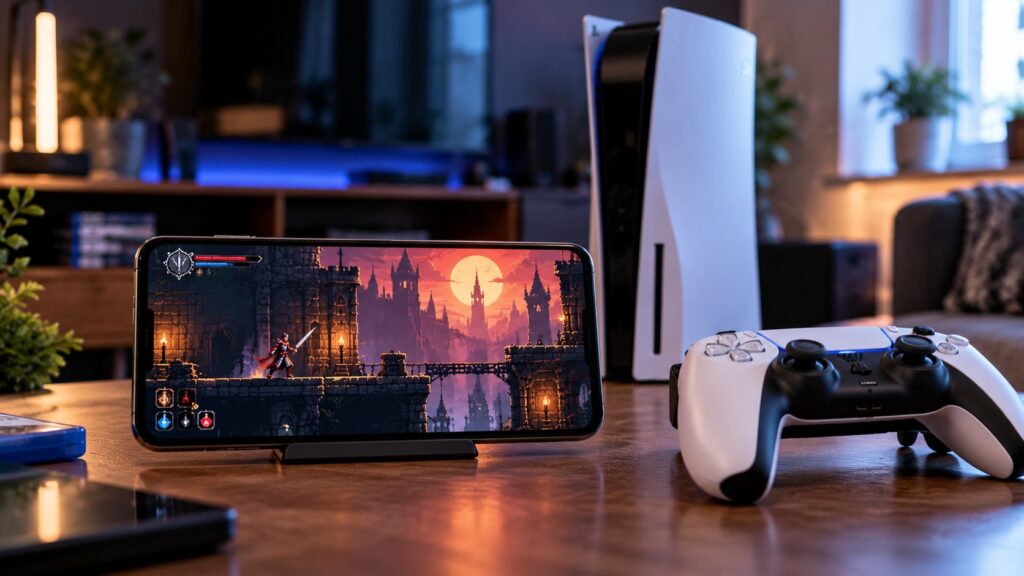
An Android smartphone running PS5 emulation
Why a PS5 emulator on a phone is notable
Android phones already run emulators for older consoles, including the PlayStation 2, Nintendo Switch and Xbox 360. The PS5 was considered out of reach because it is less a simple console than a real gaming computer with AMD graphics.
Version 0.0.3 was published on October 24. Its APK was downloaded more than 10,000 times on the project’s official server alone. The update fixed games crashing at launch and improved Unreal Engine support. It also laid groundwork for PS4 titles. These already appear in the library with a PS4 label, but they cannot be launched yet.
The project is led by an enthusiast known as Ghael, who previously created Lemon, one of the Nintendo Switch emulators for Android. CapyPS5 was not written from scratch. It is based on KytyPS5, an open-source PS5 emulator for computers. CapyPS5 is free, and its source code is open.
One key distinction separates it from the dubious “PS5 emulators” that have circulated online for years: CapyPS5 contains no Sony firmware or keys, and it does not need them to run.
First, check whether your phone can handle it
The phone has to translate the game from the PS5’s “language” into its own on the fly. That is why CapyPS5’s requirements are close to flagship level:
- Android 12 or newer, 64-bit system;
- graphics with Vulkan 1.3 support;
- at least 12 GB of RAM.
The quickest way to check memory and processor is in the system settings. Exact menu labels may differ between phone makers.

- Open Settings and go to About phone.
- Look for the RAM and Processor entries.
- If the phone has less than 12 GB of RAM, there is no point continuing.
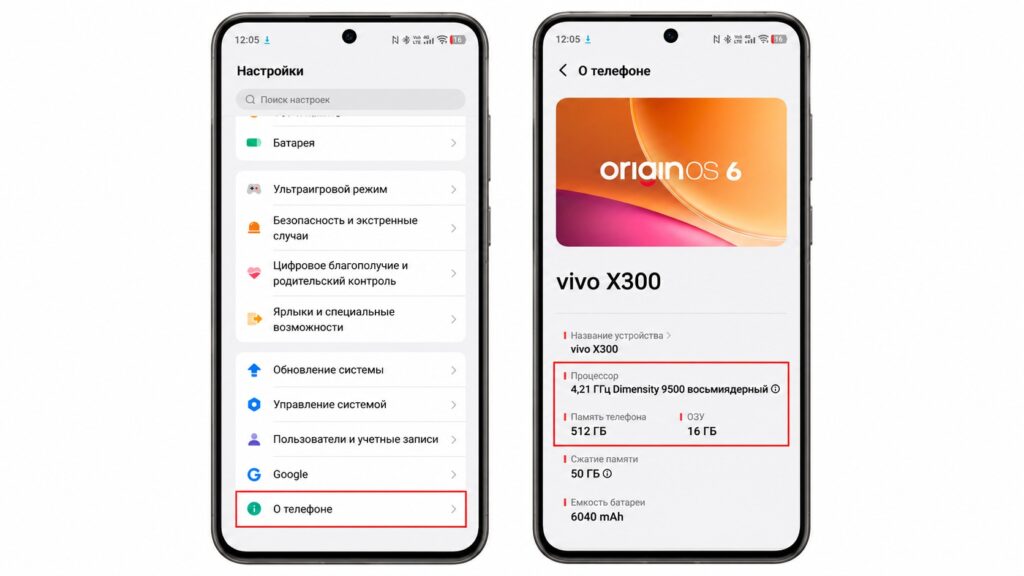
Checking the processor and RAM on a phone
Which chips work best
The emulator runs best on the Snapdragon 8 Elite with Adreno 830 graphics, which is the hardware the developers used to test games. Testers have also run CapyPS5 on phones with the Snapdragon 8 Gen 3 and even the Snapdragon 888. On those chips, results depend heavily on the graphics driver.
Phones with Dimensity chips and Mali graphics are supported only experimentally. iPhones are not supported at all, because iOS does not allow the emulator to translate code on the fly.
The official APK is about 50 MB. Treat anything else with suspicion
CapyPS5 is not available on Google Play. It is distributed as an APK from the project’s website. Fakes with names like “PS5 Emulator Pro” are already appearing in the wake of the news, so download it only from the official source:
- Open capyps5.org in your phone’s browser.
- Tap the Download APK v0.0.3 button. This opens the release page on the project’s server.
- Download the file CapyPS5-v0.0.3.apk, which is about 50 MB.
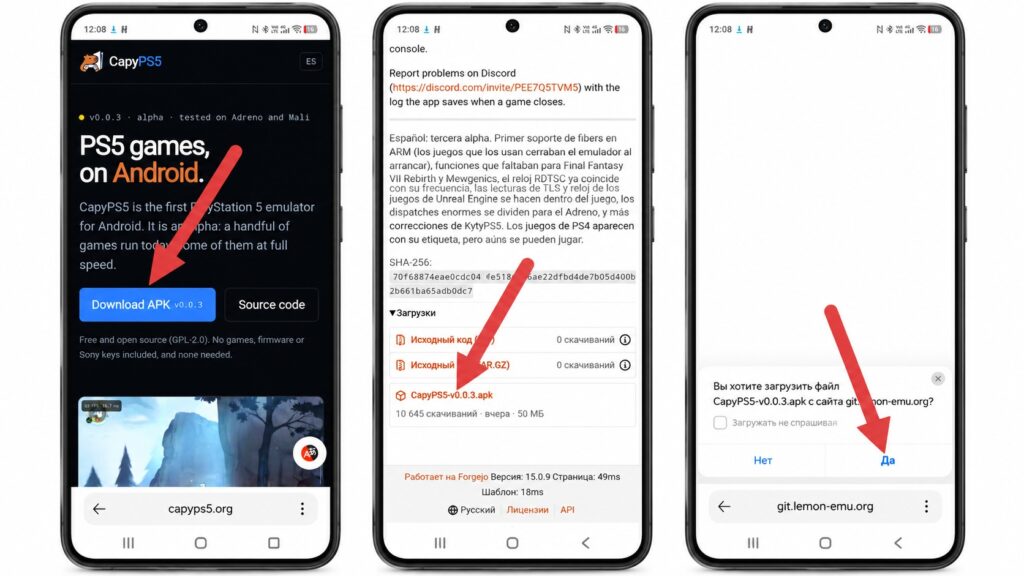
Downloading the emulator on Android
- Open the downloaded file. When Android asks, allow your browser to install apps.
- Tap Install.
- On first launch, grant the emulator access to all files. Without it, the emulator cannot see your games.
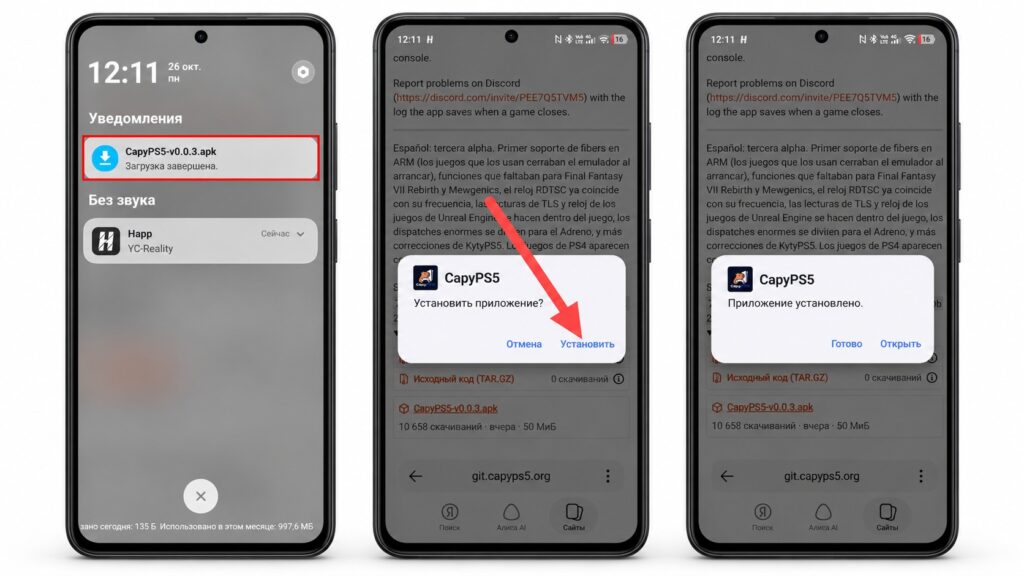
Installing the PS5 emulator on Android
Skip the download if the file has a different name, is many times larger or smaller, or is offered through a file-sharing service. The project has only one other official source: a GitHub mirror, linked from the same website. After installation, the emulator offers to install new versions itself.
The graphics driver setting that can prevent a broken image
If your phone does not have a Snapdragon 8 Elite, the first step is to install a suitable graphics driver. You can do this inside the app:

- Open CapyPS5 and go to Settings, then Graphics.
- Tap Download drivers.
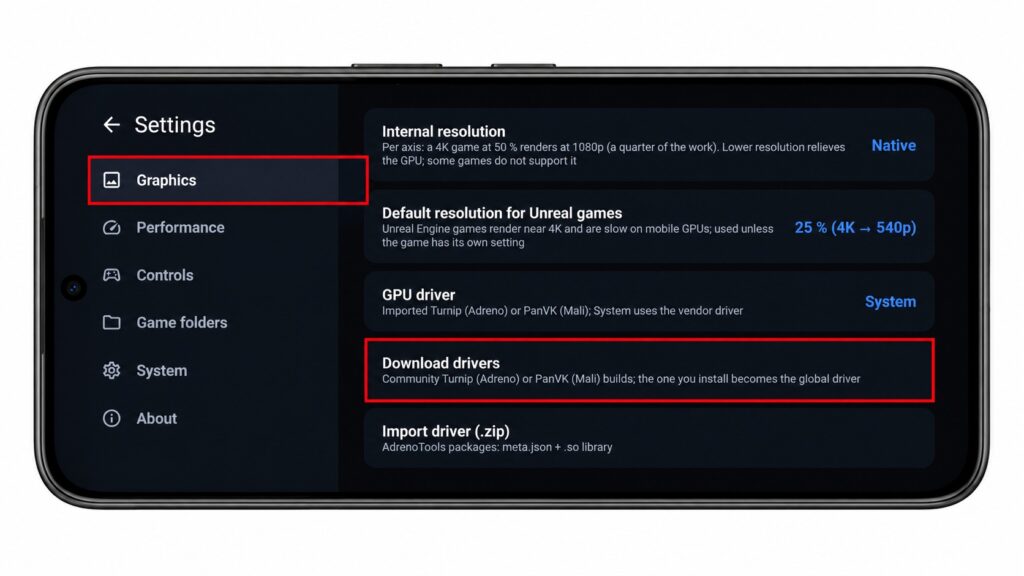
The driver download section in the PS5 emulator
- Choose the Turnip driver for phones with Adreno graphics, or PanVK for Mali.
- Restart the emulator.
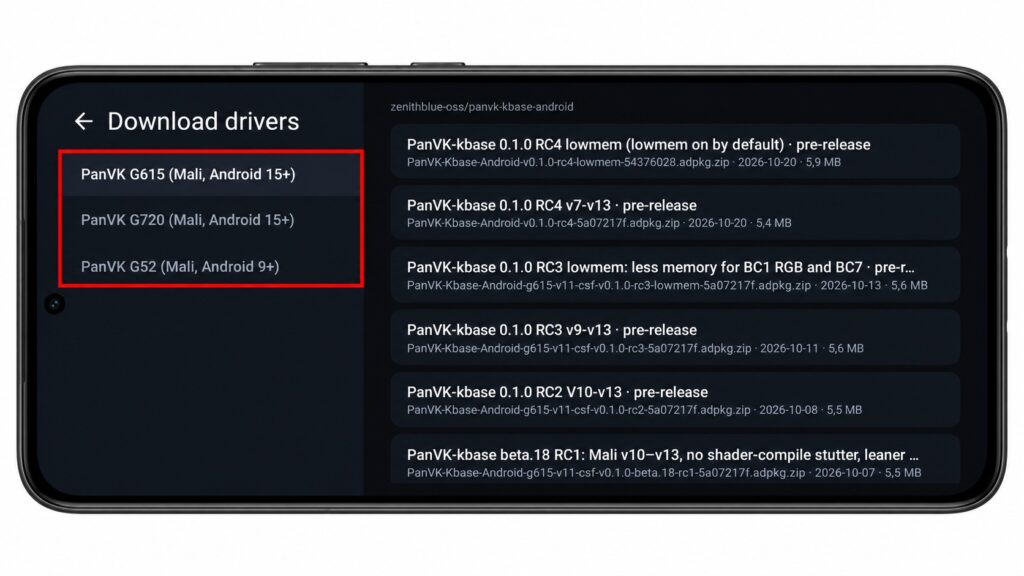
Choosing the right driver for the PS5 emulator
On a Galaxy S24 Ultra with Adreno 750 graphics, for example, Turnip is essential. Adreno 650 is not supported with the stock driver. If a game shows graphical artifacts, the developers advise changing the driver first.
You have to bring your own games
No games are included. CapyPS5 works only with game copies taken from your own console. Each copy is a folder containing an eboot.bin file and an sce_sys directory. The developers do not say where to get such copies and state plainly that they will not help with this. If you already have a game folder, adding it is simple:
- Copy the game folder into the CapyPS5 directory in your phone’s internal storage.
- Alternatively, point the emulator to another folder under Settings, then Game folders.
- Return to the library, select the game and tap Play.
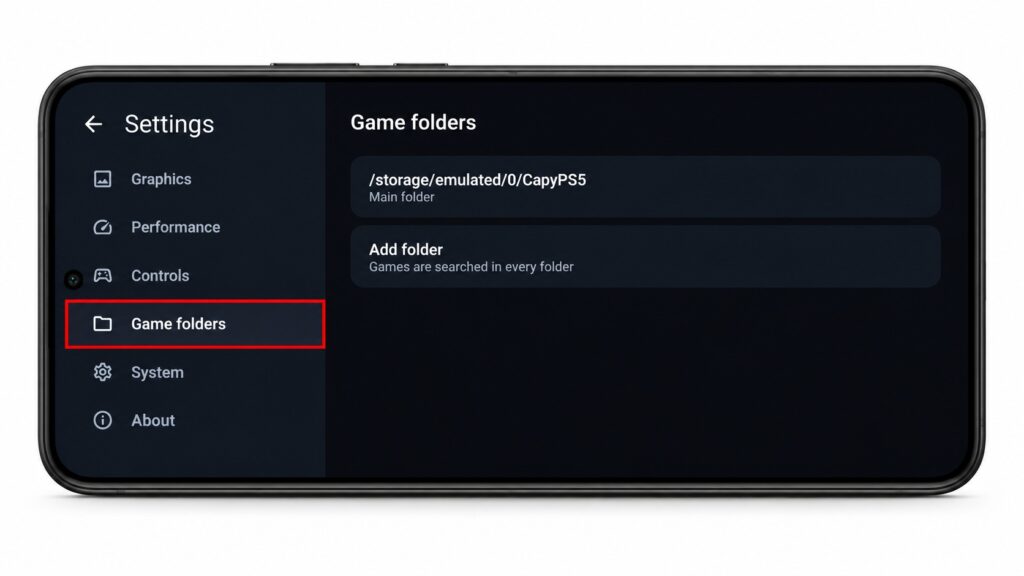
Choosing a game folder in CapyPS5 settings
Without a PS5 of your own, the emulator is mainly an interesting technical curiosity.
Performance ranges from 60 fps to a slideshow
The developers measured performance on the AYN Odin 3 handheld, which uses a Snapdragon 8 Elite. It is essentially a gaming smartphone without a SIM card. These games run at a full 60 frames per second on it:
- Dead Cells;
- Animal Well;
- Blasphemous;
- The Messenger;
- MARVEL Cosmic Invasion;
- The Binding of Isaac: Repentance;
- Greak: Memories of Azur.
Cult of the Lamb, Tomb Raider I–III Remastered and Minecraft also launch and are playable, although Minecraft slows down in some scenes. Almost the entire list consists of 2D indie games that are already available on other platforms, and some are even available on Android itself. A gamepad makes them easier to play. The emulator recognizes physical controllers, and a PlayStation gamepad can be connected to Android over Bluetooth.

Large 3D games barely run
Big 3D games are a different story:
- Stray technically launches but runs at 4–7 fps.
- Little Nightmares Enhanced Edition runs at 4–6 fps.
- Born of Bread runs at 7 to 28 fps.
Large Unreal Engine games render at close to 4K, so the emulator runs them at 25% of their native resolution by default. If a game still stutters, you can lower the resolution further in its own settings.
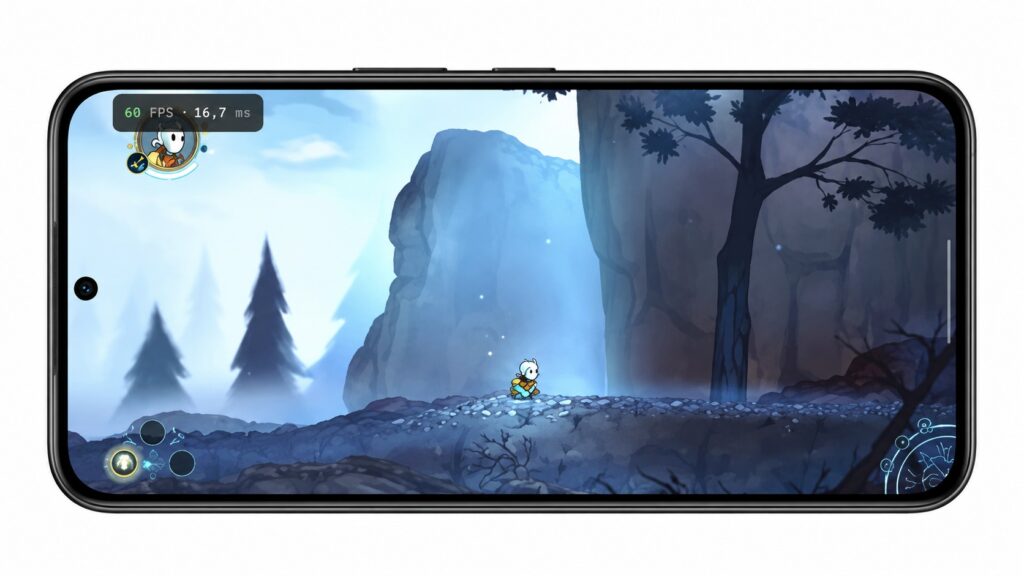
Hollow Knight: Silksong running through the PS5 emulator
The games many people buy a PlayStation for are not working yet. In the compatibility table, Bloodborne, Demon’s Souls, Astro Bot, Ghost of Yōtei and Marvel’s Wolverine currently do not even load.
If a game crashes, the emulator saves a report in the CapyPS5/logs folder. You can send it to the developers through their Discord community, along with the game title and your phone model.
Is it worth installing now?
Running PS5 games on a phone requires a flagship from the last two years with 12 GB of RAM. If you have such a phone and your own PS5, the emulator is worth installing at least out of curiosity, since it is free and takes about ten minutes to set up. Otherwise, it is currently more an unusual way to play Dead Cells than a replacement for a console.
For people who want large games on a phone today, there is a more reliable route: many PC games can run through Windows emulators on Android, without needing a console.
What remains uncertain
The project is at a very early stage. The first Switch and PlayStation 3 emulators for Android also handled only simple games at the start. Versions 0.0.2 and 0.0.3 were released one day apart. If the project is not abandoned, the game list could look very different in a year or two. For now, that is a forecast, not a promise.