Recently I checked whether MAX slows down the iPhone and drains the battery, and found that the complaints are greatly exaggerated. Since the messenger turned out to be harmless, I installed it on three devices at once and started figuring out whether you can use MAX on two phones simultaneously. Spoiler: MAX on two phones with one number works without any hassle, and below I show step by step how it works based on my experience.
Figuring out whether you can use MAX on two phones simultaneously
Can You Use MAX on Two Phones Simultaneously
Yes, you can. Right now I have one MAX account on two devices plus a computer: an iPhone, an Android smartphone, and a PC. All three sessions run in parallel, nothing gets kicked out, and messages arrive everywhere.
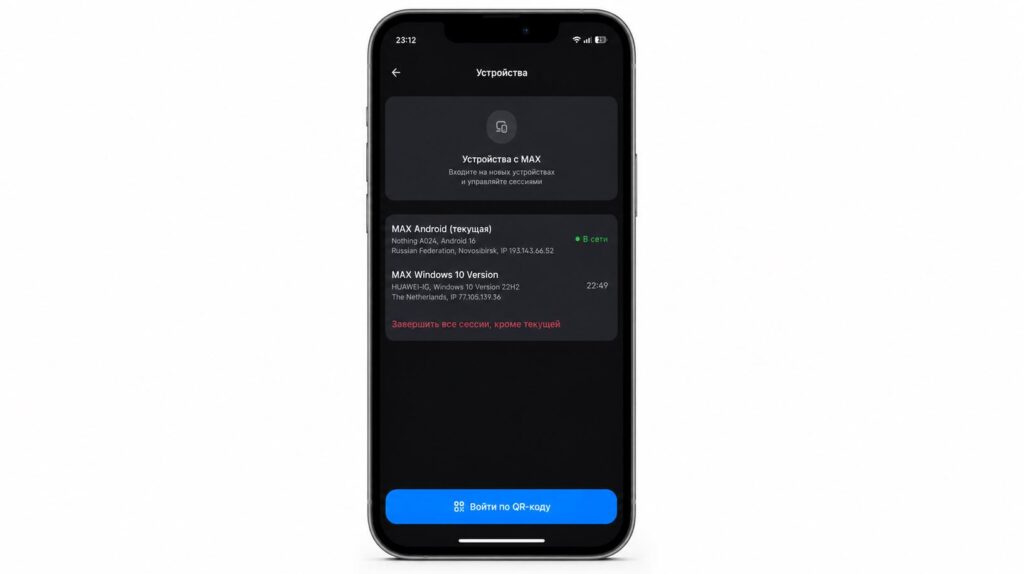
No authorization issues. You can log in from all your devices
This works because MAX stores conversations in the cloud, not on the phone itself. For the servers, each of your devices is simply another active session. That’s why MAX on two phones with one number doesn’t cause any conflicts.
It’s important not to confuse this setup with another one: two different accounts on one iPhone. That’s a completely different story with its own workarounds, because one number still means one profile.
How to Log into MAX on a Second Phone
The process is straightforward. Install the messenger on the second device, enter the same number, receive the code, and log in. If the app isn’t on the device, there’s a web version and a desktop program.
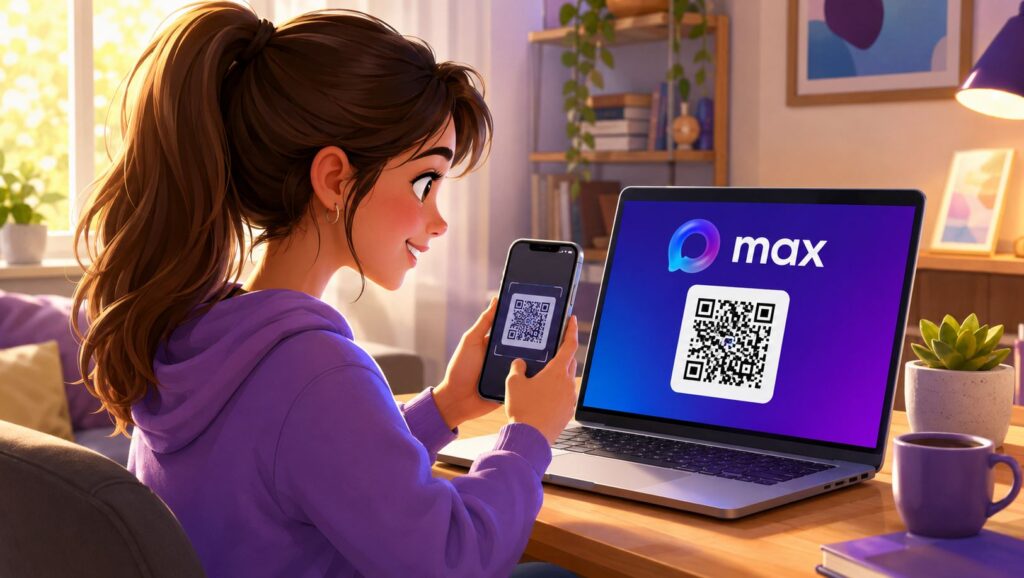
Logging in from a second device is done via QR code
- To log into MAX on a computer, open the “Devices” section on your phone.
- Select login via QR code.
- Scan the image from the screen.
After that, chats will sync automatically. The only caveat: the confirmation code is sent to your number, so the SIM card should be at hand at least at the moment of logging in.
Do Chats Transfer to MAX on a Second Phone
Practically everything transfers. Chats, channels, favorites, read and unread messages. I opened a conversation on the iPhone, picked up the Android, and it was already marked as read there. MAX chat synchronization works fast — I didn’t notice any delays. Attachments also sync, although heavy files need to be re-downloaded on the second device.
The difference between platforms exists, but it’s not in synchronization — it’s in the apps themselves.
A separate note about notifications in MAX. Push notifications arrive on all devices simultaneously, and this can be annoying: one phone in your pocket, another on the desk, and the computer is also beeping. The only fix is manually adjusting sound settings on each device.
How to Log Out of MAX on Another Device
Since sessions live independently, you should keep an eye on them. From time to time you need to terminate sessions in MAX, similar to Telegram or WhatsApp.
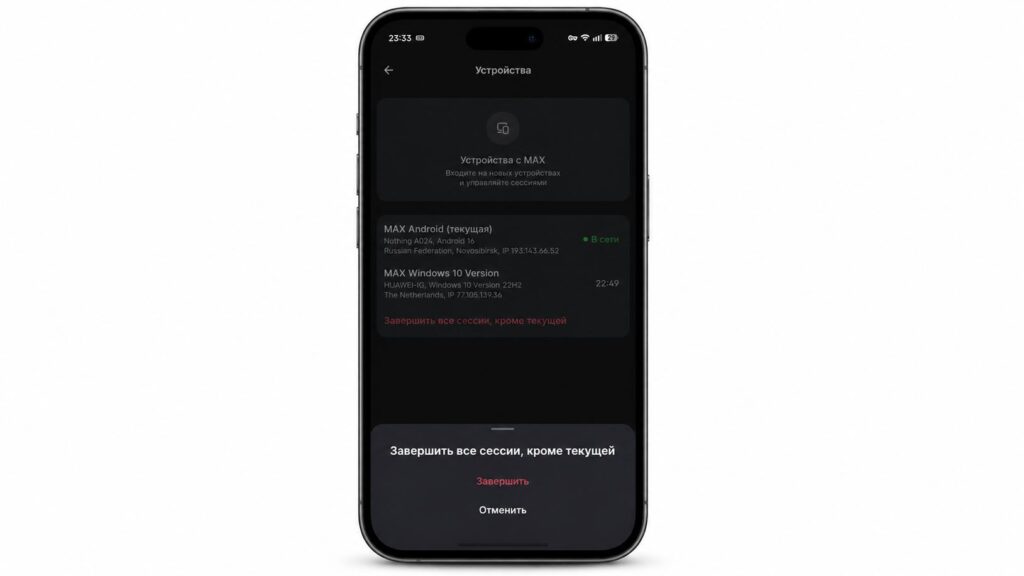
Don’t forget to terminate sessions in MAX
- Go to profile settings.
- Open the “Devices” section.
- View the list of active sessions.
- Select “Terminate all sessions except the current one.”
From there you can also log out of MAX on another device if you lent someone your old smartphone or lost it. Check your active MAX sessions at least once every couple of months — it’s a healthy habit for any messenger.
Is It Worth Using MAX on Different Devices
If you have a work phone and a personal phone, this setup is a lifesaver: you don’t need to carry two devices around and you don’t need to clone anything. I keep MAX on Android as my primary, on iPhone as a backup, and on PC as my work device.
You can use MAX on different devices. Just don’t forget to terminate sessions
One caveat worth remembering. When you have many devices and some of them have VPN enabled, the messenger sees a strange picture: one account open from different cities and countries simultaneously. MAX anti-spam doesn’t like this and may interpret it as a hacking attempt. In the best case, you’ll catch a temporary glitch and chat re-synchronization; in the worst case, the system will preemptively lock your profile, and you’ll have to sort it out with support.
So I’ll come back to what I said above: don’t create unnecessary sessions. Keep only the devices you actually use, and promptly terminate old and accidental logins through the active MAX sessions list. This way you’ll keep your chats synchronized and avoid a false account lockout.


