Many people want to know how their number is labeled in the phones of friends and acquaintances. This is exactly what apps like GetContact are built on. But seeing how you’re labeled is one thing, and finding out exactly who did it is quite another. Let’s figure out whether it’s even possible to find this out.
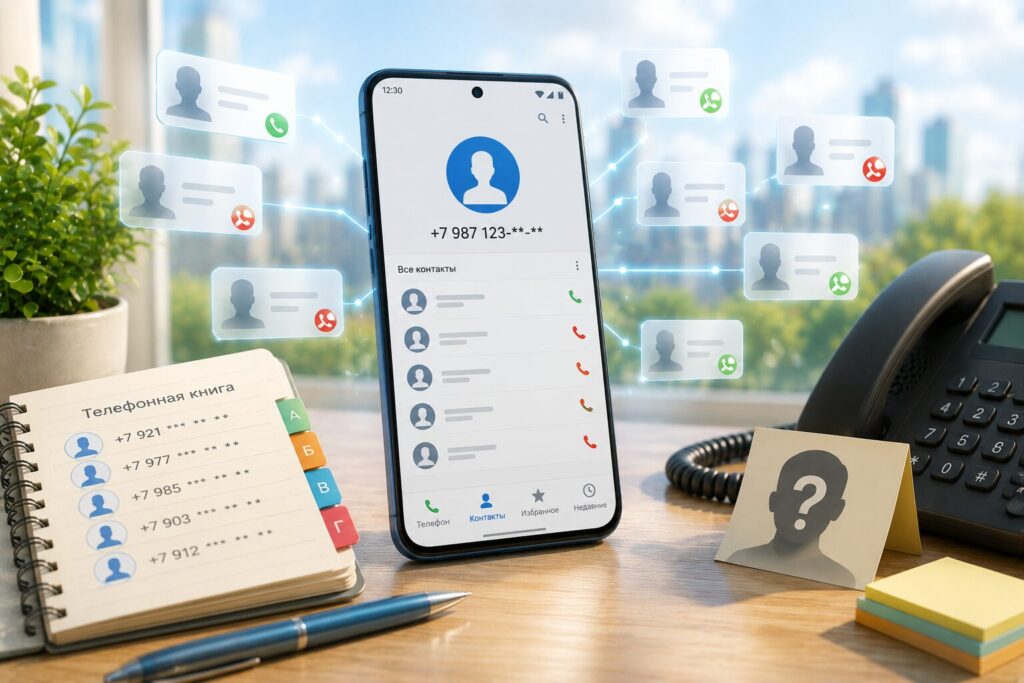
Who saved you under such a lousy name?
What Apps Like GetContact Actually See
Caller ID services don’t show how one specific person saved you, but rather an aggregated picture from many phone books. That said, even this can be very useful: so much so that our Android expert German Vologzhanin, who had quit GetContact, eventually went back to using it.
GetContact shows tags — that is, the name variants under which your number appears in other people’s contacts. If someone saved you as “Plumber” or “Don’t answer,” it will show up as a tag.
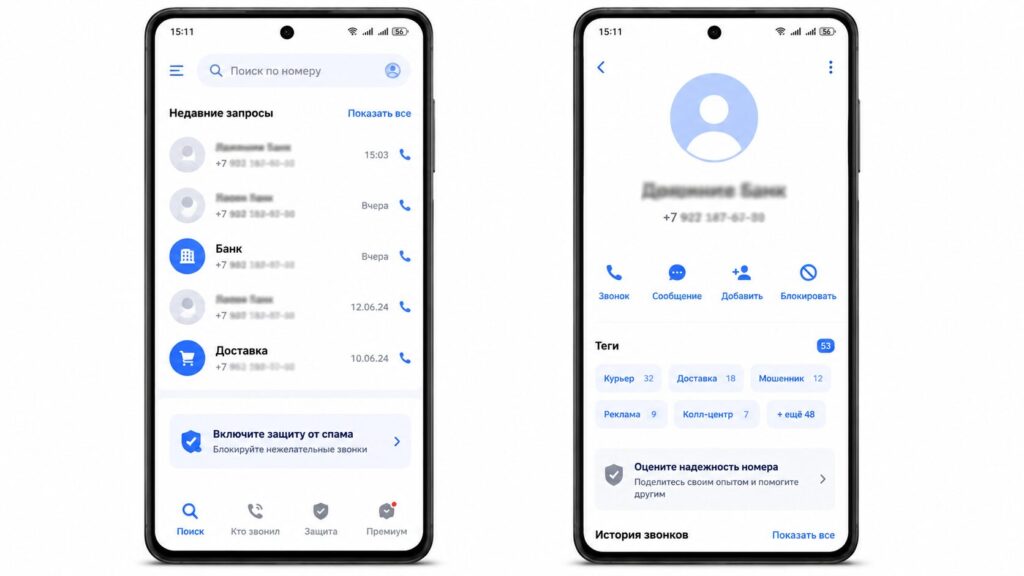
Here are those very tags — names
It works thanks to a massive database. When a person installs such an app and grants access to their contacts, their entire phone book gets uploaded to the service’s servers. From millions of such phone books, a picture is assembled of who is saved and under what name. In other words, you don’t see the truth about yourself, but rather what other users of these same apps have written about you.
Which Apps Show How You’re Saved in Contacts
Besides the most well-known GetContact, several similar services do the same thing. Each emphasizes its own feature, but the essence is the same: caller identification and a database of other people’s contacts.
- GetContact — shows tags under which a number is saved, warns about scam calls and bank bots, and can automatically block suspicious numbers.
- Truecaller — one of the most popular caller ID apps in the world with a database of millions of numbers. Shows the name during an incoming call and lets you immediately block the caller. Most features are free, while call recording is available in the paid version.
- CallApp — identifies callers using data from social networks among other sources, and focuses on spam blocking.
- SyncME — besides caller identification, it blocks not only calls but also SMS, has a blacklist, and number search.
- Eyecon — doesn’t maintain its own database but pulls data from social networks. Only works with a good internet connection, free but with ads.
It’s important to understand the main limitation: none of these apps will show the specific person who saved you under a certain name. They only show an anonymized set of labels. Also, in Russia, the first two services are more popular, while the rest are mainly aimed at foreign markets.
Where Services Like GetContact Get Their Data About You
There’s no magic here. The data source is the phone books of the users themselves. When installing a caller ID app, a person usually agrees to share all their contacts with the service. These data are then compiled into a shared database and cross-referenced.
Some services add information from open sources. For example, search engines crawl thousands of websites daily, and if your number appeared on a forum or in a listing, it may show up in Google results. To check this yourself, you can type your number into a search engine in different formats — with +7, with 8, and without the country code. Messengers work just as easily: if you add an unknown number to your contacts, WhatsApp or Viber often shows the owner’s name and photo.
Can You Find Out the Exact Name by a Specific Phone Number?
The short answer is yes. Even if GetContact only shows nicknames, you can look up a number yourself. There are various ways to do this.
One of the most popular lookup methods is through banking apps. If you enter a phone number in the fast payment system (SBP) transfers section, you’ll see who a particular phone belongs to. Yes, the bank will only show the first name and the first letter of the last name, but sometimes even that is more than enough.
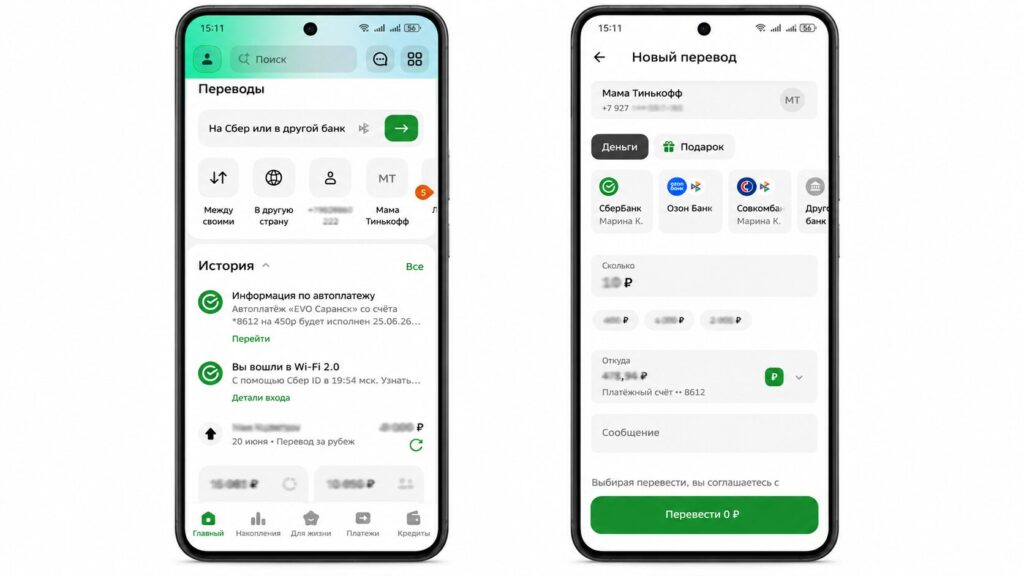
Sber used to also show the patronymic
How to Hide Yourself from GetContact and Similar Services
Completely removing yourself from all databases is difficult, but reducing the risk of data spreading is realistic. The logic is simple: the fewer links between your number, name, and photo in public access, the harder it is to identify you.
- Don’t use your real name, surname, and actual photo in messengers and social networks, or limit their visibility to contacts only.
- In Telegram, hide your number, photo, and name from strangers in the privacy settings.
- Don’t use the same photo across all websites — the same picture makes it easier to link you across platforms.
- Don’t show your date of birth on Facebook: even with hidden data, the platform will remind your friends about your birthday.
- Don’t use something easily found on social media as your bank security word — pet’s name, favorite food, and similar things.
- For banking or business, get a separate SIM card and don’t link it to various platforms.
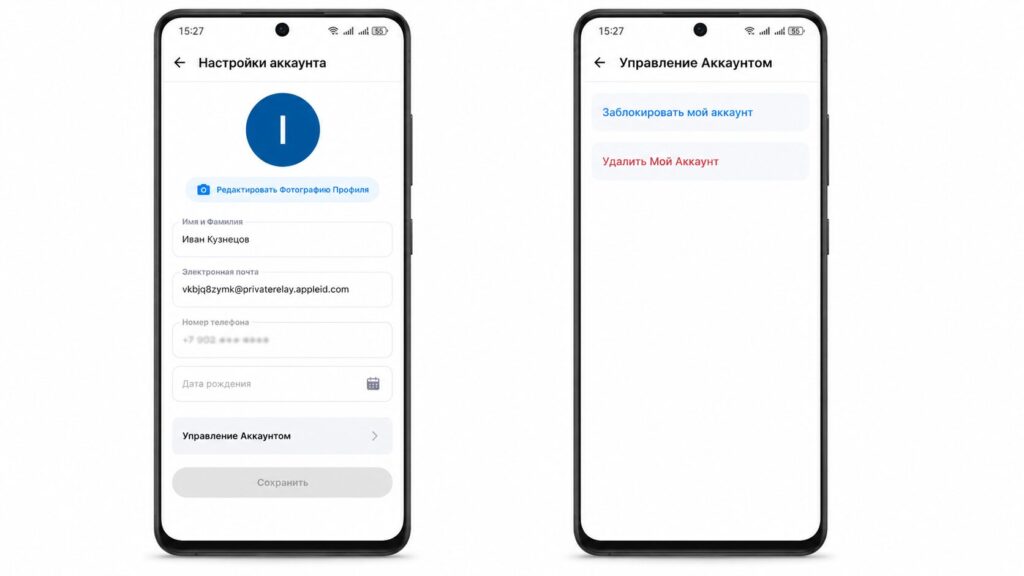
Deleting your GetContact account doesn’t guarantee 100% removal
It’s also worth checking GetContact’s own settings: if you’ve used it and granted access to your contacts, it makes sense to revoke that access and request deletion of your tags through the app’s settings.
Who Needs to Know Who Saved Their Number, and Who Shouldn’t Bother
Caller ID apps are genuinely useful in one scenario — protection from spam and scammers. When an unknown number calls, a label like “bank bot” or “spam” helps save time and nerves. This is their main practical value.
But installing such an app just out of curiosity to see “how my friends saved me” makes little sense: you’ll hand over your entire phone book to someone else’s database for a set of random tags. If privacy matters more to you, it’s wiser not to search for your labels but instead to lock down your personal information and use your phone in peace.


