I’m periodically asked: if you turn off an iPhone, can someone still figure out where it is? It sounds like a spy movie plot, but in reality, it’s much more mundane. We’ve already covered the most interesting iOS 27 features, and now let’s talk about a more fundamental thing that directly affects security. I checked a couple of things on my iPhone 16 Plus and will tell you what happens after pressing the power-off button.
You can find even a turned-off iPhone, and it’s not a joke
Is It True That iPhone Doesn’t Fully Turn Off?
Let me start with the main point: a modern iPhone doesn’t turn into a lifeless piece of glass and aluminum after pressing the power-off button. The screen goes dark, iOS stops, the familiar interface disappears. But at the hardware level, some components continue to live their own quiet life.
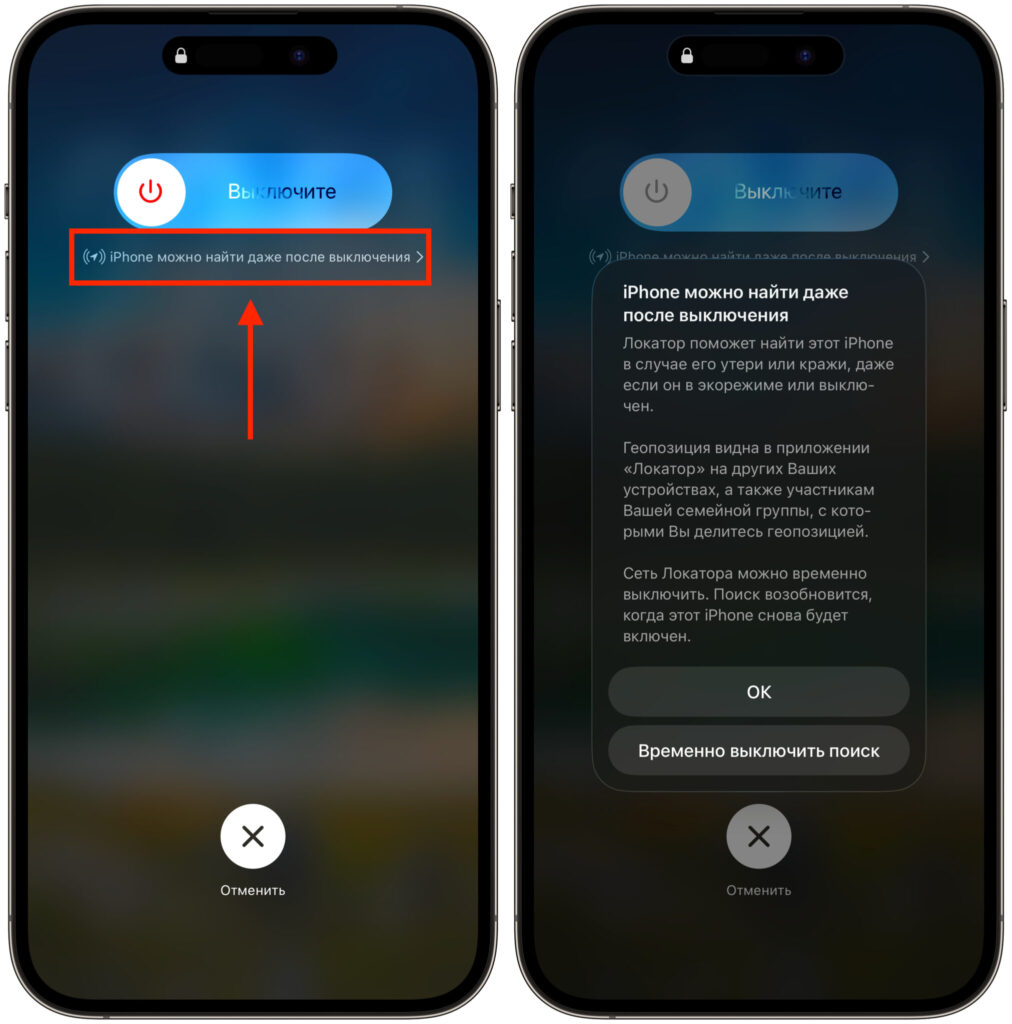
The iPhone even warns that it can be found after being turned off
Different modules inside the smartphone are powered independently from each other. When you turn off the phone, the system puts some chips into minimal power consumption mode rather than completely cutting power to them. Apple specifically leaves a small charge reserve precisely for this purpose. So the phrase “completely turned off iPhone” isn’t quite accurate in the strict sense.
I myself long thought that a turned-off phone means absolutely zero activity. It turned out that’s not the case, and the topic proved to be much deeper than it seems.
What Continues to Work After Shutdown
Several key modules remain active in the background. These are the Bluetooth controller, the NFC chip, and the ultra-wideband U1 module responsible for precise distance measurement. These are what keep the iPhone connected to the outside world while it’s formally turned off.
The most obvious example is payment via Apple Pay in Express Card mode. If you’ve set up a bank or transit card as an Express Card, you can tap your phone to a turnstile even on a dead or turned-off device. The same principle works with digital car or office keys.
And most importantly for our topic — the Find My network beacon continues to work. The iPhone periodically sends out a short signal that can be detected. This works for up to 24 hours after shutdown, and significantly less with low battery.
Is It Really Possible to Determine the Location of a Turned-Off Phone?
Short answer: yes, it’s possible, but not the way many people imagine. A turned-off iPhone doesn’t activate GPS and doesn’t calculate coordinates on its own. It only broadcasts a short Bluetooth identifier that constantly changes.
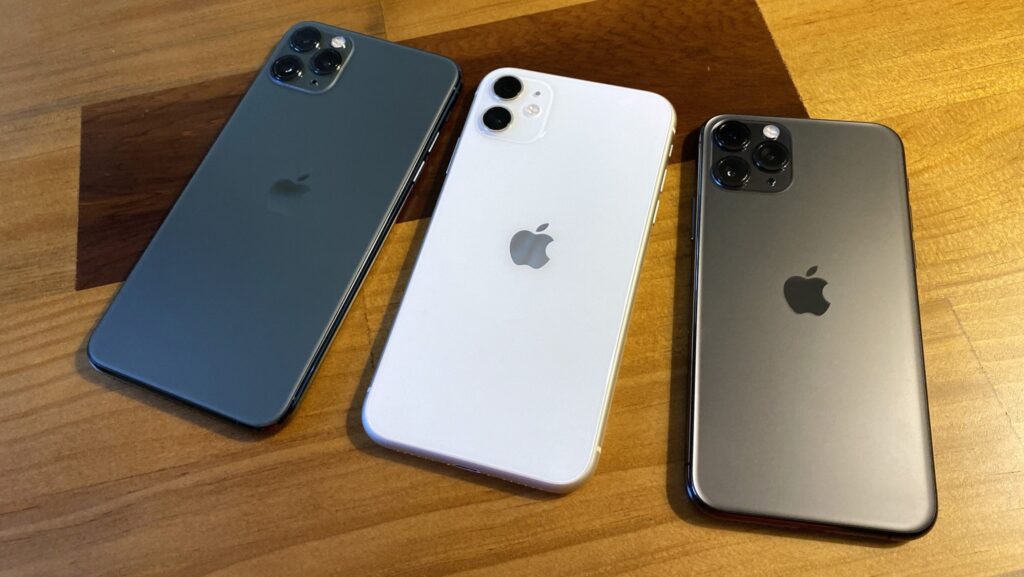
Finding a phone in turned-off state is available starting from iPhone 11
This signal is picked up by other people’s iPhones, iPads, and Macs passing nearby. They encrypt their own geolocation and send it to Apple’s servers. The owner of the lost device then sees a point on the map in the Find My app. In other words, the phone doesn’t track itself — it’s found by nearby devices in the Apple network.
An important detail: not all models support this.
| Device | Search when turned off |
|---|---|
| iPhone 11–17 with U1 or U2 chip | Works |
| iPhone 16e, 17e, and all iPhone SE | Doesn’t work |
| iPhone XR, XS, XS Max, and X | Doesn’t work |
| iPhone 8 and older | Doesn’t work |
| Any iPad | Doesn’t work |
The feature is available on iPhone 11 and newer, except for the second-generation iPhone SE, because the U1 chip first appeared in the eleventh series. On older iPhones and any iPads, you can’t find a turned-off device — Find My only works while the gadget is on.
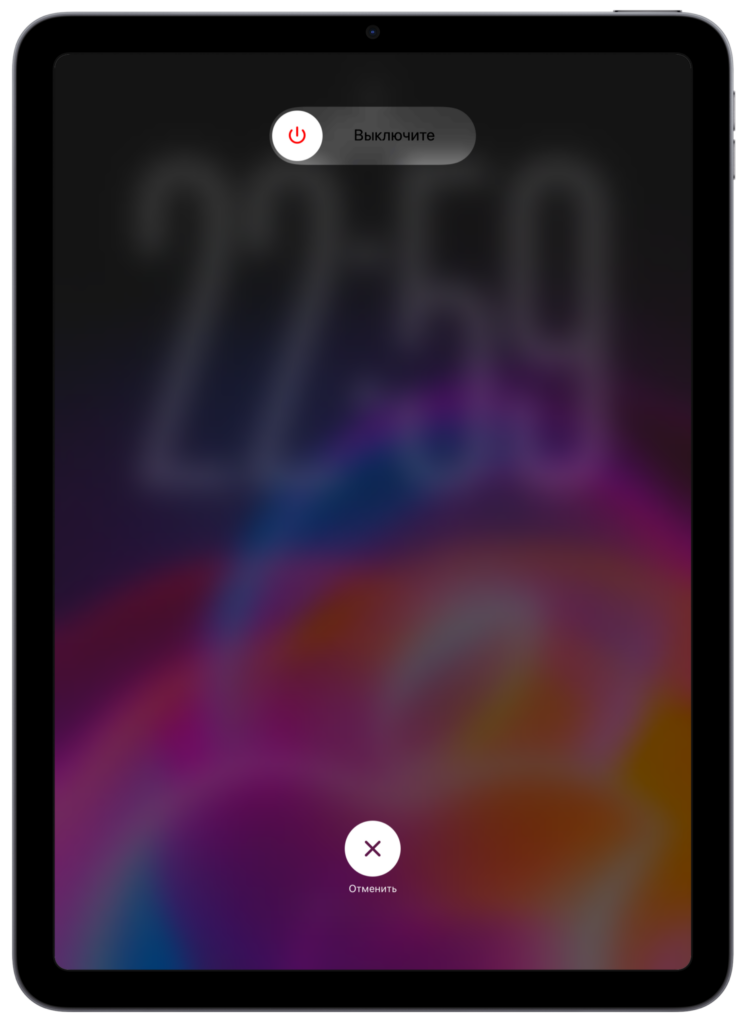
iPads don’t have search in turned-off state
Separately about privacy. All coordinate transmission is protected by end-to-end encryption. This means that even Apple itself cannot see where your phone is. Only the account owner can view the geolocation.
How Dangerous Is the Find My Feature in the Wrong Hands?
This is where it gets most interesting and somewhat alarming. The technology was designed as theft protection and a way to find lost items. Many people consciously share their location with friends and find it convenient. But the same logic works against the user themselves if someone else gains access to their account.
If someone knows your Apple ID and password, they can open Find My and calmly see where you are. Turning off the phone won’t help, as the device remains visible for about another day. Essentially, this is a ready-made surveillance tool already built into every iPhone.
This also relates to the AirTag tracker issue. They’ve been repeatedly used to secretly track other people’s movements by slipping a tag into a bag or car. Apple added notifications about unknown AirTags near you, but the problem hasn’t gone away.
That’s why I advise everyone to do simple things. Set a strong password for your Apple ID, make sure to enable two-factor authentication, and periodically check which devices are signed into your account. This is far more important than the habit of turning off your phone for peace of mind.
How to Truly Turn Off Your iPhone
If you really need your phone to become truly invisible, the regular power-off button isn’t enough. There are several working options.
The first and most proper way: disable search in advance. Go to Settings, open the section with your Apple ID, then “Find My,” then “Find My iPhone,” and turn off the Find My network. After that, the turned-off phone will stop broadcasting the beacon.
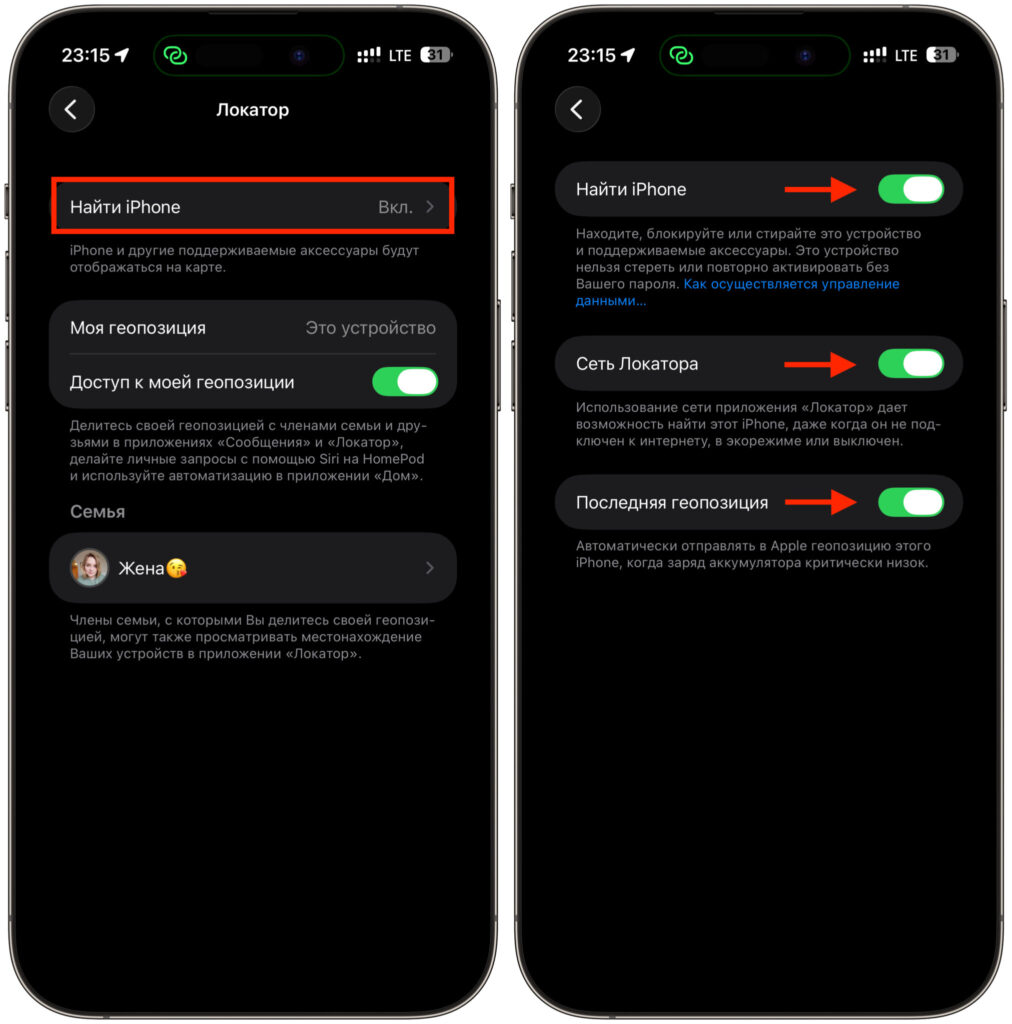
Turn off all these toggles, and finding your iPhone will be impossible. Even when it’s on
The second method is rougher: wait for the battery to completely drain.


