Some Android phones include a feature called bypass charging that routes power from the charger directly to the phone’s components — CPU, GPU, display, radios — while largely skipping the battery. The practical result, according to the source author’s testing on a vivo X300, is noticeably less heat during heavy use while plugged in, and potentially less long-term battery degradation. Here’s how it works, where to find it, and when it actually matters.
What you need to know
- Bypass charging sends adapter power directly to phone components, largely bypassing the battery during active use.
- In the source author’s test (25 minutes of Asphalt 9 on a 90 W adapter, starting at ~65%), the phone was noticeably cooler with bypass charging enabled, and the battery rose only 2% versus 9% without it.
- The feature is available on select phones from vivo, ASUS, Samsung, and Xiaomi — but under different names and menu locations.
- It only activates while the charger is connected and is most beneficial during heavy workloads, not overnight charging.
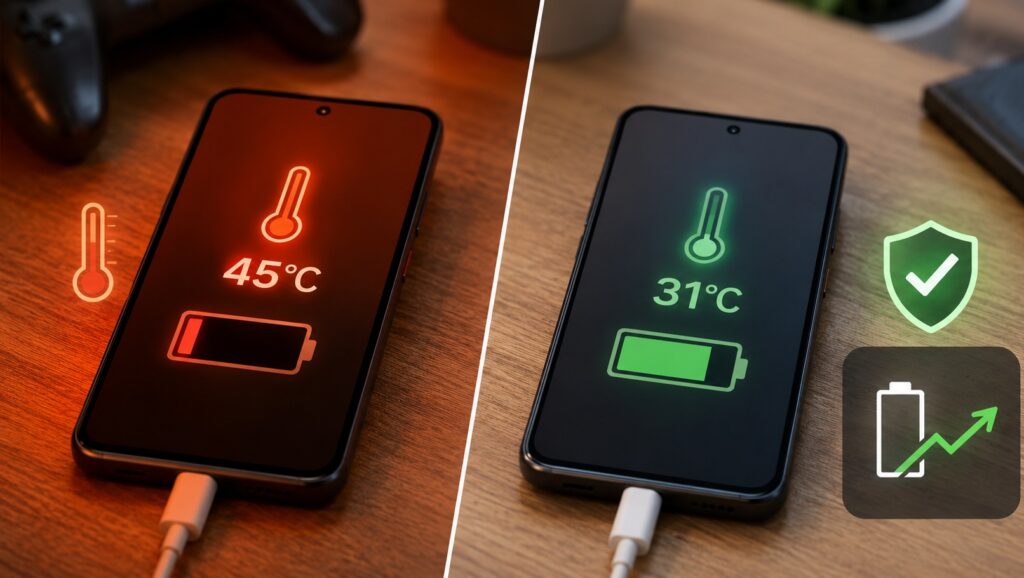
A visual demonstration of bypass charging’s effect on the smartphone
How bypass charging works
Normally, when a phone is plugged in and under load, two things happen simultaneously: the battery charges and supplies power to the processor, display, and radios. This dual duty generates extra heat — the battery warms up from charging on top of the heat already produced by the workload.
With bypass charging enabled, current flows directly from the adapter to the phone’s components, largely skipping the battery. The battery either stays at its current charge level or trickle-charges very slowly, depending on the manufacturer’s implementation. The key benefit is removing the extra thermal stress that comes from charging and discharging the battery at the same time.
The source author’s heat test: before and after
The source author reports testing on a vivo X300 using Asphalt 9, a 90 W adapter, and a starting charge of approximately 65% in both scenarios. Each session lasted 25 minutes of continuous gameplay:

- Without bypass charging: The area near the camera module became noticeably warm — subjectively around 42 °C and uncomfortable to hold. Battery rose from 65% to 74%. Performance remained stable, but the phone was distinctly hot by the end.
- With bypass charging: The same scenario produced a noticeably cooler phone — roughly comparable to gaming without a charger connected at all. Battery rose only about 2%. The source author also reports subjectively slightly more stable frame rates during intensive scenes.
Important caveat: The phone did not stop heating up entirely. The CPU, GPU, and display still produce heat. What bypass charging removes is the additional heat generated by simultaneously charging the battery — but that alone made a perceptible difference according to the source author.
How to enable bypass charging on a vivo X300
There is no universal path for all Android phones. The source author describes the following steps specifically for the vivo X300:
- Open Settings.
- Go to Battery, then Battery health & charging.
- Find Bypass Charging.
- Toggle it on.
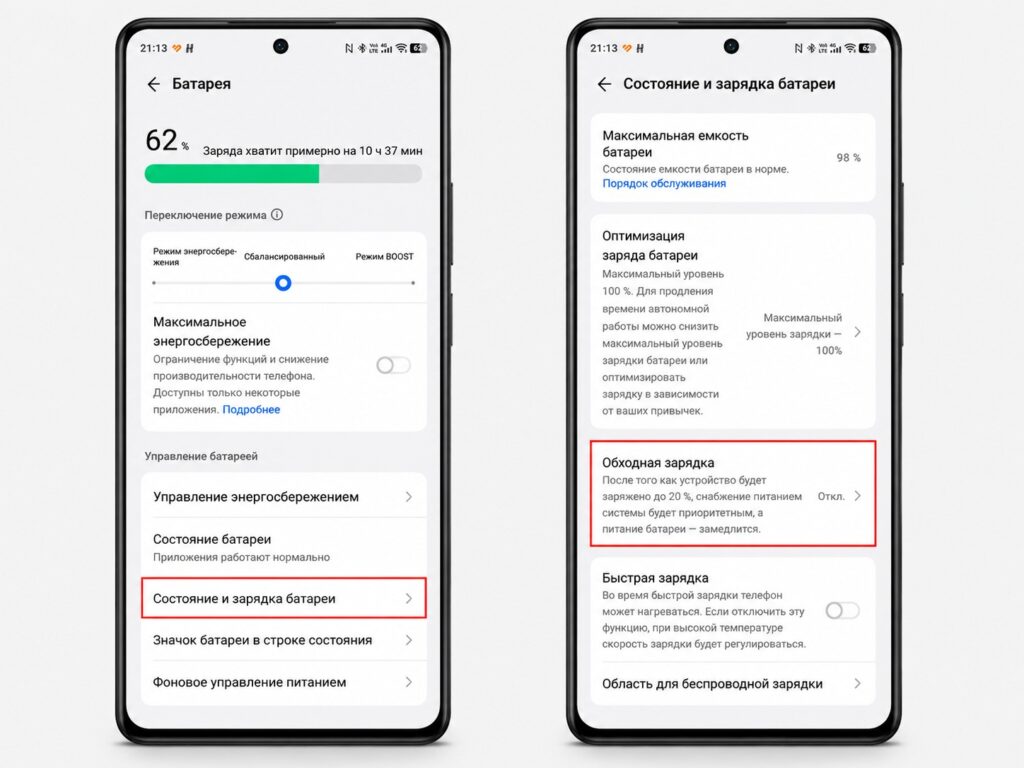
The path to the bypass charging toggle on the vivo X300
The toggle is only active while the phone is connected to a charger — which makes sense, since there is nothing to bypass without external power.
Where to find it on other brands
Similar features exist on other phones under different names, though the source author cautions that exact menu paths may change with firmware updates:

- ASUS: Bypass Charging within the Armoury Crate gaming mode.
- Samsung: Direct Power in Game Booster or Game Launcher.
- Some Xiaomi models: Pause USB Power Delivery in battery settings.
If you cannot find the feature, try searching your phone’s settings for “bypass” or check the documentation for your specific model.
Why this may reduce long-term battery wear
The benefit is not about getting more screen-on time today — it is about preserving battery capacity over months and years. When a phone simultaneously charges and runs under heavy load, the battery faces harsh conditions: high charging current, heat from the workload, and sustained high charge levels. Lithium-ion batteries degrade faster when high temperature and high state of charge coincide.
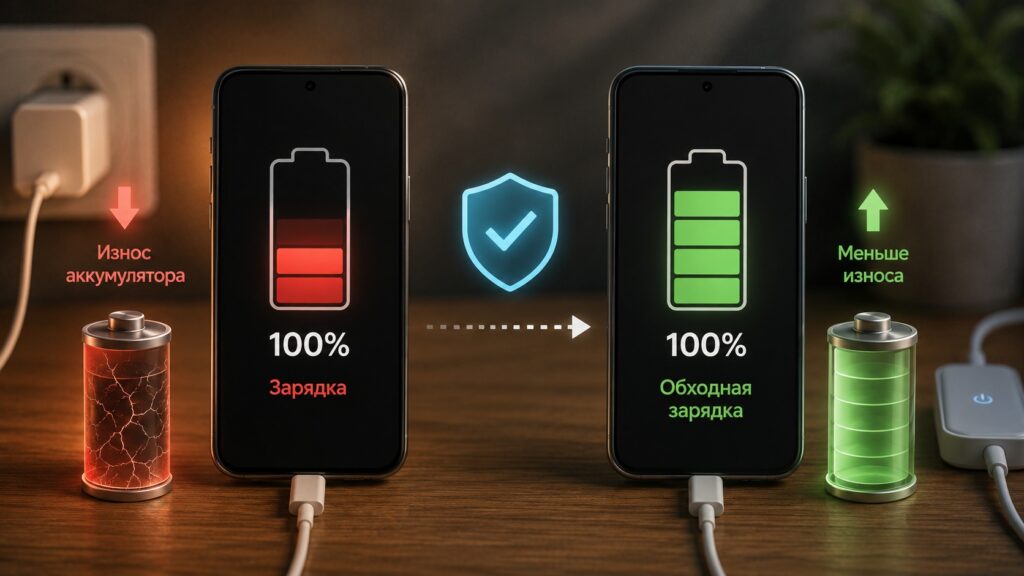
Battery wear is reduced over time — and there is a clear explanation why
With bypass charging enabled:
- The battery is not actively charging during heavy use — fewer equivalent charge cycles accumulate.
- Additional heat from simultaneous charging is reduced.
- The battery does not have to accept and deliver current at the same time.
The source notes that Google itself recommends avoiding overheating and offers a charge-limit-to-80% option specifically for long-term battery health. Bypass charging follows the same logic: the goal is to preserve capacity over one to two years, not to extend today’s battery life.

When bypass charging is most useful
The source author reports finding the feature most valuable in these scenarios after several weeks of use:
- Gaming while plugged in — the most obvious use case, and the one tested with Asphalt 9.
- Resource-intensive tasks — video editing and similar workloads produce noticeably less heat, and performance stays more stable.
- In-car navigation — maximum screen brightness, active GPS, mobile data, and constant power from a car charger create a classic overheating scenario.
- Long video calls or streaming — especially when the phone sits on a tripod near an outlet for hours under load and on charge simultaneously.
- Using the phone as a hotspot — the device may stay plugged in for hours while sharing its connection.
The source author reports keeping bypass charging enabled specifically for gaming sessions. At other times it is inactive anyway, since it only works while a charger is connected.
When bypass charging does not help
If you simply plug your phone in overnight and unplug it in the morning, bypass charging offers virtually no benefit. You are not using the phone under load while it charges, so there is no extra heat to eliminate.
Likewise, if you rarely use your phone while it is charging — you set it on a table, plug it in, and walk away — standard charging works fine.
Most importantly: bypass charging does not replace normal charging. If your battery is at 20% in the evening and you need a full charge by morning, the battery still needs to be charged conventionally. Bypass mode only reduces the battery’s involvement while the phone is actively working from adapter power — it does not fill the battery on its own.


