Scammers in the App Store are at it again. Right now, sitting at second place in the store’s top charts is an app called Avito — Classifieds Service, which has absolutely nothing to do with the real service. It’s plain scam, pretending to be the well-known classifieds platform and hunting for your data. We explain what makes this fake dangerous and how to safely use the service on your iPhone.
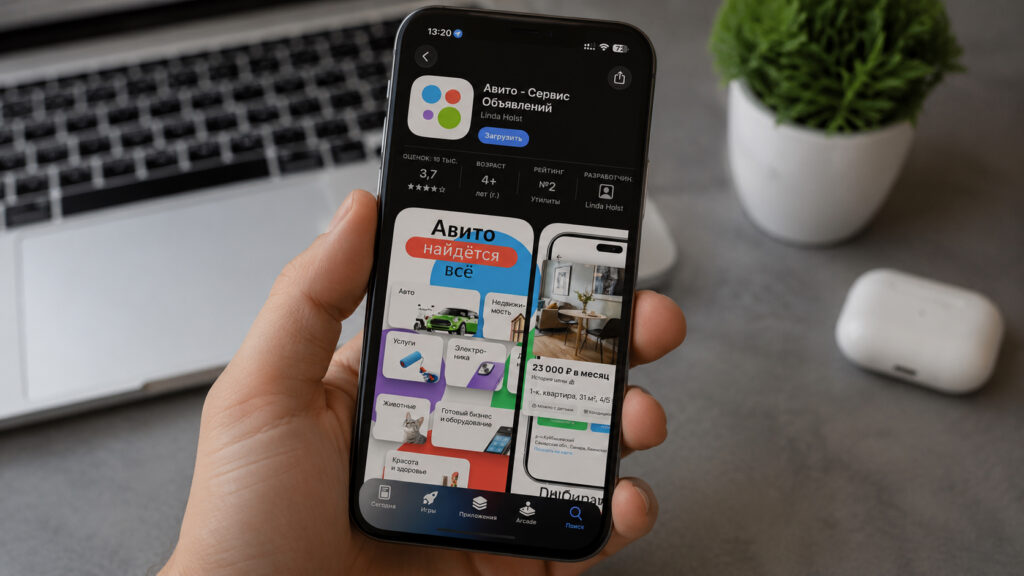
Under no circumstances should you download this app
Fake Avito App Appeared in the App Store
The scheme is painfully simple. The real Avito app was removed from the Russian App Store, leaving millions of users without their usual way to access the service. Scammers took advantage of this: they uploaded a shell app with a logo similar to the original and gave it a highly recognizable name. A person searches for Avito, sees the familiar four circles, and calmly hits the download button.
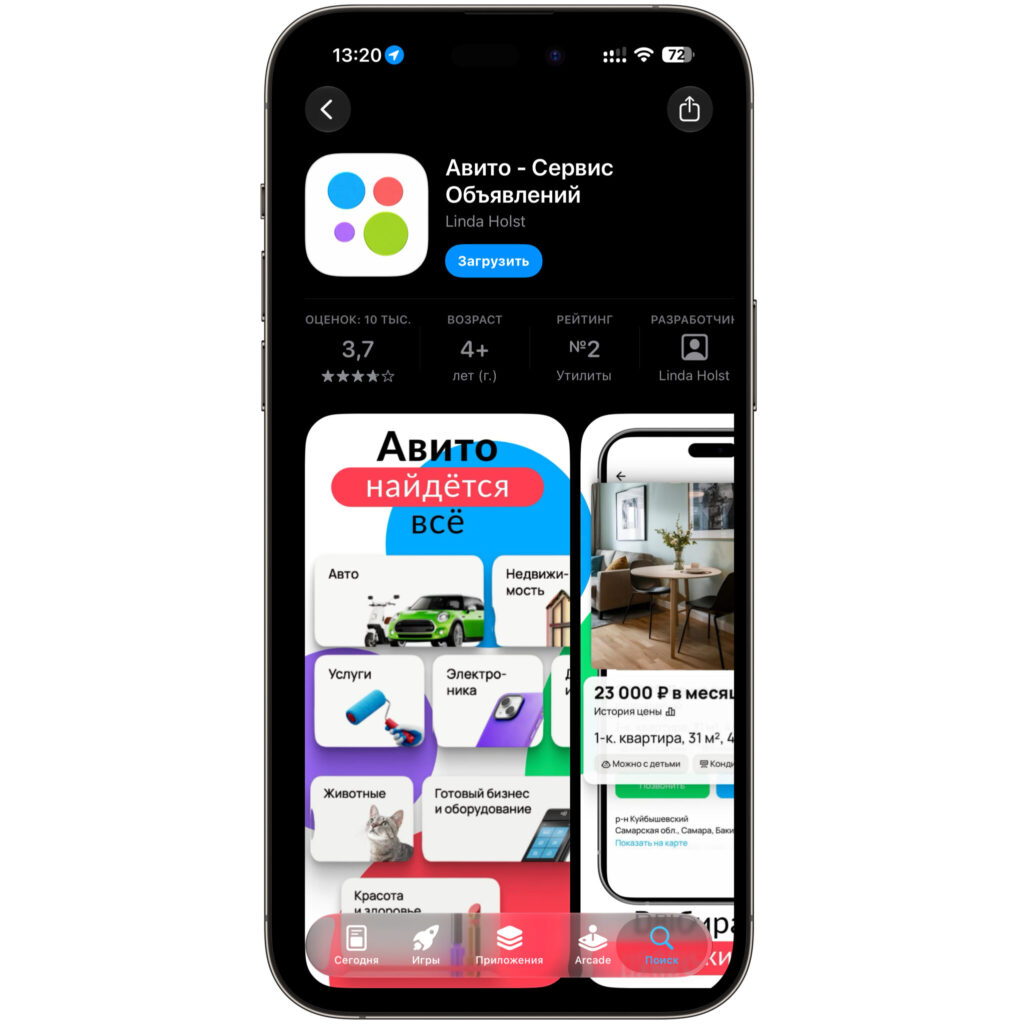
Telling the fake from the original is nearly impossible
To make the fake look more legitimate, they inflated it with over 10,000 reviews. That’s exactly why the app climbed so high in the top charts. On first launch, a page opens that visually resembles the real Avito: the same categories, the same listings. But behind the pretty wrapper hides an ordinary website crammed into an app, and it has exactly one goal.
You can find this fake app right in the store’s search. If you actually need the service, it’s better to use the official website. And this creation from the App Store — don’t touch it at all.
Why the Fake Avito App Is Dangerous
The main danger is personal data theft. As soon as you enter your account login and password, they go straight to the scammers. From there, the scenario is standard: access to your profile, conversations with buyers, linked bank cards, and attempts to scam your contacts out of money.
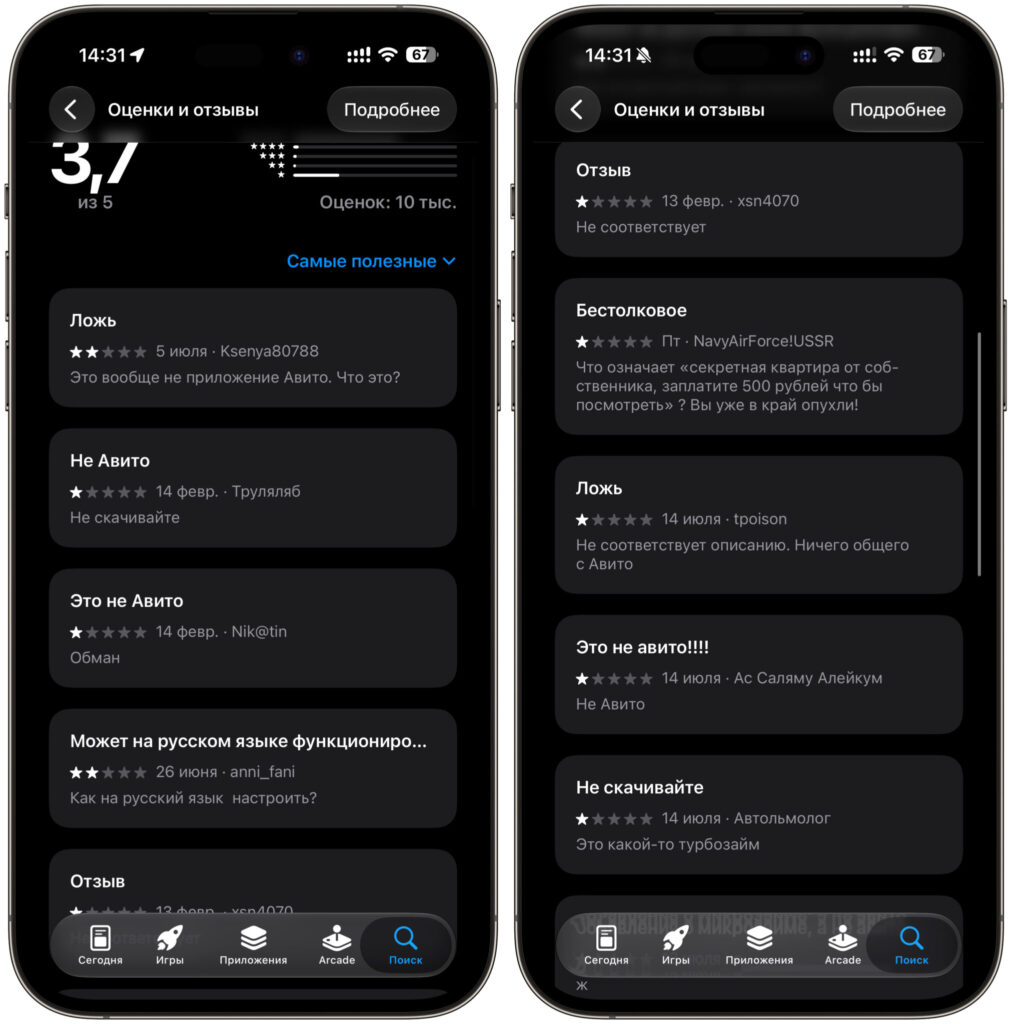
The reviews speak for themselves
Also keep in mind that such apps love to request access to contacts and notifications. You should never agree to this under any circumstances. Here’s what people who already encountered this fake have to say:
Downloaded it, was happy that I got my usual app back. But it just opens a website in a crooked window and immediately asks for login and password. Good thing I didn’t enter anything.
I entered my account credentials, and the next morning I couldn’t log in. Looks like they stole my password. Now I’m changing all my passwords one after another — don’t repeat my mistake.
This isn’t Avito at all. Just a web wrapper with ads that begs for access to everything. Deleted it within a minute.
If you’ve already installed this thing and entered your data somewhere, change your password immediately.
How to Install Avito on iPhone Without the App Store
Good news: to use the service, you don’t need to download anything from the App Store at all. Just open the website in a browser and, if you wish, add the icon to your home screen. This works in any browser, not just Safari.
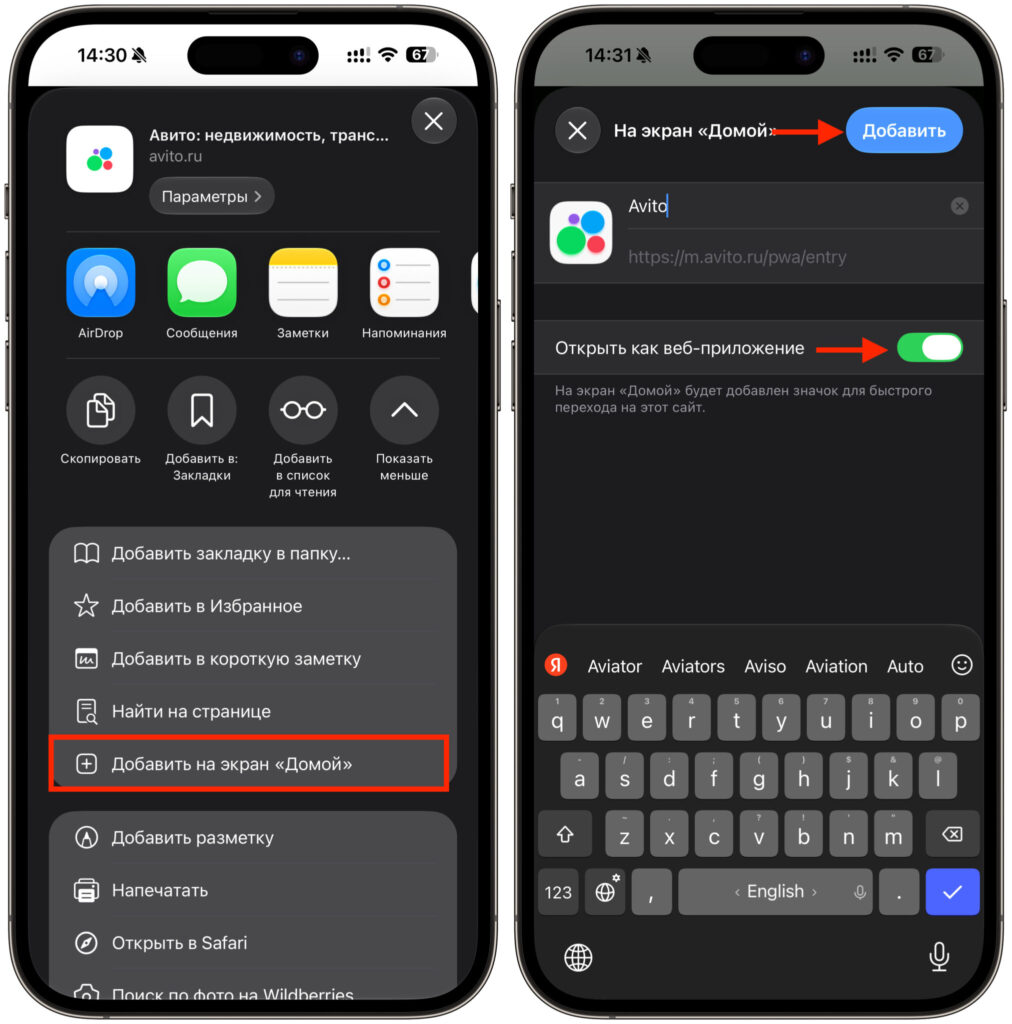
A couple of taps — and you can use the web version as a full-fledged app
- Open any browser you prefer on your iPhone — Safari, Chrome, or Yandex Browser, it doesn’t matter.
- Type avito.ru in the address bar and wait for the main page to load.
- Tap the menu button. In Safari, it’s the Share icon at the bottom of the screen; in Chrome and Yandex, it’s three dots or lines.
- Select “Add to Home Screen”.
- Confirm the name and tap “Add.” Done — an Avito web version icon will appear on your home screen.
Now the service opens with a single tap and looks almost like a full-fledged app. No suspicious downloads and no risk of stumbling onto a fake.
How to Spot a Fake App in the App Store
Remember a simple rule: official Russian services have been massively disappearing from the App Store, and if one of them suddenly pops up in the top charts, it’s almost always a fake. Scammers deliberately seize the moment while people are searching for familiar apps and are willing to install anything that looks similar.
Never enter your login and password in apps whose origin you doubt. Real services don’t hide under the name of a random developer from another country and don’t inflate their reviews in bulk. If you have even the slightest doubt — go through the website, it’s always safer.
The fake Avito will sooner or later be removed from the store, as has already happened with dozens of other fakes. Until then, simply stay away from it and use the web version. That way you’ll definitely keep both your peace of mind and your account data safe.


