Today, April 20, Apple released iOS 26.5 beta 3 — the third test build of an update that will become the last major update before iOS 27. It arrived one week after the previous update, which means developers are rushing to meet the release deadline. However, there was no revolution — Apple is clearly saving all its aces for WWDC on June 8. But the third beta brought a noticeable batch of fixes and several refinements that make the system noticeably more stable. Let’s break down what’s new in iOS 26.5 and count the days until release.
iOS 26.5 beta 3 is out. Let’s see what changed
iOS 26.5 Beta 3 — What Changed in the New Build
In short: Apple continues to polish what was laid down in the first two betas. The third build is noticeably smaller than the previous ones — a sure sign that developers have shifted from adding features to hunting bugs. Performance has improved, animations have become smoother, and some annoying glitches have finally been left behind. Here are the new iOS 26.5 features worth noting.
RCS Encryption in iMessage
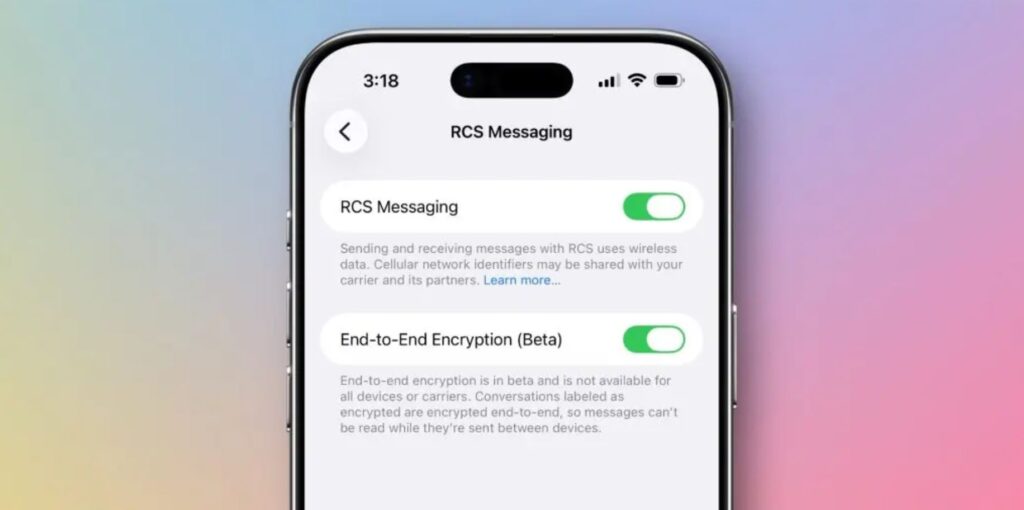
Encryption is still working in beta
End-to-end encryption for messaging between iPhone and Android via the RCS protocol hasn’t gone anywhere — it’s still enabled by default in Settings — Messages — RCS. In the third beta, Apple improved the stability of this feature: users of previous builds complained about occasional failures when sending encrypted messages. It appears the company is seriously intent on bringing this feature to release — unlike iOS 26.4, where it was removed at the last minute. For Russia, this is still irrelevant — RCS doesn’t work with local carriers. At least, not yet.
Apple Maps — Recommendations and Advertising
The Suggested Places feature in Maps continues to evolve. In beta 3, the recommendations interface has become a bit cleaner: place cards load faster, and the selections themselves look more relevant. Apple is clearly preparing this system for the summer launch of ads in Maps — the infrastructure is nearly in place, and “Ad” labels are already coded in.
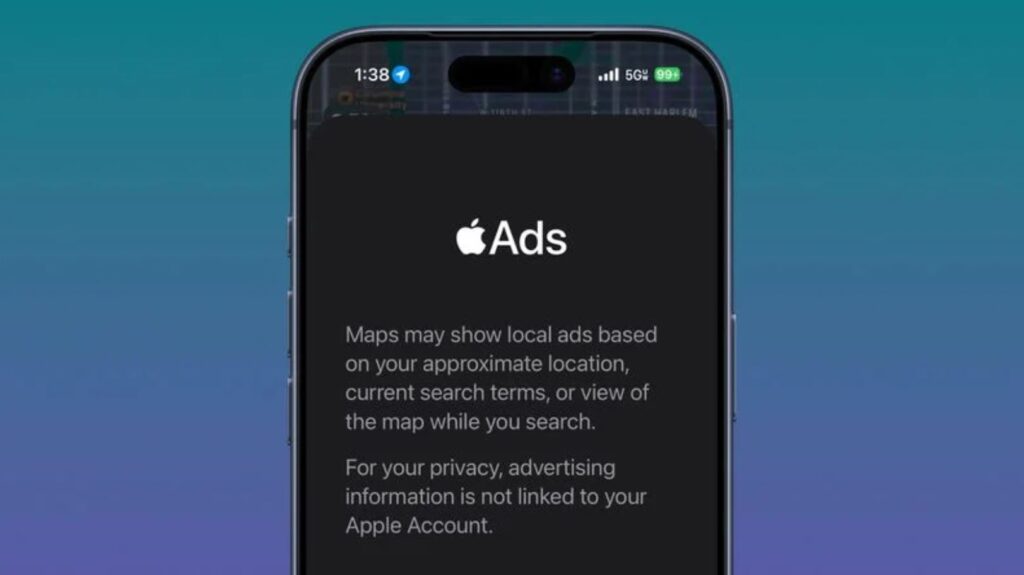
Ads in Apple Maps — just like in Yandex Maps
For users in Russia, this is still in the “look but don’t touch” category. Apple Maps works so modestly here that recommending nearby cafés is a bit premature for it.
Bug Fixes in iOS 26.5
The main value of the third beta is bug fixes. Apple resolved Bluetooth connectivity issues with accessories that appeared back in the first build. Face ID has also become more stable — in beta 1, it could fail on some iPhone 17 Pro Max models. Developers also note improved background process management: the battery drains not nearly as quickly as on previous betas. Let’s hope the changes compared to iOS 26.4.1 are real.
It’s also worth mentioning Magic Keyboard, Magic Mouse, and Magic Trackpad: automatic Bluetooth pairing after disconnecting the cable now works more reliably. In beta 2, disconnecting USB-C sometimes triggered an unnecessary notification — it’s been removed in the third build.
App Store Subscriptions and Minor Improvements
The new subscription format — monthly payments with an annual commitment — remains in place. For developers, this is an opportunity to offer users an intermediate option between monthly and annual subscriptions. In the third beta, Apple updated the documentation for this format, suggesting readiness to launch it in the final release. Among the minor additions: Apple Books is preparing a “Year in Review 2026” feature. As they say, why not.
When Will iOS 26.5 Be Released for Everyone
For those interested in the iOS 26.5 release date, there’s good news — we’ve already mentioned that the wait won’t be long. Apple traditionally releases x.5 updates in mid-May. Looking at the release history, the pattern is clear:
- iOS 18.5 — May 12, 2025
- iOS 17.5 — May 13, 2024
- iOS 16.5 — May 18, 2023
- iOS 15.5 — May 16, 2022
- iOS 14.5 — April 26, 2021
The exception is iOS 14.5, which came out unusually early. In all other cases, Apple fits within the May 12–18 window. So the final iOS 26.5 should be expected between May 12–19, 2026. Before that, at least one more beta and an RC version will be released.
How to Install iOS 26.5 Beta 3 on iPhone
If you want to download iOS 26.5 beta 3, it’s available to developers and public beta testers. Installation is standard:
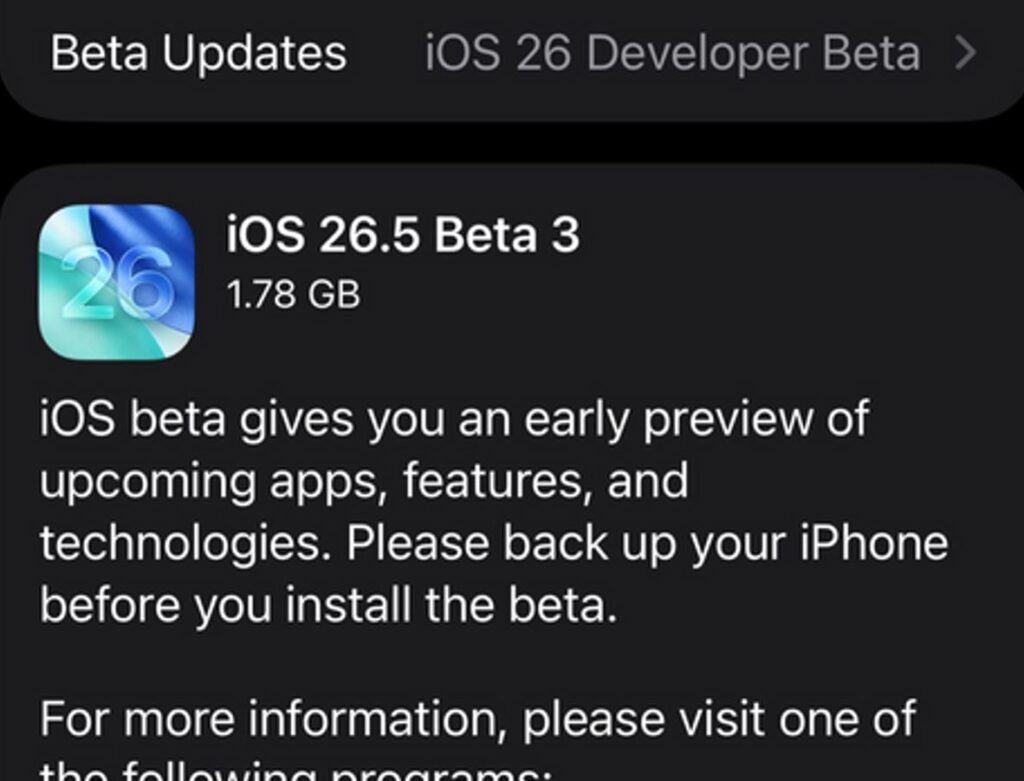
The beta is already available in iPhone settings
- Register in the Apple Developer Program if you haven’t already joined.
- Open Settings — General — Software Update.
- In the “Beta Updates” section, select iOS 26 Developer Beta or iOS 26 Public Beta.
- Wait for the build to appear and tap “Download and Install”.
Installing a beta on your only iPhone is an acquired taste. The third build is more stable than previous ones, but surprises can always happen. If there’s no urgent need — wait for the release in May.


