Yesterday Apple rolled out a couple of fresh updates at once. We already wrote separately about iOS 27 beta 4 for developers, and the second release went much quieter. The company gave testers the first release candidate of iOS 26.6, and this is essentially the final version before the fall transition to iOS 27. Whether to install it right now or calmly wait — let’s figure it out.
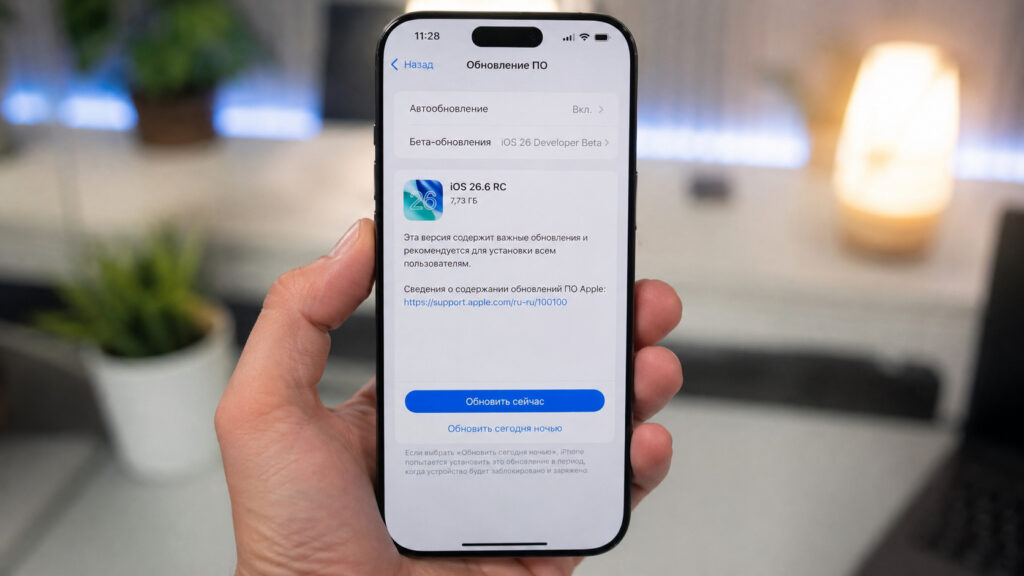
The fresh beta is already available for installation
What’s New in iOS 26.6 RC
The iOS 26.6 beta has been tested since late May, so it reached the release build pretty quickly. Essentially, this is the last interim update of the iOS 26 lineup before everyone transitions to the new system in September.
There are almost no new features here, and that’s completely normal. All of Apple’s efforts are now focused on iOS 27, which speeds up even older iPhones, while minor releases like 26.6 deal with bug fixes and security patches.
You won’t find new features here — it’s bug fixing work
A couple of curious changes were still found in the beta. First: the system now warns about blocking contacts when you try to blacklist too many at once. Second: in the code, a new snatch protection feature was spotted — the iPhone should automatically lock if it’s grabbed from your hands.
Interestingly, 26.6 came ahead of schedule. Last year, iOS 18.6 beta appeared only after the first beta of the new system, but this time Apple outpaced its own last year’s schedule. A small detail, but it shows that the development cycle is moving faster than usual this year.
It’s also worth keeping in mind that 26.6 will almost certainly become the last public version of the lineup. After it, updates will carry the 27 index, and Apple will support the old branch only with targeted security patches. So for many, this is the final calm stop before the big leap.
Why iOS 26.6 Is Needed Before Updating to iOS 27
The most interesting part is hidden not in the features but in the official release notes. Apple explicitly wrote that the update optimizes the Spotlight index to prepare for iOS 27. Mentioning a future version directly in release notes happens rarely, and that alone deserves attention.
Why this was needed. When iOS 27 beta first came out, developers started complaining that iPhones spent weeks indexing in the background. For some, the process stretched to a week or even longer, and the entire time the smartphone was heating up and draining the battery.
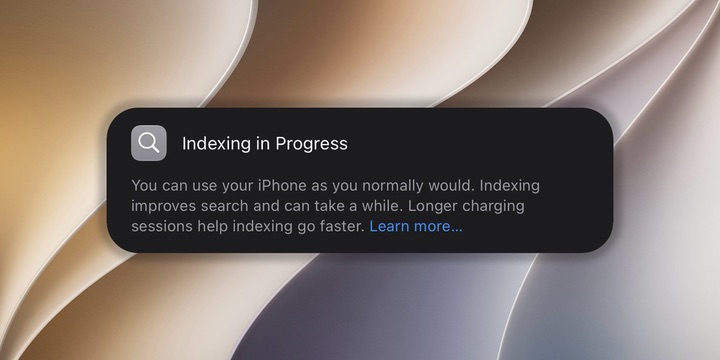
iOS 26.6 also prepares your iPhone for the transition to iOS 27
Apple clearly doesn’t want to repeat this scenario with regular users in the fall. That’s why part of the heavy indexing work is being moved to iOS 26.6 in advance. When the big release comes out, your iPhone will already be prepared, and the updated Siri and Spotlight will work without a long warm-up. Essentially, Apple is spreading the load over time so you don’t notice it at the worst possible moment.
The logic here is simple. The updated search and smart assistant rely on a unified database of indexed data from your device. The sooner this database is assembled, the fewer slowdowns you’ll get right after installing iOS 27 in September.
So if after installing 26.6 you notice that your smartphone is diligently indexing something, there’s no need to worry. This is groundwork for the future from which the new Siri AI will directly benefit.
How to Install iOS 26.6 RC on iPhone
The RC is available not only to developers — anyone can install it through a beta testing profile. Before starting, make a backup so you can roll back without losses if needed. After that, everything is very simple:
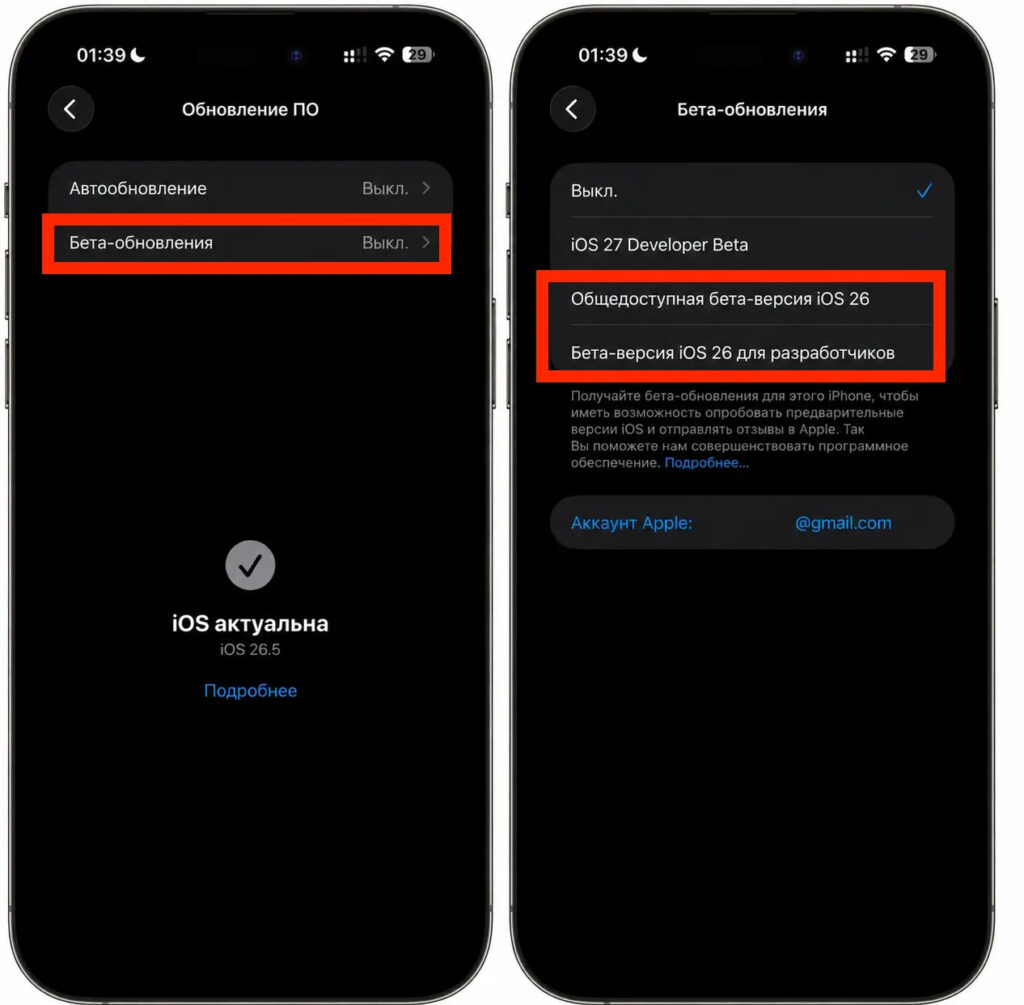
Switch to beta here and go ahead and install
- Go to the developer website developer.apple.com and sign in with your Apple ID.
- Accept the license agreement.
- On your iPhone, open Settings — General — Software Update.
- Tap on Beta Updates and select iOS 26.
- Go back one step, wait for iOS 26.6 RC to appear, and tap Download and Install.
After that, the smartphone will download the build and ask to restart. On my iPhone 16 Plus, I’ve already gone through a similar path and shared what happened to the iPhone after transitioning to a beta of a larger system. The experience was quite telling, so it’s definitely worth reading before installing.
If you were already on the iOS 26.6 beta, you don’t need to install any profiles again. The RC will arrive as a regular over-the-air update — just go to the same settings section and tap download.
Is It Worth Updating to iOS 26.6 RC
If you really want to, you can update, but practical benefit is minimal
In short, there’s no particular reason to rush. Almost no new features were added in 26.6, and for the sake of bug fixes and theft protection, you can calmly wait for the final release for everyone.
On the other hand, early Spotlight indexing is a strong argument for those who definitely plan to jump to iOS 27 in September. By installing the RC now, you’ll offload your smartphone in advance and spare yourself that week-long indexing later.
RC builds are usually stable and as close to the final version as possible, so there are few risks here. But I habitually advise installing any betas on your main iPhone with caution, and ideally keeping them on a secondary device where you don’t mind catching an unexpected bug. Apple will release the final version of iOS 26.6 for everyone literally any day now, and this fall we’ll see the big iOS 27 release. The company has had an exceptionally hot summer, and there’s no break in the stream of updates in sight.


