Android 17 is already rolling out to Pixel smartphones, and other eligible devices will receive the update throughout 2026. The main focus here isn’t cosmetics, but things that genuinely change everyday usage: floating app windows, screen reaction recording, a dedicated mode for foldable smartphones, and significantly enhanced theft protection. All of this in our Android 17 review.
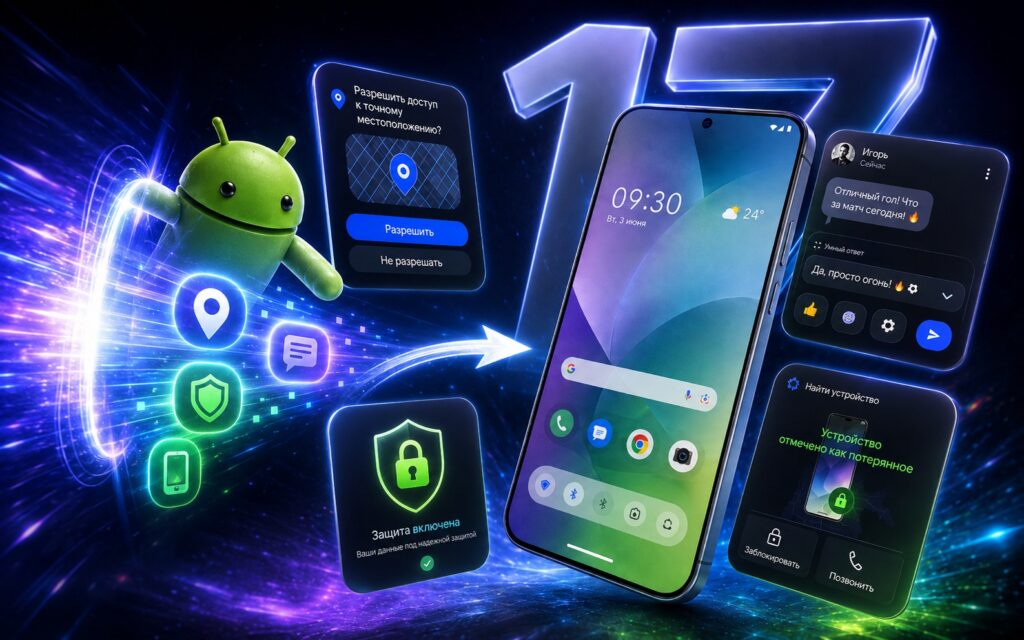
Showcasing new Android 17 features
When Will Android 17 Be Released
According to Google, the update first rolls out to Pixel, while other compatible devices will receive it later — gradually throughout the year. This is standard for Android: timelines for Samsung, Xiaomi, and other smartphones depend on the manufacturer, and there are no exact dates for them yet.
Google separately mentions that the Gemini Intelligence feature set will only arrive on certain advanced devices and later — closer to the end of summer. This means some capabilities related to the smart assistant won’t be available to everyone right away.
Floating Bubbles Windows for Multitasking in Android 17
The most noticeable new feature for everyday use is floating Bubbles windows. Any app can be turned into a compact window that floats over everything else: just press and hold the app icon. This is convenient when you need to keep notes, a map, or a sports broadcast handy without minimizing what you’re currently doing.
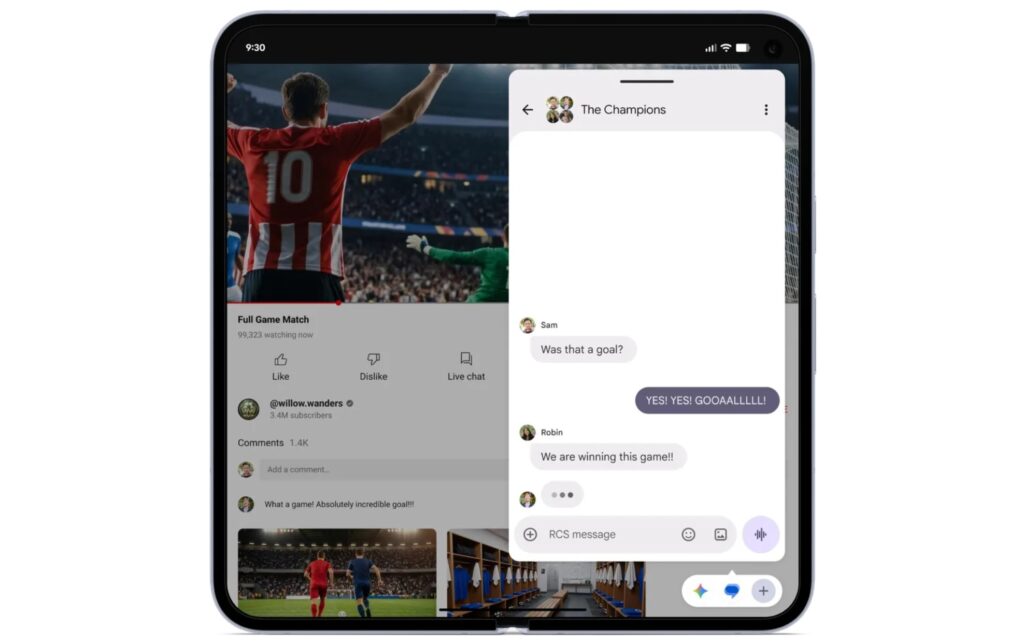
This is what the new floating windows look like. Image: Google
On devices with large screens (tablets and foldable smartphones), bubbles are pinned to a separate panel at the bottom, allowing you to switch between apps with a single tap, resize windows, or expand them to full screen. Essentially, this is a more flexible mode for working with multiple apps simultaneously, which previously required workarounds on Android.
Who this is useful for: those who frequently split tasks — watching instructions while repeating actions, monitoring navigation and chat, keeping reference information nearby. Who can ignore this: if you use your smartphone one app at a time, the effect will be minimal.
Android 17 Screen Recording and Reactions
Google has revamped screen recording: a new toolbar and simplified process plus the Screen Reactions feature. It lets you simultaneously record your smartphone screen and yourself through the front camera with just a couple of taps.
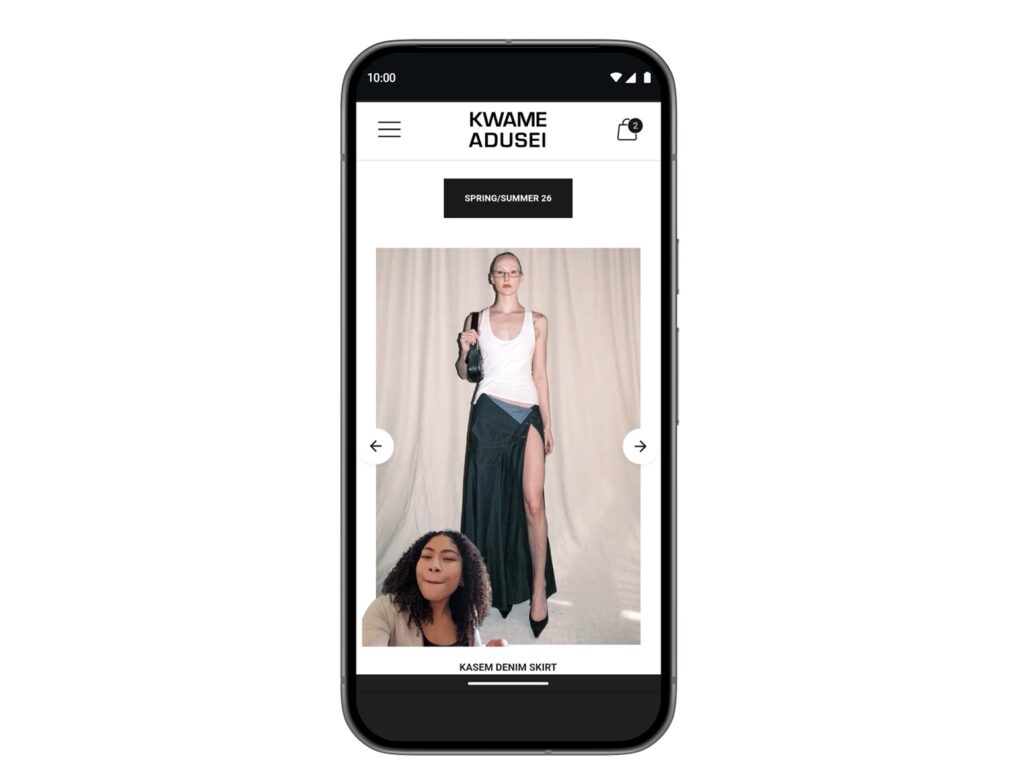
You can record your reactions over screen recordings. Image: Google
The practical benefit is simple: you can comment on websites, apps, and videos, adding your reaction on top, without a green screen and without constantly switching between apps. This is primarily for those who create tutorial videos, reviews, or explain things on screen to relatives. For regular screen recording without yourself in frame, the new panel simply makes the process cleaner.
Foldable Smartphone Gaming Mode in Android 17
For foldable device owners, a dedicated foldable gaming mode has appeared. The screen is divided roughly in half: the top shows the game image, the bottom displays a dynamic gamepad. The idea is to utilize the entire screen area and separate the picture and controls across different halves.

Android 17 turns foldable smartphones into portable consoles. Image: Google
An important caveat: the mode is included in Android 17 but will become functional in the coming months, meaning it may not be available at launch. If you play with an external controller, button remapping is supported. Google also promises fewer frame drops and stuttering thanks to more efficient memory management during high-resolution gaming — this applies not only to foldable devices.
Theft Protection and App Access Control on Your Phone
The security block in Android 17 looks like the most practical improvement for everyone without exception. You can now grant an app temporary access to precise location, and when contacts are requested — share only specific people rather than your entire address book at once. This means less data handed over to apps without real necessity.
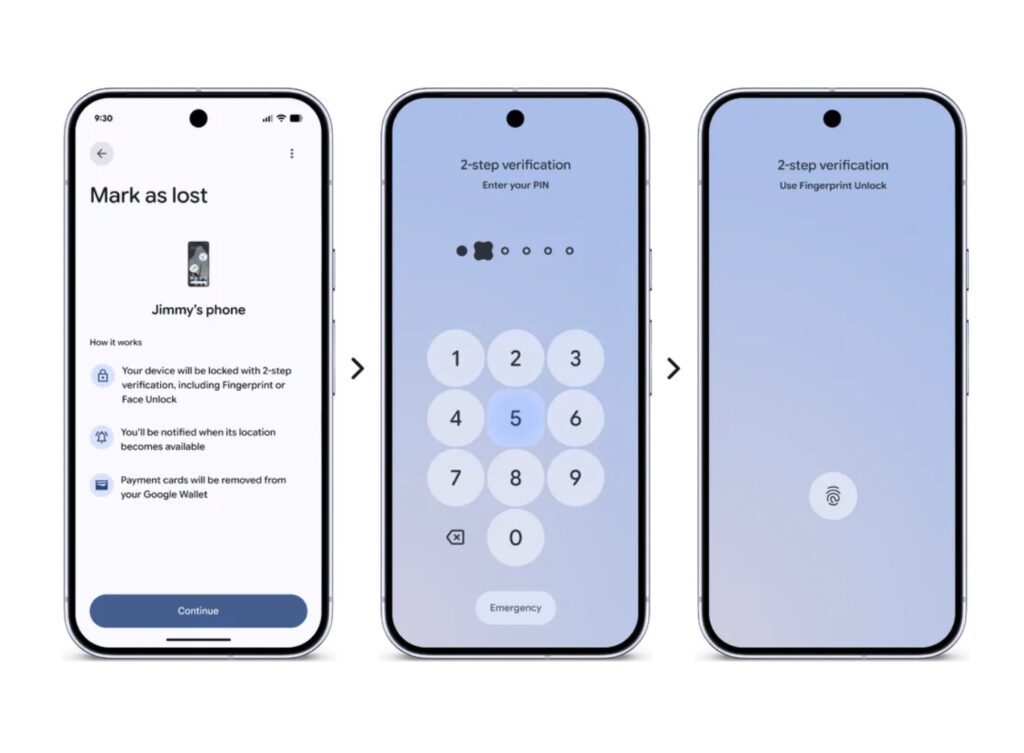
Android 17 also introduces new security features. Image: Google
Theft protection has also been improved separately. The enhanced “Mark as Lost” function in Find Hub allows you to lock a missing smartphone using your biometric data. The point is that even if a thief knows your unlock code, they won’t be able to access your data or disable tracking.
A few more changes in the same direction:
- Live Threat Detection blocks more suspicious apps and fraudulent schemes;
- the enhanced Advanced Protection mode protects against sophisticated targeted threats;
- the number of PIN code guessing attempts has been reduced and pauses between failed entries have been increased to make brute-forcing more difficult.
Parental Controls and Other Android 17 Features
Beyond the major features, the update includes a set of small but welcome settings:
- the ability to hide app names on the home screen;
- parental controls now extend to all Android devices;
- separate volume control for the voice assistant;
- more control over the extended dark theme.
Android 17 also introduces restrictions on RAM consumption by apps, so that no single app takes up too much. This is very appropriate given the RAM shortage situation on the market. According to Google’s plan, this should improve overall system responsiveness and battery life. How noticeable the effect will be on a specific device will only be shown through real-world usage.


