watchOS 27 was barely shown on the WWDC 2026 stage, but the update turned out to be quite notable. The most attention-worthy feature is the new AI-powered Siri, which previously bypassed Apple Watch entirely. The watch will learn to suggest apps, more accurately count steps on a treadmill, and save battery life. Below are the features worth trying first.
Exploring the new watchOS 27 features
Siri AI on Apple Watch: What the New Assistant Can Do in watchOS 27
When Apple redesigned Siri two years ago and introduced Apple Intelligence features, Apple Watch was left out. And when Apple officially unveiled watchOS 27, the focus was specifically on a smart assistant on your wrist. Now the system brings an updated and smarter Siri to the watch — the same one that works on iPhone, iPad, Mac, and Apple Vision Pro.
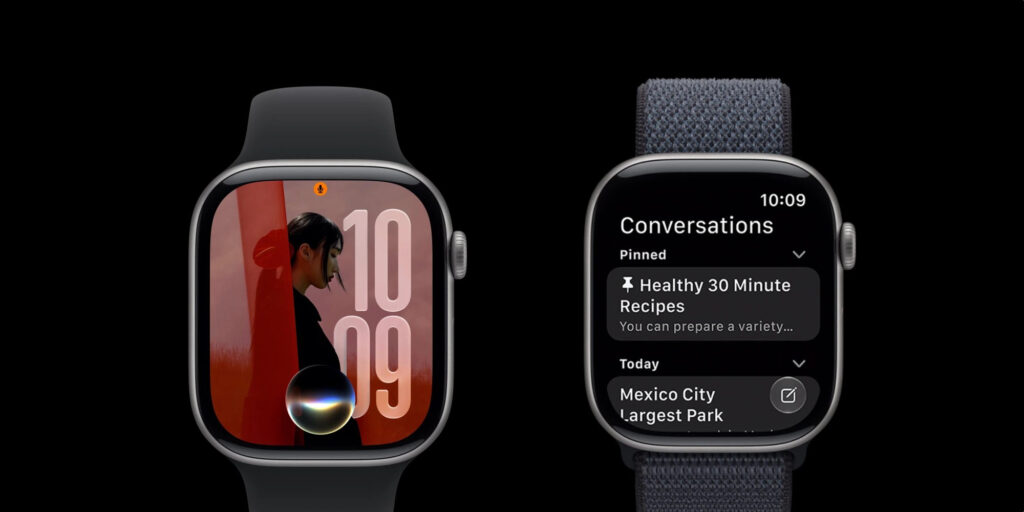
Siri will have a dedicated app
Siri on the watch will get a dedicated app that syncs with the same app on other Apple devices. Siri will receive a chatbot mode and context understanding (it remembers details from your data), the ability to perform actions within apps, and much broader general knowledge.
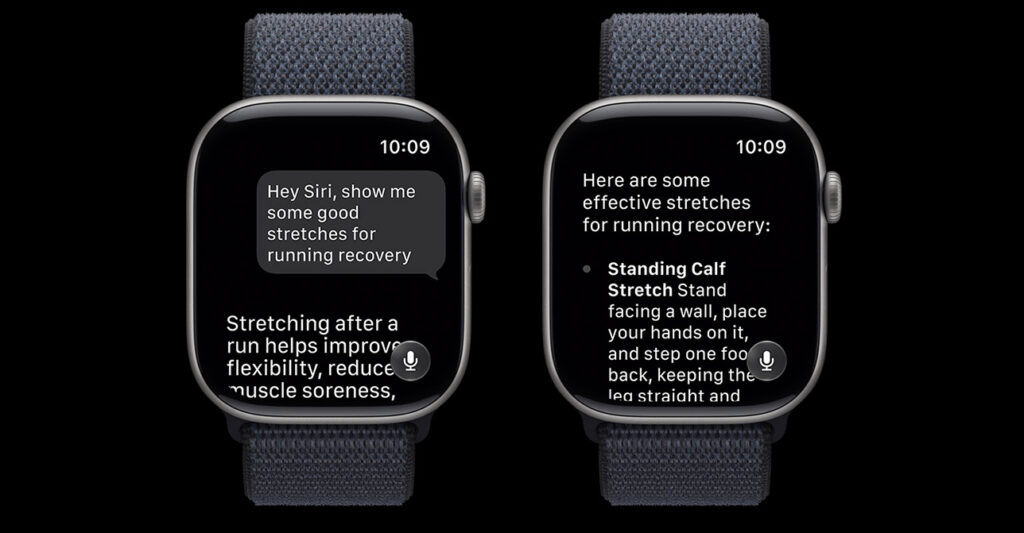
The assistant will be able to give detailed answers to your questions
However, in the first beta version of watchOS 27, Siri AI is not yet available. Apple promises to launch it this year, initially only in English. So Russian-speaking watch owners will have to wait longer: the company hasn’t announced localization timelines.
New Apple Watch App Grid: How App Suggestions Work
If you press the Digital Crown in watchOS 27, a dynamic grid of six apps chosen by Siri will open. When the new Siri AI is enabled, its app takes the center spot, with an icon nearby to access the full list of apps.
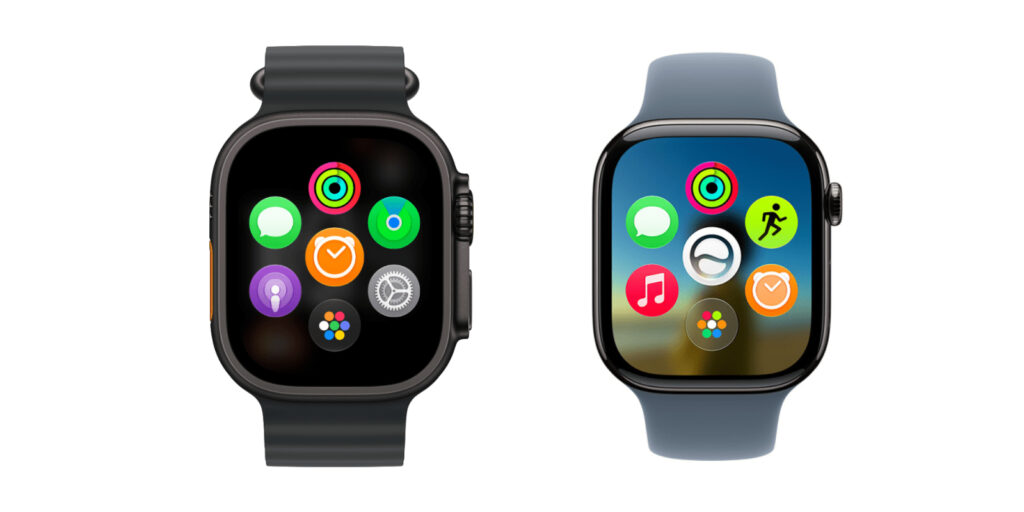
The app grid will rearrange itself
The remaining apps are chosen by the system based on how frequently and recently you’ve used them. The first press of the crown opens the grid, and the second returns you to the watch face. You can press the crown and swipe up to go directly to the full app list. Those who were used to the old list won’t be happy: there’s no way to revert to the old behavior yet. Apple may add such an option later, but it’s not in the beta.
Workout Buddy Without iPhone: How Workouts Changed on Apple Watch
The Workout Buddy feature, a voice assistant for workouts, had an inconvenient limitation: it required an iPhone nearby. If you left your phone at home on a run, the assistant went silent.
In watchOS 27, this changes. Workout Buddy works without an iPhone nearby, so workout prompts are available even if you go out with just your watch. In addition:
- Spanish language support has been added (previously only English was available);
- the assistant comments on more metrics: pace, distance, and workout duration.
New Health Features in watchOS 27
Besides Workout Buddy, watchOS 27 brings two health tracking improvements. First: cycle tracking now supports perimenopause and menopause. According to Apple, the Health app can send notifications if your records indicate signs of perimenopause and offer to track symptoms and educational materials.
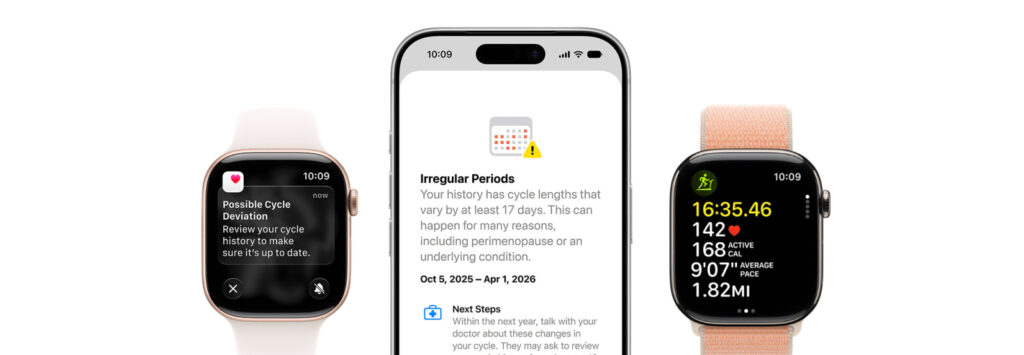
Several new health monitoring features will appear
The second improvement is useful for those who run at the gym: distance measurement is more accurate for running and walking on a treadmill. Apple updated its motion detection algorithms, so the watch better calculates distance right from your wrist. Also, steps in the Activity app now sync with steps in the Health app.
New Apple Watch Gesture for One-Handed Widget Control
The Double Tap gesture (tapping your thumb and index finger together twice) already opens Smart Stack, the widget stack right from the watch face. In watchOS 27, a single tap is added for interacting with widgets.
Here’s how it works: a double tap opens widgets and scrolls through them, while a single tap performs an action. For example, you can open the heart rate app from a widget and take a measurement, start a workout from a suggestion, or pause music from the player — all with one hand, without touching the screen with the other.
Apple also expanded the list of widgets that automatically appear in the stack: car parking location, the Siri app, birthday greetings, pinned messages, and more.
Find My Combined Into One App
Previously, Apple Watch had three separate icons for finding people, items, and devices. Now Apple is combining them and also adding Precision Finding directly from the watch: for a paired iPhone, AirTag 2, and AirPods Pro 3. This is the arrow pointer that guides you to a lost item with accuracy down to a few centimeters.
In practice, this is convenient when your phone is left at home: just raise your wrist, and the watch will show the direction and distance to the missing item. Previously, you had to pull out your iPhone for such guidance, but now everything is available right from your wrist. The unified app is also easier to navigate since you no longer need to remember which of the three icons to look for.
New Apple Watch Battery Settings in watchOS 27
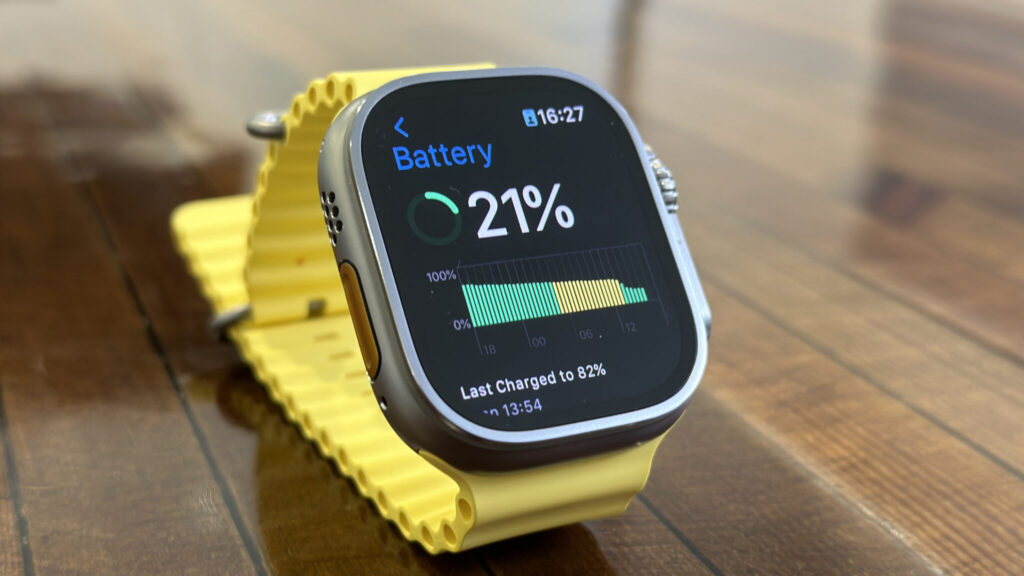
The watch will suggest how to extend battery life