Apple released the third beta, and this is the moment when the update stops being just a collection of bug fixes. In iOS 27 beta 3, Siri voice customization finally started working, a Live Recognition section appeared, and wallpapers learned to beautifully slide over the screen. I’ve gathered all the new features of iOS 27 beta 3 and also explained who should rush to install it and who should take a breather.
Let’s see what changed in iOS 27 beta 3 compared to beta 2
What’s New in iOS 27 Beta 3
The third beta of iOS 27 received build number 24A5380h and shifted focus from showing features to enabling them. What previously sat as a placeholder in past builds now actually works. Additionally, Apple reinstalled some Apple Intelligence components, which caused some users to temporarily lose access to the new Siri, and the indexing line in settings changed to “Optimizing Search and Siri.”
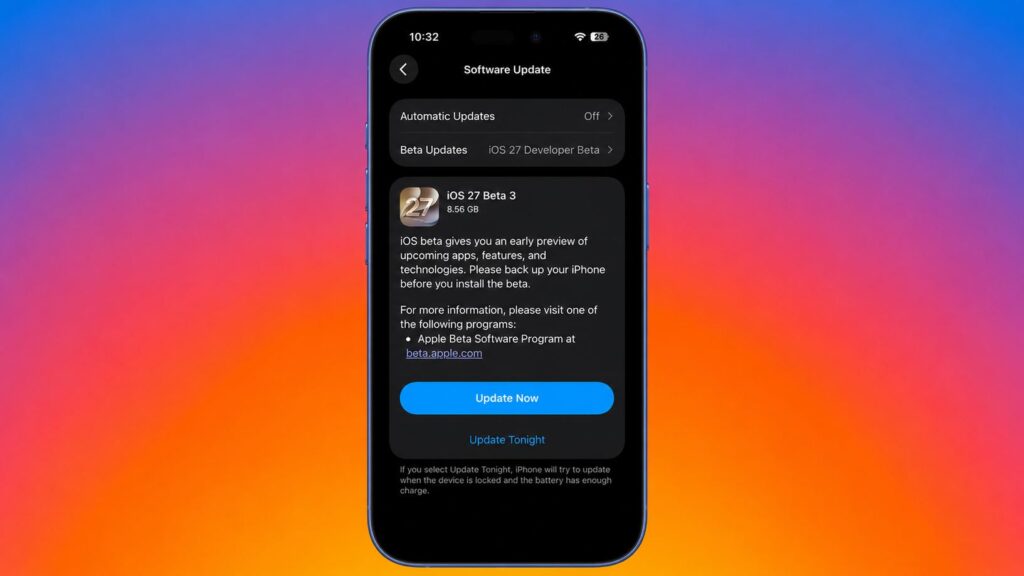
The new version is already available in iPhone settings
I’ll break down each change individually below.
New Siri in iOS 27: Voice Customization
The new Siri in iOS 27 received voice customization: sliders for speed (Pace) and expressiveness (Expressivity) appeared, plus two base voices to choose from. The option had been floating in the interface before but was inactive, and now the assistant can actually be tailored to your preferences.
There’s an important hardware caveat. Voice customization only works on iPhone 17 Pro and Air because it relies on on-device local processing. Older models don’t have access to this specific feature, though that’s expected: Apple traditionally reserves the heaviest AI functions for the latest chips. Additionally, the new Siri and the separate assistant app have made it to watchOS 27, so the watch has caught up too.
Live Recognition: Camera Describes the World Around You
A new Live Recognition option appeared in the Accessibility section. It runs on local AI and uses the camera to recognize and describe what’s around you. You can ask questions about what the camera sees, set a default question, and configure custom scenarios.
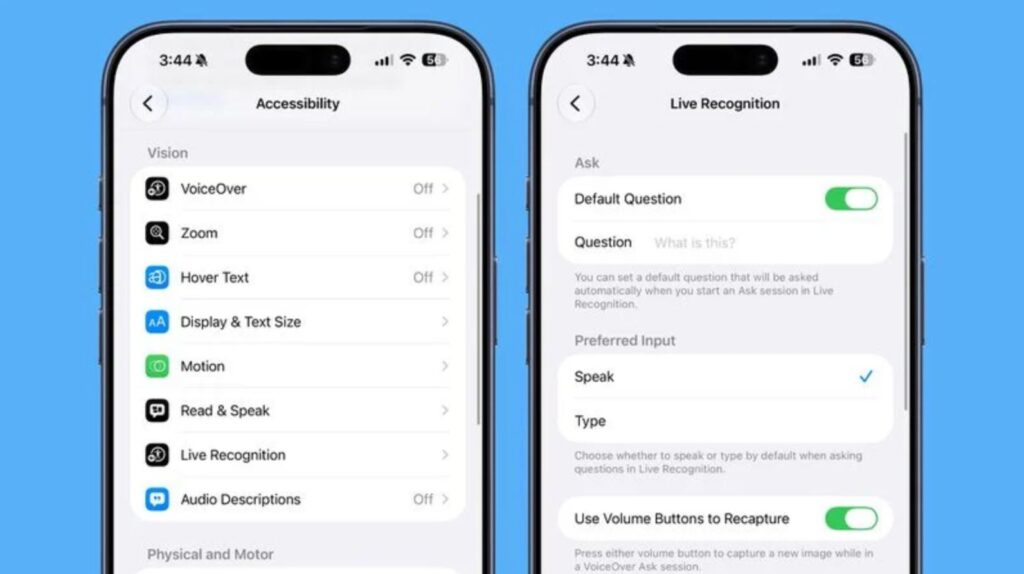
Another one of Apple’s promised features appeared in the update
Essentially, this is an evolution of Visual Intelligence for people with disabilities. The feature is useful and significantly expands what the iPhone can “understand” without the internet. This is exactly one of those iOS 27 features that makes the update worthwhile, not just cosmetic changes.
Updated Icons in iOS 27
This is pure aesthetics, but pleasant ones. The Reminders icon received list bullets in Liquid Glass style: instead of filled circles, there are now hollow colored bullets. In Music, the favorites and menu icons were changed again, making navigation slightly neater.
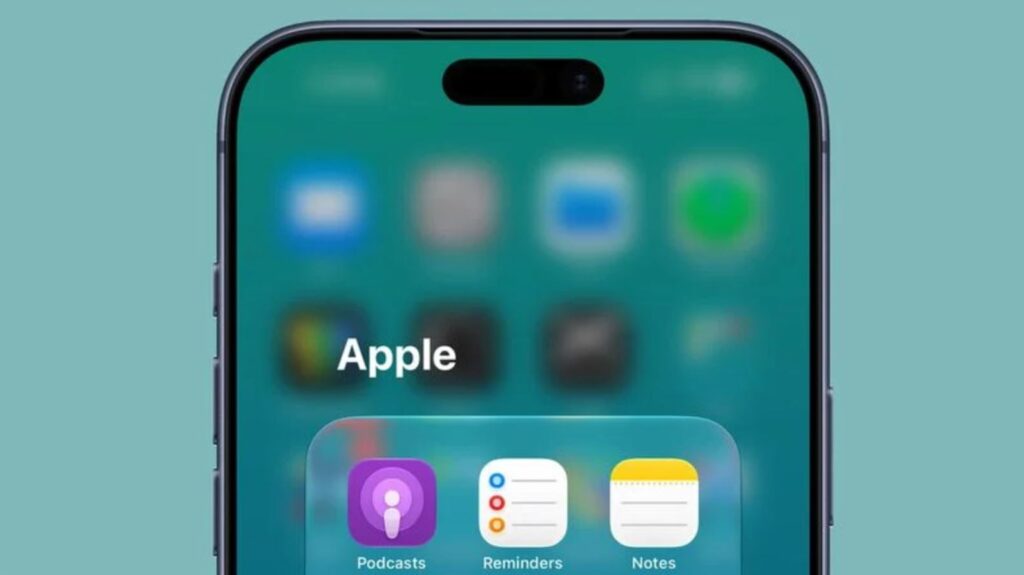
Minor cosmetic changes in iOS 27
A small thing, but it catches the eye. Apple continues refining last year’s Liquid Glass, and in beta 3 they finally fixed the overexposed and “jagged” glass app icons that people had been complaining about since iOS 26.
Ratings in Photos and Network Indicator in Control Center
A Show Rating Controls toggle appeared in Photos settings. Turn it on, and star ratings appear on photos and videos, with a rating badge showing on previews in the library. For those who sort through thousands of shots, ratings become a full-fledged sorting tool rather than a hidden option.
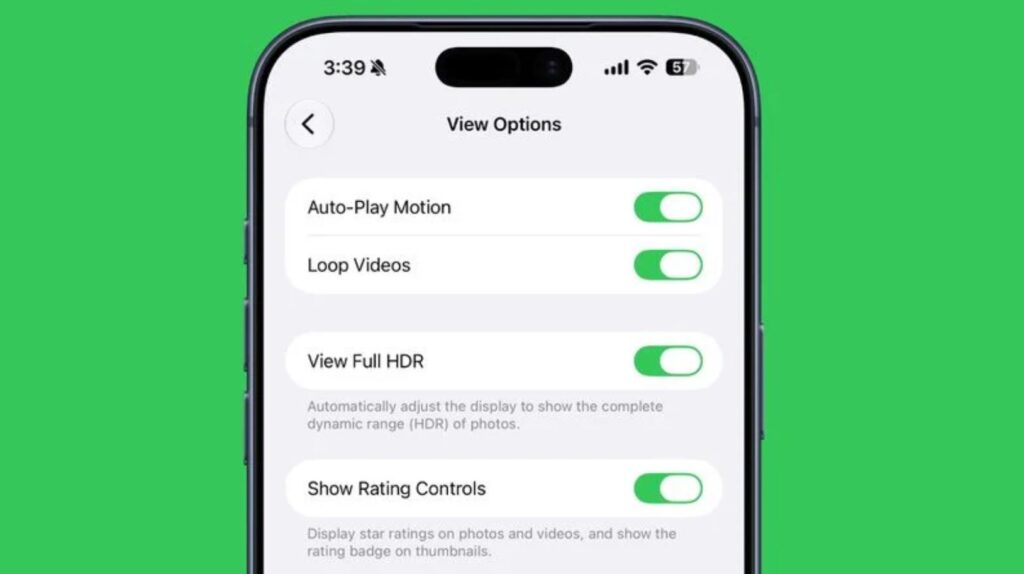
Photo ratings — a great way to finally organize your collection
Another convenient change landed in Control Center: cellular network data is now visible even when you’re connected to Wi-Fi. The system shows signal strength and connection type, LTE or 5G. Seems trivial until you find yourself in a place where Wi-Fi technically exists but doesn’t actually work.
What Else Changed in iOS 27 Beta 3
The most visually striking change in what’s new in iOS 27 involves wallpapers. When you swipe down to the notification center, the cut-out silhouette of an object from your wallpaper now smoothly slides over the home screen or open app. The animation is truly smooth, and testers on X have already praised it.
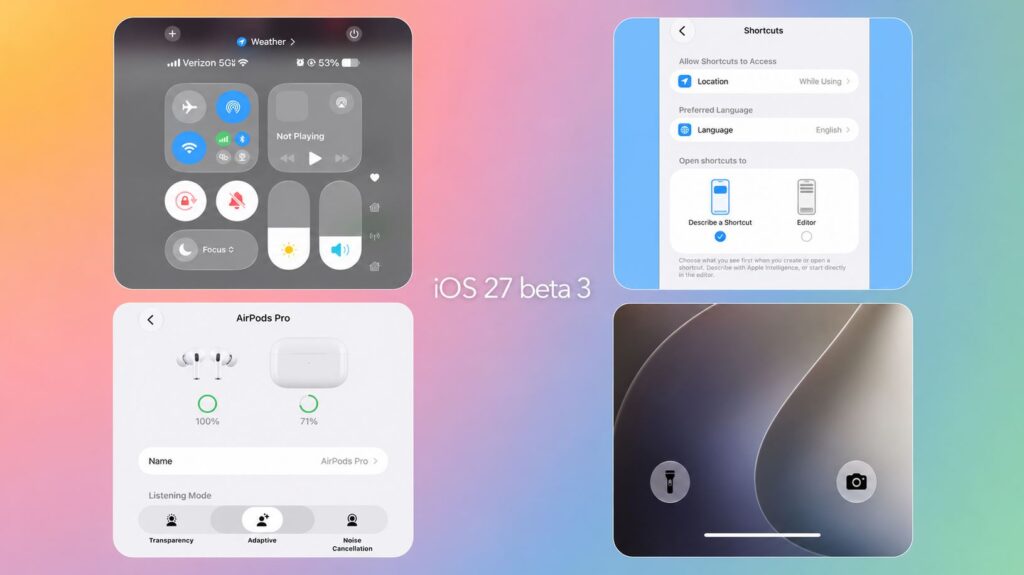
There are many small changes
The rest is minor but useful:
- AirPods: the Adaptive mode now has a slider that lets you choose the balance between transparency and noise cancellation.
- Shortcuts: when creating a new shortcut, you can choose what opens first — “Describe your shortcut” or the manual editor.
- Maps: a hint was added that route settings haven’t gone anywhere and open under the options block when building a route.
- Lock Screen: Control Center buttons now have black icons instead of white ones.
- Safari on first launch tells you about four features: automatic tab sorting, bookmark grouping by topics, tracking changes on websites, and custom extensions.
An important under-the-hood fix: Apple fixed a long-standing bug where a deeply discharged iPhone would freeze on the red empty battery icon and require a restart.
When Will the iOS 27 Public Beta Release and Should You Update
Timing-wise, everything is on schedule. Apple promises the iOS 27 public beta in July, with the final release in the fall alongside the iPhone 18 lineup. The public version is more stable than the developer build, so if you’re not a developer, it’s worth waiting at least for that milestone.


