Now that Telegram is working on Android without a VPN, it’s the perfect time to explore some interesting messenger features that few people have noticed. A recent update introduced a built-in AI text editor, right inside the app. No separate utilities, no copying to ChatGPT and back. You type something, press a button — and your message already sounds like an ancient Viking. Or a bishop. Let me break down what it is and how it works.
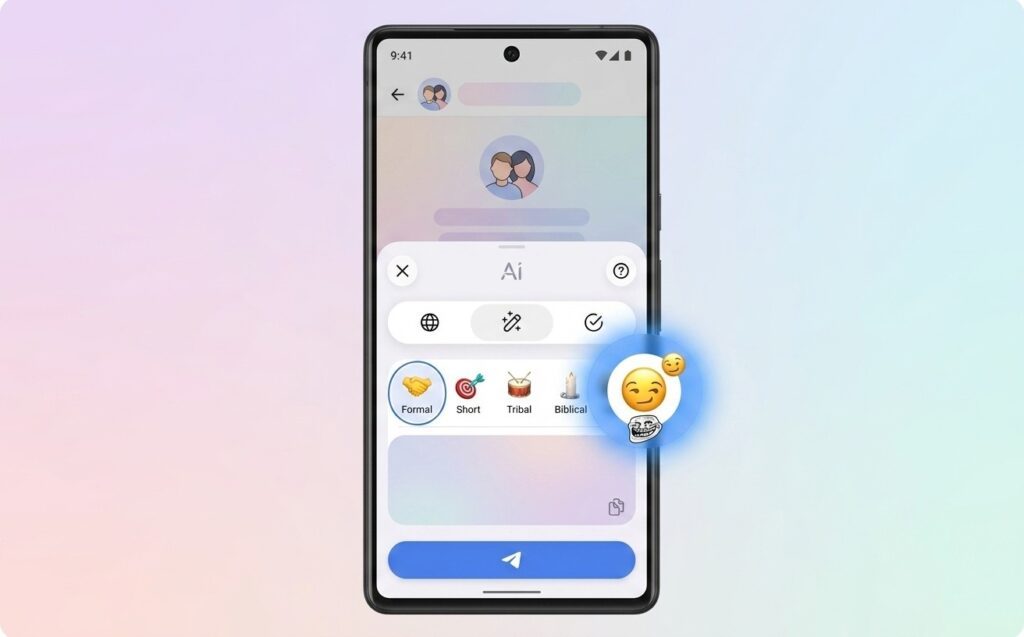
Learning to troll friends in Telegram on Android
What the AI Editor in Telegram Can Do
The Telegram AI message editor can do three basic things: fix grammar and spelling, translate text into another language, and rewrite a message in a different style. Translation can also be combined with style — meaning you can translate text into English and immediately make it formal, or on the contrary, completely crazy.
The list of available styles — this is where the real fun begins:
- Formal: official business style, suitable for communicating with your boss or strangers;
- Short: condenses a long text down to the essentials;
- Corp: corporate newspeak, perfect for imitating official newsletters;
- Zen: calm, meditative tone;
- Tribal: tribal style, sounds like a message from a chief;
- Biblical: solemn biblical language;
- Viking: warlike, loud, with Scandinavian flair.
The last three styles in particular make the Telegram editor a trolling tool. You wrote your friend a simple “how are you?” Then you pressed Viking, and it turned into something like a call to battle. Whether to send it or not is up to you, but you’ll both be laughing. The feature appeared in version 12.6, so if you don’t see it, you should first update Telegram on Android to the latest version.
How to Find the AI Editor in Telegram on Android
The main nuance that makes many people think the feature doesn’t work or doesn’t exist at all: the AI text editor in Telegram doesn’t have a separate toggle in settings. It doesn’t need to be turned on. It appears on its own, but only under a certain condition. The condition is simple: the text must be at least three lines long. If you write a short phrase, you won’t see the button. Type a sufficiently long message, and an Ai icon will appear above the send button. Here’s the step-by-step process:
- Update Telegram to version 12.6 or newer.
- Open any chat.
- Type a message that’s at least three lines long (approximately three to four sentences).
- An Ai button will appear above the send button.
- Tap it, and a menu with action options will open.
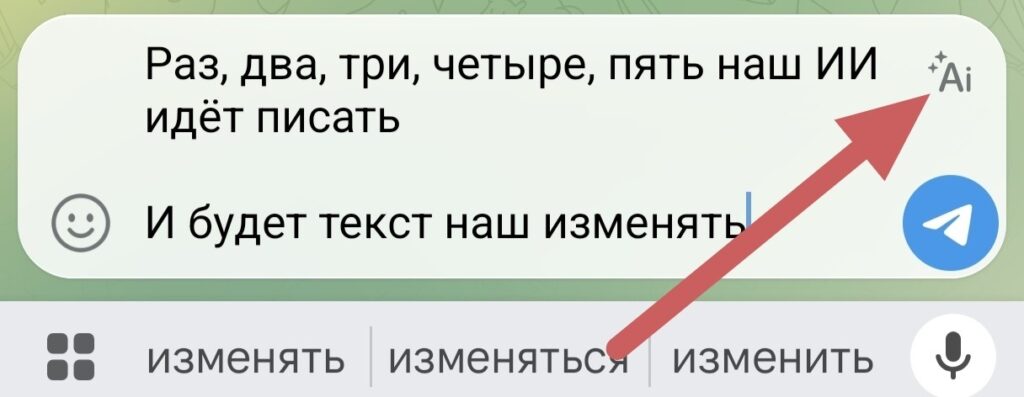
You need to tap the special button in the message input field
No additional settings are needed. Turning on the AI editor in Telegram in the usual sense is impossible and unnecessary — it’s always active, just waiting for the text to become long enough.
How to Use the Telegram AI Editor
After tapping the Ai button, a menu appears with several options. You can choose a ready-made style from the list, ask it to fix errors, or translate a message in Telegram into another language. If you choose a style, the system rewrites the entire text and shows you the result before sending. You can accept the change, reject it, or try a different option.
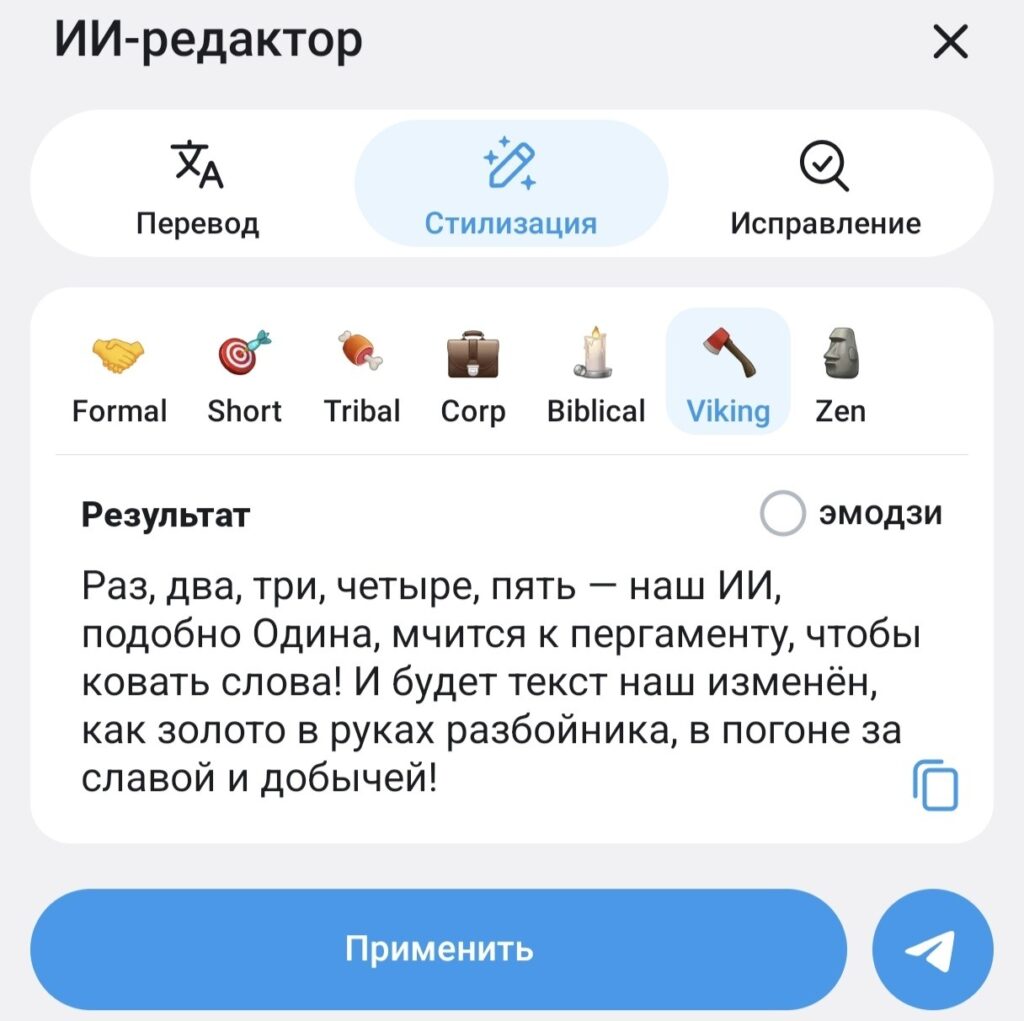
This is what the editor looks like on Android
Practical use cases:
- you wrote a long work message with errors — tapped “Fix” and sent a polished text;
- you need to respond formally, but the text came out conversational — choose Formal;
- you want to condense an explanation to a single paragraph — choose Short;
- you just want to have a laugh with a friend — Viking or Biblical are guaranteed to deliver results.
You can modify a message in Telegram through the editor multiple times in a row. Applied one style, didn’t like it, applied another. The original text stays in the input field until you press “Send.”
Why the Telegram AI Editor Isn’t Showing Up
If the Ai button isn’t there, there are several possible reasons, and most of them can be resolved in a minute:
- Outdated app version. The Telegram AI editor feature appeared in version 12.6. Check in Google Play or in the app settings (if your version is lower, update it).
- Text is too short. The button only appears from three lines onward. A single sentence doesn’t count.
- Third-party client. Telegram has become noticeably stricter about unofficial clients in recent updates. New Telegram features work reliably first and foremost in the official app. Switch to the official one if you’re using a third-party client.
- Server instability. In the first days after a Telegram update, a new feature may work unstably — this is normal during the initial rollout period.
So things happen. Don’t lose hope — soon you’ll definitely be able to test the AI editor on your Android smartphone, just like all other users.
Free or Does It Require Telegram Premium
The AI in Telegram is available without a subscription, but with limits on the number of requests. The messenger doesn’t disclose exact limits, but in practice, the free access is enough for everyday use. If you use the editor actively every day, you might hit the ceiling.
Unlimited access to the AI text editor in Telegram comes with a subscription. That also includes priority file downloads, extended reactions, increased file size limits for sending, and much more. If the editor is only needed occasionally for fun, there’s no point in subscribing just for it. If it fits into your workflow — that’s a different conversation.


