At WWDC 2026, Apple showcased several important changes: expanded Apple Intelligence, a renamed and redesigned Siri AI, new versions of all operating systems, and updated parental controls. This article compiles all Apple WWDC 2026 announcements in one place so you can quickly understand what’s new in iOS, Siri, and Apple Intelligence, and which of your devices will receive the latest features.

All Apple WWDC 2026 announcements: what’s new in iOS, Siri, and Apple Intelligence
The conference was special for another reason: for Tim Cook, this was his last presentation as CEO. Starting September 1, 2026, the company will be led by John Ternus, the current head of Apple’s hardware division.
What’s New in iOS 27, iPadOS 27, and macOS 27
Apple confirmed that updates will arrive across all its platforms. This year, that includes iOS 27, iPadOS 27, macOS 27 Golden Gate, watchOS 27, tvOS 27, and visionOS 27. The company didn’t go into detail about each system separately but instead focused on shared innovations that work across the entire ecosystem.
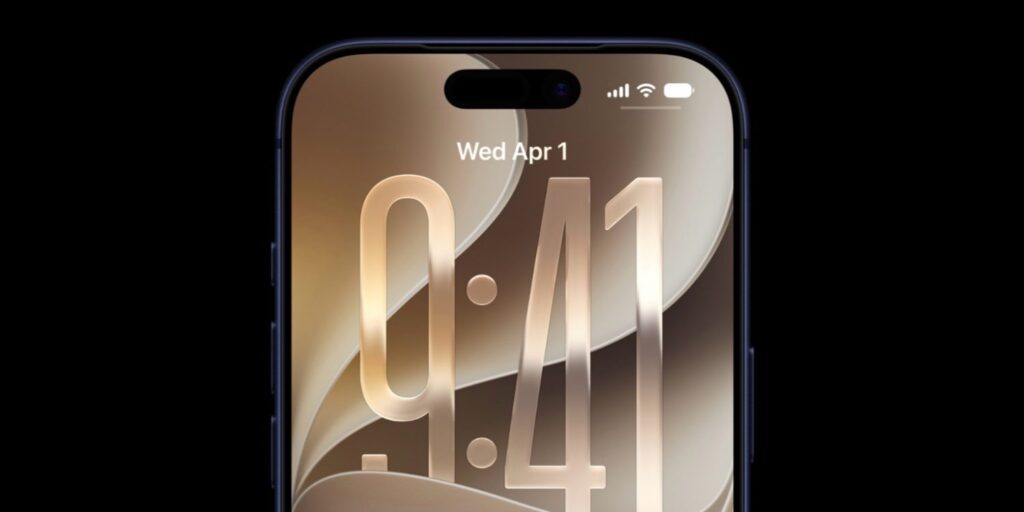
As per tradition, the system got new wallpapers
The main focus, aside from updated Apple Intelligence, was on speed. According to Apple, apps launch approximately 30% faster, photo loading has sped up by nearly 70%, and AirDrop file transfers are 80% faster. These numbers are noticeable in everyday use: devices should respond faster even on relatively older models.
The signature Liquid Glass design has also changed. Now the degree of “glassiness” and background refraction is adjustable with a separate slider — the effect can be reduced or almost completely disabled if it interferes with readability. App icons have become more three-dimensional, and in macOS, system windows now have uniform corner rounding.
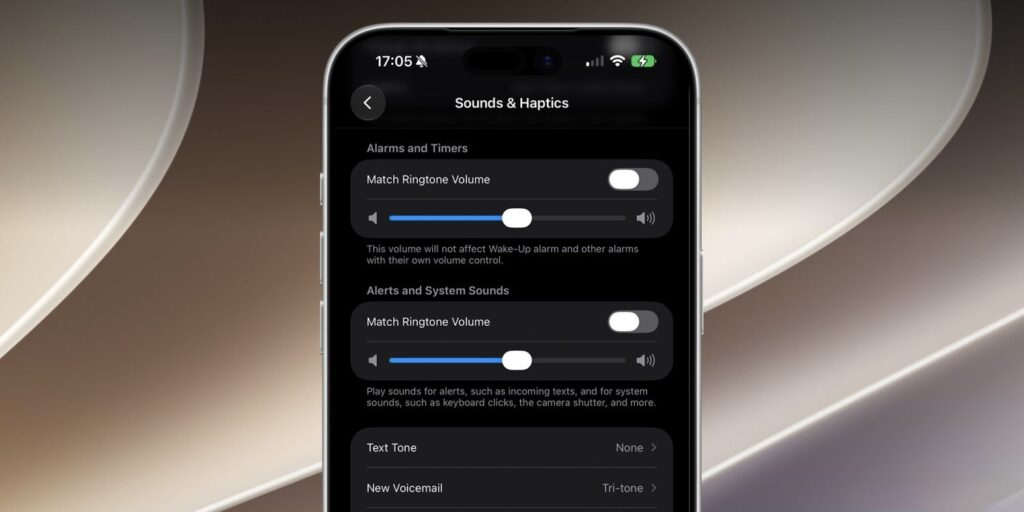
Believe it or not, the alarm now has its own volume
Among the less noticeable but useful improvements are:
- Wi-Fi turns on automatically, even if it was completely disabled, when an iPhone or iPad detects a strong known network nearby;
- System search on iPhone, iPad, and Mac is built on a new architecture — the system analyzes content in real time, understands query context, and ranks results more accurately;
- Photos are automatically sorted into appropriate albums in the Photos app based on what’s depicted in the image.
Public beta versions of all systems will be released in July, with the full release scheduled for fall 2026. It’s also worth noting device support: iOS 27 can be installed even on iPhone 11, which is already considered vintage.
What the New Siri AI Can Do in iOS 27
Most of the Apple presentation time was dedicated to the updated Apple Intelligence. The company officially announced a partnership with Google: some neural network features work in conjunction with Gemini. At the same time, simple queries are processed directly on the device with a focus on privacy, while complex ones are sent to the cloud.

Siri has a new logo
The main result of this work is a redesigned voice assistant, now called Siri AI. It is essentially a full-fledged chatbot and assistant built into the device. You can interact with it by voice or text. Siri AI more accurately analyzes what’s happening on screen, retains more context, and connects apps and processes across your Apple devices.

Along with the logo, the design was also changed
Specific use cases were also introduced. For example, on iPhone, Siri AI is integrated directly into the Camera app: you can photograph an object and instantly find out where to buy it, or determine the approximate calorie content of a dish in the frame. The assistant can search for information online and pulls up the needed data on its own.
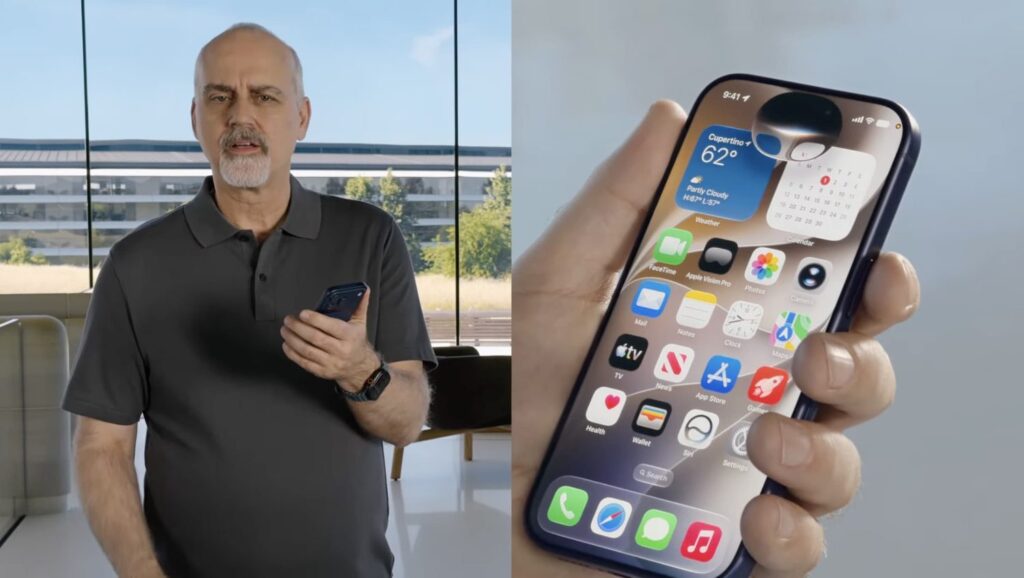
And they also put it in the Dynamic Island
Siri AI also works with email, writing and editing text, reminders, saved files, and other system processes. The assistant is available on all devices, including Apple Watch and Apple Vision Pro. On the headset, Siri AI appears as a flickering orb that can be placed anywhere, and you just need to look at it to start a conversation. On Mac, the assistant is built right into Spotlight — queries are entered in the regular search bar.
Additionally, Siri AI now has a dedicated app where query windows open and the full history of interactions is stored. An important limitation: initially after release, Siri AI only works in English, with no Russian language support at launch.
Which Apple Apps Received AI Features
Along with updated Apple Intelligence, neural network capabilities have also come to built-in apps. The most useful announcements:
- The Passwords app now features batch replacement of compromised passwords — the system automatically generates and changes passwords across all websites and services where they were leaked;
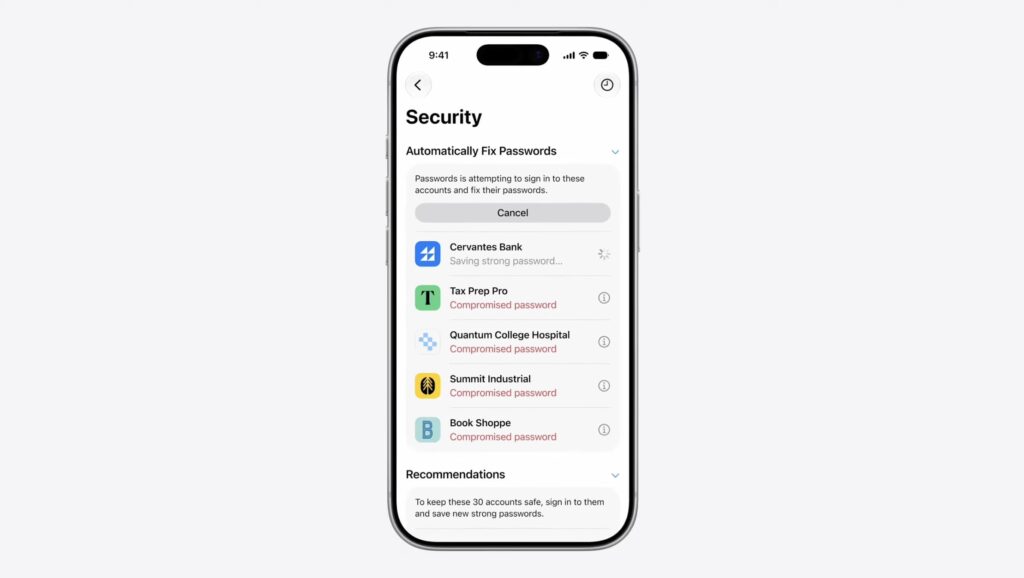
Passwords can now change your leaked passwords automatically


