The MAX messenger is steadily gaining users in Russia, and many people naturally wonder: is it possible to install two MAX apps on an iPhone at once? For example, one for work and one for personal use. Or one for family and close friends, and the other for work chats and channels, so everything doesn’t get mixed together. In Telegram, this setup has been working for a long time — there’s official support for multiple accounts right in the app, plus plenty of alternative clients for every taste. But with MAX, things are more complicated.
Figuring out whether you can install a second MAX on an iPhone
Can You Install Two MAX Apps on iPhone
Let’s get straight to the point: installing a second MAX on iPhone is currently not possible. And it’s not because the developers forgot something or failed to add the feature in the latest update. There are several reasons, and they all come down to the specifics of iOS itself and the current state of the messenger.
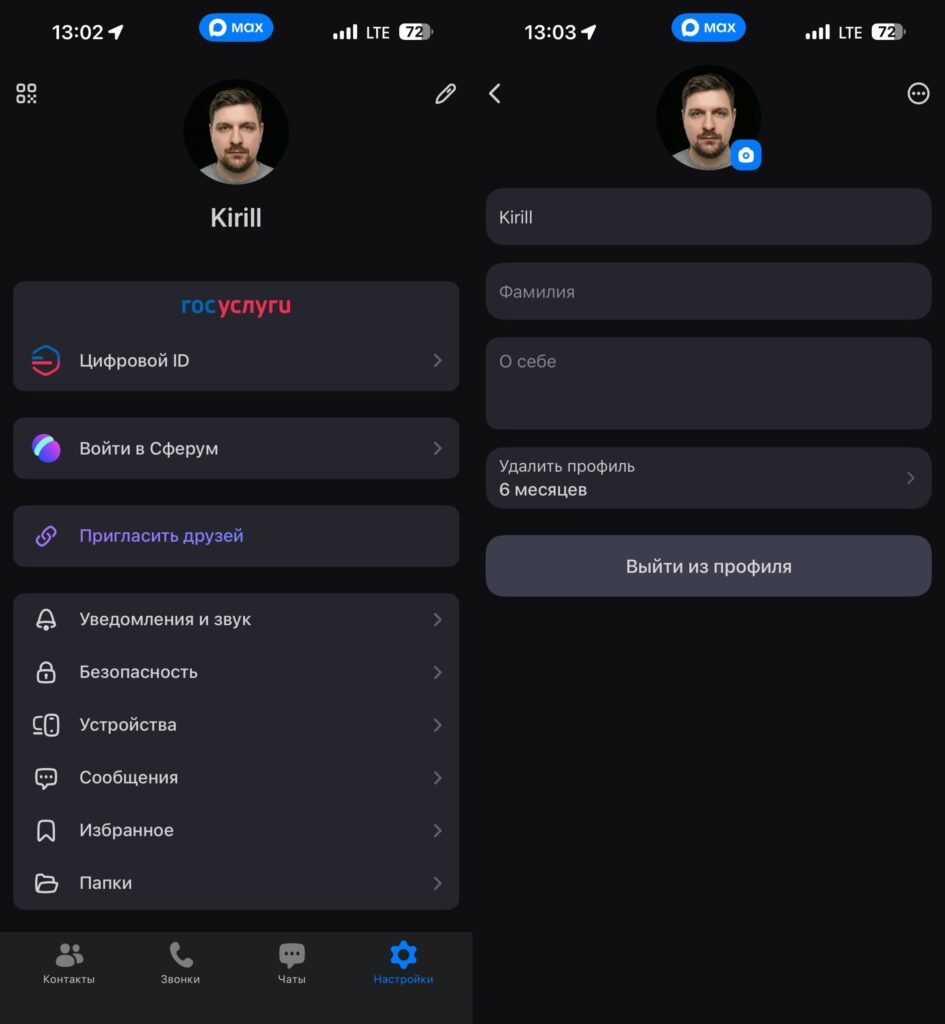
You can only log out of an account or delete it. Adding a second one is not possible
First, MAX has no built-in support for multiple accounts. In Telegram, for instance, you can easily add up to four profiles in one app and switch between them with a couple of taps — convenient, fast, and without any workarounds. MAX simply doesn’t have this feature. One account per device, period. The developers may add this functionality in the future, but for now it’s not even on the roadmap.
Why iPhone Doesn’t Allow Cloning MAX
The second obvious approach would be to clone the app itself. On Android smartphones, many manufacturers offer this feature: Samsung, Xiaomi, Honor, and others have long been able to create copies of messengers right in the system settings. You install a clone of WhatsApp or Telegram, log in with a second number, and use two accounts simultaneously. No hoops to jump through — everything works out of the box.
On iPhone, cloning apps is impossible. Apple fundamentally doesn’t allow this through system tools or third-party utilities from the App Store. Every app has a unique Bundle ID identifier, and installing it twice is simply not allowed — the system won’t permit it. There are no “second spaces,” “parallel apps,” or “clone modes” in iOS, and none will appear in the foreseeable future. It’s a closed ecosystem, and Apple has no plans to change its approach.
Alternative MAX Messenger Clients
The third option that immediately comes to mind for experienced Telegram users is to install an alternative client. Telegram has dozens of them: Nicegram, Swiftgram, Plus Messenger, and others. Each is considered a separate app with its own Bundle ID, which allows you to log in with another account and comfortably use two profiles simultaneously.
This trick won’t work with MAX. There are no alternative clients for the messenger — neither in the App Store nor anywhere else. MAX developers haven’t opened their API for third-party apps, so enthusiasts can’t build their own client even if they wanted to. As a result, you have exactly one app to choose from — the official one, and it only works with one account at a time.
Second MAX via Browser on iPhone
It might seem like there’s another obvious workaround — the web version of MAX. Telegram, WhatsApp, and most modern messengers have a full-featured web client that opens in a browser and lets you log in with a separate number. Log into Safari with a second account — and you’re done, no clones or second devices needed.
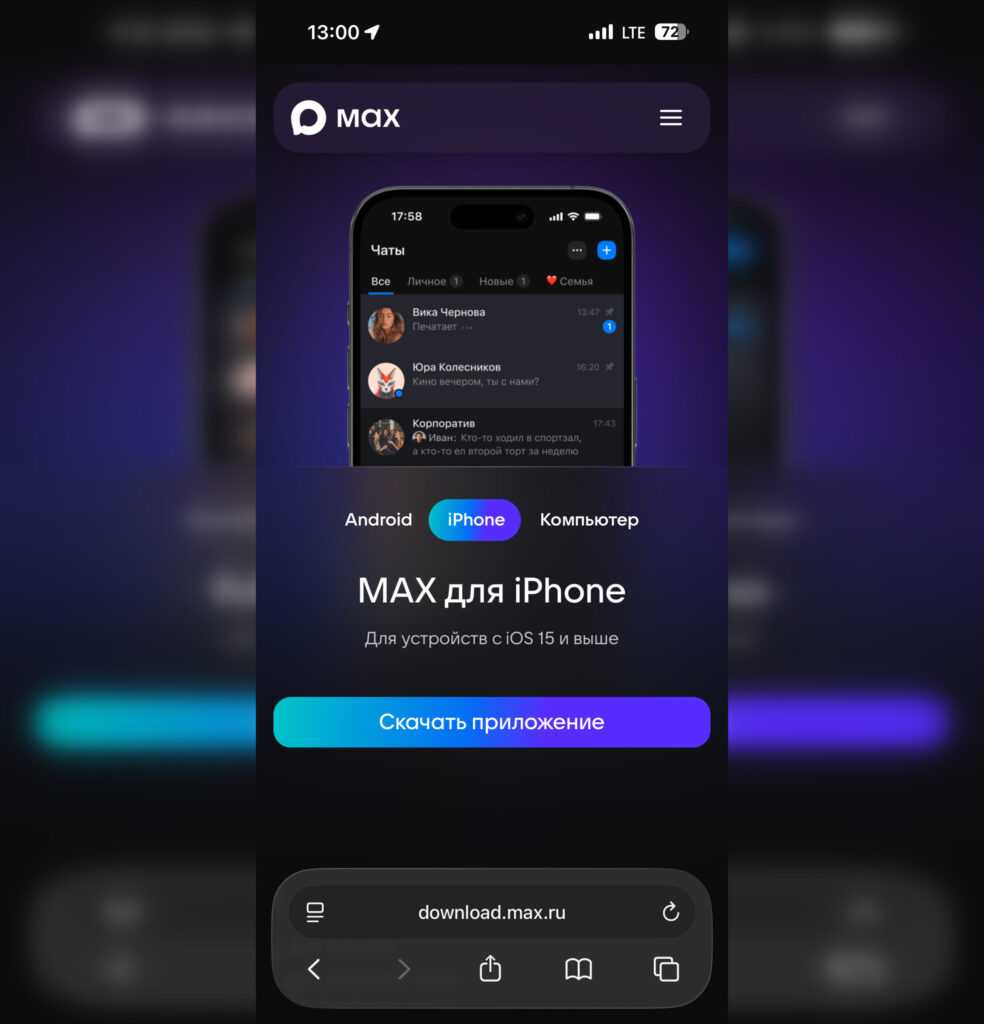
When trying to access the web version of MAX from a smartphone, you’ll be redirected to the download page
MAX does have a web version, but you can’t use it from a smartphone. When you try to open the MAX web version from an iPhone, the site automatically redirects you to the App Store download page. Even if you request the desktop version, you’ll still need a device where you’re logged into your account to authorize on the website.
Registering a Second MAX Account
Buy an affordable Android smartphone and you’ll be all set. Image: gazeta.press
If you truly need two MAX accounts, the only working method is to use a second device. This could be an old iPhone gathering dust in a drawer after an upgrade, a work smartphone, or even an Android device. On each device, you install MAX and log in with the required phone number. Note that you cannot log into MAX without a phone number. So keep in mind that the national messenger must always be linked to some phone number.
It’s not the best solution, but there are no other options for now. Perhaps over time, MAX developers will add support for multiple accounts within a single app — it’s the most logical solution that competitors have already implemented. But for now, you’re stuck with one profile per iPhone. If you have a second smartphone — great, use it. If not — you’ll have to choose which account matters more to you.