Apple released the first beta version of iOS 27 on June 8, and it immediately became clear that some apps won’t launch on it. At least in Russia, banking apps won’t open, along with some domestic services, and the problems also affected foreign apps. The main issue is that banking apps removed from the App Store due to sanctions won’t be able to receive a regular update with fixes.
iOS 27 broke T-Bank on iPhone
Which Apps Don’t Work on iOS 27
According to media reports, after updating to iOS 27, the latest versions of T-Bank won’t launch, including clones under names like GlossFlow and Drive Transit. When trying to open the app, it crashes instantly.
Besides T-Bank, according to sources, the latest versions of SberBank don’t work either — for example, the clone “Aktivy Online.” If you can’t log into Sber on iOS 27, that’s exactly the reason, not your device. Russian media also report glitches in delivery services Samokat and Kuper, and the editorial team discovered that the Koshelek app crashes as well. However, other banks work on iOS 27.
The problem isn’t limited to Russia. Users from abroad on Reddit report that some of them can’t launch the game Genshin Impact and the Uber taxi service doesn’t work. This is a typical scenario for early beta versions: apps not optimized for the new system start crashing.
Why T-Bank Crashes on iOS 27
It’s important to separate rumors from the official position here. T-Bank confirmed the issues on iOS 27 — the bank sent corresponding warnings to clients via SMS. This means it’s not a one-off glitch for individual users but a compatibility problem known to the bank.
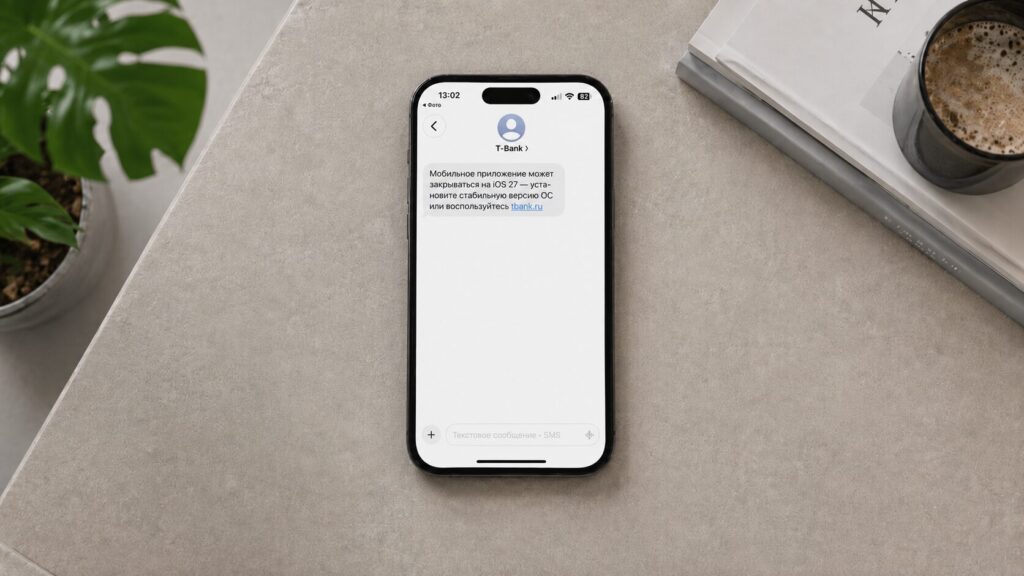
The T-Bank app is incompatible with iOS 27
Other crashes have been documented by the editorial team and users so far, but this is expected behavior for a test firmware, not a malfunction of a specific device.
What Will Happen to Banking Apps After Installing iOS 27
Usually the situation is resolved simply: the developer releases an update optimized for the new iOS version, and the app works again. Both foreign and Russian developers will do the same — you just need to wait for the update in the App Store and install it as soon as it’s released.

Don’t install iOS 27 just because, otherwise other apps may start glitching
But with banks, things are different: their apps were removed from the App Store long ago due to sanctions, so they can’t receive the usual update. That’s exactly why banking apps on iOS 27 take longer to fix than others: in practice, you’ll have to wait until the bank releases a new clone — yet another “copy” of the app under a different name, as was already the case with GlossFlow or “Aktivy Online.”
T-Bank won’t open on iOS 27 for the same reason other things break after an update. And this is just the first major bug: it’s scary to imagine what other errors in iOS 27 will surface later.
How to Access T-Bank If It Won’t Open
If you need access to your account right now and the app keeps crashing, the bank’s web version in a browser will help. Access T-Bank through Safari and add it to your home screen so it looks almost like a regular app. The steps are simple:
- Open your bank’s official website in Safari and log into your personal account.
- Tap the “Share” button in the browser’s bottom toolbar.
- Select “Add to Home Screen.”
- Confirm — a bank icon will appear on your home screen that launches the personal account through the browser.
This isn’t a full replacement for the app (not all features like biometric login and push notifications will work the same), but it’s sufficient for making transfers or checking your balance.
Should You Download the iOS 27 Beta
The main takeaway: you shouldn’t install the first iOS 27 beta on your primary iPhone. Early test builds are often unstable, drain the battery faster, and, as this situation shows, break important apps — especially banking apps, which in Russia already rely on workaround clones.
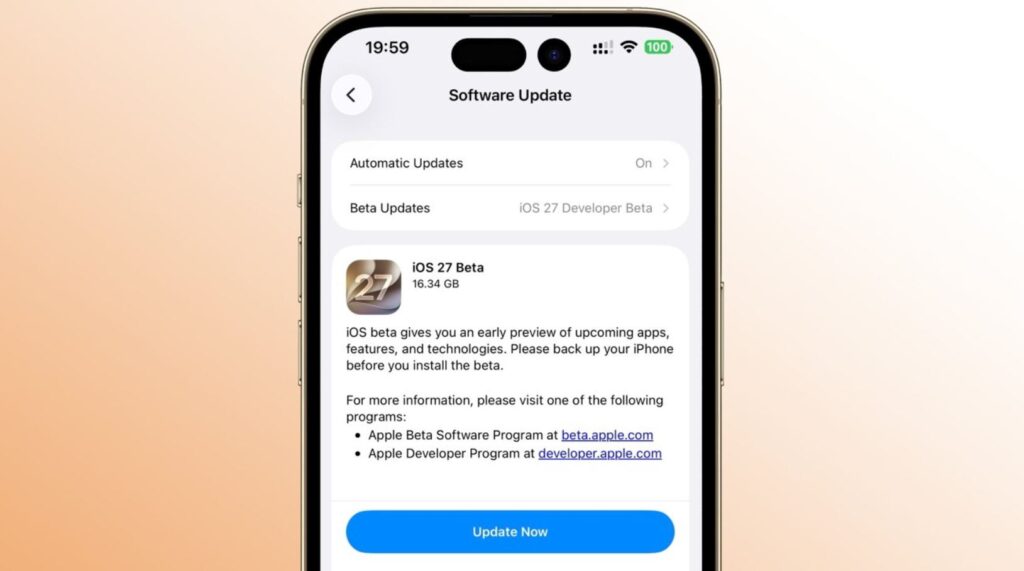
You should only install the beta version on a spare device
If you really want to try the new features, it’s wiser to wait at least for the first public beta (expected in July) or the official iOS 27 release in September. By that time, most developers will have released compatible versions, and the question of why banking apps don’t work on iOS 27 will resolve itself.
For those who have already lost access to their banking app, the only option is to use the web version through Safari. Or wait for a new version of T-Bank for iPhone that will sneak into the App Store under a different name. And for everyone else, this news should serve as a reason not to rush into installing a raw firmware.