The camera plateau on the iPhone 17 Pro, 17 Pro Max, and iPhone Air is large enough to be the first thing that contacts a table, pavement, or keys in a pocket. Protection for this area is worthwhile — but the wrong type of protector can degrade photo quality more than scratches would. The key distinction: protectors that cover the lenses with a solid sheet of glass often cause haze, flare, and autofocus problems, while frame-style protectors with cutouts for the lenses leave optics unaffected and still shield the surrounding material from damage.
What you need to know
- On iPhone 17 Pro and Pro Max, the camera plateau is anodized aluminum; iFixit teardowns reportedly show the anodized layer chips easily on the sharp edges, exposing bare aluminum.
- On iPhone Air, the camera plateau is covered with Ceramic Shield glass that resists scratches but is prone to cracking from drops.
- Full-coverage glass protectors that sit over the lenses can introduce flare, haze, rainbow halos, and autofocus issues — especially in low light.
- Frame-style protectors with lens cutouts preserve image quality while shielding the plateau surface and adding a raised lip to keep lenses off flat surfaces.
Why the iPhone 17 Pro camera plateau scratches so easily
The iPhone 17 Pro and 17 Pro Max feature a camera plateau made of anodized aluminum that forms a single piece with the body. There is no separate glass island as on earlier models — the metal rises in a step and ends with a fairly sharp edge around the perimeter.
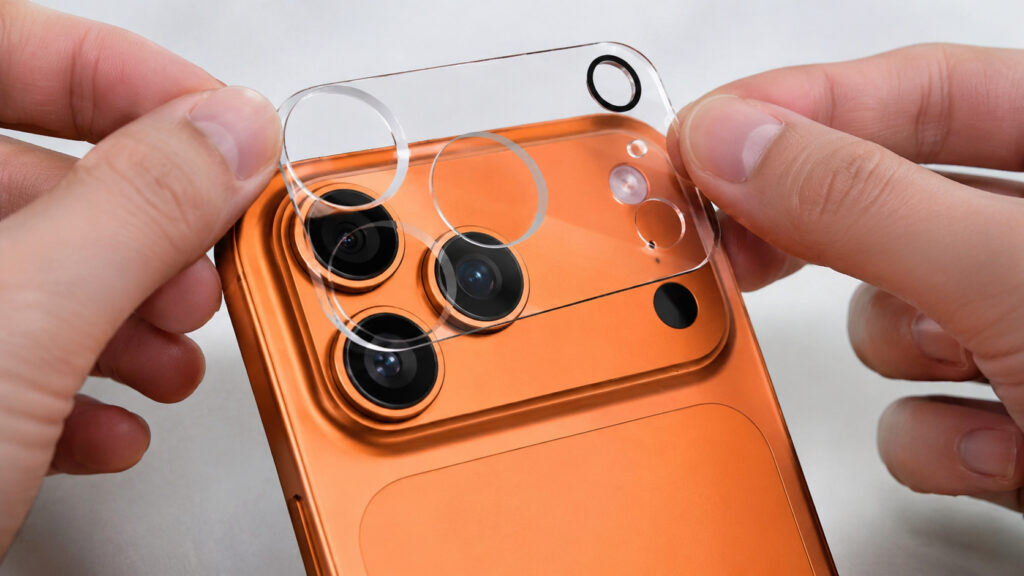
To protect or not to protect — that is the question
According to the source, iFixit examined the device under a microscope and found that the anodized layer chips off noticeably more readily on sharp corners than on flat surfaces. On the flat rear panel, a tool with the hardness of a coin leaves only a superficial mark, but on the edge of the plateau the coating reportedly flakes away in pieces, exposing shiny bare aluminum. Materials scientists explain this by noting that the oxide film is thinner and weaker on bends.
Real-world experience appears to confirm this. Early retail display units showed scratches within weeks of going on sale, with Apple attributing some marks to material transfer from display stands. While some of those marks could be wiped away, chips along the camera plateau edge reportedly could not. Owners of darker color variants may notice this more, as there are reports of some units experiencing noticeable body discoloration within a month.
Importantly, the lenses themselves are covered with sapphire glass, which is highly scratch-resistant. The vulnerability lies in the metal surrounding them. And unlike a screen, chipped anodization on the plateau edge cannot be polished out.
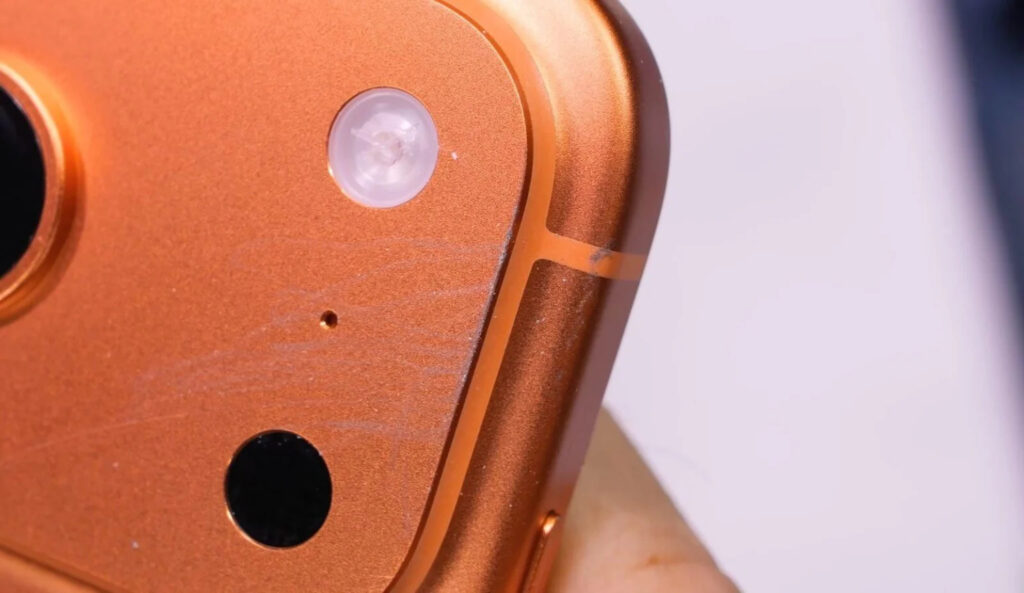
The camera module picks up scratches readily
How iPhone Air camera protection differs from iPhone 17 Pro
The iPhone Air presents a different situation. Its camera plateau is covered with glass — specifically Ceramic Shield — rather than exposed metal, and it extends as a strip across the upper portion of the body. Scratches from keys and sand are far less of a concern: the glass handles hardness tests well, and marks from metal objects are often just material transfer that wipes off with a cloth.
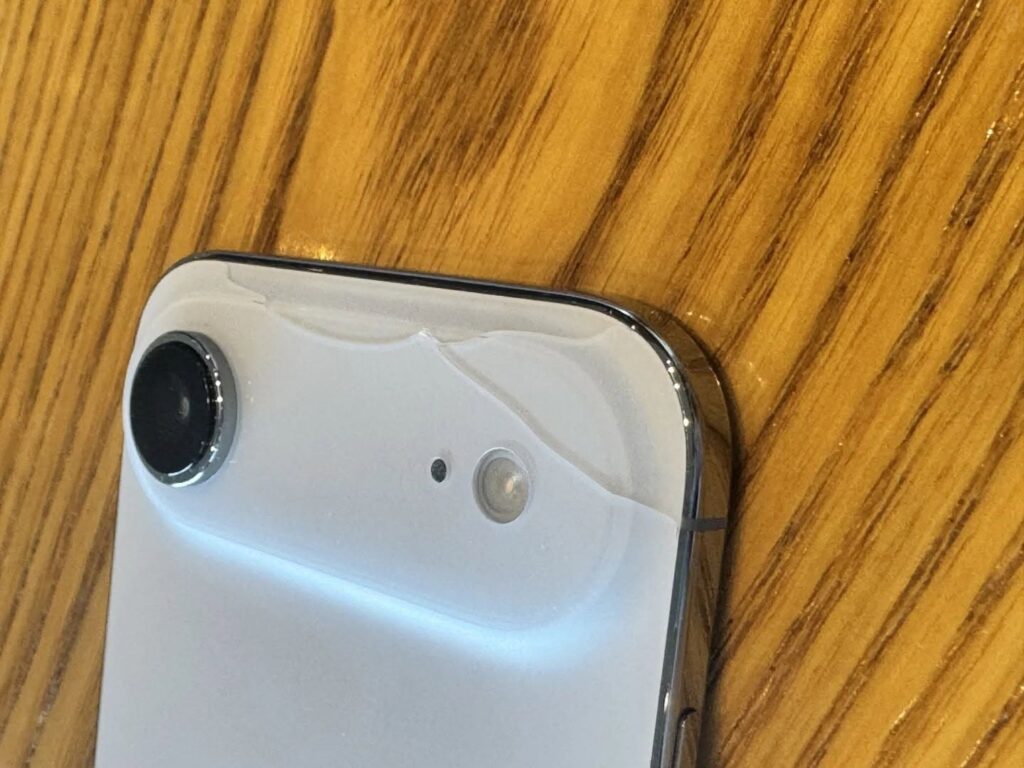
The iPhone Air camera module is prone to cracking instead
However, glass has its own failure mode, and it can be worse. Drop tests from roughly standing height onto hard surfaces reportedly showed the Air’s camera glass cracking as one of the first components to fail. Additionally, the thin titanium frame around the module can lose its PVD coating on contact with keys, producing visible light streaks on darker color variants.
This creates an interesting split: on the Pro models, the vulnerable point is the metal around the plateau (abrasion and chipping); on the Air, it is the glass itself under impact. Both benefit from protection, but for different reasons. For the Pro, the goal is preventing surface wear. For the Air, it is adding a sacrificial layer to absorb impact energy. A thin tempered glass protector will not survive a full drop onto concrete, but it can distribute load and absorb minor impacts against table edges or steps.
Why you should not cover the lenses with a protector
This is arguably the most important point. There are two fundamentally different types of camera protectors available, and the difference in their effect on image quality is dramatic.
Full-coverage glass covers the entire camera module, including the lenses. User reviews of these products reportedly follow a consistent pattern: nighttime haze, flash blowing out entire frames, autofocus struggling in darkness, and rainbow halos or double flares when shooting toward light sources. The cause is straightforward — the extra refracting surface in front of already complex optics creates parasitic reflections between the sapphire lens cover and the protector glass.
The problem reportedly worsens over time. Because inexpensive glass is softer than sapphire, the protector itself develops micro-scratches within a couple of months. These act as a diffusion filter, reducing micro-contrast, turning fine detail like foliage and fabric textures into mush, and causing every light source to sprout rays at night. Owners often blame iOS updates for the perceived decline in camera quality, not realizing the protector is at fault.
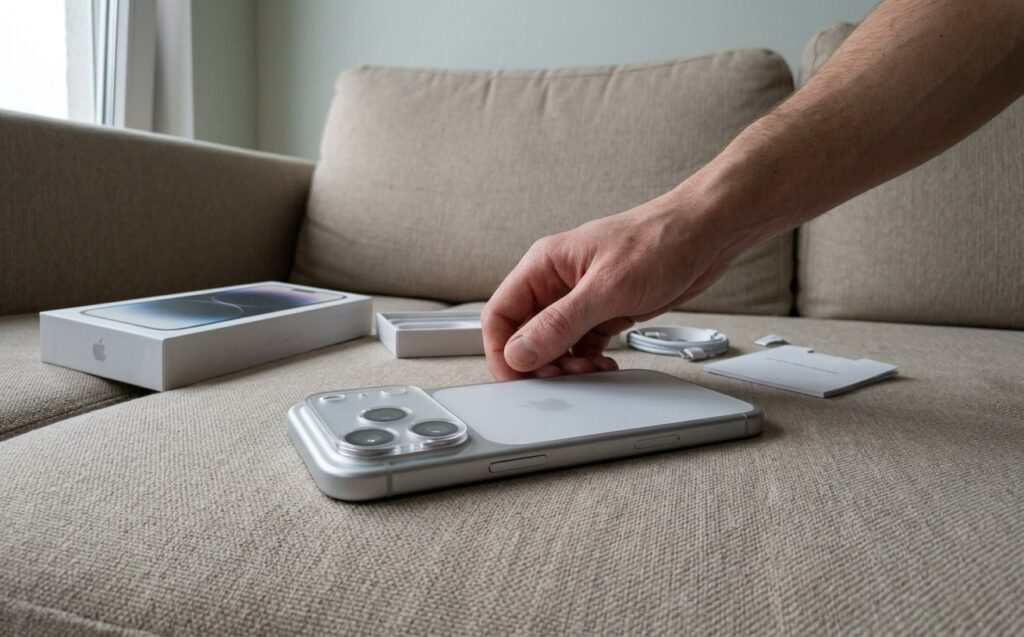
If you apply a full glass protector, be prepared for a substantial sandwich of layers
Frame-style protectors with lens cutouts cover only the plateau surface, leaving the lenses completely exposed. Optics work exactly as Apple intended, with no additional reflections, and photo and video quality remains unaffected. The raised rim also prevents the phone from resting directly on its lenses when placed face-down on a surface.
Practical tips for applying camera protection
Several practical notes to keep in mind:
- Clean the plateau with an alcohol wipe before application and let the surface dry for about thirty seconds. Otherwise, a cloudy halo can form under the edges.
- Apply in good lighting and without rushing. Most protectors have less than a millimeter of tolerance, and a misalignment can cause the cutout edge to encroach on a lens — at which point the protector starts interfering with the camera.
- Consider hydrogel film for Pro models. It is thinner than glass, conforms to curves, and does not create a step under a case. It will not protect against impacts, but it handles abrasion and minor scuffs well — which is the primary concern for the Pro’s aluminum plateau.
- For iPhone Air, a tempered glass protector is preferable since the main risk is point impact rather than surface wear.
- Replace the protector roughly every six months or whenever visible wear appears. The idea is that the protector wears out instead of the device itself.
Important caveats
Note that the iPhone 17 Pro and 17 Pro Max share the same camera plateau design, so protectors are interchangeable between those two models. However, the iPhone Air has a completely different plateau shape, and protectors are not cross-compatible.


