From November 25, 2026, Android users in Russia who pay by QR code through the Faster Payments System (SBP) may see Google Chrome show an insecure-connection warning instead of the bank-selection page. SBP itself keeps working. The cause is a move by Russia’s National Payment Card System (NSPK) to Russian security certificates, which Chrome does not always recognize. NSPK recommends scanning the QR code inside a banking app rather than with the phone’s regular camera, which avoids Chrome entirely.
What you need to know
- NSPK announced its move to Russian security certificates on November 17. Related changes began on November 19 and extend to SBP payment links from November 25, 2026.
- Google Chrome does not always recognize these certificates. It may treat the connection as insecure and refuse to open the payment page, even though SBP keeps working.
- NSPK recommends scanning the QR code from within a bank’s app. According to the source, this needs no certificate installation.
- According to the source, Mir Pay, SberPay and other contactless payment methods are not affected.
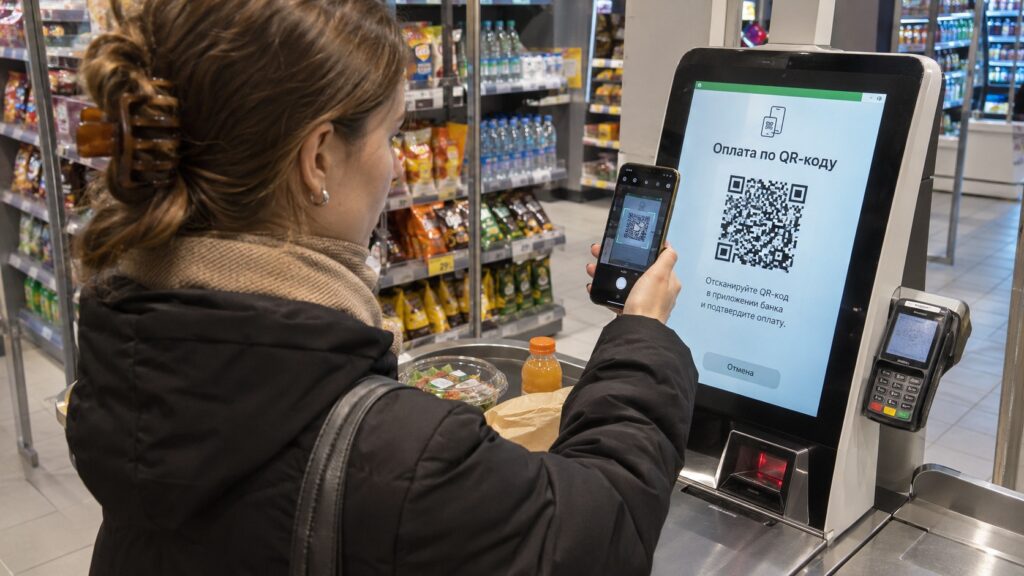
Paying for a purchase in a shop with a QR code
What happens at the checkout
The source describes a typical scenario. A shopper points the phone’s camera at the QR code and taps the link that appears. Instead of a list of banks, the phone shows a warning about an insecure connection. Scanning again does not help, even though the internet connection works and nothing is wrong with the phone. The problem can also appear when paying for services through SBP, not only in shops. The source notes the issue is unrelated to new SBP fees it had reported on separately.

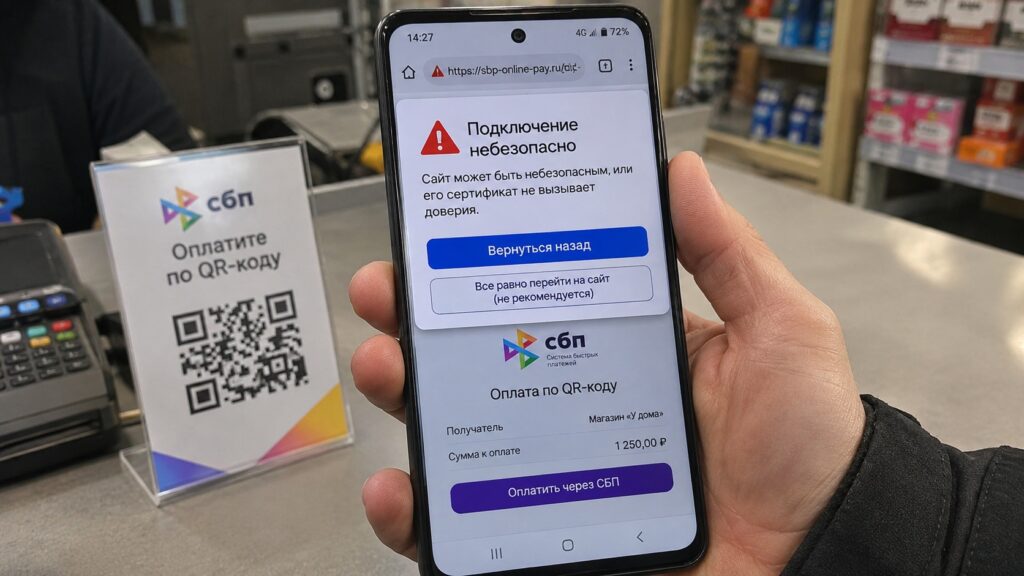
An insecure connection warning when paying by QR code
Not everyone will see the warning. According to the source, it depends on how the QR code is scanned and which app opens the link. One setup that can trigger it is the standard Android camera app handing the link to Google Chrome.
Why Chrome shows the warning
NSPK is moving its services to Russian security certificates. Certificates let a browser verify that a website is genuine and establish a secure connection. Because Chrome does not always recognize the Russian certificates, it may consider the connection insecure and block the payment page. The source says Android users have seen a similar problem before, when the websites of Russian banks would not open in Chrome.

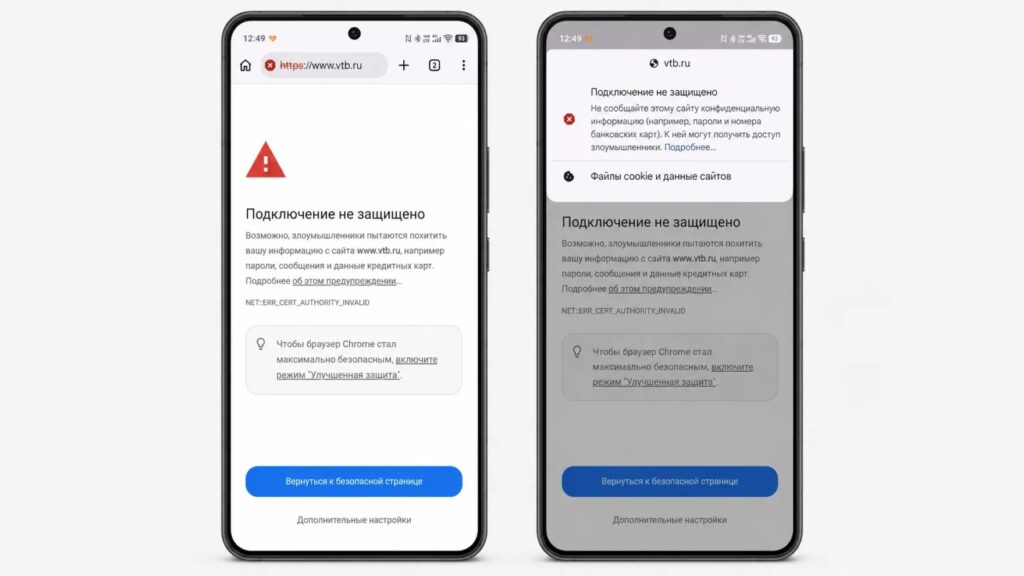
An error when trying to open a bank website in Google Chrome
As NSPK explains, the warning does not by itself mean the payment service is dangerous. The source nevertheless cautions against ignoring the browser’s protection, because QR codes can be swapped, and users should make sure a link really leads to the intended site.
The recommended workaround: the bank’s own app
NSPK recommends scanning the QR code with a banking app’s built-in scanner instead of the regular camera, so the payment link never opens in Chrome. The source says this works in Sberbank, T-Bank, Alfa-Bank and other apps that support SBP. The scanner may be named differently in each app, but the user simply scans the code, checks the merchant name and amount, and confirms. No certificate installation is required for this route.

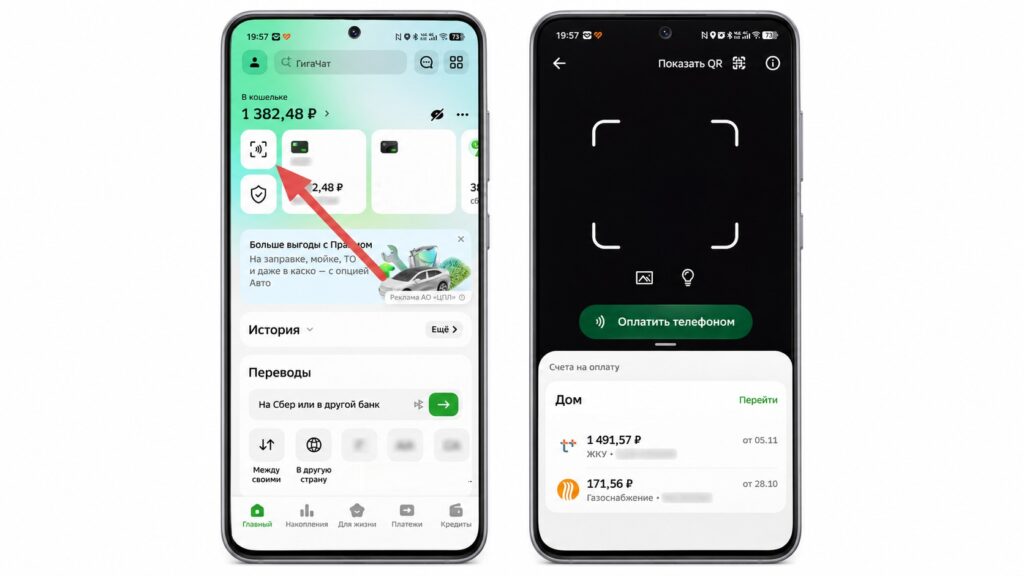
Paying by QR code in the Sberbank app
Contactless methods such as Mir Pay and SberPay are not affected, according to the source, so tapping a phone on a terminal works as before.
Other options the source mentions
The source describes two further ways to avoid the warning when scanning with the regular camera. One is making Yandex Browser the default browser on Android, since it supports Russian certificates; the source says payment pages should then open without the warning. Menu names for changing the default browser vary between manufacturers such as Xiaomi, Samsung, realme and vivo.

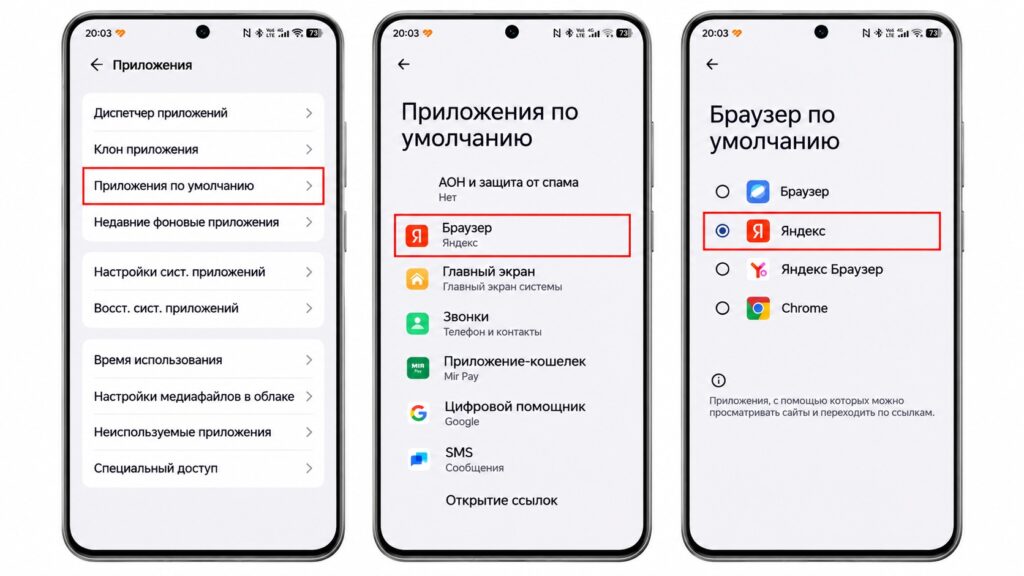
Selecting Yandex as the default browser
The other is manually installing certificates issued by Russia’s Ministry of Digital Development. The source flags a key limitation: not all Android apps and browsers use manually installed certificates, so Chrome may keep showing the error even afterwards.
What changes and what does not
The source stresses that the November 25 change affects how payment links open, not the money transfer itself, so QR payments remain usable. It does not specify which Chrome versions, Android versions or phone models are affected, or whether Chrome’s behavior might change later.