I’ve already written about why I don’t recommend the MAX messenger, and every time someone would say I was exaggerating. Now Cloudflare — one of the largest internet infrastructure players in the world — has joined the conversation. And its assessment was unambiguous. MAX messenger has been labeled as spyware. But what does this mean in practice? Do you need to do anything with the MAX app on your smartphone?
Trying to understand what MAX’s new labeling means
Checking MAX Through Cloudflare
Cloudflare is not just a hosting provider. A significant portion of global internet traffic passes through its infrastructure: CDN, DDoS protection, DNS resolving. When Cloudflare labels something as a threat, millions of devices and services worldwide see it.
Cloudflare sees the traffic of half the internet — its labeling is not random.
Checking MAX through Cloudflare’s databases yielded a specific result: the domain max.ru was labeled as “spyware.” That’s exactly how the MAX messenger check looks through the systems of one of the planet’s main internet arbiters. And this isn’t the first such case with Russian messengers: earlier, Cloudflare similarly labeled Telega, and shortly after, the app was removed from the App Store.
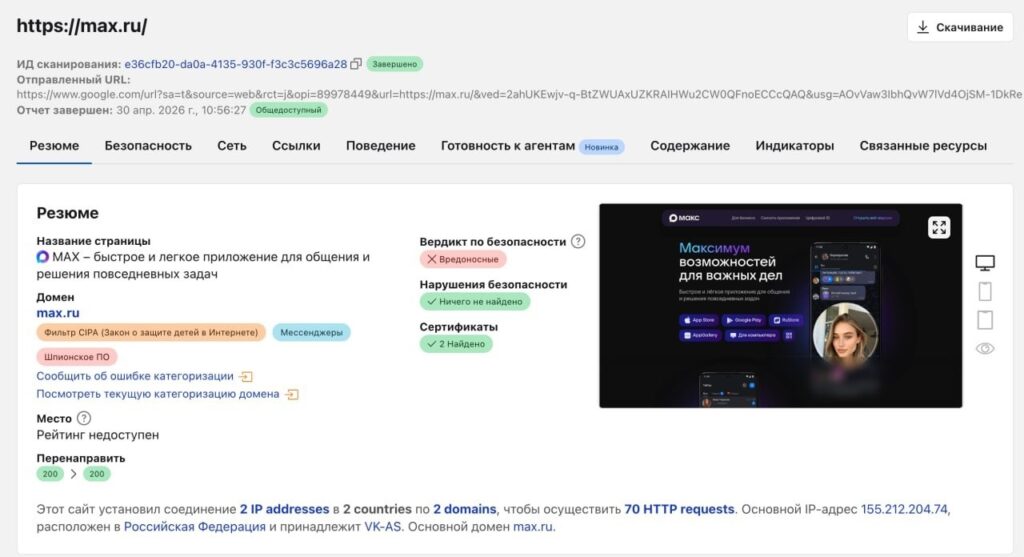
The max.ru domain is labeled as spyware. Image: Cloudflare
Currently, MAX on Android and iOS is still available in both stores. The TLS certificate for the domain is valid. But the very fact of the labeling is a serious signal worth examining in detail.
What Does a Spyware Label Mean
There’s an important nuance here that gets lost in headlines. Cloudflare labeled specifically the domain max.ru, not the app itself in the stores. This means that when a device or network connects to this domain, Cloudflare’s security systems classify it as a potentially dangerous traffic source. Here’s what happens with such a labeling:
- corporate networks and firewalls using Cloudflare’s databases may automatically block connections to max.ru;
- browsers with integrated Cloudflare protection begin showing warnings when visiting the site;
- antivirus solutions relying on reputation databases may flag the app’s traffic as suspicious;
- system administrators gain grounds to block MAX on corporate networks.
For an ordinary user, this doesn’t yet mean that MAX is dangerous in the sense that tomorrow morning it will steal your passwords. It means that the app’s behavior is suspicious enough for one of the world’s major internet providers to give it a red mark.
Domain labeling is not a block, but it's a red flag visible to the entire internet.
The danger of MAX in this context is not a virus attack, but systematic collection of user data.
Does MAX Spy on Users
MAX spies on users, and this is not paranoia but documented facts. In March 2026, technical specialists recorded specific app behavior:
- MAX monitors VPN: the app analyzes the network environment and determines whether a VPN is being used on the device, then transmits this data to its servers;
- MAX establishes connections with competitors’ servers — Telegram, Amazon Web Services, Google (presumably to analyze the effectiveness of their blocks);
- the app uses third-party services to determine the user’s IP address.
Beyond these technical findings, there’s also the official level. MAX’s privacy policy explicitly provides for transferring user data to third parties, including at the request of government agencies. This is standard practice for Russian services, but it’s important to understand: surveillance through MAX doesn’t happen in a “someone is reading your messages right now” mode, but in a mode of systematic metadata collection about network activity.
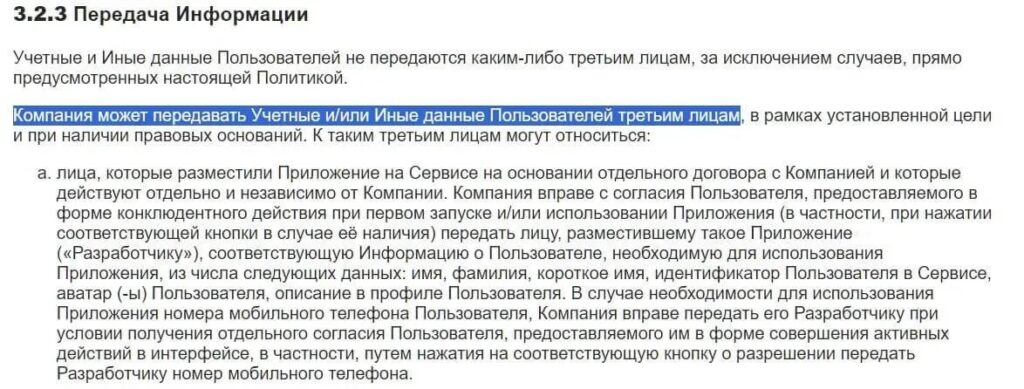
Data sharing with third parties is mentioned in the messenger’s privacy policy. Source: legal.max.ru
Does MAX eavesdrop through the microphone in the background? No, this has not been confirmed. Does MAX spy on your network activity and transmit VPN data? This has been documented. The difference is fundamental, but both scenarios are unpleasant.
Is It Safe to Use MAX on Android
The most important fact as of today: MAX on your phone is still available on Google Play. Google has not removed or restricted the app. This means that by the standards of the most popular Android platform, the app does not violate store rules regarding malware.
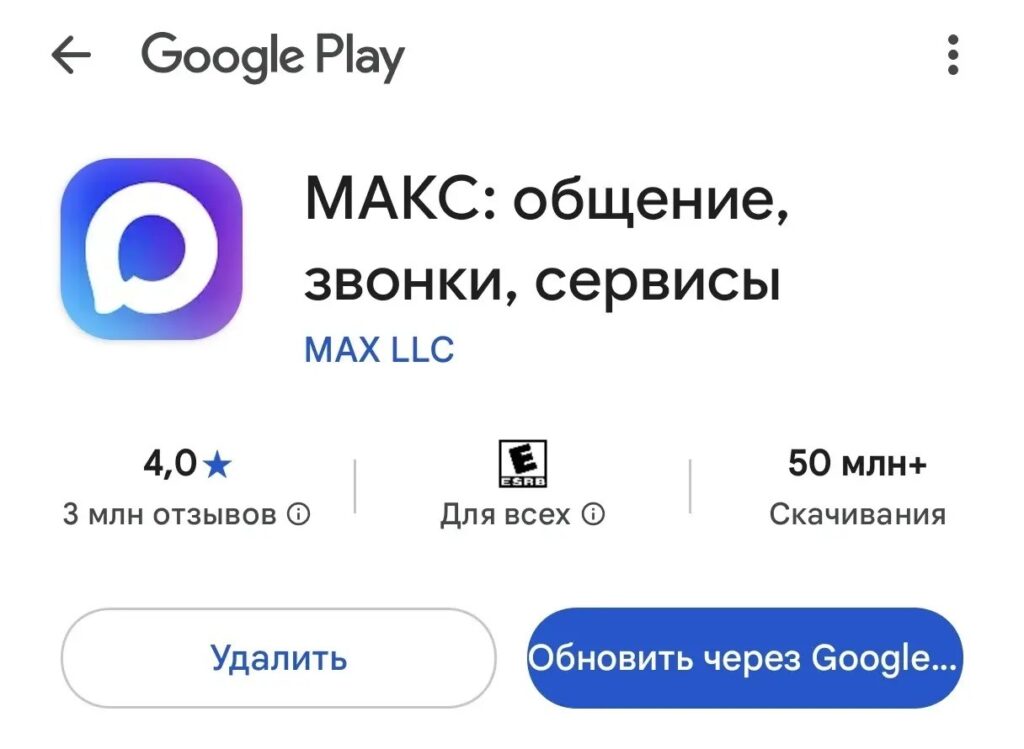
MAX is still available on Google Play
Is MAX safe? It depends on what exactly you mean by safety. If we’re talking about a virus infection of your device — no. If we’re talking about privacy and the transmission of data about your network activity — there are real grounds for concern, especially if you’re using a foreign IP.
MAX doesn't read your messages — it studies your network activity. That's different.
What’s wrong with MAX messenger in practical terms: it collects more data than needed for a messenger to function and shares it with third parties. Cloudflare’s labeling didn’t add anything fundamentally new — it merely officially documented what was already known from technical research. If you decide to delete MAX, here are the instructions:
- Open “Settings” on your smartphone.
- Go to “Apps” or “App Management.”
- Find MAX in the list and tap on it.
- Tap “Uninstall” and confirm the action.
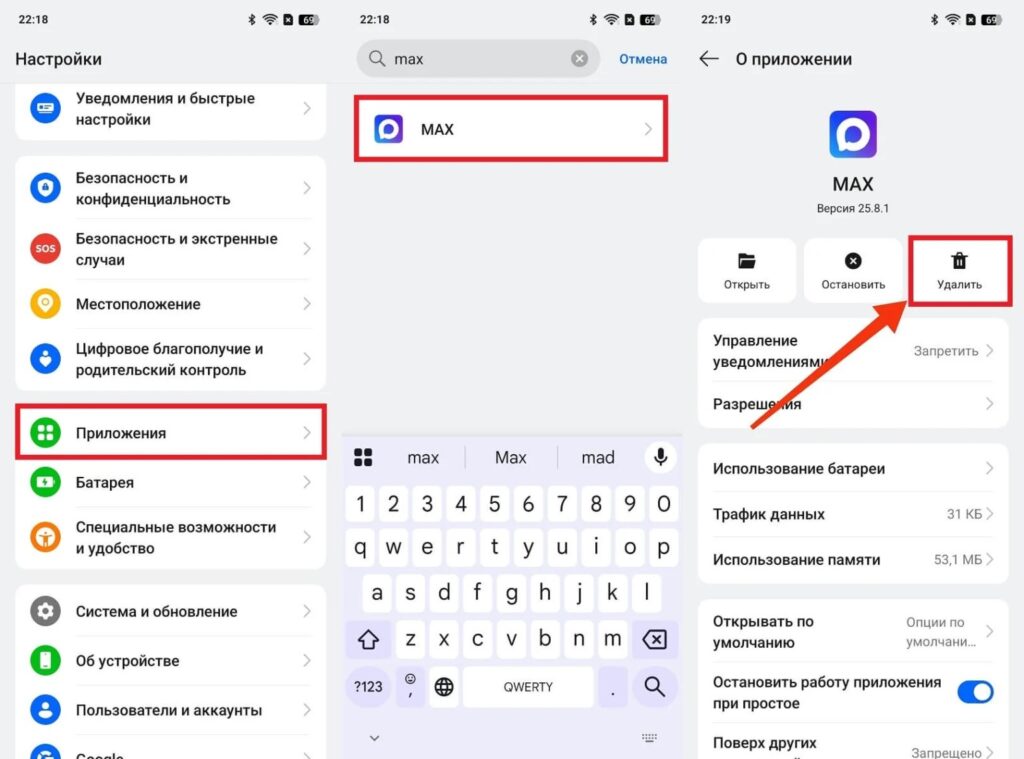
The MAX app can be deleted from your phone
Before deleting the app, it makes sense to deal with your account first.


