Imagine: you open the App Store to install Yandex Maps or Gosuslugi — free apps, no subscriptions, nothing suspicious. You tap “Download,” enter your Apple ID password, and instead of the usual installation, you get a window demanding you update your payment method, even though since April 1st there’s no way to pay in the App Store in Russia at all. You press “No,” “Cancel,” “Later” — nothing helps. It won’t let you change your region either. And the app just sits there, undownloaded.
What to do if even free apps won’t download from the App Store
App Store in Russia Asks to Update Payment Method
In short — paying in the App Store through the usual methods is no longer possible. Until recently, iPhone owners in Russia had one working workaround: link an MTS or Beeline mobile phone number to their Apple ID and pay for subscriptions and apps directly from the phone balance. The method was convenient, with no fees and no third-party services.
But on March 28, 2026, the Ministry of Digital Development held a meeting with carriers and required them to disable this option. MTS and Beeline complied simultaneously — on the night of April 1st, Apple ID payments from mobile phone balance stopped working for everyone. Apple, in turn, published an official statement on its support website that payment processing in Russia is no longer available.
Formally, there are two versions of the origin of this whole story. According to one — the authorities want to pressure Apple into restoring deleted Russian apps to the App Store. According to the other — it’s about combating VPN services, many of which were paid for precisely through mobile balance within Apple’s ecosystem.
iPhone Won’t Let You Download Free Apps
This is where it gets interesting. You’d think — what does disabling payments have to do with downloading free apps? There’s nothing to pay for. But the iPhone still stubbornly demands you update your payment method.
There’s one important nuance. The main reason for the block is not the MTS and Beeline shutdown itself, but rather an outstanding balance on your account. The scheme is simple: you had some active subscription (iCloud+, Apple Music, an in-game subscription, a free trial period for an app), the system tried to charge the next payment from your MTS, but it no longer works. The payment remained as unpaid, and Apple blocked all App Store operations until the issue is resolved by the user.
Can’t Change Apple ID Region
A logical thought: if the Russian region no longer works, let’s switch to a Turkish or American Apple ID and use that instead. But when trying to change the region, the iPhone throws an error. Apple won’t let you change the account country for several reasons, and all of them must be resolved simultaneously:
- Apple ID balance must be zero. If there’s even one ruble left on the account — you can’t change the region.
- All subscriptions must be canceled. Not just auto-renewal turned off, but actually expired — you won’t be able to change the region until the next billing cycle ends.
- There must be no pending purchases or outstanding debts. Any hanging unpaid charge blocks the country change.
- There must be no active pre-orders for apps or content.
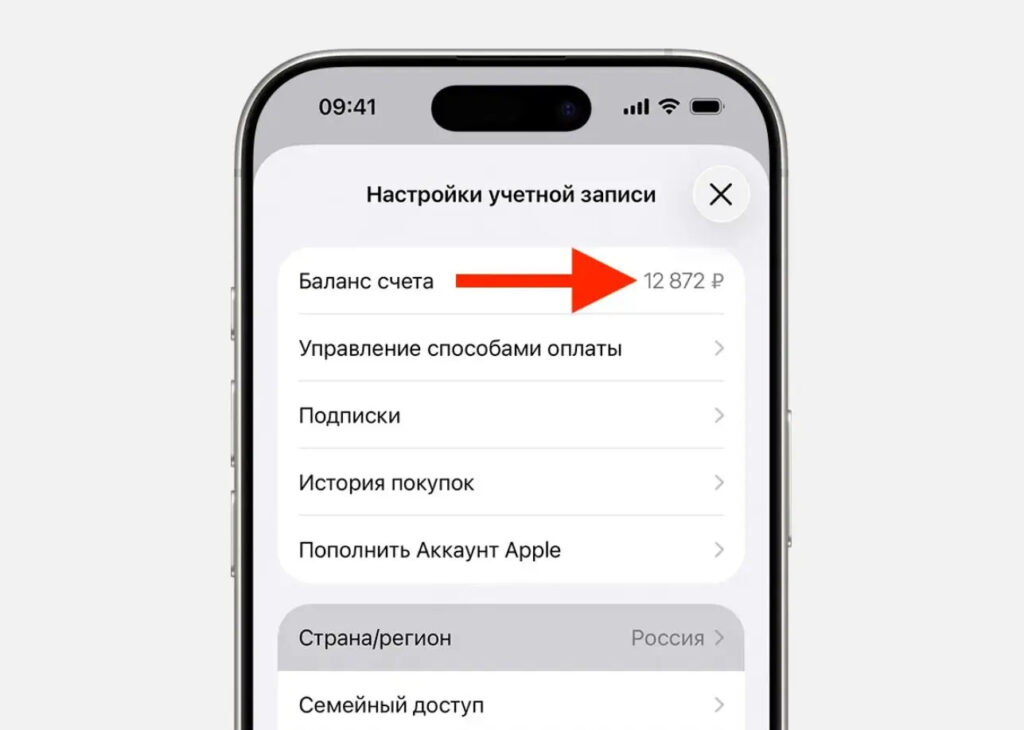
The App Store balance must be completely zero
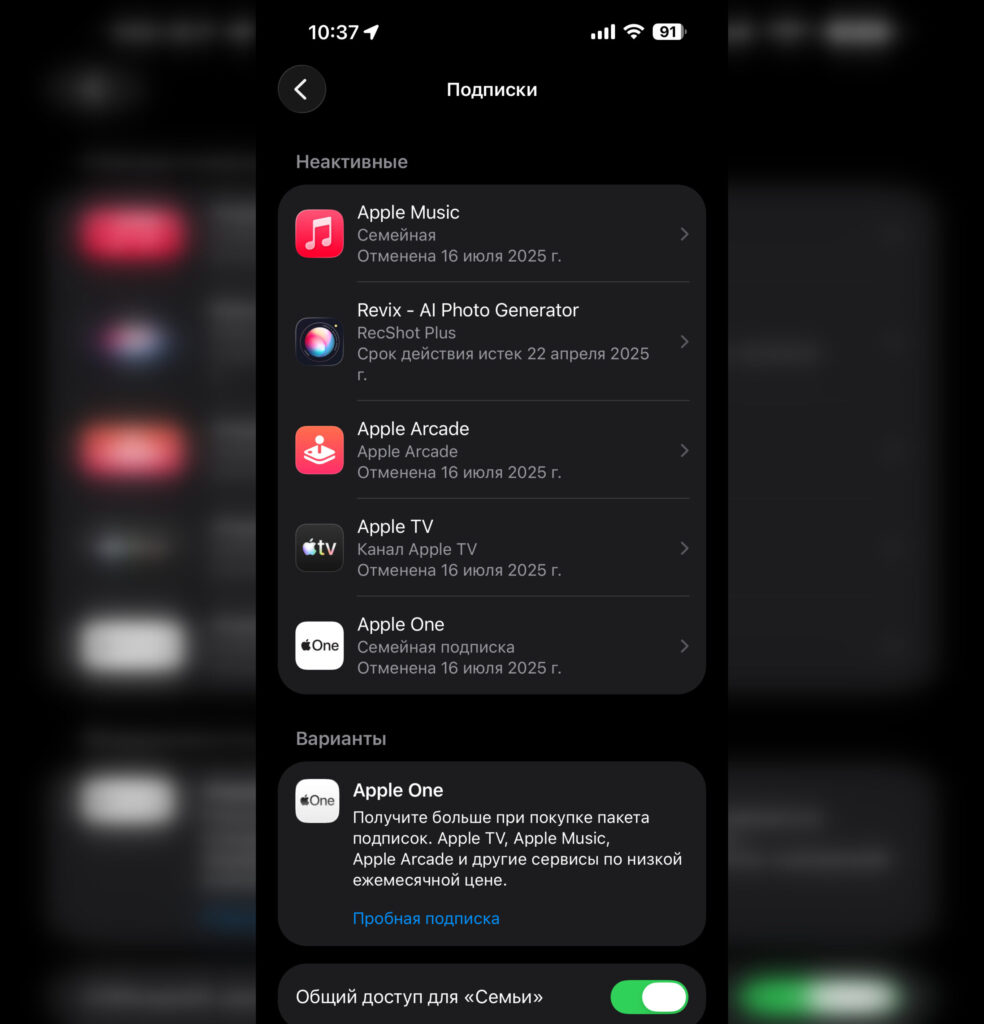
This page should have no active subscriptions
This is exactly why most Russian users who are now trying to migrate to a foreign account are getting rejected. They either have an outstanding debt from a subscription that couldn’t be charged to their phone number, or they have some small leftover balance on their Apple ID account.
How to Download a Free App on iPhone
Now to the point. Here’s what you need to do to unblock the App Store and restore the ability to at least download free apps.
Step 1. Check for outstanding debts. Open “Settings” — tap your name at the top — “Payment & Shipping.” If you see a red banner saying “Verification Required” or “Payment Problem” — you have an unpaid debt. To see what exactly it’s for, go to “Content & Purchases” — “Purchase History.”
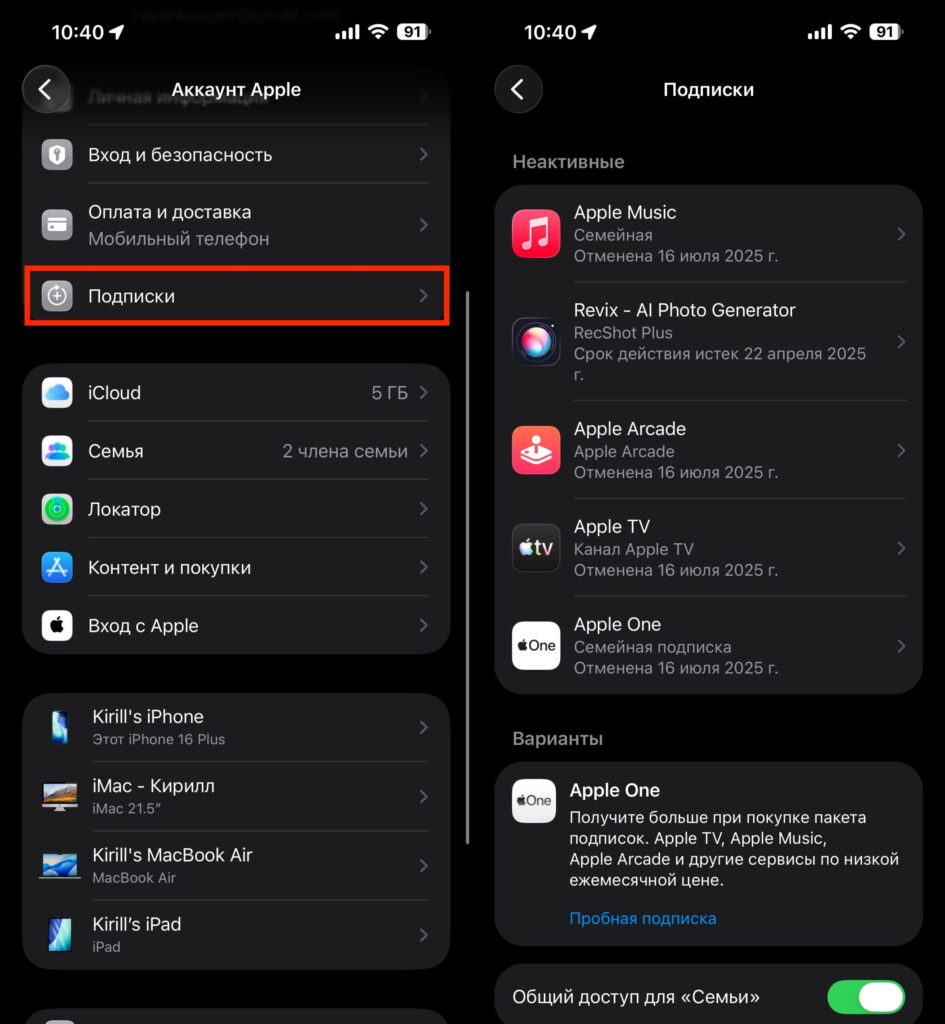
Be sure to cancel all active subscriptions. Payment issues with one of them prevent downloading free apps
Step 2. Cancel all active subscriptions. In the same “Content & Purchases” section, find “Subscriptions.” Cancel absolutely everything there — even free trial periods. This won’t delete apps or lock your account; it will simply stop the charges.
Step 3. Optionally, remove the old payment method. Go back to “Payment & Shipping,” tap “Edit” and remove the linked MTS. In its place, select “None” — yes, Apple allows you to have no payment method at all if your account has a zero balance and no debts.
If you have an unpaid bill in the App Store, you’ll have to pay it. Only gift cards can help here, but as you may recall, for the Russian region they’ve become a rarity and are extremely expensive. After that, free apps will start downloading without extra prompts. This is the key point: selecting “None” as a payment method is a legitimate Apple ID state; the system just won’t let you choose it while there are outstanding debts or subscriptions.
Paying for Subscriptions and Apps in the App Store in 2026
Unblocking free app downloads is only half the battle. If you also need subscriptions like iCloud+ or Apple Music, your options are limited.
Changing your region and using App Store gift cards — the simplest route. You change your region following instructions, buy a code for the needed amount, activate it in your account, the money appears on your Apple ID balance, and subscriptions and purchases are charged from it. The downside — you have to find cards from resellers with a markup. But there’s an option through Sberbank, where the exchange rate is nearly market rate.
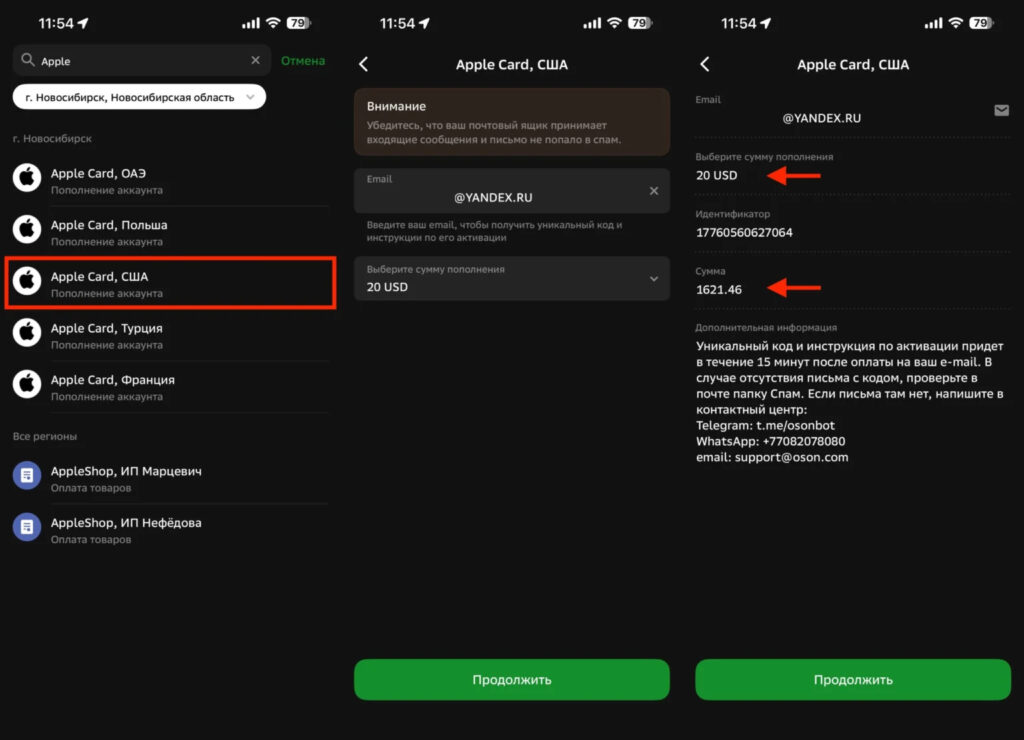
Sber currently offers one of the best exchange rates for purchasing foreign cards
A second Apple ID — create a second Apple ID and use it to pay for apps.


