At its latest presentation, Apple showed what it has in store for iPhone in the iOS 27 update. The company spent most of the time patching old shortcomings, but there was also room for several genuinely useful ideas. Android would benefit from adopting some of these features — especially where Google already has all the necessary pieces, but they’re scattered across different apps.
Overview of the key iOS 27 features for Android users
It’s important to set the context right away: below we’re discussing features that Apple announced for its system. This doesn’t mean Google is going to copy them tomorrow. This is a look at what Android objectively lacks right now. Android has already adopted similar ideas before, so there’s precedent.
Parental Controls on Android and iOS
In iOS 27, Apple significantly expanded parental controls, and this is an area where Android genuinely falls behind. It’s no longer about simply blocking app installations based on age ratings — the approach has become much more nuanced.
One of the key innovations is limits by app categories, not individual programs. A parent can set how much time a child spends, for example, in entertainment apps, and separately in educational ones. More granular control has also appeared: if a child visits an unfamiliar website for the first time, the parent can approve access right from their own device.

In iOS 27, Apple significantly revamped parental control capabilities. Image: Apple
For families with children, this is far more useful than rigid restrictions: you can limit entertainment without touching the apps they need. Android has its own tools in Family Link, but they work more crudely, and category-based limits like these aren’t available there.
Android Automation vs. Shortcuts on iOS
The second idea is a proper system-level automation app. In iOS 27, Apple simplified creating scenarios and shortcuts: users no longer need to dig through complex menus. You just describe a task in plain words, and the system assembles the automation using AI.
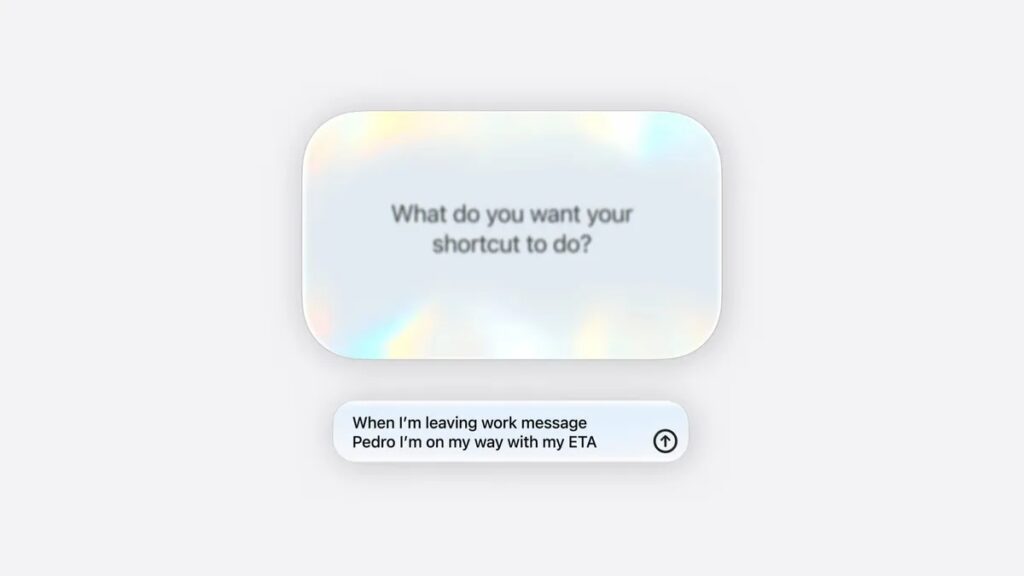
iOS Shortcuts remain out of reach for Android. Image: Apple
Given how aggressively Google is pushing Gemini across all of Android, the timing for such an app looks perfect. Android already has the technical capabilities — it just lacks a unified system-level tool that ties everything together. We’ve already discussed similar expectations when writing about iOS features coming to Android.
Camera App on iPhone and Android
In iOS 27, Apple built a Siri mode right into the camera app. You just point the iPhone at an object and immediately do something with it: point at a plate of food — the system shows nutritional information, point at a restaurant bill — it helps split it, point at a poster — it creates a calendar event with the right details.
The most interesting thing here isn’t the capabilities themselves, but the fact that everything is collected in one camera app. Android has plenty of such capabilities: Google Lens can recognize objects, and Gemini Live helps figure out what the camera sees. The problem is that these features are scattered across different apps and services.
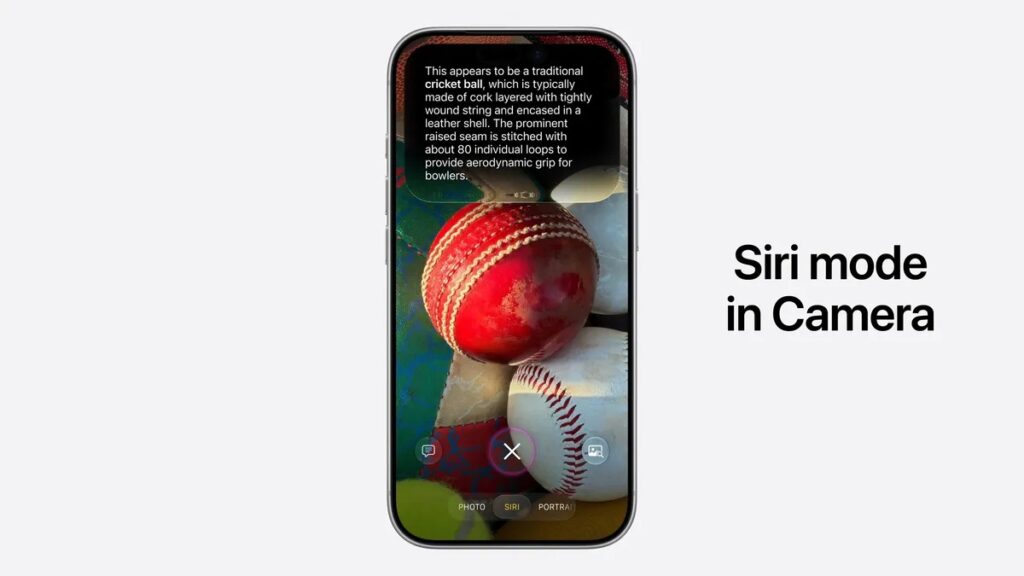
Apple embedded Siri AI right into the camera app. Image: Apple
To use smart suggestions on Android, you often have to launch Gemini Live, which is hidden inside Google Lens, or open a separate app. If Google built Gemini mode directly into the camera on all devices, the experience would be noticeably more cohesive. This might require rethinking Google Lens.
How to Change a Photo’s Angle After Shooting
Pixel already has Auto Reframe, which helps change the framing of a finished shot. But in iOS 27, Apple goes further with Spatial Reframing: it doesn’t just extend the edges of the frame — it changes the actual angle of an already-taken photo.
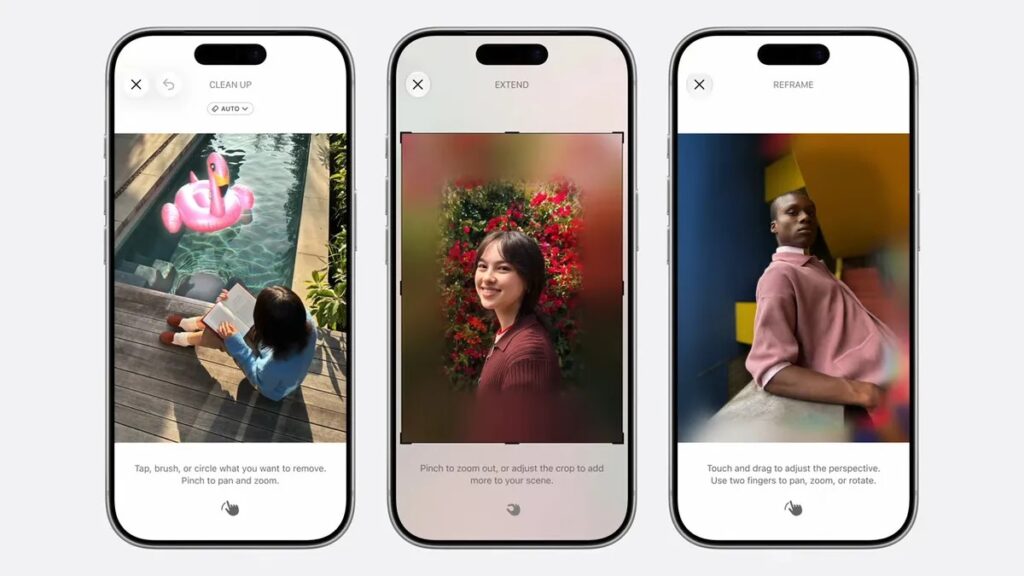
In iOS 27, you can change a photo’s angle after it’s been taken. Image: Apple
Beyond changing the frame in the usual plane, you can shift the shooting angle, and AI fills in the missing parts of the image for the new perspective. This is a more ambitious approach to editing than simply extending edges. Google Photos users would find this useful — especially those who frequently retake shots due to poor composition.
Image Playground in iOS 27 — What Is It
The timing here turned out ironic. Literally a few days ago, Google shut down the Pixel Studio app on its devices, while Apple in iOS 27 introduced a significantly improved image generator called Image Playground.
Previously, Image Playground mostly created emoji and cartoon-style images. The new version can do more: you can generate more realistic images, choose a style — realistic, cartoon, artistic, and others.
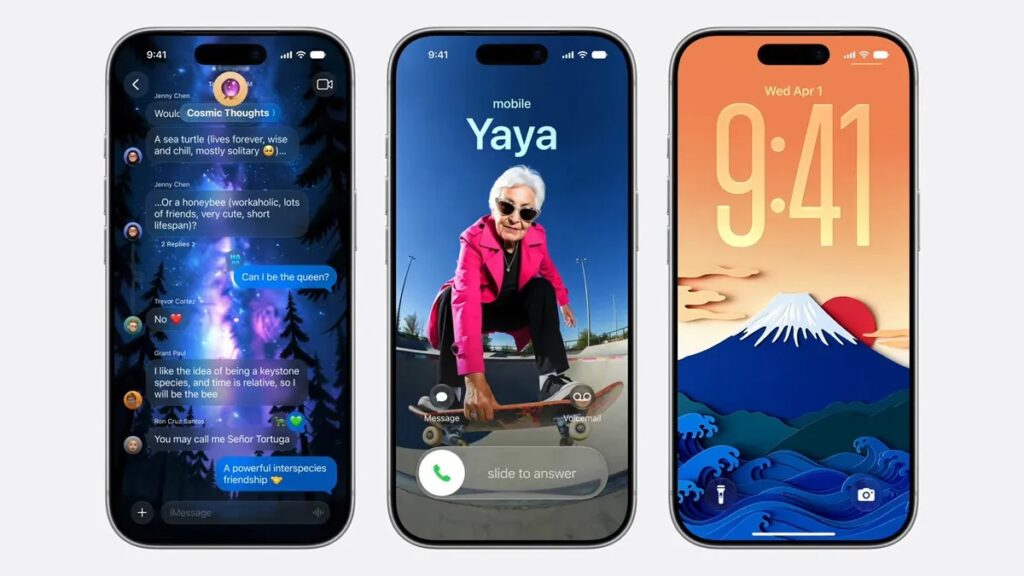
iOS 27 introduced the Image Playground tool. Image: Apple
But the more interesting part is this: you can tell the app where exactly the image will be used. For example, whether you need a horizontal image, vertical, or a wallpaper — and the result is tailored to the format. It sounds like a small detail, but it’s exactly these touches that turn image generation from a toy into a genuinely useful tool.