Yandex Disk users can no longer download folders, albums or multiple selected files through the web version of the service. Yandex says it deliberately limited some Yandex 360 features after drones struck three of its data centers. Single files can still be downloaded in a browser. According to the source author’s testing, the Yandex Disk desktop app on a Mac downloaded an entire folder, including photos that appeared broken online, but the iPhone app’s offline mode stalled. Yandex has not said when full download functionality will return. Separately, some files appear in users’ file lists but will not open, and Yandex has not explained why.
What you need to know
- Since October 11, the Yandex Disk web version has blocked downloading folders, multiple selected files, albums, and the “Download all” button on public-link pages. Downloading one file at a time still works.
- Yandex’s press service said it intentionally limited some Yandex 360 features, including Disk, to keep its services running. No date has been given for restoring them.
- Yandex says files and folders can still be downloaded through its apps if they are available. The source author used the Mac app to download a folder of 84 photos, including images that showed only gray placeholders.
- Some unavailable files have later become downloadable again, so the source advises against deleting files that appear broken.

Some photos in Yandex Disk appear as gray tiles
What Yandex restricted in Disk
According to the source, drones attacked three Yandex data centers between October 8 and 11: in Sasovo, Kaluga and Vladimir. The company says the Vladimir facility has been shut down completely. The attacks also affected other Yandex services, including Alice, Maps and Taxi, and Disk was hit in its own way. Some of its current limitations are deliberate measures taken by Yandex.

Fire suppression system in a Yandex data center
On October 11, bulk downloading disappeared from the Disk web version. The following are now blocked:
- downloading one or more folders;
- downloading several selected files at once;
- downloading an album;
- the “Download all” button on public-link pages.
Yandex’s press service said the company had intentionally limited some Yandex 360 functions, including parts of Disk, to keep its services running. In practice, the remaining servers may not be able to handle the load if many users try to download their archives at the same time. Downloading a single file in a browser still works. Yandex has not said when the other options will return.
Why some files are visible but will not open
A second problem appears to be unrelated to the deliberate restrictions. Some files still appear normally in the file list, but when users try to open them, the app takes a long time to respond and then shows an error. For other files, thumbnails have disappeared and gray tiles appear instead of photos. Neighboring images in the same account can behave differently.
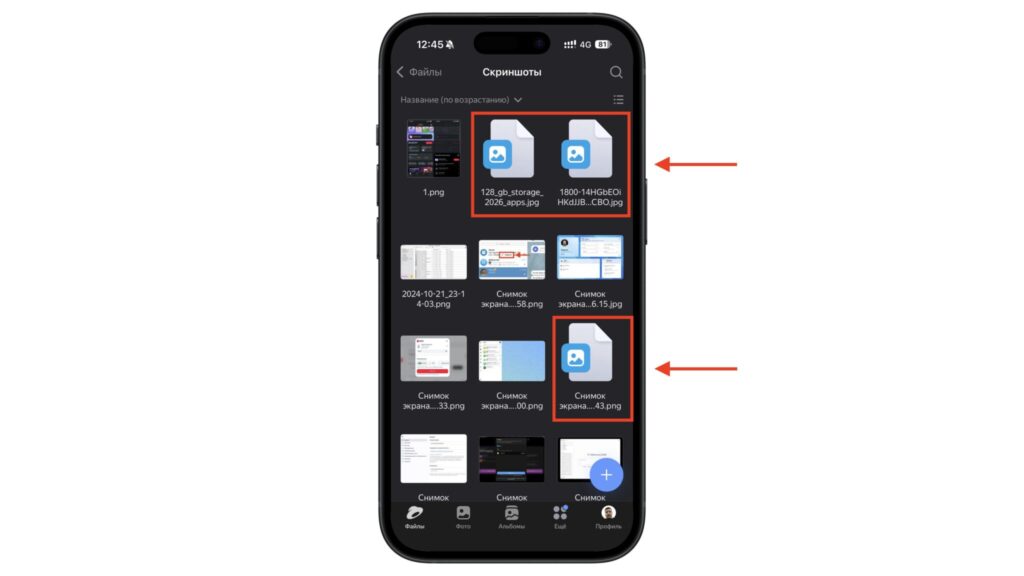
Some files in Disk show blank icons instead of thumbnails
The most detailed account comes from the author of an article on Habr. During the night of October 10, about 21 GB of the author’s 1.9 TB of data would not download, roughly 1% of the total. The server responded to requests with a 504 error after several minutes. By that evening, 8.1 GB of the problematic files could be downloaded again. However, according to kod.ru, about half of that user’s files were unavailable on the morning of October 11, after the Vladimir data center was shut down.
Yandex has not explained why this is happening. One theory is that thumbnails and original files are stored on different servers. If one server is offline, users may see only part of the picture. This is speculation, not an official explanation. According to the source, Yandex support could not identify the cause and closed the request.
How to download a folder on a Mac
The download restrictions apply to the website, not the apps. Yandex says files and folders can be downloaded through its apps if they are available. The source author reports testing this on a Mac with Apple silicon. The Yandex Disk app downloaded an entire folder of 84 photos, while the browser offered only one-file-at-a-time downloads for the same folder.
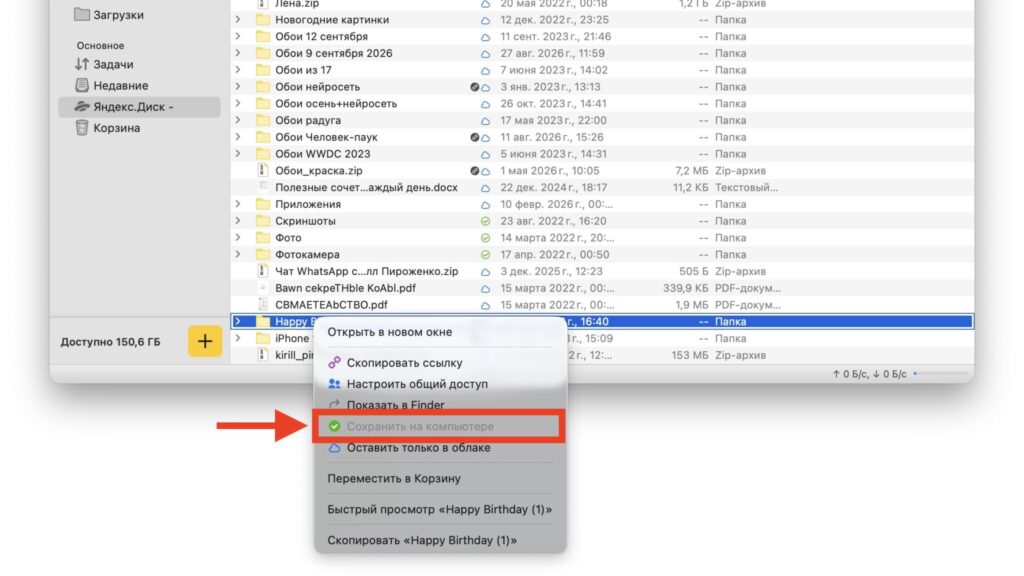
Downloading a folder in the Mac app: right-click the folder and choose the option to save it to your computer
The source author also reports that photos which appeared unavailable in Disk downloaded along with the rest of the folder. These photos had shown gray tiles instead of thumbnails, but they opened normally and appeared intact after download. The author says this suggests the Habr theory about thumbnails and originals being stored on different servers may be at least partly correct. However, this is the result of one user’s test, not a confirmed explanation. Still, it indicates that a missing thumbnail does not necessarily mean the original file is gone.
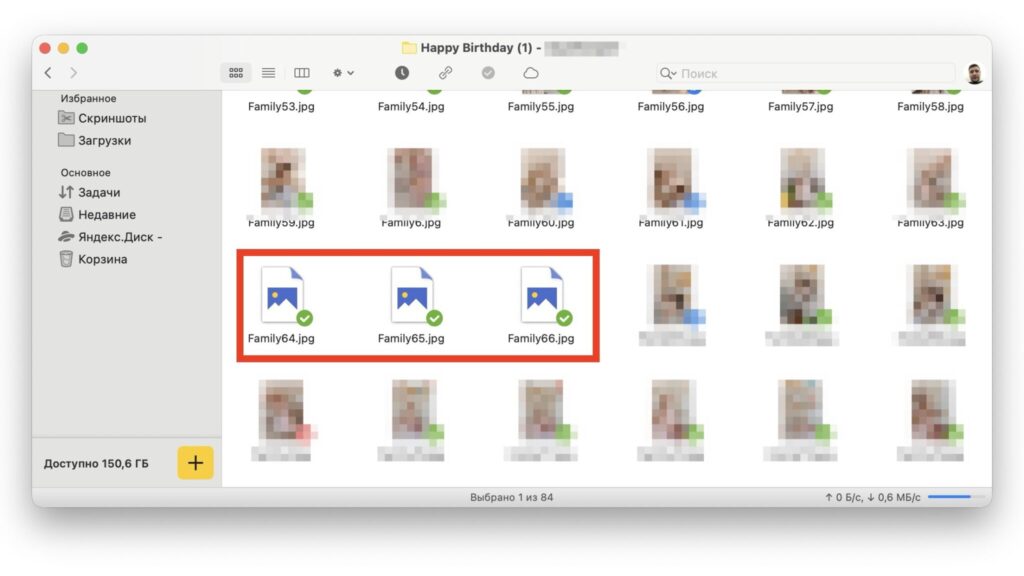
Photos without thumbnails in the Yandex Disk app
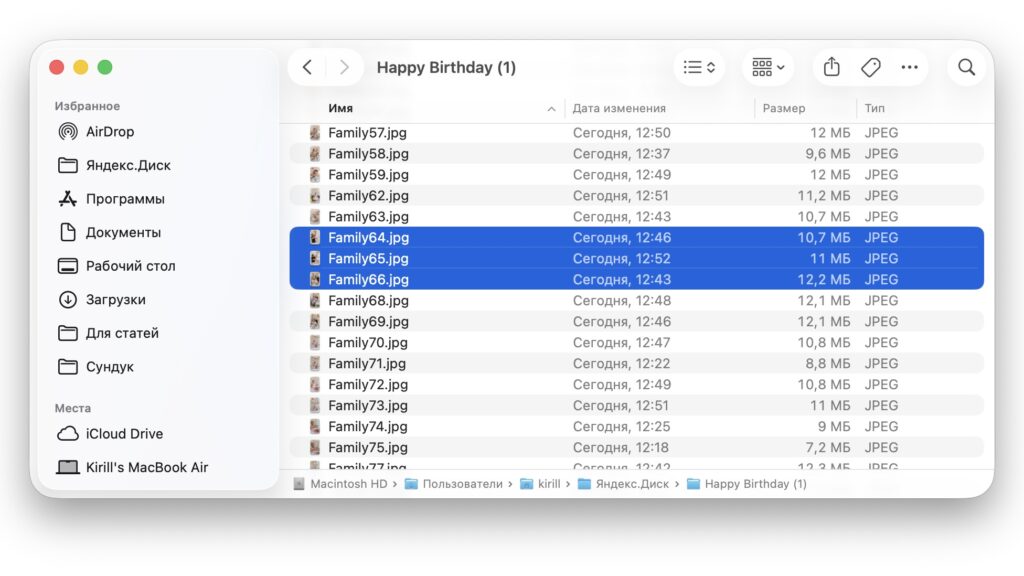
The same photos successfully downloaded to the Mac
The source recommends installing the app from the official Yandex Disk website and signing in with your account. Large folders will take time to download, and Yandex’s servers are under heavy load. The source advises starting with your most important files, such as family photos, scanned documents and work files, rather than trying to download your entire Disk in one evening.
How to save a folder on an iPhone
The iPhone app does not have a “Download folder” button either, but it does have an offline mode. This feature is meant to copy files to the phone’s storage so they can be opened without connecting to the server. It requires the Yandex Disk app from the App Store; the browser cannot be used. The source warns that this may not work.
The steps described in the source are:
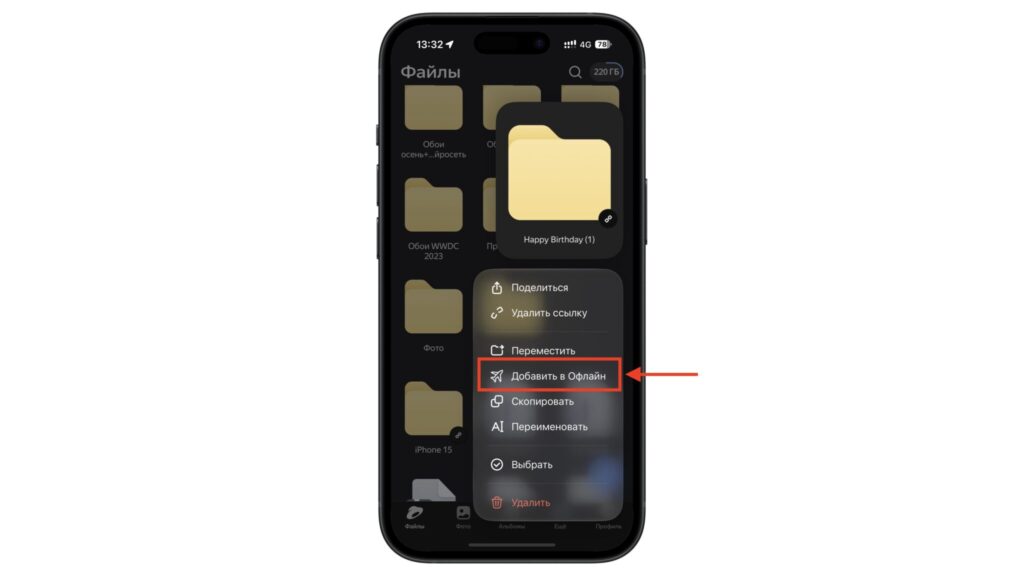
Downloading a folder on an iPhone
- Open the Yandex Disk app and find the folder you need.
- Press and hold the folder until a menu appears.
- Tap the option to add the folder to offline access.
- Wait for the files to download, and keep the app open.
The source author reports that this did not work. After the same folder was added to offline access, a progress bar appeared but did not move. No error message appeared, and no files were downloaded. The author suspects the mobile app is affected by the same server load, but Yandex has not commented.
The source suggests trying offline mode anyway, since it takes only a few taps and may work for some users. Offline copies use space on your phone, which you can check under Settings > General > iPhone Storage. If the progress bar freezes, the source recommends switching to a computer instead of waiting for hours.
What to do with files that will not open
The source recommends trying the desktop app first. In the author’s Mac test, some files that appeared to be missing in the browser downloaded normally through the app. If a file will not download in the app either, the source says there is no workaround. Users can only wait for Yandex to restore access.
The source’s most important advice is not to delete anything. That includes “broken” files and items in the trash, even if you want to tidy up your account. Some unavailable files have become downloadable again a few hours later, so a gray tile does not necessarily mean a photo has been lost permanently.
Why one cloud service is not enough
The source argues that the incident shows a cloud service is someone else’s servers, not a safe. It recommends keeping a second copy of important files somewhere else, such as iCloud, a Mac or an external drive. Once the restrictions are lifted, the source suggests moving your most important files to another service such as iCloud.
For now, Yandex Disk is still running, but with limited functionality. If you have a computer, the source recommends using the desktop app to save your most important files now, and keeping files that will not download rather than deleting them while Yandex restores access.


