Leaving an iPhone Duo unfolded for long stretches can make the crease on its inner screen much less visible. One early owner reports that the crease on one of his two units disappeared by evening after a day spent mostly open. The display is not repairing itself, though. Its layered structure slowly relaxes back toward flat. The effect is temporary and does not reverse wear from repeated folding. Owners also disagree about whether keeping the phone open adds other risks, such as dust and drops.
What you need to know
- A Reddit user with two iPhone Duo units reports that the inner-screen crease faded on one after he kept it mostly unfolded for a day, partly in StandBy mode.
- The effect comes from the screen’s layered build. When the phone stays closed, the material “remembers” the bend. When it stays open, it gradually flattens.
- HTX Studio reportedly measured the crease of a new Duo at 48 microns, rising to 167 microns after 3,000 folds. A night left open will not undo that wear.
- Apple’s service replacement of the top screen layer reportedly costs $19 with AppleCare+ or about $49 without, but it does not remove the physical crease underneath.
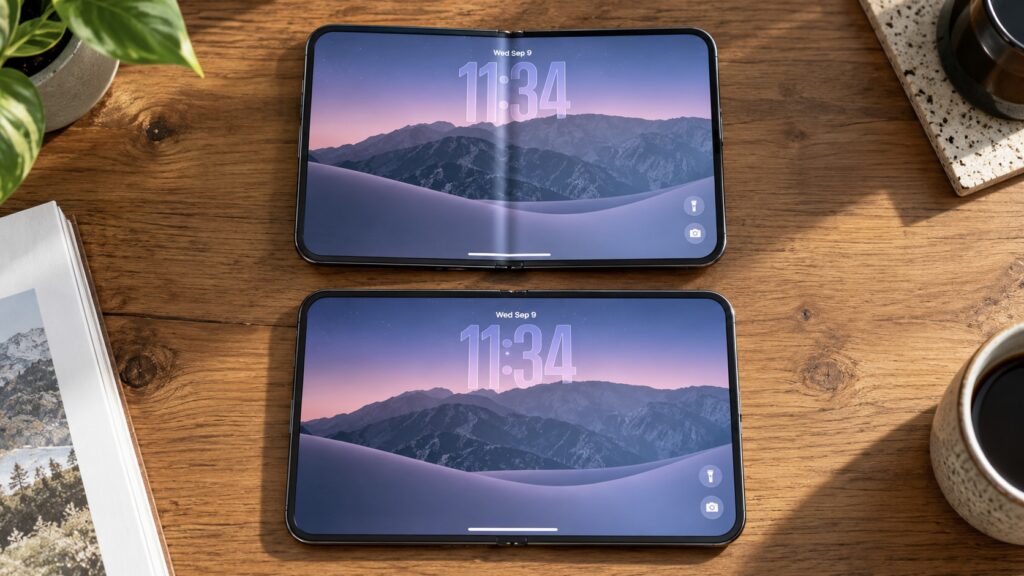
Two unfolded iPhone Duo phones on a wooden table: the upper one shows a visible crease, the lower one has a flat screen
Two identical iPhones, a crease on only one
The observation comes from Reddit user tony__Y in the r/iPhoneFold community. He owns two iPhone Duo units, one blue and one silver, and shows them side by side in a photo in his post. He says both inner screens were completely flat out of the box, with no crease to be found. After a couple of days of folding, carrying and leaving them closed, the crease appeared, just as reviews had described.
Then something unexpected happened. One day he worked almost entirely on the inner screen of one unit and folded it as little as possible. When he wasn’t using it, he left it open on his desk in StandBy mode. By evening, he reports, the crease on that unit was gone. In his photo, the silver unit’s screen looks flat, while the fold line on the blue one is visible in reflections.
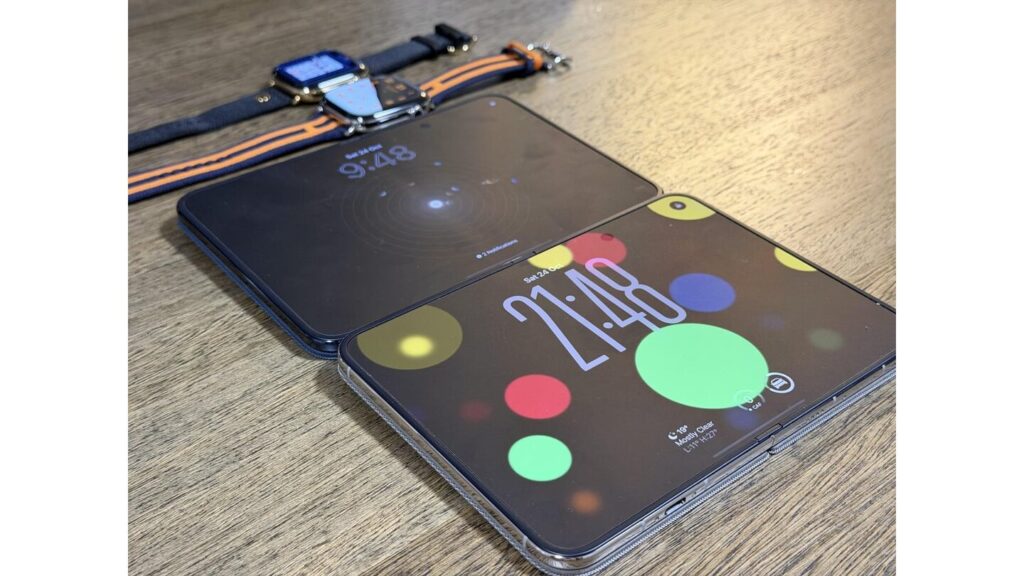
The post author’s two unfolded iPhone Duo phones on a desk next to an Apple Watch; the lower one is in StandBy mode showing a clock
The post collected 162 votes and 142 comments within a couple of days. Interestingly, almost no one was surprised. The surprise came mainly from newcomers who had bought the Duo as their first foldable phone.
Not “self-healing,” just relaxing
tony__Y called his find a “self-healing crease.” The term should not be taken literally, because the screen is not repairing anything. It is simply straightening out. The most-liked comment came from a user who says he has owned seven foldables in two years: the Galaxy Z Fold 6, 7 and 8, OnePlus Open, Oppo Find N5 and N6, and Pixel 9 Pro Fold. In his experience, all foldable phones behave this way if left open for a long time. The Duo did not invent anything here.
The explanation lies in the display’s construction. The Duo’s inner screen is made of roughly ten thin layers, topped by a nano-textured polymer coating and bonded with transparent adhesive layers. According to Apple, these adhesive layers let the layers slide over one another during folding to reduce stress. When the phone stays closed for a long time, the material “remembers” the bend. When it stays open, it gradually returns toward a flat shape, much like a cushion recovering after someone stands up.
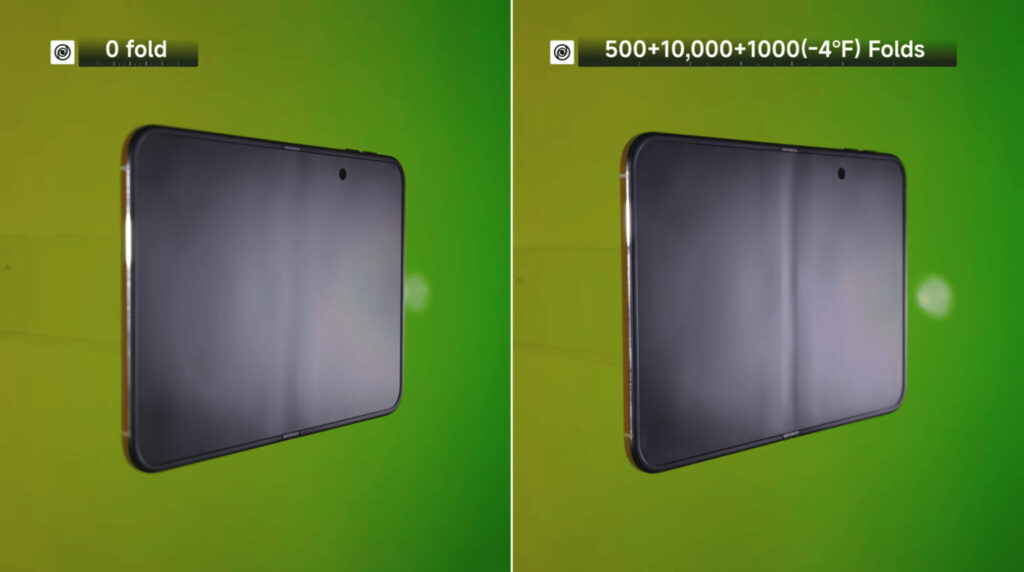
The iPhone Duo inner screen with no folding cycles and after 11,500 cycles, some performed in freezing conditions: the crease has become noticeable
The limitation: wear still accumulates
The key point is that this is a temporary effect. The bloggers at HTX Studio measured the crease on a new Duo at 48 microns. After 3,000 folds, roughly a month at 100 openings a day, the depth grew to 167 microns. A night on the desk does not cancel that wear. The line simply becomes softer and harder to see.
Open or closed? Owners did not agree
The comment thread soon turned into a debate. One reader said he now leaves his Duo open overnight, and another vowed never to close his phone at all. Others pushed back. Dust settles on an open screen, and a particle on the soft coating can easily become a scratch. Another commenter noted that an open phone is easier to knock off a bed, which would be a bigger problem than a crease.
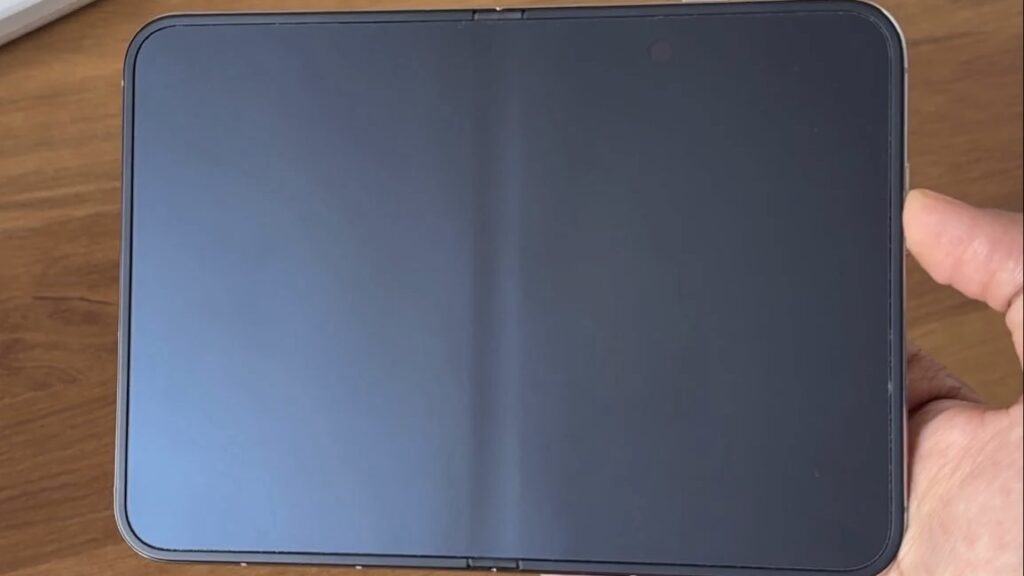
An unfolded iPhone Duo held in a hand: the crease band down the middle of the switched-off inner screen is clearly visible
One participant pointed to the Duo’s IP68 rating, and Apple does claim full dust protection. However, as others replied, IP68 does not prevent scratches. The rating concerns dust getting inside the body, not sand on the screen. That matters because some owners have reported cracked inner screens. After taking the Duo apart, iFixit listed a trapped particle and pressure on the screen among the possible causes.
A more pragmatic point also came up. One commenter argued that opening the phone every night adds a daily cycle to the hinge, which is also a form of wear. Others replied that the question concerned the crease, not the hinge, and the argument went unresolved. There was irony too. Commenters joked about buying a foldable “to keep it open 99% of the time” and noted that “that’s just an iPad mini.” The joke has some truth to it.
A compromise: open on a stand at night, closed in your pocket
Weighing the arguments, a sensible middle ground emerges. Keep the Duo open only when it is in view and in a safe place, and keep it closed the rest of the time so it protects its own screen. The suggested routine:
- Before leaving the Duo open, wipe the inner screen with a soft microfiber cloth to remove dust and crumbs.
- Place it screen-up on a flat, hard surface, such as a desk or nightstand, not a bed or sofa.
- Put it on charge. You can turn on StandBy, as the Reddit user did, so the Duo doubles as a desk clock.
- In the morning, check the screen again before closing it and remove anything that has landed on it. Closing the Duo with a grain of sand inside is worse than any crease.
- Only put the Duo in a bag or pocket when it is closed, and avoid folding and unfolding it unnecessarily during the day.
The flat, hard surface matters more than it seems. A soft mattress leaves the screen uneven, and an open, caseless phone on the edge of a bed is an easy drop. Do not try to “help” the screen by pressing on the fold or stacking books on it. HTX Studio noticed that the screen above the hinge gives slightly because of a foam backing. This is by design and should not be flattened by hand.
Do not remove the top layer yourself
The top layer of the Duo’s inner screen is itself a nano-textured protective film, and owners should not peel it off themselves. Without it, the crease becomes more visible and the screen is left unprotected.
Replacing the film refreshes the surface, not the fold
Sooner or later, a night on the desk will stop helping, because the layers will have nowhere left to return to. Apple offers a service option for that stage: the top layer can be replaced at a service center for $19 with AppleCare+ or about $49 without it. However, a new film does not remove the physical crease underneath. It refreshes the surface and removes scuffs, which makes the crease less noticeable on an even matte layer.
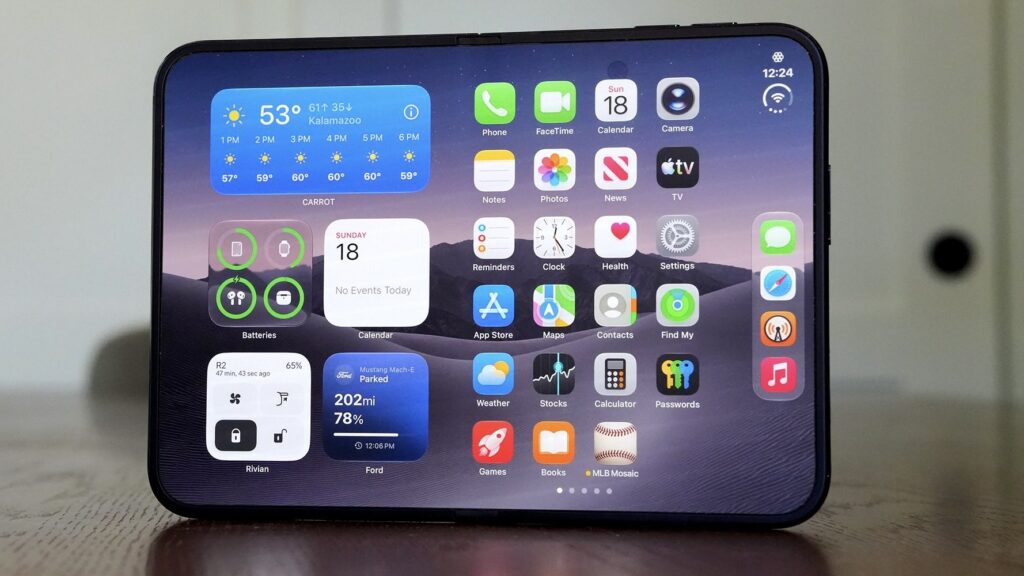
An unfolded iPhone Duo standing on a desk: widgets and app icons on the matte inner screen, with no visible crease
One important distinction: a bright stripe or a line of pixels along the hinge is a different problem from a soft crease, and leaving the phone open will not fix it.
Bottom line
Leaving the Duo open overnight, on a nightstand and on charge, costs nothing and does soften the crease. Keeping it open all day makes little sense, since at that point an iPad mini would be simpler. The habit most worth adopting is wiping the screen before closing the phone.