At the iOS 27 presentation, Apple showed only a couple of new features for AirPods, though in reality there are significantly more updates. The company has already released the first beta of iOS 27, and anyone can install it on their iPhone. In the new system, the earbuds received manual sound tuning, heart rate synchronization with gym equipment, and an updated Siri. Let’s break down what exactly has changed and which AirPods owners will actually benefit from the new features.
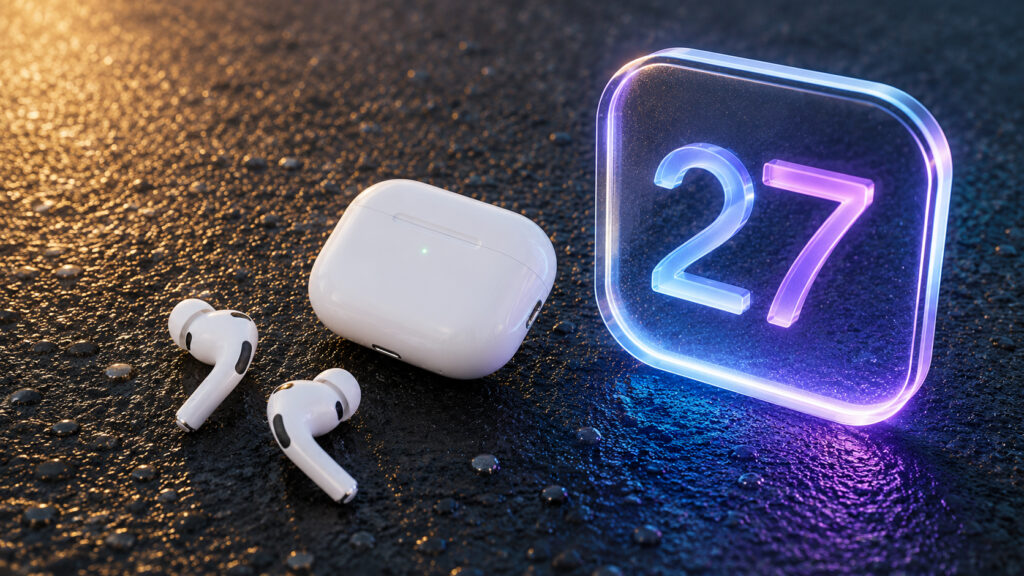
AirPods will get another batch of new features
Manual AirPods Equalizer: How to Customize Your Sound
The ability to manually adjust the sound of their earbuds is something AirPods owners have been waiting for a long time. iOS 27 introduces manual sound tuning, also known as Custom EQ. You can now set your own profile instead of the default one that Apple selects “as intended” for music, movies, and calls.
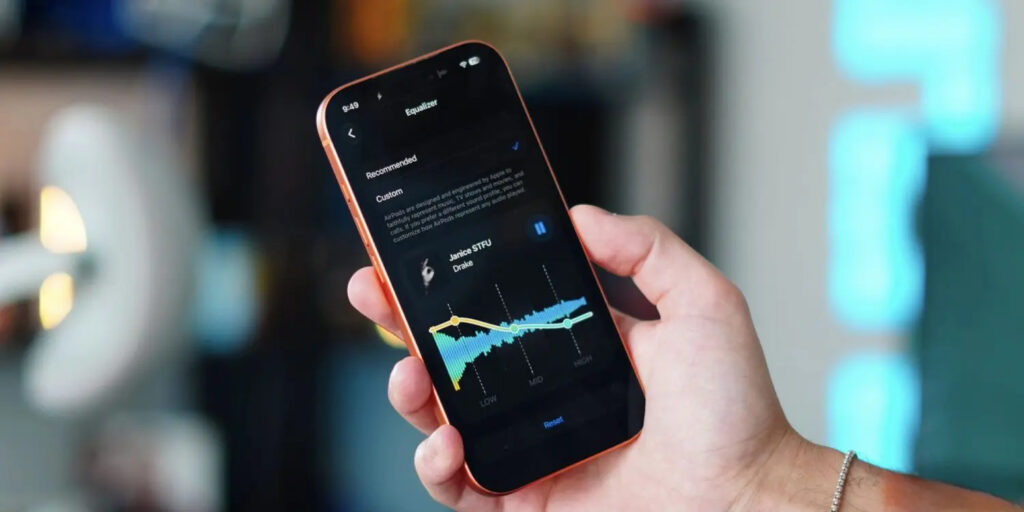
Now you can tweak the sound to your needs
The setting lives in the AirPods settings: the “Audio & Routing” section, then “Equalizer” and the “Custom” option. There you’ll find adjustments for bass, mids, and treble. You can add bass or bring out the highs when the default sound feels muffled.
The feature works on AirPods Pro 3, AirPods Pro 2, AirPods Max 2, and AirPods 4. If you have an older model, this update won’t apply to you. It’s most useful for those who always felt there wasn’t enough bass or wanted to reduce harsh treble. Now you can tweak it manually, without third-party apps.
GymKit on AirPods Pro 3: How Workout Sync Works

An interesting feature, but only for gym-goers
Apple’s GymKit technology has been around for a while, but previously it worked only with Apple Watch. It connects an iPhone to cardio equipment (treadmills, ellipticals, stationary bikes) and exchanges workout data with them.
In iOS 27, GymKit finally works with iPhone via the AirPods Pro 3 heart rate sensor. The phone-and-earbuds combo partially replaces Apple Watch at the gym. Simply hold your iPhone near the machine, select the workout type, and start it right from the treadmill.
Next comes the data exchange. The machine receives heart rate data from the AirPods Pro 3, while the Fitness app on iPhone pulls distance, pace, incline, and calories from the machine itself. This is an important point: the iPhone with earbuds alone can’t accurately calculate the exact incline and distance covered on the belt, but the machine knows them precisely. Workout data stays on the iPhone and is erased from the equipment.
Who will find this useful: those who go to the gym, use AirPods Pro 3, but don’t wear an Apple Watch. It won’t be a full replacement for the watch. You need a compatible machine with GymKit support, and not every gym has those.
What Siri AI Can Do Through AirPods in iOS 27

The new Siri is here too, of course
For most AirPods owners, the most noticeable change will be the updated Siri. Apple has extended full support for the new Siri AI to earbuds as well, effectively turning them into a voice AI assistant that can do far more than the previous version.
There’s a caveat: Siri AI works only on compatible iPhone models. So new AirPods alone don’t guarantee anything — it all comes down to the phone. If your iPhone is among the supported models, new capabilities open up through the earbuds.
Among the key features, according to Apple:
- Answers to questions on almost any topic, from facts to recipes and dining recommendations, drawing on up-to-date information from the internet
- Live conversation: you can ask open-ended questions, discuss ideas, and have a natural dialogue with follow-ups
- Working with personal data: find an old photo, locate an email, or open the right note simply by asking with your voice
How well all of this works in practice is a separate question, and it’s better to judge once the final version is out. But this is the feature that could change everyday scenarios: some tasks can genuinely be solved by voice, without pulling the phone out of your pocket.
What Changed in AirPods Settings After the Update
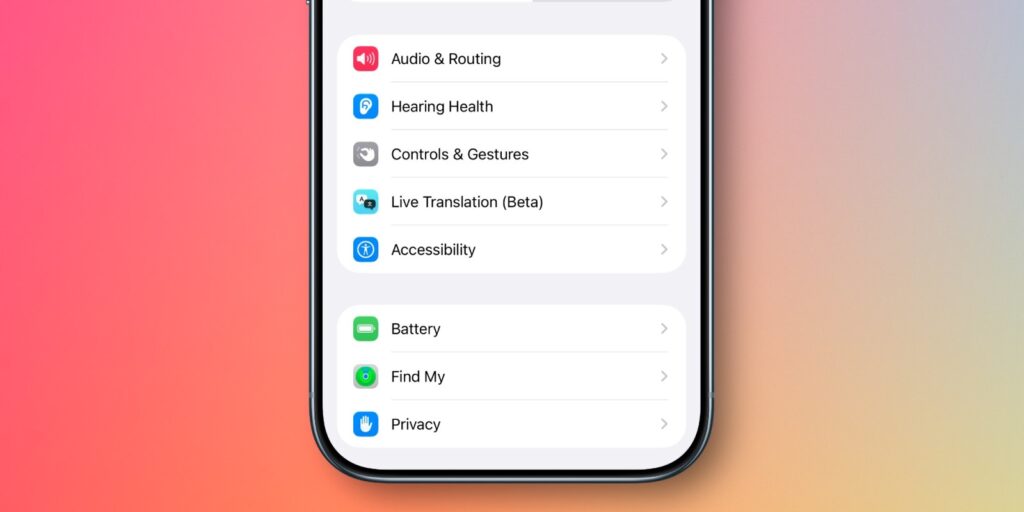
The settings now look completely different
With each update, the AirPods settings screen accumulated more options and became increasingly cluttered. In iOS 27, Apple redesigned and reorganized all earbuds settings.
Now the settings are divided into more categories and subsections, with colorful icons added. In practice, this means one thing: it’s easier to find the setting you need without scrolling through a long continuous list. A small thing, but a welcome one, especially if you frequently switch noise cancellation or spatial audio modes.
Precision Finding for AirPods on Apple Watch: How the Feature Works
Earlier this year, alongside AirTag 2, Apple first added Precision Finding to Apple Watch. But at the time, it only worked with the AirTag 2 itself.
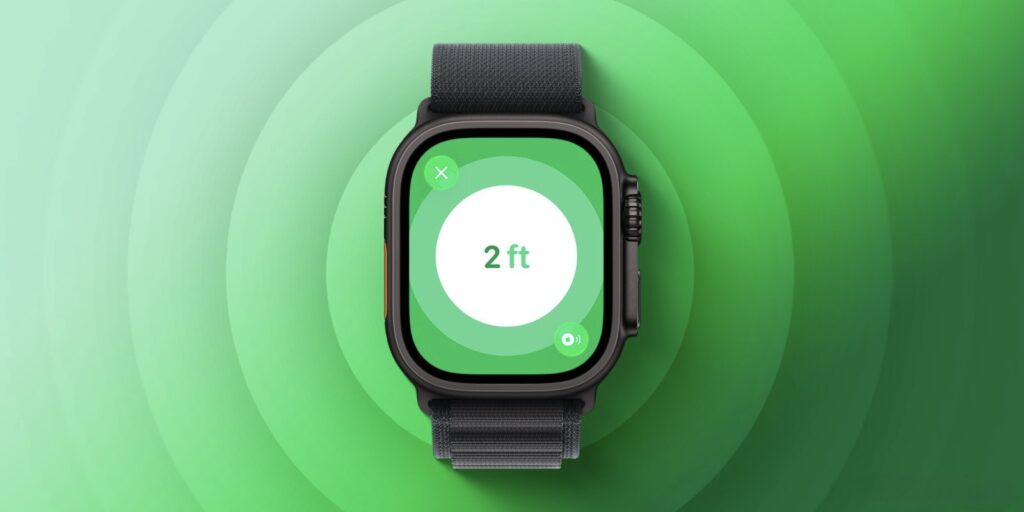
Precision finding for earbuds will work with Apple Watch too, though probably not in Russia
In iOS 27 and watchOS 27, Precision Finding on the watch has been extended to AirPods Pro 3 as well. The case of these earbuds features a second-generation ultra-wideband (UWB) chip. It enables more accurate finding of a lost case, with step-by-step directions right on your wrist: which way to go and how far you are from the target.