MAX messenger looks simple — just two delivery statuses instead of the usual three. But it’s precisely this simplicity that causes confusion. A single checkmark hangs there for hours, and you can’t tell: is the message stuck, is the person ignoring you, or have you been blocked? Let’s figure out what each checkmark in MAX on iPhone means, why there’s no intermediate “delivered” status here, and how to read other people’s messages without the second checkmark appearing.

Understanding the logic of checkmarks in MAX
One Checkmark in MAX — What It Means
When you send a message in MAX, a single blue checkmark appears next to it. It means only one thing: the text has successfully left your iPhone and reached the messenger’s servers. The message may have already reached the recipient’s device, or it may not have — MAX doesn’t tell you.
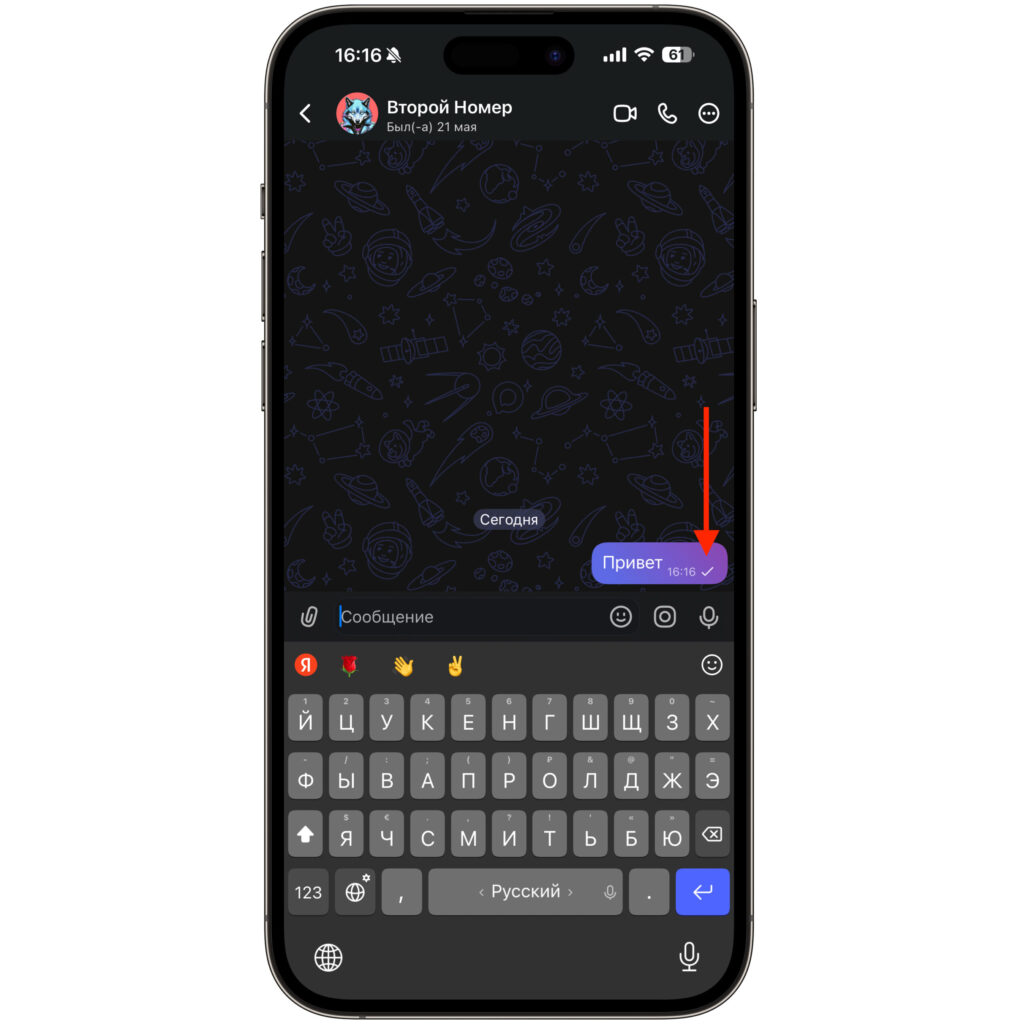
One checkmark in MAX — sent
This is a fundamental difference from WhatsApp, which has a separate “delivered” status. MAX has no such intermediate state. A single checkmark simply means: the message has been sent but hasn’t been read yet. And this is a completely normal situation — there’s no error here.
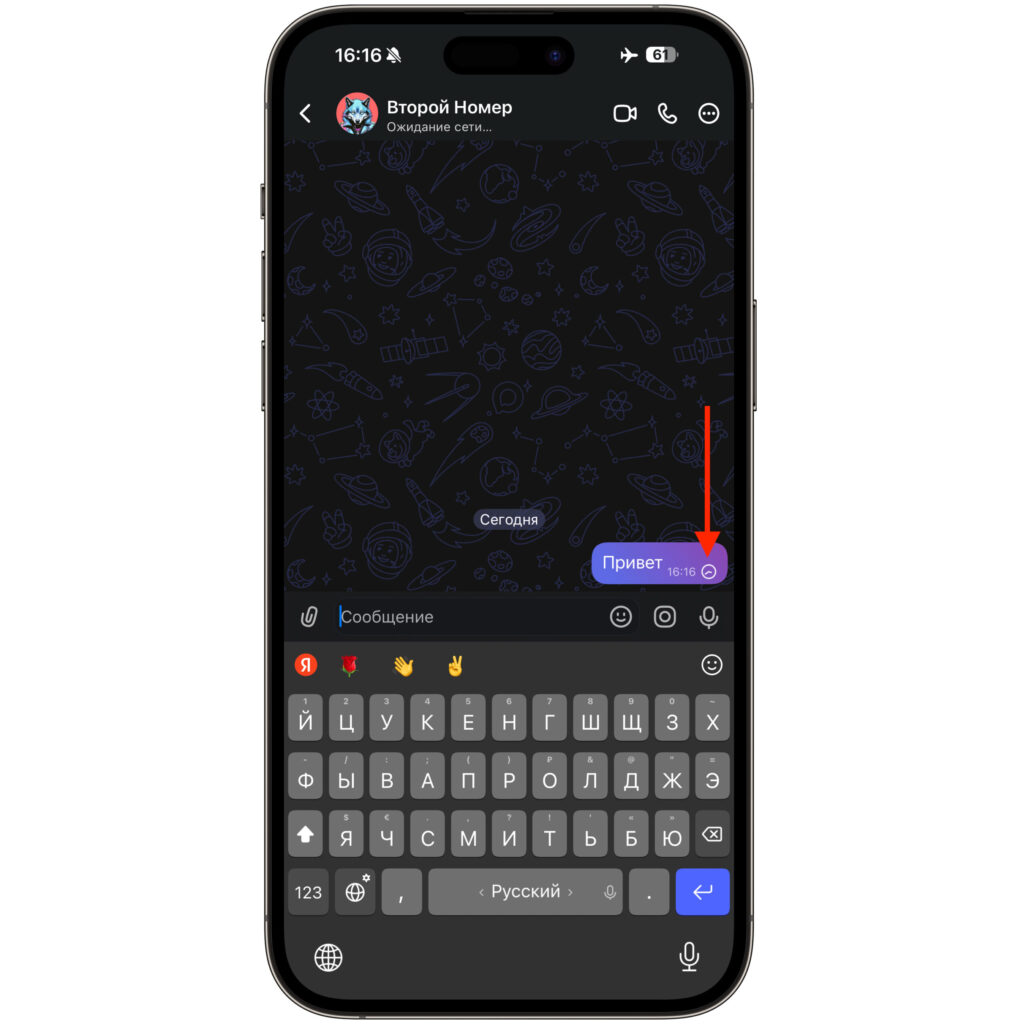
This is the sending process. At this moment the message has not yet been sent to the recipient
Pay attention to the moment before the checkmark appears. While the message is being uploaded to the servers, an animated clock icon is displayed instead. As soon as the clock changes to a checkmark — that’s it, the message has been sent. If the clock keeps spinning for too long, the problem is most likely on your end, and we’ll talk about that below.
How to Know If Your Message in MAX Has Been Read
Two blue checkmarks in MAX appear in only one case — the recipient opened the chat and read your message. Not “received on the phone,” not “saw the notification,” but specifically went into the conversation and read it. This is important to understand because in WhatsApp, two gray checkmarks mean delivery, while blue ones mean it’s been read. In MAX, everything is simpler: either one checkmark or two. There’s no third option.
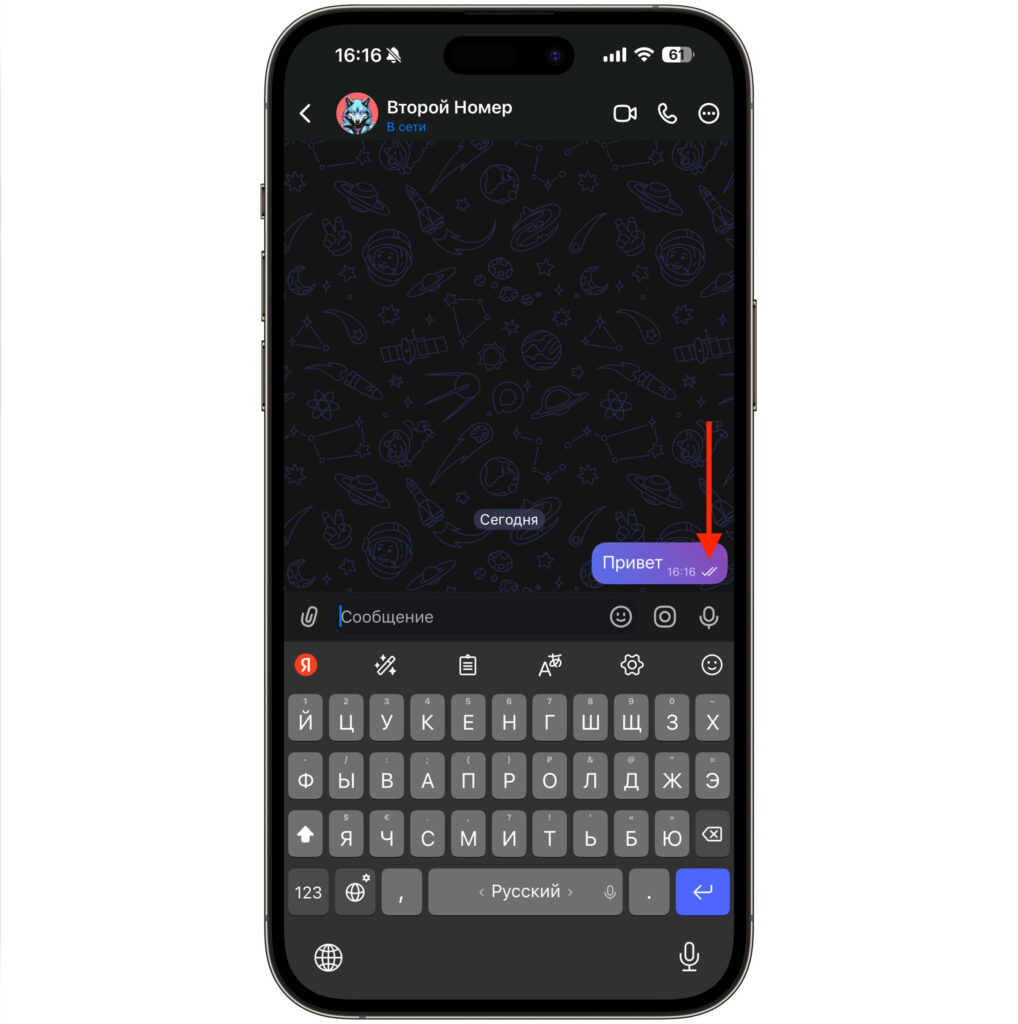
This message has already been read
In group chats, the mechanics are slightly different. Two checkmarks appear when at least one group member has read the message. If you want to find out who exactly saw the text, press and hold the message and select “Info” — there you’ll find a list with marks for each participant.
By the way, checkmarks in MAX have one feature that few people think about. Conversations in the national messenger have legal force — they can be attached to complaints and presented in court without notarial certification. So two checkmarks are not just an indicator but actual confirmation that the person has reviewed the message content. Keep this in mind, especially in work-related chats.
One Checkmark in MAX Won’t Change to Two: Reasons
If the message has been sent but one checkmark won’t change to two for several hours — there could be several reasons. Most often, it’s quite straightforward:
- The recipient has no internet or their phone is turned off.
- The person simply hasn’t opened the messenger since the message was sent.
- The recipient saw the push notification but didn’t open the chat itself — the checkmark will remain single.
All these situations are completely normal and don’t indicate any technical problem. But there’s also a less pleasant option — you’ve been blocked. If the recipient added you to their blacklist, the message goes to MAX servers, but it no longer reaches their device. The checkmark will forever remain single. At the same time, you won’t receive any notification about being blocked — the messenger doesn’t warn you about this.
Open a Message in MAX Without a Read Receipt
This is where iPhone owners have a serious advantage over Android users. In MAX, you can’t disable read receipts through settings — such an option simply doesn’t exist. But on iOS, there’s a workaround that works thanks to Haptic Touch.
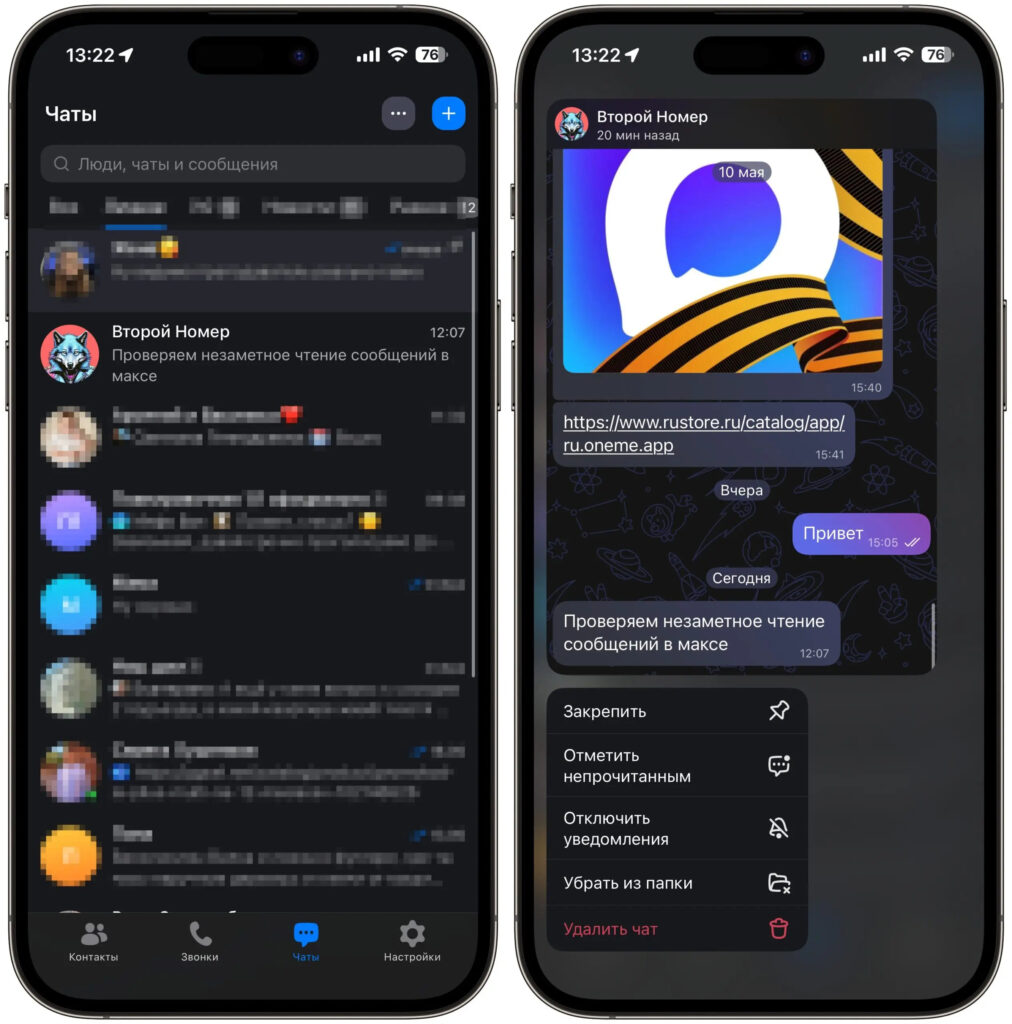
Hold your finger on the chat — and read as much as you want
Go to the chat list, press and hold your finger on the desired conversation — a pop-up window with a preview of recent messages will appear. You’ll be able to read what was written to you without fully opening the chat. And most importantly: while you’re viewing messages this way, the second checkmark doesn’t appear. The other person will think you haven’t seen anything yet.
This trick works not only in private conversations but also in group chats. The mechanics are the same — press and hold, read, release. This feature is not available on Android, so it’s an exclusive feature of the iOS version of MAX. Just be careful: if you accidentally press the preview too hard and open the chat — the checkmarks will immediately become two. There’s no going back.
What Does “ed” Mean in a MAX Message
Sometimes next to the text in a chat, you may notice a small label “ed” (edited). It means that the sender edited the message after sending it. They may have fixed a typo, added something, or completely rewritten the phrase — MAX doesn’t show what exactly changed. You only see the final version and the fact that editing took place.
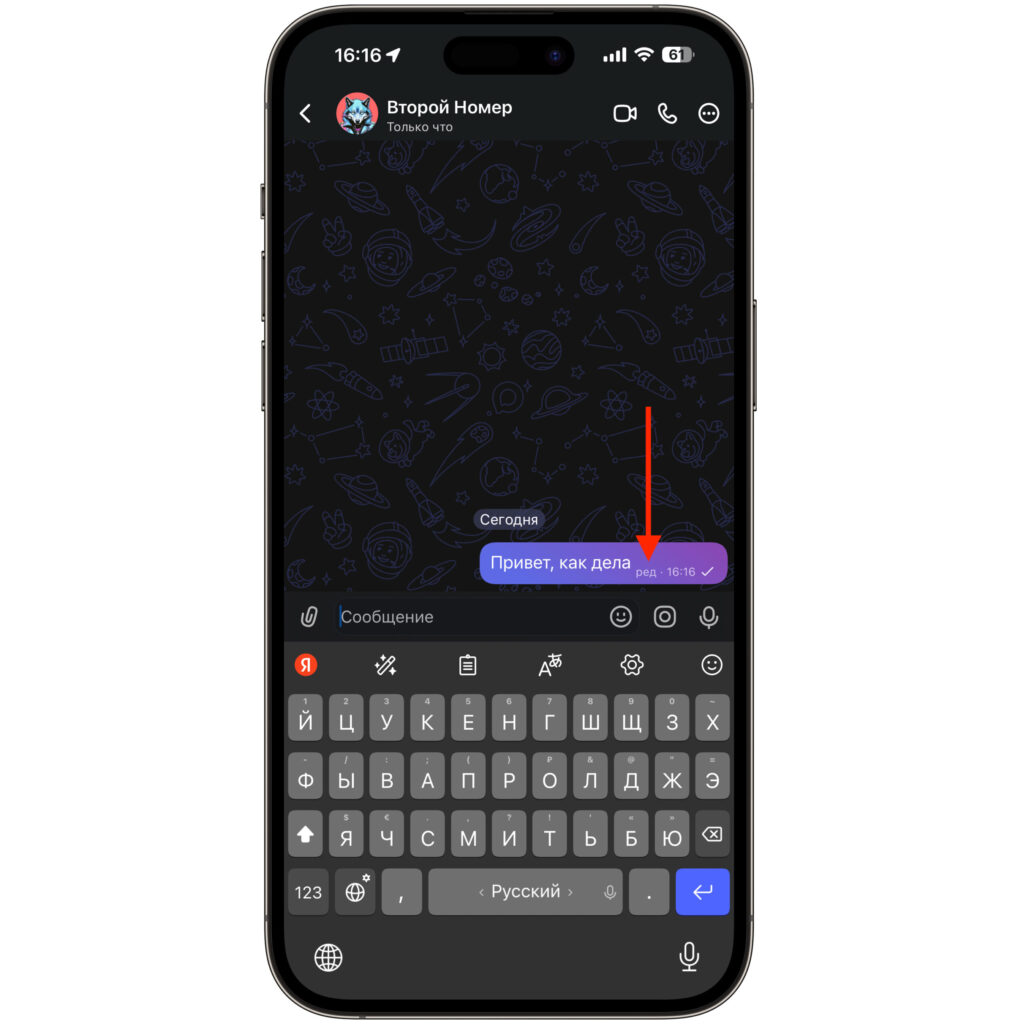
The message was edited


