Russian bank Sber has added payments to the Sber Smart Ring, a smart ring it began selling in autumn 2025. Instead of taking out a phone, the wearer double-taps the ring with the palm facing up. The ring then pays over Vzhukh, Sber’s Bluetooth-based contactless system, rather than NFC. That design choice is also the main limitation: the ring works only at compatible terminals, and only with Sber bank cards. Below is how the system works, what setup involves, and where the ring cannot be used.
What you need to know
- The ring pays through Vzhukh, Sber’s Bluetooth contactless technology, not NFC. It works only at Sber biometric terminals with a screen and camera, and at partner-bank terminals that support Vzhukh.
- To pay, you hold your palm up, tap the ring sharply twice, and bring it within 10 cm of the terminal within 10 seconds.
- Only Sber bank cards can be linked. The ring’s companion app and SberBank Online must be installed on the same smartphone.
- The ring stores up to 10 one-time payment tokens, which expire after 7 days without syncing. The default limit is 30,000 rubles per purchase and can be lowered in the app.
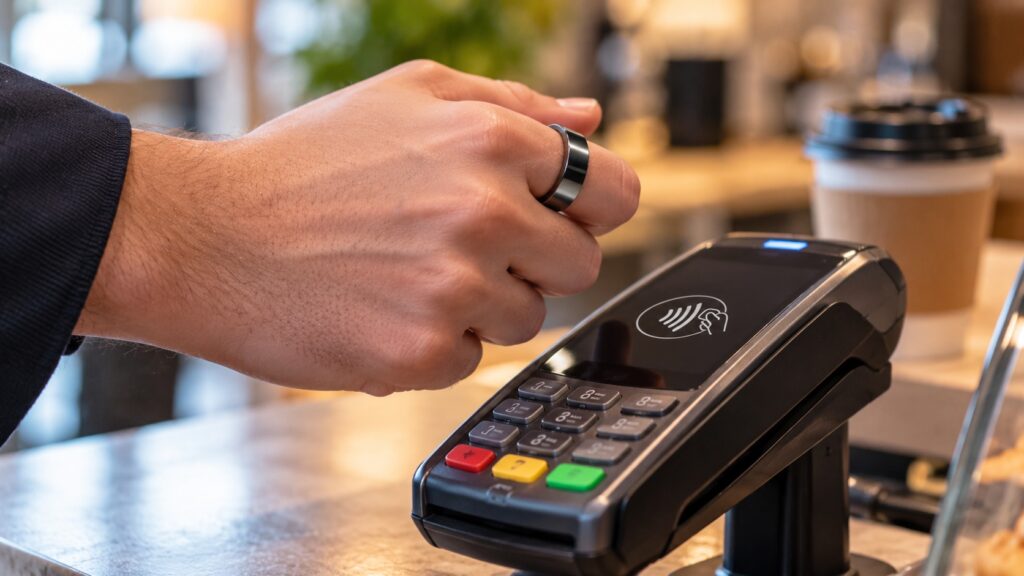
Paying for a purchase with the ring
How the ring pays without NFC
Smartphones and smartwatches usually pay over NFC. The Sber Smart Ring uses Vzhukh instead, Sber’s contactless payment technology that runs over Bluetooth. Sber already uses the same technology to let smartphones without NFC make contactless payments.
A simple tap would not work as a trigger. In a developer blog post on Habr, Sber’s engineers explain that people touch their jewelry hundreds of times a day, so a single tap would cause accidental payments. Payment therefore starts only with a specific gesture: a double tap on the ring while the palm faces up. After the gesture, the ring finds the nearest payment terminal on its own and completes the transaction.
A fitness tracker first
Payments are a new addition. The device is primarily a ring-shaped fitness tracker that shows health data in a companion app:
- heart rate and blood oxygen level;
- body temperature and stress level;
- sleep, including sleep phases and the times you fall asleep and wake up.
The ring comes in eight sizes and lasts up to 7 days on a charge. According to the developers, payments barely affect battery life: even with a payment every hour, the ring should last about 6.5 days. At the time of the original report, it cost around 25,000 rubles.
What setup requires
Payments require a charged ring, a Sber bank card (cards from other banks cannot be linked), the ring’s companion app, and the SberBank Online app on the same smartphone. If both apps are not installed, the card cannot be linked. The companion app is called Smart Wellness on Android and Life Balance Ring on iPhone; setup works the same way on both.
Setup is done in the companion app and takes a couple of minutes. Menu names may differ slightly between app versions. The user opens the profile section, goes to the ring payment section, specifies which finger the ring is worn on, and practices the payment gesture. They then link a card by signing in to SberBank Online and choose the account that payments will be charged to.

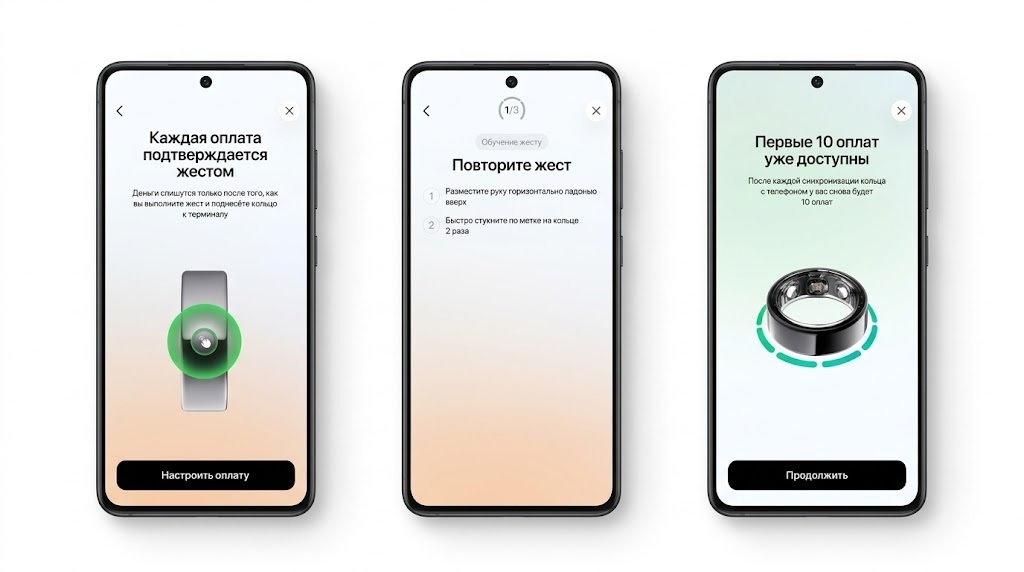
Setting up payments for the Sber ring
The gesture training matters. The ring needs to learn how the wearer moves their hand; without it, payment may fail on the first attempt at the checkout.
Paying at the checkout
According to Sber’s instructions, a payment takes a few seconds. The wearer holds the hand parallel to the floor with the palm up, taps the marker on the ring sharply twice, and within 10 seconds brings the ring within 10 centimeters of the terminal.
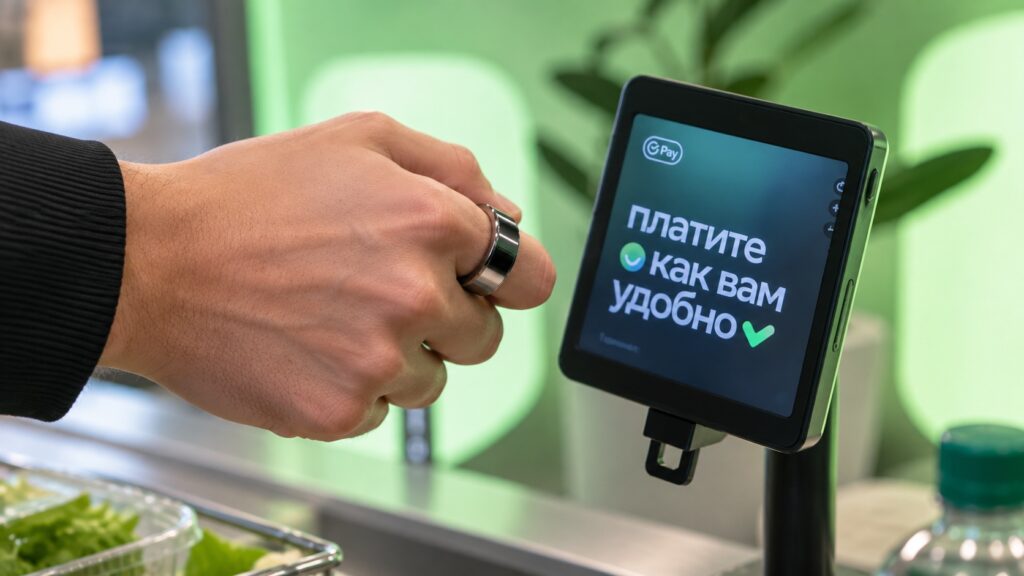
Paying with the ring at a Sber terminal
Tokens and spending limits
The ring stores up to 10 payment tokens, which are one-time digital codes used for payments. They expire after 7 days if the ring has not synced with the companion app, so the app needs to be opened near the ring at least once a week. By default, a single purchase is capped at 30,000 rubles, and the limit can be lowered in the app.
Where the ring will not work
Terminal support is the biggest limitation. The ring works only at Sber biometric terminals, which have a screen and a camera, and at partner-bank terminals that support Vzhukh. It also cannot be used:
- on public transport, including the metro and buses;
- at ATMs to withdraw cash;
- at regular terminals without Vzhukh support;
- when the ring’s battery is dead.
If the ring is lost
Sber advises disabling payments immediately if the ring is lost or stolen: turn off or remove the payment feature in the ring’s app, or, if the app is not accessible, block the account in SberBank Online or contact the bank. The original report notes that Sber’s instructions say nothing about a PIN code for ring payments, while the ring can hold up to 10 tokens, each usable for a purchase of up to 30,000 rubles. It therefore suggests lowering the per-purchase limit in advance to the amount you typically spend in a shop.