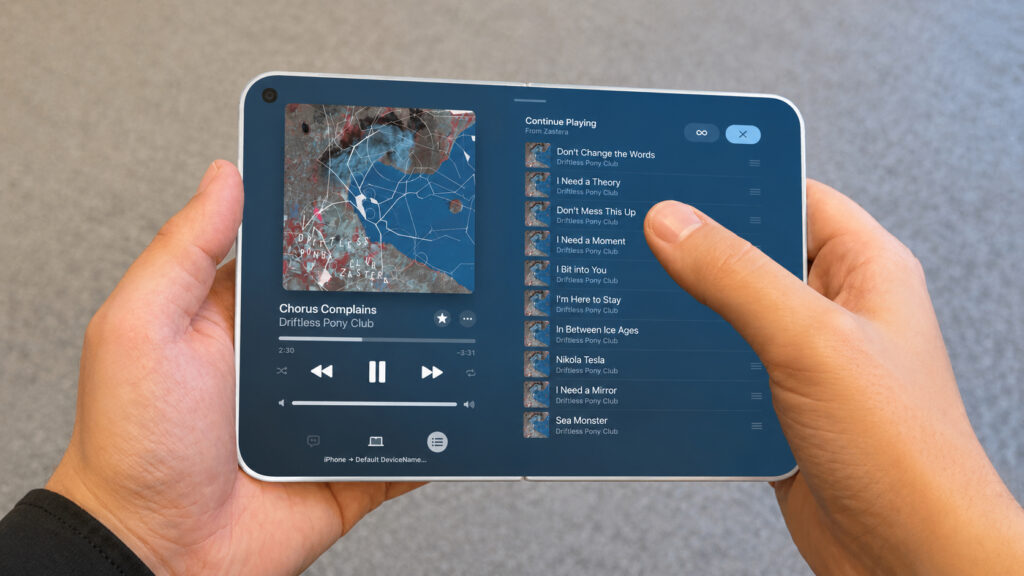
iPhone Mirroring in the new macOS beta lets you stretch the phone window to any size. This means you can get an early look at how Apple apps will behave on the screen of a future foldable. This isn’t a leak from Apple, but a visual experiment that does a good job of showing what to expect from the unfamiliar form factor. What the foldable iPhone will look like on the outside is already clear from the most detailed iPhone Ultra mockups, and now it’s time for the interface.
You can already see how apps will look on the foldable iPhone
How the Foldable iPhone Screen Will Differ from Regular Models
According to rumors, the foldable iPhone will be unusual even by Apple smartphone standards. The inner screen will be the size of an iPad mini, and the outer one will be noticeably shorter and wider than any iPhone in the past 15 years.
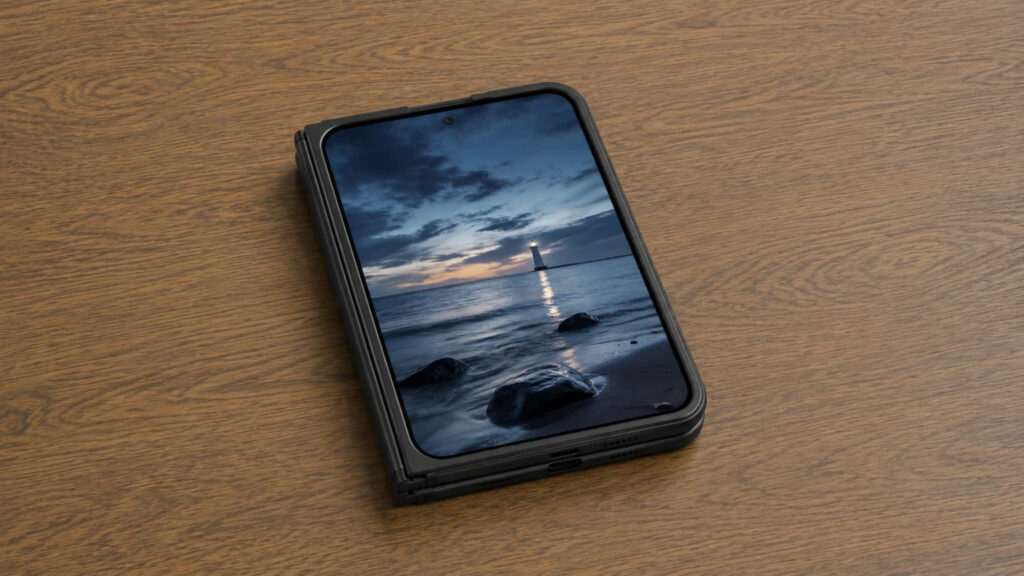
The outer screen will have a 5.5-inch diagonal
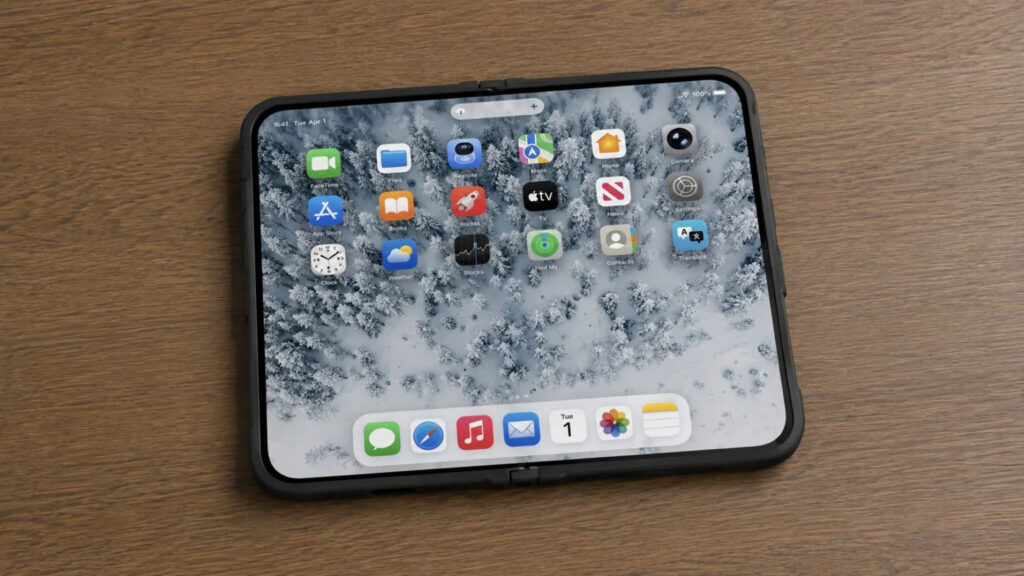
And the inner one is 7.8 inches
In terms of proportions, the inner screen is expected to have a 4:3 aspect ratio, nearly square, like an iPad. The outer one will be 2:3, meaning short and wide. For comparison, iPhones from the X to today have maintained proportions of about 2:1, an elongated rectangle. The last time an iPhone was this wide and short was in 2011, during the iPhone 4s era.
Let me note right away: all of this is still rumors and an emulation experiment, not Apple-confirmed specifications. But the approach is honest — we take a real iPhone window, stretch it to the rumored dimensions, and see how apps handle the extra space.
How to Launch the Foldable iPhone Interface on a Mac
Want to see it all with your own eyes — the method is simple, but it relies on a beta version, which always carries a risk to device stability.
- Install the betas of macOS Golden Gate and iOS 27.
- Launch iPhone Mirroring — screen mirroring from iPhone to Mac — and open the desired app. Built-in Apple apps work best.
- Stretch the window to approximately 3.3 × 4.7 inches for the outer screen or 6.5 × 4.7 inches for the unfolded one.
Third-party apps from the App Store won’t stretch yet — they still need to be updated for iOS 27. Until the system launches, you’ll only be able to experiment with Apple’s own apps. And if you don’t want to install betas on your device, it’s wiser to just look at ready-made screenshots.
What Will Change in the Notes App on the Foldable iPhone
In Mail and Notes on the large screen, the familiar iPad layout appears — a list of emails on the left, content on the right. In practice, it’s convenient: you can sort through mail or scroll through notes without jumping back and forth between screens.
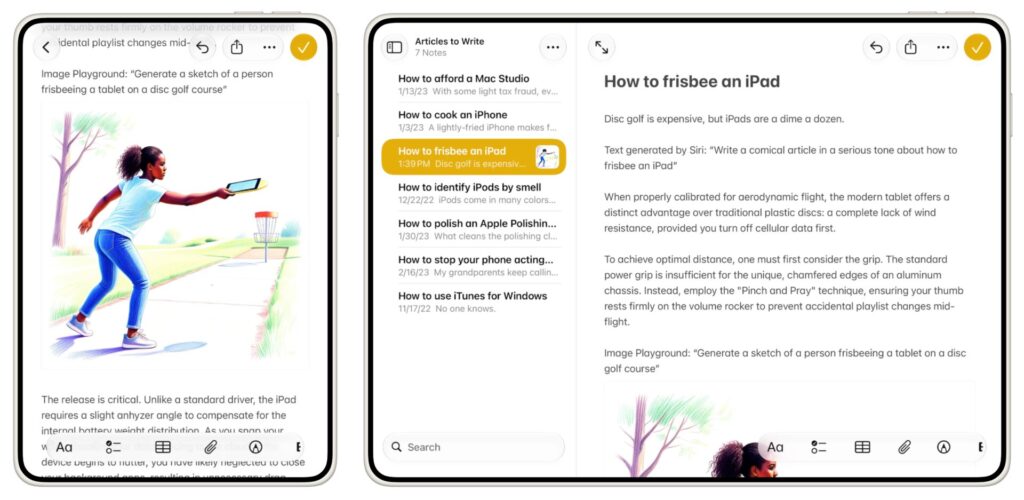
This is how Notes will look
The leftmost column with the list of mailboxes and folders won’t be permanently visible — it pops up when you tap the sidebar button. Full three-column layouts are only supported on larger iPads, so you shouldn’t expect them on the foldable iPhone — it would be too cramped.
Which Apple Apps Are Best Adapted for iPhone Ultra
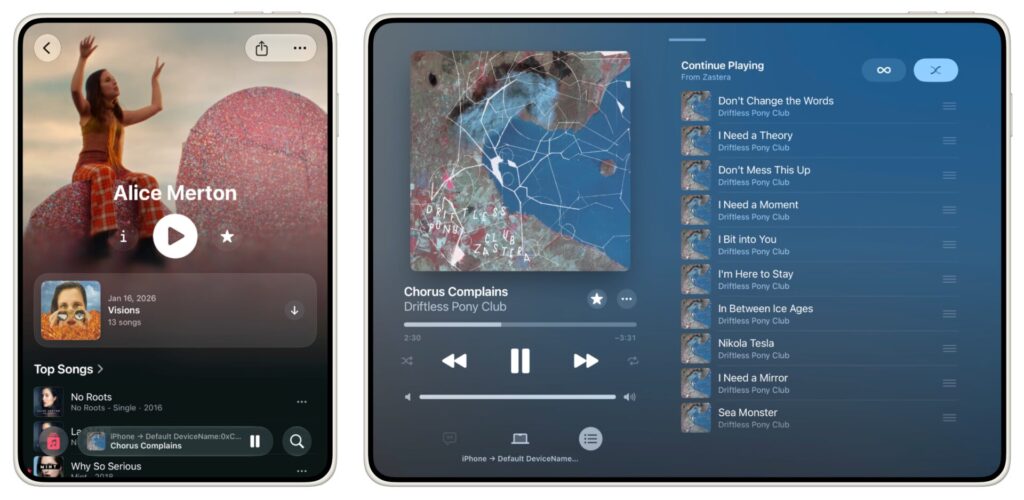
And here’s Apple Music
In Music, the short and wide outer screen works against the user: the large album cover at the top takes up almost all the space, leaving little room below it. But when unfolded, the Now Playing screen expands fully — queue, history, or lyrics appear on the right, while playback controls are always visible on the left. Podcasts behaves similarly.
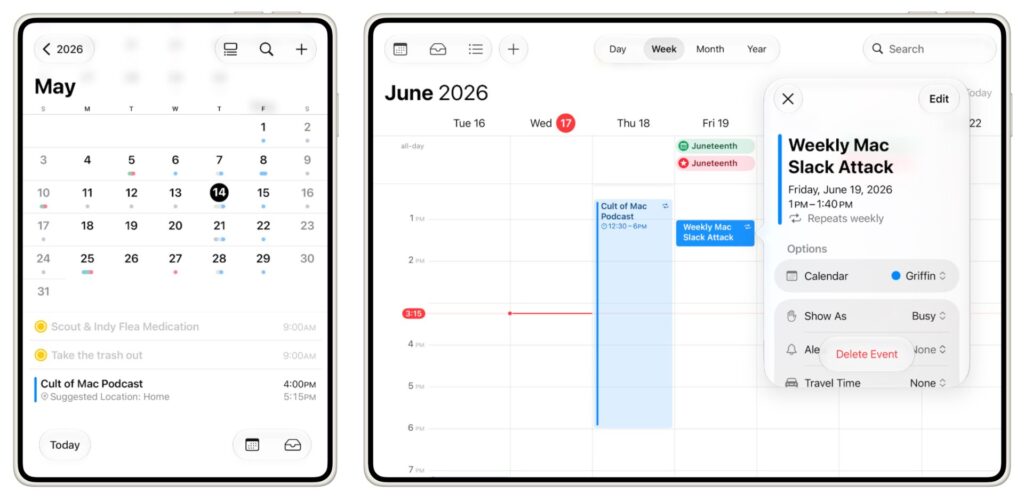
Calendar has also been refined and adapted
Calendar becomes truly useful in landscape orientation for the first time. When unfolded, a full week fits on screen, and tapping an event opens a floating panel with details — you can edit without losing sight of the other days. On a regular iPhone turned sideways, there was never this much room.
Reminders takes its own approach: the info panel opens in the center of the screen, dimming the background. It covers the rest of the content, but its elements have enough room and don’t look compressed.
How Safari Will Work on the Foldable iPhone
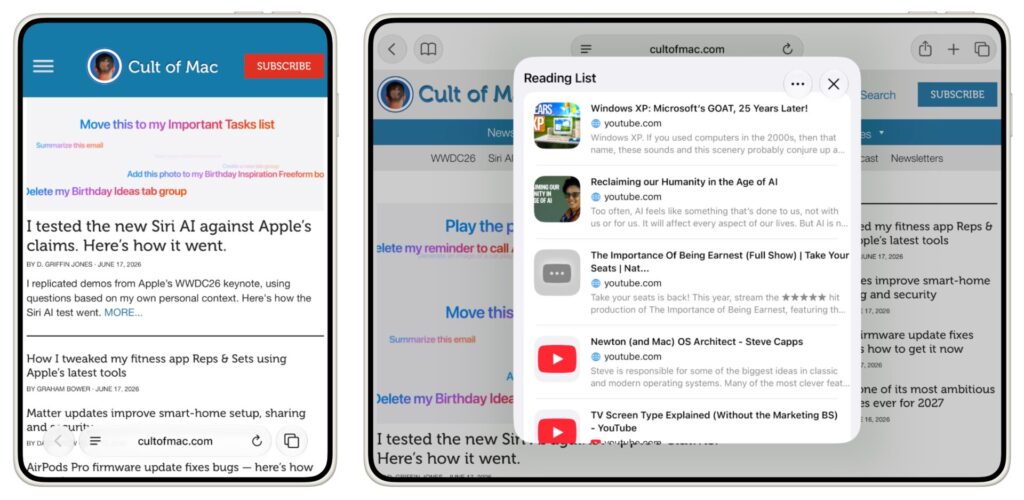
When unfolded, Safari works like a desktop browser. Websites are displayed at full width with full-size navigation, almost like on a computer. This is perhaps the strongest argument for the big screen for those who do a lot of reading and web browsing directly from their phone.