The question of why you should even update Android on your smartphone might seem obvious — but it’s not. Many people stick with an old version of the system for years and don’t notice any problems. Until apps start requiring a current firmware, banking apps stop working, and security vulnerabilities pile up like a snowball. Here’s a breakdown of which Android version in 2026 is considered the most current, who has already received it, and what to do if the update just won’t arrive.
Checking how up-to-date your Android version is
Latest Android Version of 2026
The latest Android version in 2026 is Android 16. The system was released on June 10, 2025, under the internal code name Baklava. This was the first time Google released a major update not in the fall, as usual, but in the summer — specifically so manufacturers could build new smartphones on the current system right away.
All the new features of Android 16 deserve a separate deep dive, but here are the key changes:
- The notification shade and quick settings panel have been separated: one swipe opens notifications, a two-finger swipe opens quick settings;
- Notifications from a single app are grouped and sorted by priority;
- An enhanced protection mode has been added for those working with sensitive data;
- Support for Bluetooth LE Audio with Auracast (broadcasting audio to multiple devices simultaneously);
- A desktop mode with windowed multitasking for tablets and phones with docking stations;
- A new photo editor in the stock app with professional filters.
According to data from March 2026, Android 16 in 2026 is already installed on 21.6% of all Android devices worldwide. It is the most widely used version of the system today.
Which Smartphones Will Get the Android 16 Update
Smartphones with Android 16 already exist. As always, Google Pixel devices were the first to update. All models from Pixel 6 onward through the current lineup are supported. Other manufacturers are receiving the Android 16 update with a delay of several months:
- Samsung: the update comes bundled with the One UI 8 skin. The rollout started with the Galaxy S25 in September 2025, then expanded to the S24, Z Fold 6, Z Flip 6, Tab S10, and other models. Flagships receive the update first, budget devices later.
- Xiaomi, POCO, REDMI: the update arrives via HyperOS. Current flagships have already been updated, the mid-range segment is in progress.
- OnePlus, realme, vivo show a similar pattern: flagships updated earlier, more affordable devices are waiting their turn.
- TECNO: the company announced three waves of HiOS 16 updates based on Android 16: Q2, Q3, and Q4 of 2026.
The general rule: flagships and mid-range smartphones released in 2023 and later are almost guaranteed to receive Android 16. Devices older than 2022 are questionable.
When Will Android 17 Be Released for Phones
While some smartphones are only just receiving Android 16, Google has already released Android 17 Beta 3. The Android 17 stable release date is June 2026. The system’s code name is Cinnamon Bun.
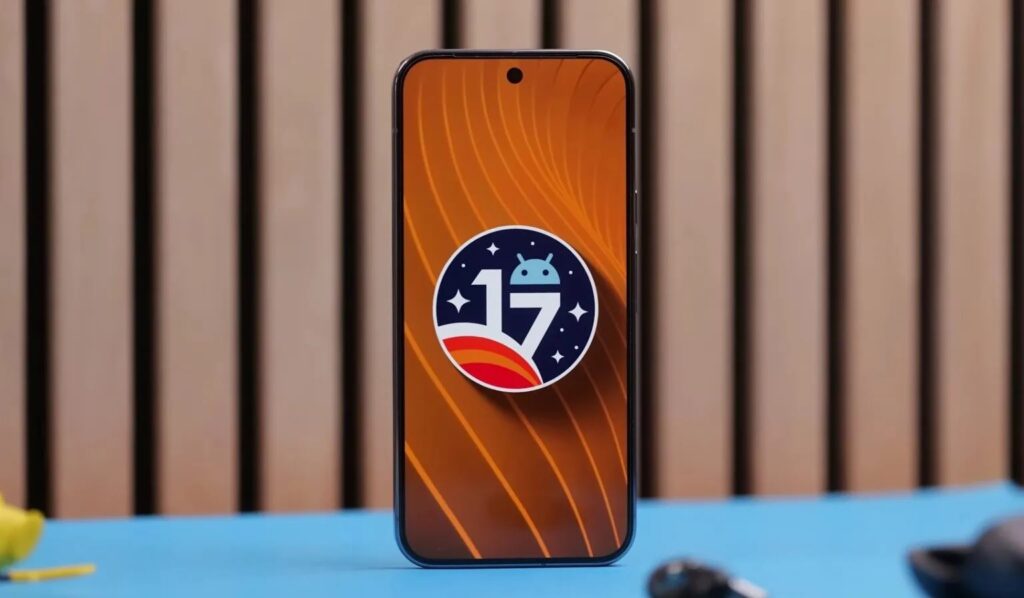
Android 17 is just around the corner. Image: 9to5Google
The order for receiving the Android 17 update will be the same as its predecessor:
- Google Pixel will update first — approximately on the day of the official announcement or within a few days;
- Samsung, Xiaomi, and other major manufacturers will begin their rollout in Q3 2026;
- Budget devices and mid-range models will receive Android 17 in 2026 later: some models won’t get the update until 2027.
You can only download Android 17 right now as a beta version and only on Google Pixel. For everyone else, there’s only one option: wait for the manufacturer to push the update through the standard channel.
How to Check the Android Version on Your Phone
You can check which Android version is installed on your smartphone in just a few seconds:
- Open “Settings.”
- Scroll down and select “About phone” or “About device.”
- Find the “Android version” entry (it will show a number, such as “16” or “15”).
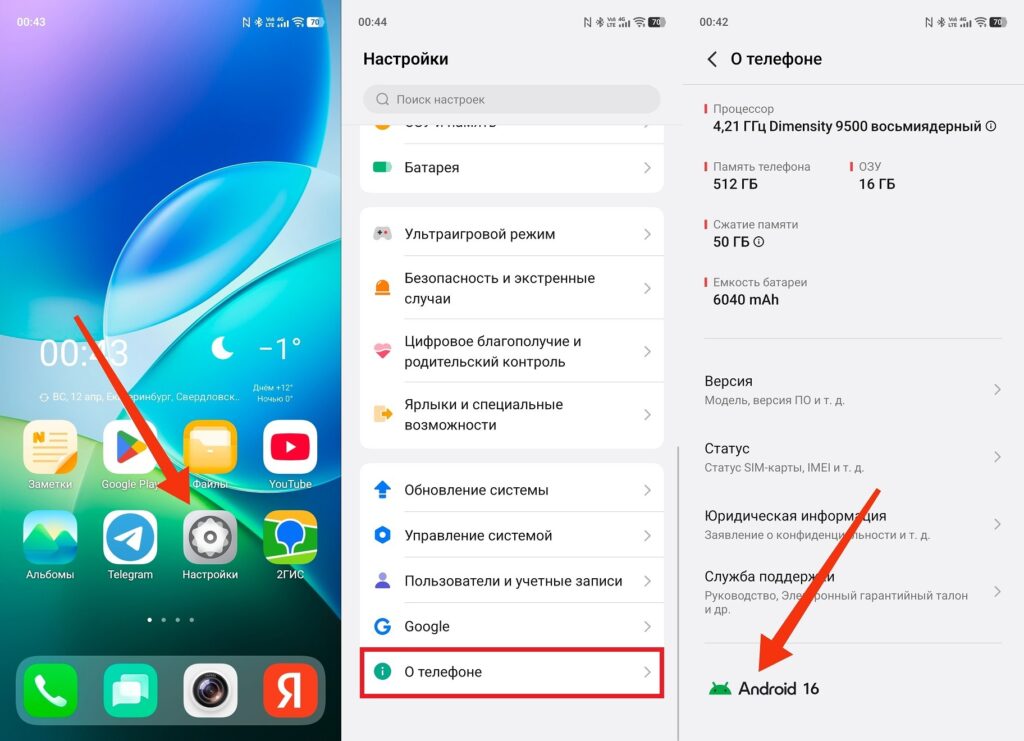
You can check the Android version on any phone
If you see Android 16, your system is up to date. Android 15 is also fine — manufacturers are still rolling out the sixteenth version. Android 14 and below — you should check if there are available updates. How important the Android version is in a specific situation depends on your needs, but in general, a current system means fresh security patches and support for all apps.
How to Update Android to the Latest Version
You can update Android to the latest version right from the settings, and no third-party apps are needed:
- Open “Settings.”
- Go to “Software update” or “System” — “System update.”
- Tap “Check for updates.”
- If an update is available, tap “Download and install.”
- Wait for the download to complete, confirm the installation, and restart.
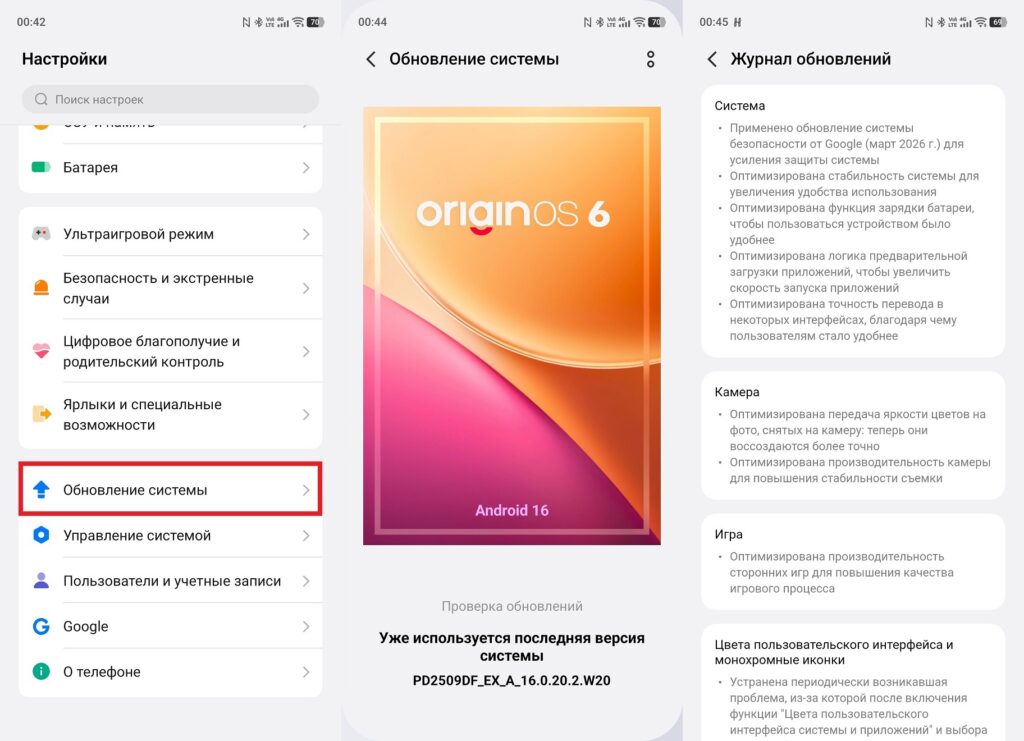
If an update is available, it will appear here
Before updating, charge your phone to at least 50% and connect to Wi-Fi. You can install Android 16 over mobile data, but the package weighs several gigabytes and the download may be interrupted with a weak signal.
Why Android Won’t Update in 2026
If checking for updates finds nothing, there could be several reasons:
- The update hasn’t reached your smartphone yet. Manufacturers roll out the new Android version in waves: flagships first, then mid-range, then budget models. Even if your smartphone officially supports Android 16, the update may arrive later. This is normal — just check every few weeks.
- Your smartphone doesn’t support Android 16. Every device has a limited software support period. If the phone was released before 2022, there’s a real chance the manufacturer has already stopped releasing updates for that model. You can verify this on the manufacturer’s official website in the update policy section.
- Not enough free space. An Android update requires at least 5 GB of free storage. Delete unnecessary files and apps, then try again.
- Old cache