If you have just bought an iPhone 18 Pro or iPhone 18 Pro Max, or plan to, spend the first two weeks testing it, not just moving photos and chats. The source reports that the phones have been on sale for less than a month and owners already describe a range of problems. iOS 27.0.1 fixed some of them. Others are hardware issues that no update will fix, and one depends on how much you paid for the phone. Below is what owners are reporting, what the update addresses, and what to check while the phone can still be returned.
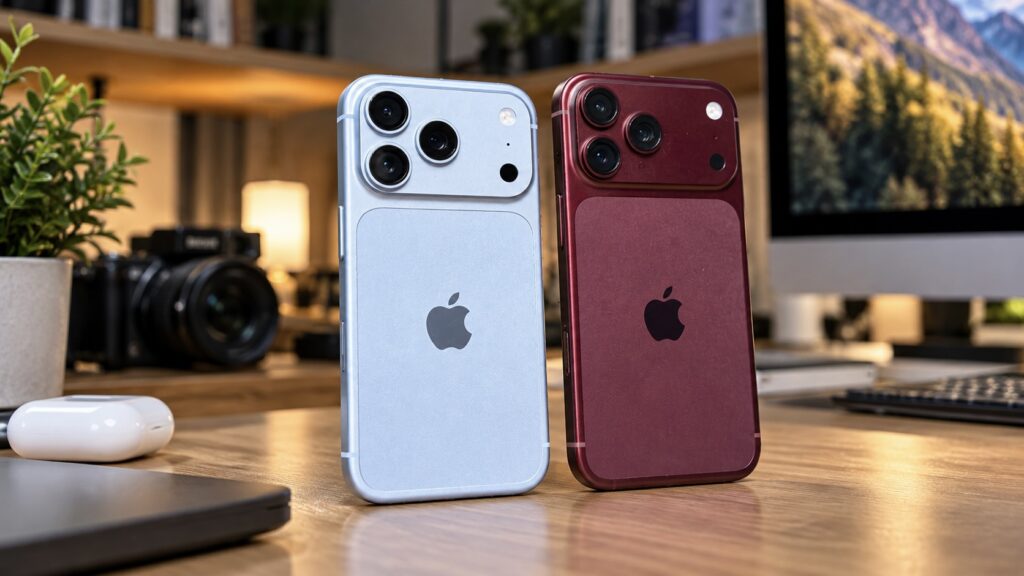
iPhone 18 Pro and iPhone 18 Pro Max side by side
What you need to know
- According to the source, the 1 TB and 2 TB versions use QLC storage, while the 256 GB and 512 GB versions use TLC. Tests by enthusiasts at HOMOLAB showed that sustained write speeds can drop sharply once a fast buffer fills.
- iOS 27.0.1 fixed Face ID-related restarts, though some owners still see recognition failures. The update did not fix the reported top-speaker crackle.
- The source describes green and pink vertical lines on some displays as a hardware defect that requires an exchange or warranty service.
- Network drops on AT&T affect the US iPhone 18 Pro Max. The source says this model uses a Qualcomm Snapdragon X80 modem rather than Apple’s C2.
Why the most expensive iPhone 18 Pro models write data more slowly
The source says tests have now confirmed earlier suspicions about storage. The 256 GB and 512 GB versions use standard TLC flash memory, which stores three bits per cell. The 1 TB and 2 TB versions use QLC, which stores four bits per cell. QLC is cheaper to produce but slower, and it wears out faster. In other words, the most expensive iPhone uses the cheaper type of storage.
In everyday use, this is barely noticeable. Writes first go to a fast buffer of about 250 GB. While there is space in it, speeds stay above 3,000 MB/s. Once the buffer is full, the phone switches to an intermediate mode of about 578 MB/s. After that, it writes directly to QLC, and speed drops many times over.
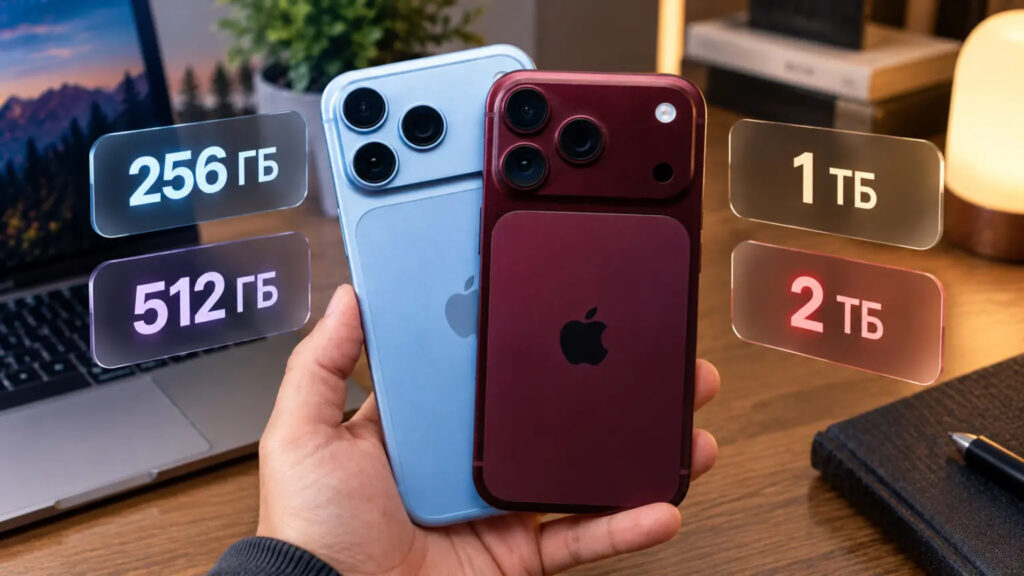
All storage options for iPhone 18 Pro and iPhone 18 Pro Max
What the HOMOLAB tests showed
The source cites figures from enthusiasts at HOMOLAB:
- On an empty drive, direct writes to QLC averaged 79.4 MB/s and fell to 25.6 MB/s at worst.
- With storage 60% full, the buffer shrank to 58 GB and the intermediate mode fell to 396 MB/s. Direct writes averaged 45 MB/s, with dips as low as 1.1 MB/s. Those dips lasted only fractions of a second.
- Under mixed workloads, when the phone was reading and writing at the same time, the 512 GB version was at times nearly 38% faster than the 1 TB version.
Who should care
For browsing feeds and recording short social videos, the source says there is nothing to worry about. The problem arises with ProRes 4K recording, which needs about 100 MB/s. That is exactly the kind of video many people buy a terabyte model for, so recording can end up limited by the speed of the storage they paid extra for. For people who shoot a lot of long videos, the source suggests choosing 512 GB and recording directly to an external SSD over USB-C.
Under-display Face ID is not as smooth as promised
With the iPhone 18 Pro, Apple moved part of the Face ID hardware under the display for the first time to make the cutout smaller. Small gaps are left between the pixels above the sensor so infrared light can pass through. The source notes that people looking closely have noticed this area looks slightly different from the rest of the screen at low brightness.
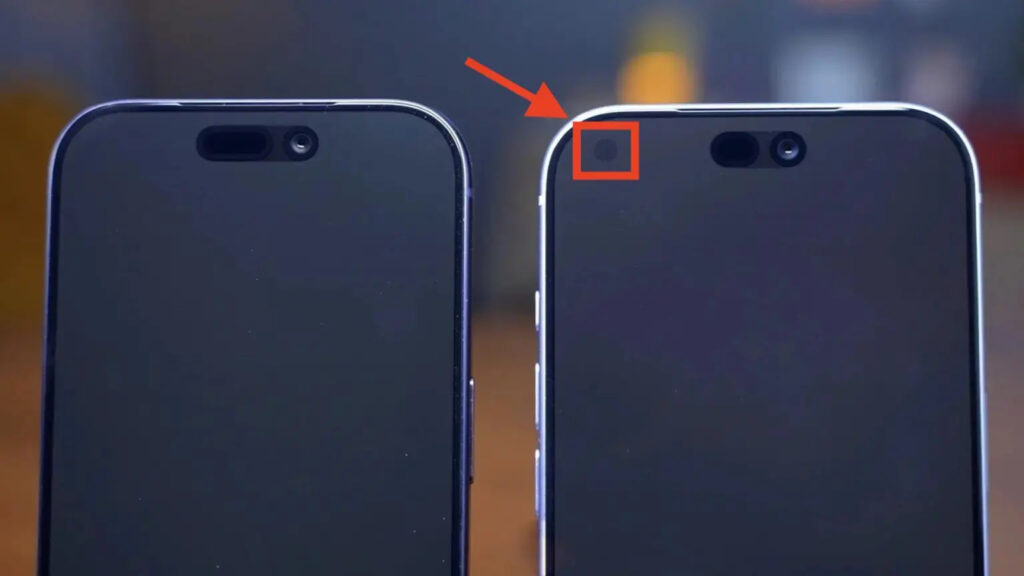
The new Face ID placement in iPhone 18 Pro
A more serious bug has also been reported. After a failed recognition, most often when opening apps protected by Face ID, some phones freeze and restart. Owners also complained about the “Require Attention for Face ID” option, saying the iPhone did not always recognize that they were looking at it. Apple fixed the restarts in iOS 27.0.1. According to the source, however, some owners still see occasional recognition failures.
Screen protectors are another factor. A matte protector scatters infrared light, which interferes with the under-display sensor. If Face ID works only intermittently, the source recommends removing the protector or switching to clear glass before taking the phone in for service.
Displays vary in color, and some show lines
Displays for the iPhone 18 Pro are made by Samsung and LG, and the panels differ slightly in color. The source reports that some buyers have returned phones repeatedly to get a particular panel, usually Samsung’s. However, the difference is visible only when two iPhones are placed side by side. The source author says they would not keep exchanging a phone over a shade of white.
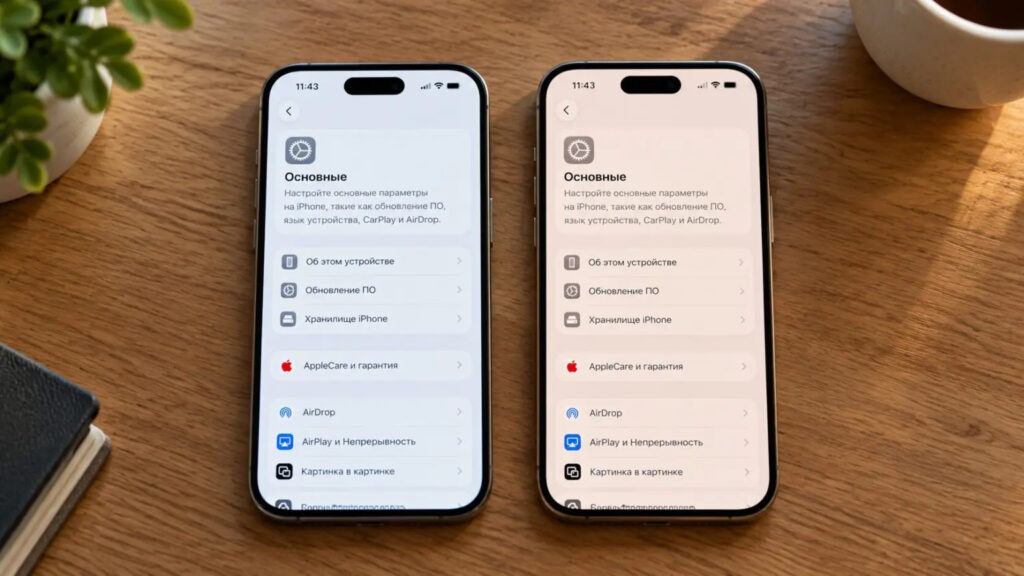
iPhone 18 Pro displays with different colors
Lines are a more serious issue. Some screens show green and pink vertical lines running across the entire display. Sometimes they are visible immediately. In other cases, they appear only on a solid background or at low brightness. The source describes this as a manufacturing defect that no update will fix. The phone should be exchanged while it is still within the return period, or taken in for warranty service.
The aluminum body scratches and loses paint within days
According to the source, the aluminum on the new Pro models scratches and chips within days. Damage is most visible on dark colors, where lighter metal shows through the damaged finish. The sharp edges of the camera bump take the most damage. On burgundy and black models, pale halos can appear around the lenses, as if the color had faded in the sun. The source suggests early batches may have received less successful anodizing, but stresses that this is a guess. Apple has not commented on the issue.
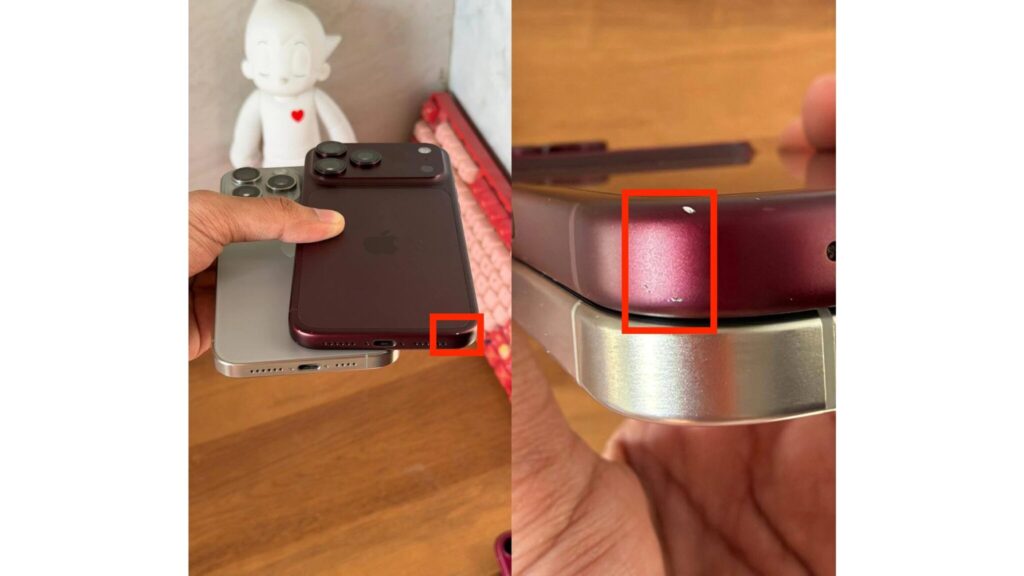
Scuffs on the iPhone 18 Pro body
For now, the source advises putting a dark iPhone 18 Pro in a case right away.
The top speaker crackles, and the update does not help
Another complaint concerns the top earpiece speaker. Owners report crackling during calls, while scrolling, and even when the keyboard appears. iOS 27.0.1 did not fix it, and exchanging the phone does not help everyone.
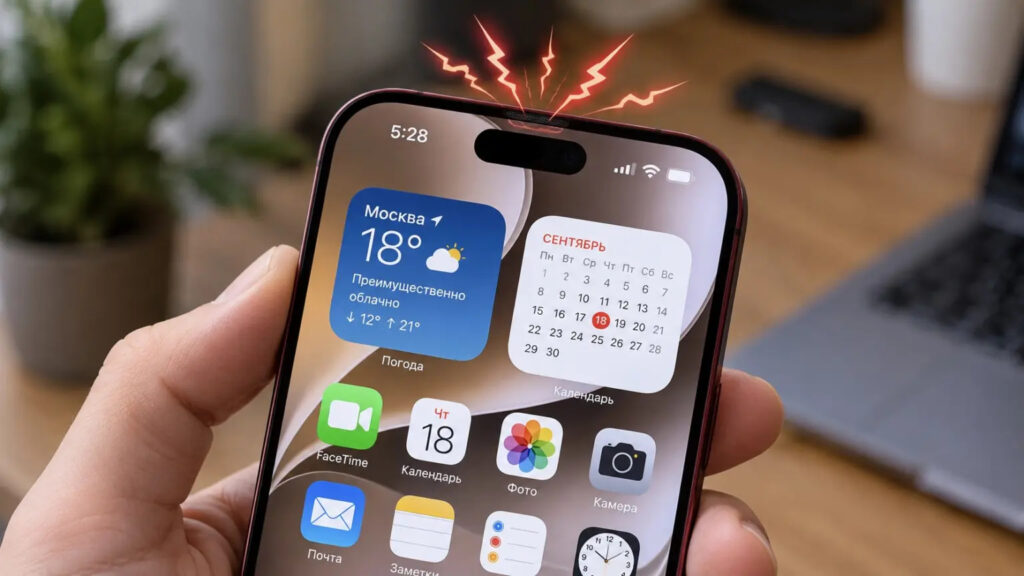
Crackling speaker in iPhone 18 Pro
Some iPhone 17 owners have reported something similar, so the source suggests the cause may be software rather than hardware. Either way, it is better to find out in the first days, while the phone can still be returned. Test it in a quiet room: make a call, scroll through a feed, and bring up the keyboard. If you hear crackling, record a video. The source notes that a video makes it easier to demonstrate the problem to a store or service center, even if the speaker happens to stay quiet at that moment.
Why the US iPhone 18 Pro Max is losing its network connection
Since September 18, thousands of iPhone 18 Pro Max owners in the US have reportedly been losing service on AT&T. The phone cannot make calls, send messages, or connect to the internet, and drops into SOS mode. The modem appears to be the cause. According to the source, only the US Pro Max uses the Qualcomm Snapdragon X80. The iPhone 18 Pro, the iPhone Duo, and the Pro Max for other countries use Apple’s C2 modem.
Apple released iOS 27.0.1 and updated carrier settings, but some users say nothing improved. The source reports that Apple told 9to5Mac that phones which have already lost service will need to be replaced.
US-market Pro Max units also turn up elsewhere through second-hand and unofficial resellers, so it is worth checking which version you have. Open Settings > General > About. If the model number ends in LL/A, you have the US version. The reported failures so far involve AT&T in the US, and it remains unclear how the modem situation will be resolved.
iOS 27 bugs that are not limited to new phones
Some problems come from iOS 27 itself, and they are not limited to the new models. The source reports that the touchscreen can freeze if you pull down Notification Center and Control Center at the same time. A similar problem can occur when dragging widgets on the Home Screen. iPhone 17 Pro Max owners also complain about fast battery drain, heating, and stuttering animations.
Problems at a glance: what the update fixes and what needs a store visit
| Problem | Fixed by iOS 27.0.1 | What to do |
|---|---|---|
| Slow QLC storage (1 TB and 2 TB) | No, it is hardware | Choose 256 or 512 GB; record video to an SSD |
| Face ID-related restarts | Yes, partially | Update; remove a matte screen protector |
| Lines on the screen | No | Replace under warranty |
| Scratches and chips on the body | No | Inspect at purchase; use a case |
| Speaker crackle | No | Test in the first days; contact service |
| Lost service (US Pro Max) | Partially | Check the model; replace the phone if it is stuck in SOS |
What to check in the first days after purchase
Almost everything on this list is hardware, and software cannot fix it. The source recommends using the first days after purchase for checks, in this order:
- Update to iOS 27.0.1 in Settings > General > Software Update.
- Inspect the body in bright light, especially the edges of the camera bump.
- Turn brightness to maximum and open full-screen white and gray images. This makes lines easiest to see.
- Make a call in a quiet room and listen to the top speaker. Then scroll a feed and open the keyboard.
- Unlock the phone several times and open apps protected by Face ID.
- If you bought a Pro Max second-hand or from an unofficial seller, check the model number.
Should you buy an iPhone 18 Pro now?
The source concludes that there is no reason to fear the phone. Most units work normally, and dissatisfied owners are simply louder than satisfied ones. Still, it recommends buying from a seller that will accept a return without dispute. It also advises choosing a terabyte model only if you genuinely need that much storage, not because it is the most expensive version.