Slipping an Apple AirTag into checked luggage is one of the simplest ways to keep tabs on a suitcase during air travel. The source author reports that after a stressful experience at an airport, the coin-sized tracker became a permanent fixture in every bag the family checks in. Below is a practical breakdown of placement tips, how to locate your bag with the Find My app, and what to do if your luggage ends up in the wrong place.
What you need to know
- The source author recommends hiding the AirTag inside the suitcase — ideally in a shallow outer pocket — rather than attaching it visibly, where it could be removed by a thief or baggage handler.
- Starting with iOS 18.2, Find My includes a temporary location-sharing feature that lets you give airline or airport staff time-limited access to your AirTag’s position.
- The AirTag’s battery lasts over a year, so it can stay in a suitcase between trips without needing regular recharging.
Where to place the AirTag in your suitcase
Fancy keychain cases that display the tracker on the outside of a bag may look appealing, but the source author advises against them. If an airport worker or a thief at the baggage carousel spots an AirTag on the exterior, they can simply remove and discard it — leaving you with no tracking at all.
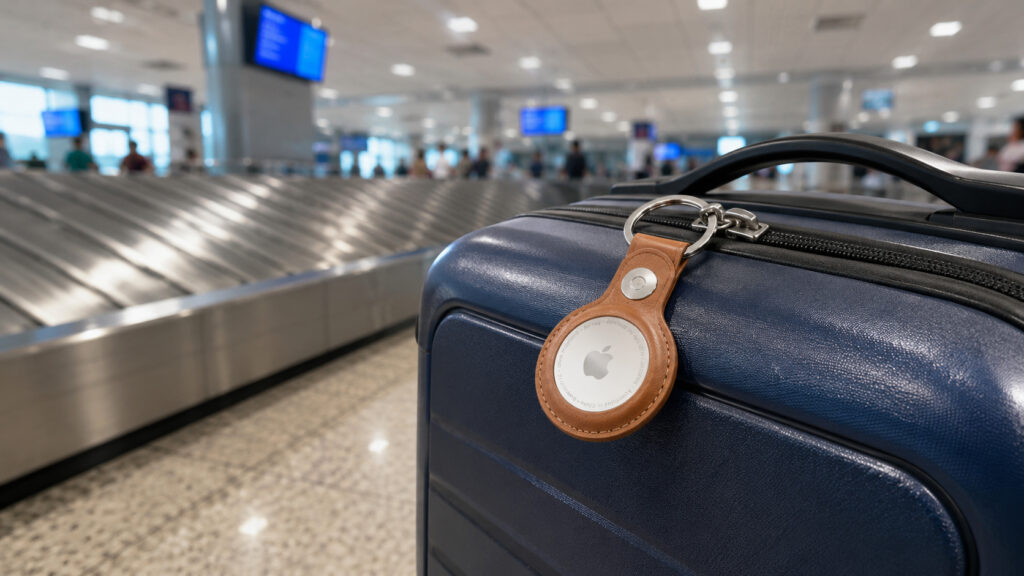
AirTag — an indispensable travel companion
Instead, the source author hides the tracker inside the bag — but not buried too deep, as that can weaken the Bluetooth signal. The ideal spot, according to the source, is a shallow exterior pocket close to the surface of the suitcase. This keeps the AirTag out of sight while maintaining a reliable connection to Apple’s Find My network.
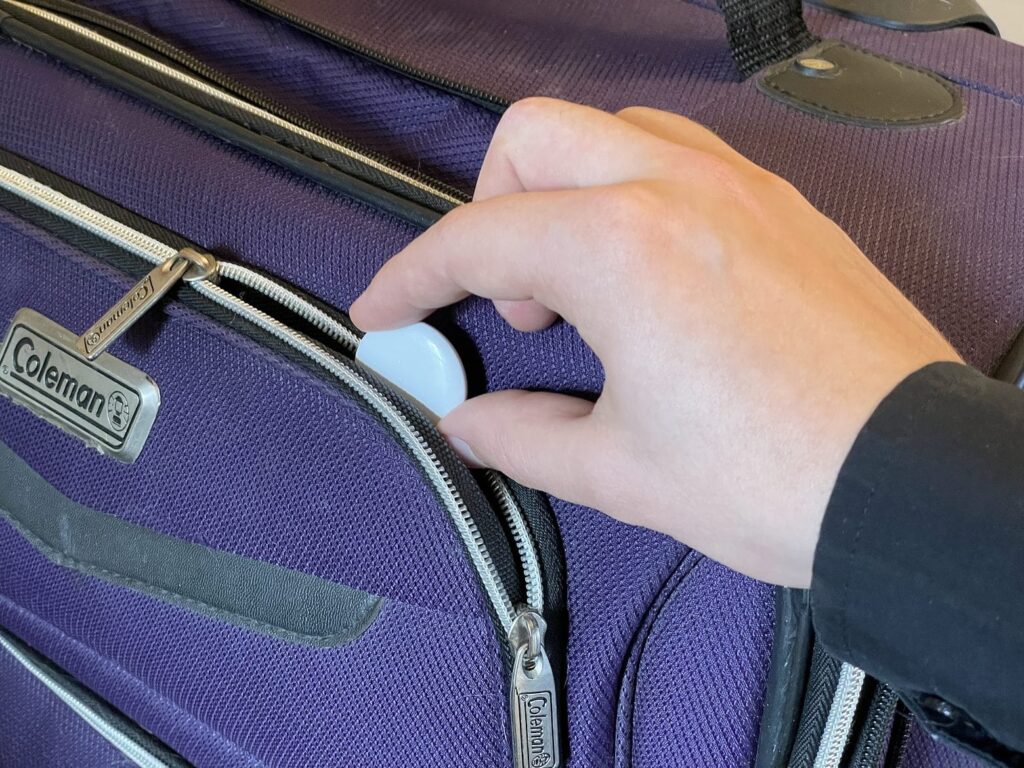
Don’t bury the tracker too deep in your belongings — it may get a weaker signal
The source author also recommends checking the AirTag before every trip. If the tracker was previously paired to another account or has been sitting unused for a long time, a factory reset ensures it pairs correctly to your Apple ID. A few minutes of preparation at home can prevent headaches on the road.
How to find your suitcase using Find My on iPhone
Tracking luggage with an AirTag is not only useful in worst-case scenarios. The source author describes a tight connection where a sprint across an entire terminal left no certainty that the checked bag had made it onto the same flight. After landing, seeing the AirTag’s location update in the Find My app provided immediate reassurance.
At the baggage carousel, the tracker also saves time. Instead of squinting at dozens of identical suitcases, you can open Find My and see exactly where your bag is. Here are the basic steps:
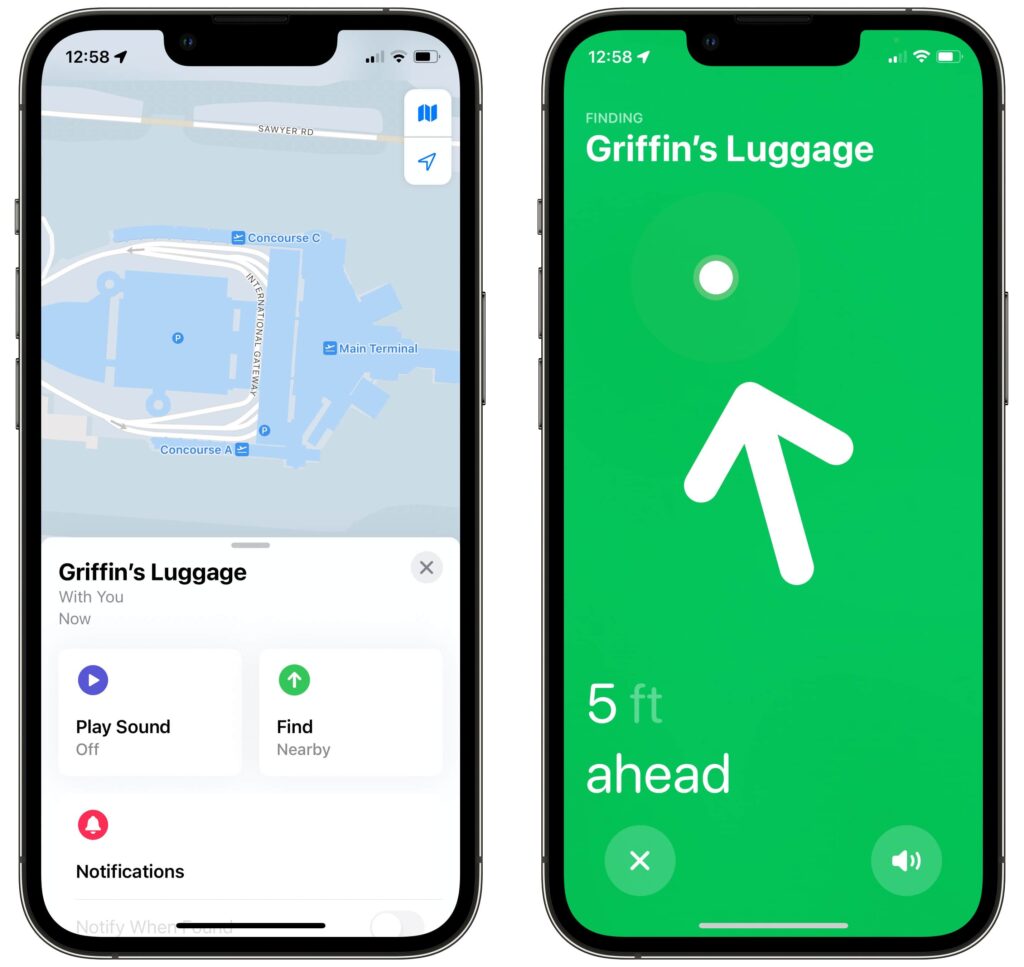
Finding a tagged suitcase is much easier
- Open the Find My app on your iPhone.
- Go to the Items tab and select your suitcase.
- Tap Find to see the bag’s current location.
Add a Find My widget for quick access
For long flights with layovers, the source author suggests adding a dedicated Find My widget to the Home Screen so you can check your luggage status at a glance:
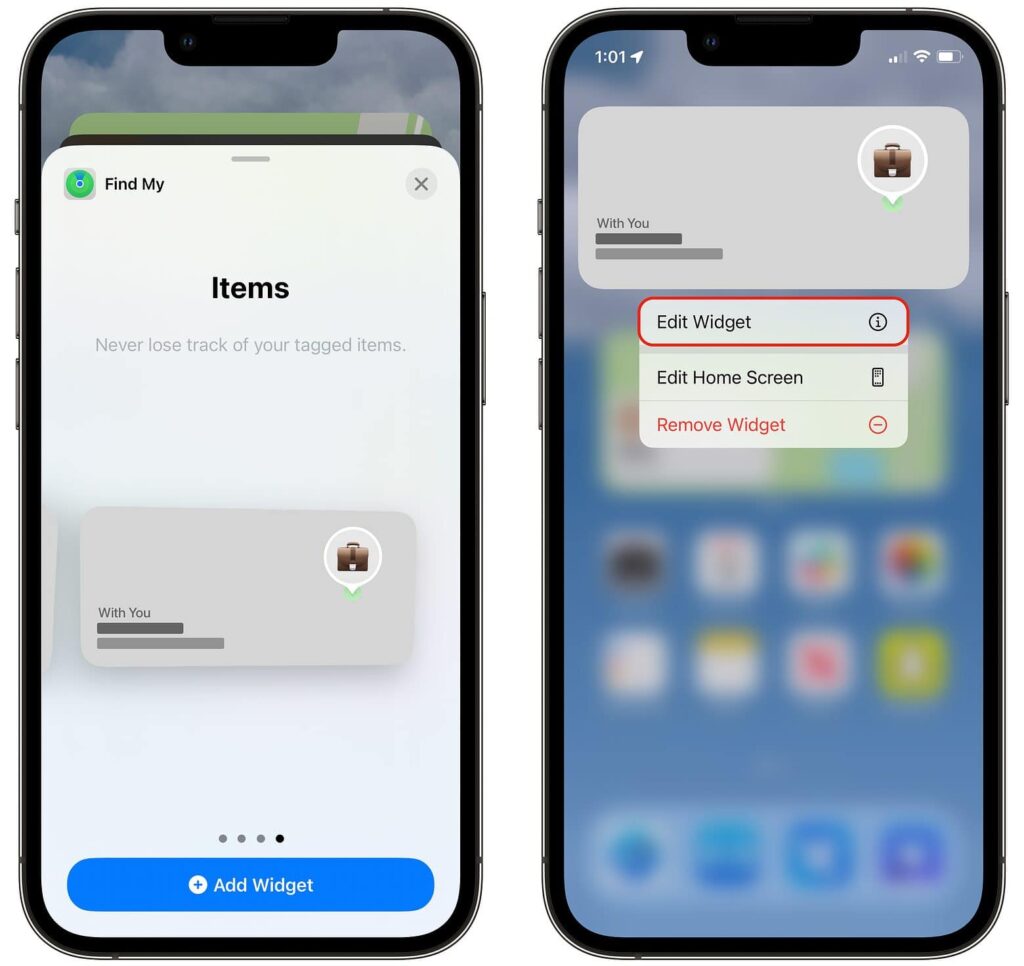
A widget makes tracking luggage much simpler
- Long-press an empty area on the Home Screen to enter edit mode.
- Tap the + icon in the upper-left corner and search for the Find My widget.
- Select the Items widget and tap Add Widget.
- Tap the widget and choose the AirTag you want to track.
What to do if your luggage is lost: sharing AirTag location
If a suitcase does end up in the wrong place, the AirTag won’t magically return it — but it significantly improves the chances of recovery, according to the source author. Starting with iOS 18.2, Find My introduced a temporary sharing feature that lets you show an item’s location to another person, such as an airline employee. The access is time-limited, so the staff member will not be able to track your belongings indefinitely.
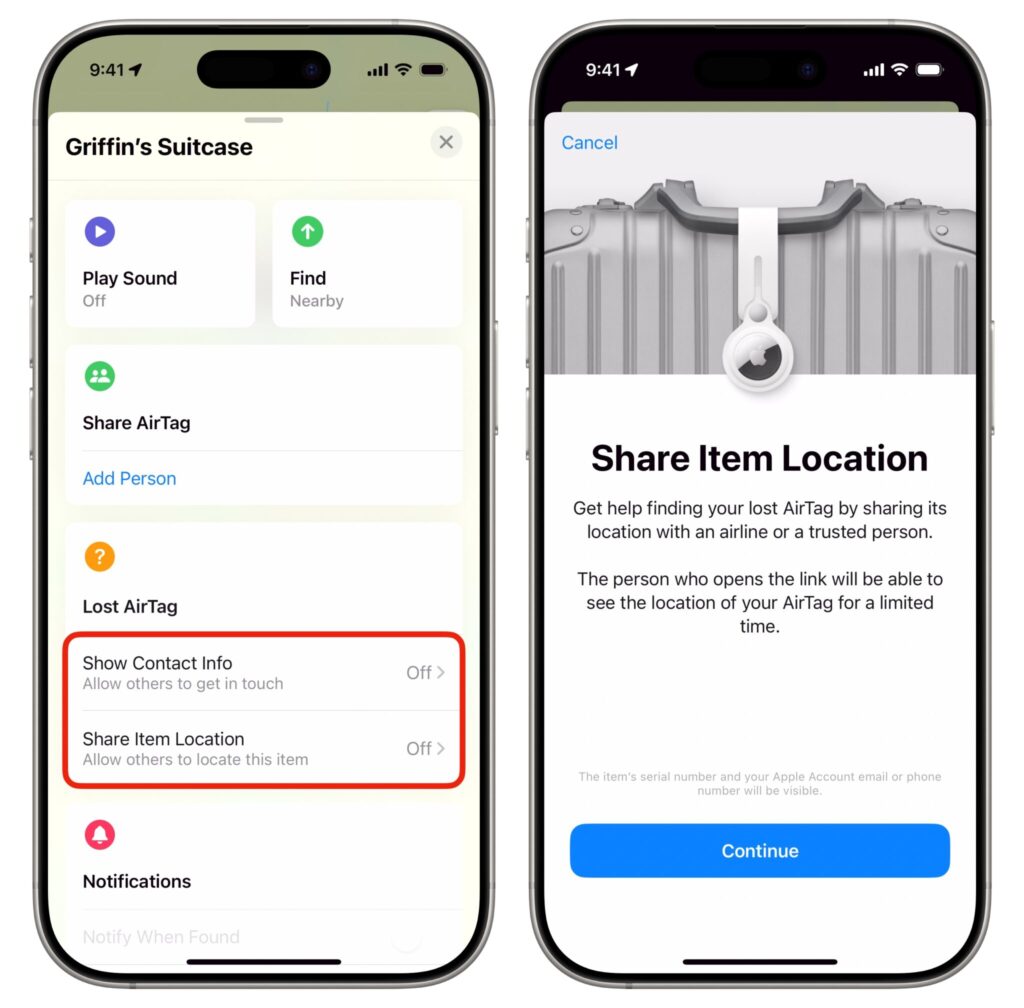
Share the tracker’s location with airline staff to speed up the search
- Open Find My and go to the Items tab.
- Select the relevant AirTag and find the lost-item section.
- Tap Share Item Location to grant access to another person.
- Under the contact-information option, enter an email or name so anyone who finds the item can reach you.
This is especially useful when the bag is in a restricted zone you cannot enter yourself. The source author notes that an acquaintance retrieved luggage from a staff-only area by sharing the AirTag’s location with a desk agent — a process that reportedly took just a couple of minutes. Once the bag is returned, you can revoke access immediately.
Battery life and practical value
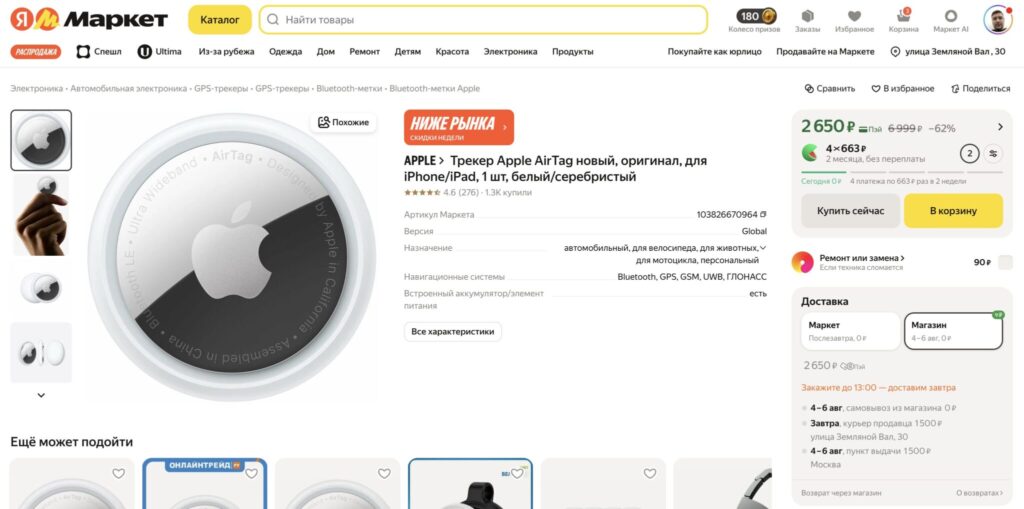
The AirTag’s replaceable battery lasts over a year
The AirTag uses a replaceable CR2032 battery that lasts over a year, according to the source. Unlike a smartwatch or earbuds, it does not need nightly charging, which makes it practical to leave inside a suitcase between trips. The source author’s conclusion is straightforward: a single AirTag costs far less than the contents of a lost suitcase, making it a sensible default for any checked bag.
The source author also mentions trying a Ugreen Smart Tag as a cheaper alternative and comparing it in a separate review, but notes that within the Apple ecosystem the native AirTag remains the most convenient option. Keep in mind that AirTag relies on Apple’s Find My network, which requires nearby Apple devices to relay its location — in areas with very few Apple users, location updates may be delayed or unavailable.