The iPhone 18 Pro and iPhone 18 Pro Max replace the fixed f/1.78 aperture of previous main cameras with a variable aperture that steps through four values, from f/1.48 to f/4.0. You can let the phone pick the value automatically or set it yourself in the Camera app: tap the six-dot button in the bottom-right corner, choose Aperture, and tap one of the four circles. Wider openings (lower numbers) let in more light and blur the background optically; narrower openings (higher numbers) keep more of the scene sharp. Below is what changed, how to switch values manually, and which setting suits which situation.
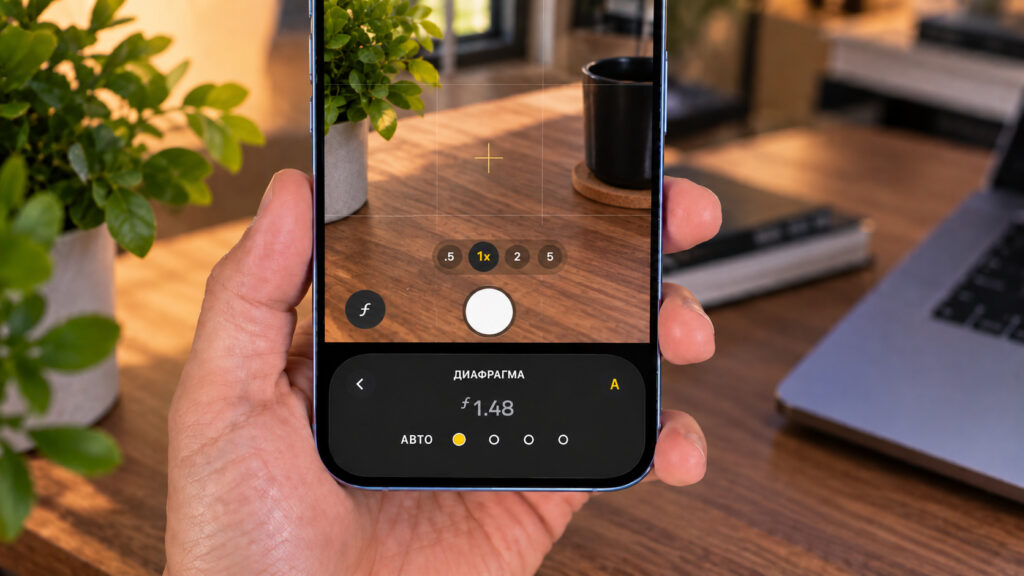
Choosing the opening size of the variable aperture on iPhone 18 Pro
What you need to know
- The main camera on iPhone 18 Pro and 18 Pro Max has a variable aperture with four steps: f/1.48, f/1.8, f/2.8 and f/4.0, replacing the fixed f/1.78 of earlier models.
- Apple claims roughly a 50 percent improvement in low-light shooting quality; the more significant change is optical control over depth of field.
- Manual control lives in the Camera app: the six-dot button in the bottom-right corner opens a panel with an Aperture option and an Auto button to hand control back to the phone.
- The lens lineup itself is unchanged from iPhone 17 Pro: a 48 MP Fusion main camera, a 48 MP 8x telephoto and a 48 MP ultra-wide.
What changed in the iPhone 18 Pro camera
On paper, the triple-camera setup looks almost identical to last year’s. The source lists the same three modules as the iPhone 17 Pro: a 48 MP Fusion main camera, a 48 MP 8x telephoto and a 48 MP ultra-wide, with matching focal lengths and resolutions. The real difference is inside the main lens.
Previously, the main camera’s aperture was locked at f/1.78. That value worked well in the dark, but it gave users no choice: the camera always admitted the same amount of light and produced roughly the same amount of background blur. That ceiling is what Apple removed in the new generation.
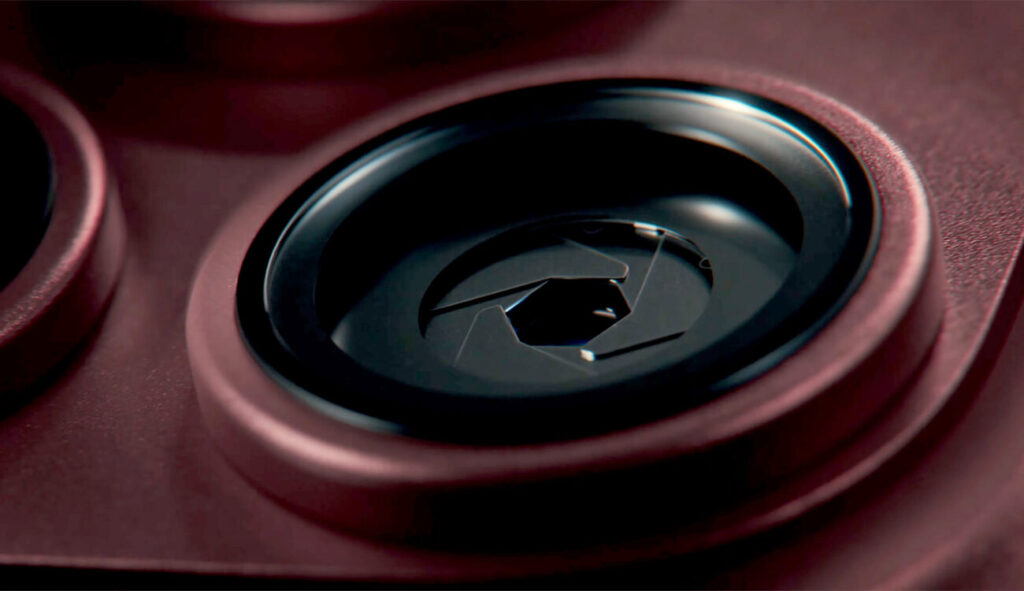
Variable aperture in the camera of iPhone 18 Pro and iPhone 18 Pro Max
Why aperture matters
The aperture controls how much light passes through the lens to the sensor. When light is scarce, a shot comes out dark, noisy or blurred. To compensate, the camera keeps the shutter open longer or switches to night mode. The catch is that a longer shutter time raises the risk of blur from hand shake or movement in the frame; even a stationary subject can end up soft.
A variable aperture addresses this physically. It can admit more or less light for a specific shot, giving the camera freedom to vary the shutter speed. On the iPhone 18 Pro and 18 Pro Max, the fixed f/1.78 has been replaced by a variable aperture with four steps, from f/1.48 to f/4.0. Apple claims about a 50 percent gain in low-light shooting quality. Arguably more important, users now have optical control over depth of field, something no previous iPhone generation offered.
How to change the aperture manually
The iPhone can manage the aperture on its own, but you can take over at any time and set the value by hand directly in the Camera app:
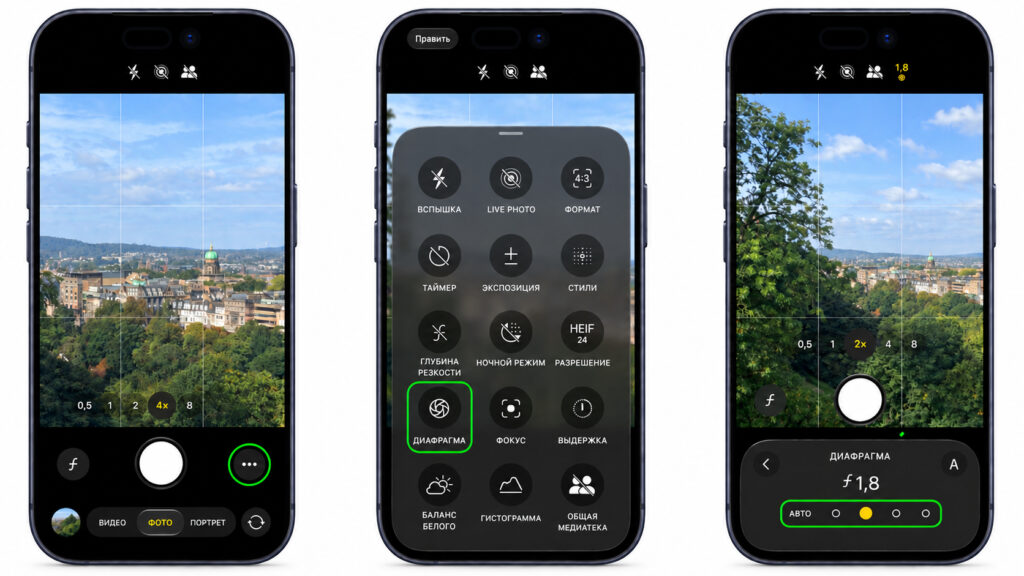
Setting the variable aperture on an iPhone
- Open the Camera app and tap the six-dot button in the bottom-right corner of the interface.
- Select Aperture in the control panel that appears.
- Tap one of the four circles to set a value. From left to right they are f/1.48, f/1.8, f/2.8 and f/4.0.
- To hand control back, tap the Auto button on the left and the iPhone will choose the aperture itself again.
Manual mode is useful when you know exactly what shot you want and the automatic mode keeps choosing something else. The easiest way to see the difference is to shoot the same scene at all four values in a row; the change is visible immediately without any charts.
How the aperture value affects a photo
The source frames the variable aperture as a bet on real optics rather than software simulation: the background blur comes from the lens, not from processing. The smaller the f-number, the wider the opening and the more light reaches the sensor. At f/1.48 the camera admits the most light, can use a shorter shutter time in the same conditions, and produces a shallow depth of field. The background blurs and the subject stands out.
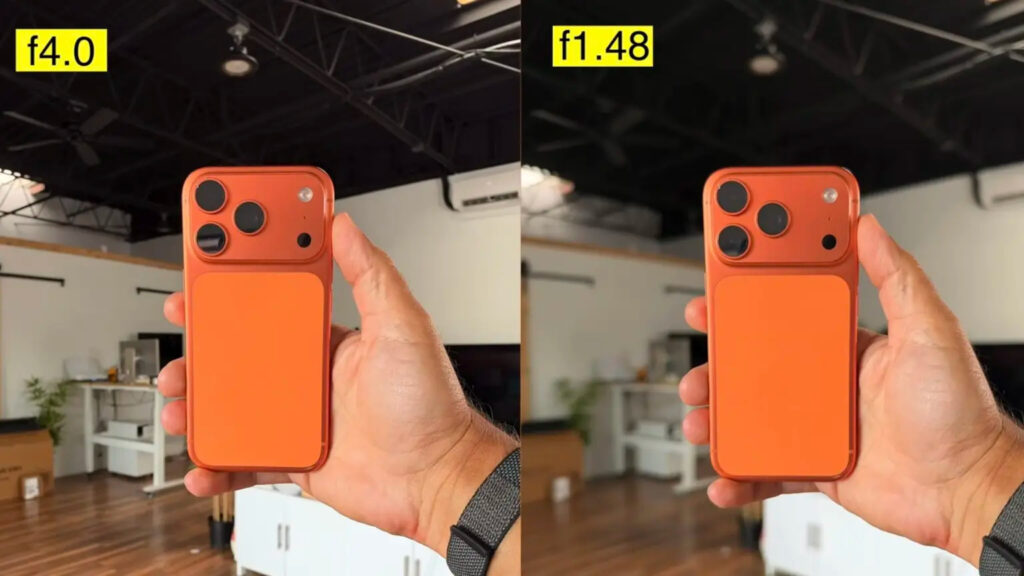
A shot taken at different aperture values
The larger the number, the narrower the opening. Less light gets in, but more of the scene stays in focus. The source recommends f/4.0 for landscapes and group portraits where both foreground and background need to be sharp. The intermediate values, f/1.8 and f/2.8, are described as a sensible everyday compromise between light and depth of field.
Everyday examples
Photographing food in a cafe and want the whole plate sharp rather than just its edge? Choose a higher value. Photographing a person and want to separate them from a busy background? Choose f/1.48. Previously a similar effect required Portrait mode, which, the source notes, sometimes smeared the edges of hair and glasses. With optical blur, the transitions are described as more natural and cleaner on complex outlines.
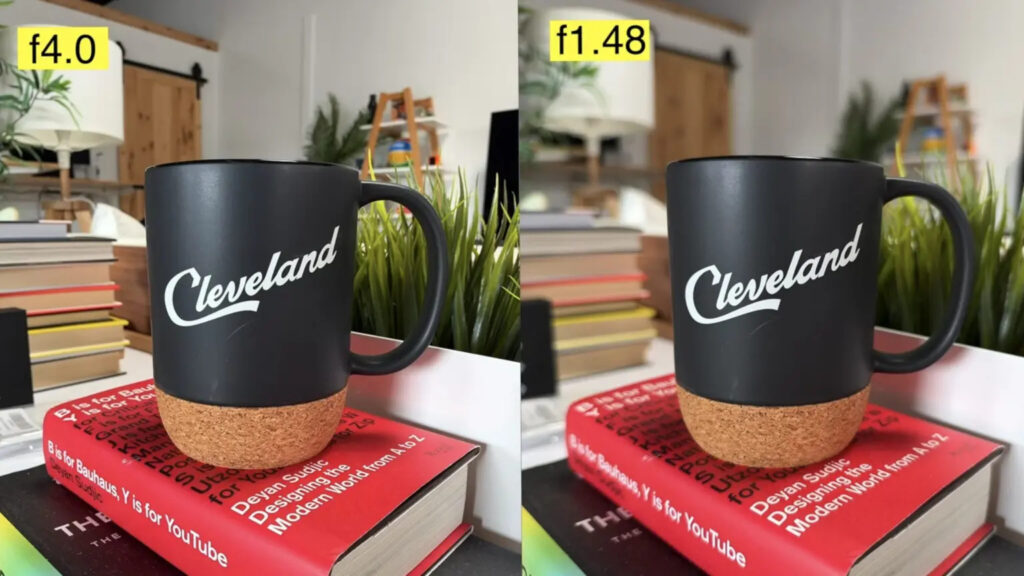
Example photo at different aperture values
Practical tips for shooting
Experimenting with aperture values, using night mode and taking dozens of takes drains the battery quickly; the source notes the camera remains one of the most power-hungry uses of the phone, so fast charging helps on long shooting days.
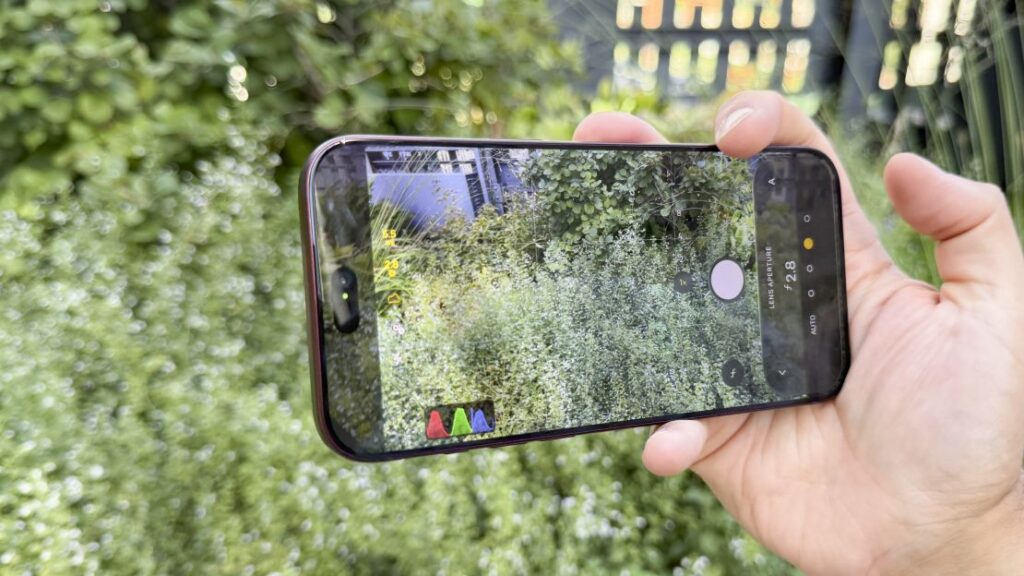
Shooting with an iPhone 18 Pro Max
In the dark, do not rush to f/4.0 for edge-to-edge sharpness. At that value the camera will not have enough light, so it will fall back on a long exposure or night mode, bringing back the risk of motion blur. In low light, the source advises keeping a wide aperture or trusting the automatic mode to find the balance.
For daytime portraits, do the opposite and try f/1.48. The background will fall into soft blur produced by the optics rather than a software effect, and the transitions should look more natural than in Portrait mode. That, according to the source, is the whole point of the new module: depth of field can now be changed for real instead of being painted in afterward.
Finally, manual mode is not an obligation. The source says the iPhone 18 Pro’s automatic mode reads scenes well and picks a reasonable value in most cases. Manual aperture control is best treated as a tool for shots where you have a specific idea in mind, rather than a daily routine.


