Russian tourists have been struggling with payments abroad for several years now. Visa and Mastercard don’t work, UnionPay isn’t accepted everywhere, and cash needs to be exchanged somewhere at an unfavorable rate. Now the bank has expanded its geography — QR payments now work in Thailand too. Sounds ideal, but in practice, things aren’t so straightforward.
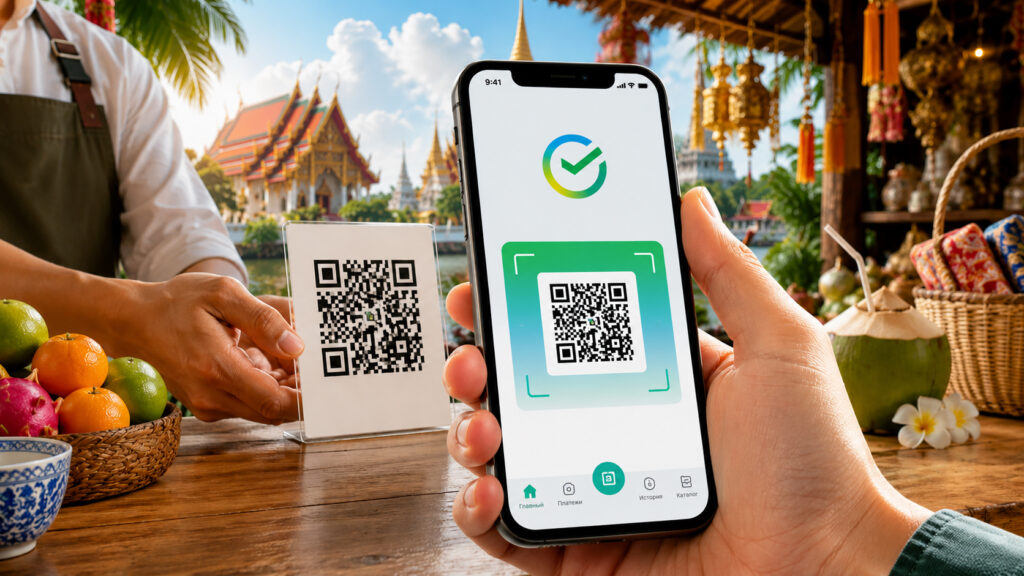
You can now pay with a QR code via Sber in Thailand
How Thai QR Payment Works for Tourists from Russia
At the end of April 2026, Sber launched a new feature — the ability to pay via QR code in Thailand. It works through the Thai QR Payment system, which is supported by many Thai terminals. Essentially, it’s an analog of Russia’s SBP (Fast Payment System), but for international payments.
Look for this sticker and you’ll definitely be able to pay
The idea is simple: you go to the checkout, ask the seller to show the Thai QR, scan the code through the Sber app — and the money is debited from your ruble account. Conversion happens automatically, and you see the final amount in rubles before confirming. No intermediate currencies, no cards needed.
For Russian tourists in Thailand — one of the most popular travel destinations — this payment method could be a real lifesaver. But we’ll come back to that.
How to Enable QR Payment in SberBank Online on iPhone
The first thing to check is the version of the SberBank Online app. On Android, you’ll need version 16.10 or newer; on iPhone — 17.0 or higher. You can check the current version in the “Settings” — “About the app” section. If you have something older, you’ll need to update.
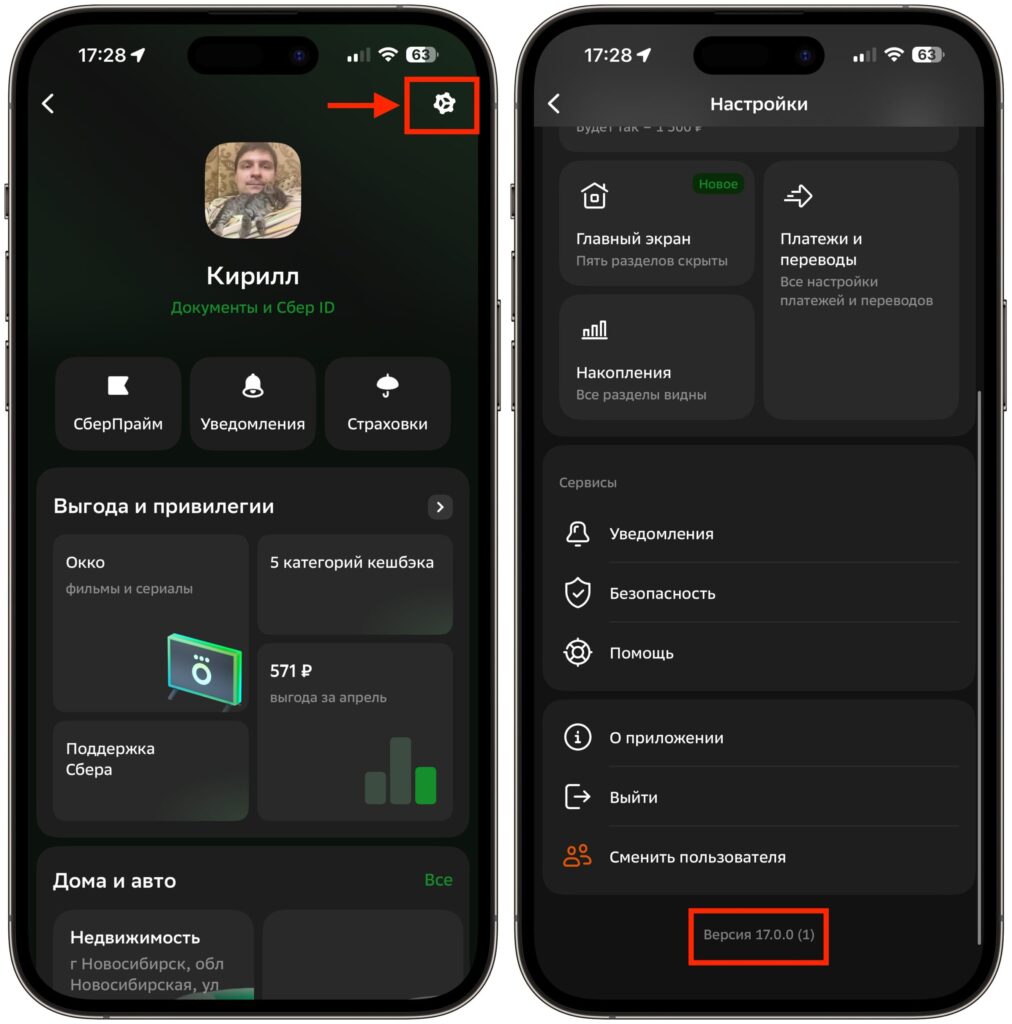
You can find the app version here
The payment process itself looks familiar to anyone who has ever paid via SBP in Russia. Open the Sber app, tap the QR code icon, point the camera at the seller’s terminal. In the next window, you’ll see the amount in rubles and be able to choose the account to debit from. If everything looks good — tap “Pay.”
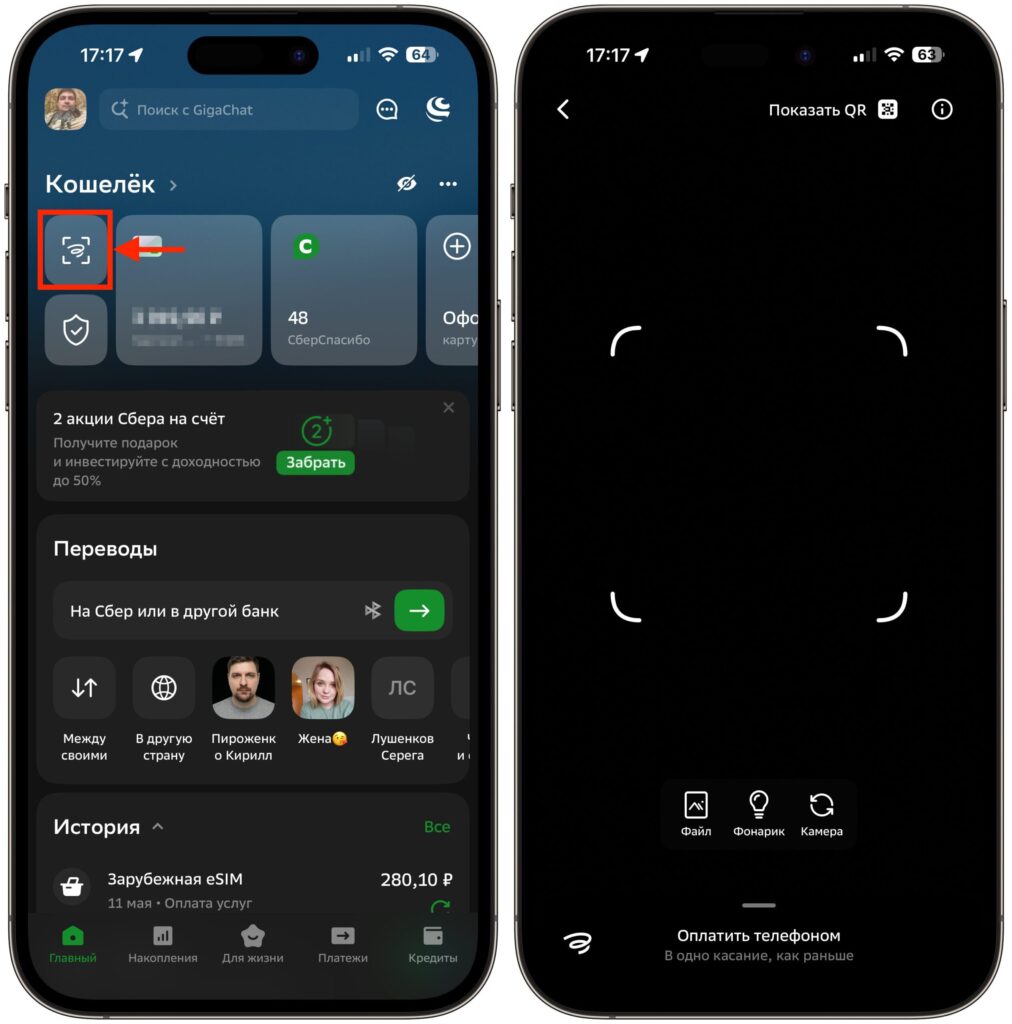
Launch the scanner and point it at the QR code
The only nuance is that the payment process takes time. According to reviews, anywhere from a few seconds to two or three minutes. For stores, this is tolerable, but at a coffee shop counter with a queue — it’s already uncomfortable.
Sber’s Baht Exchange Rate for QR Code Payments
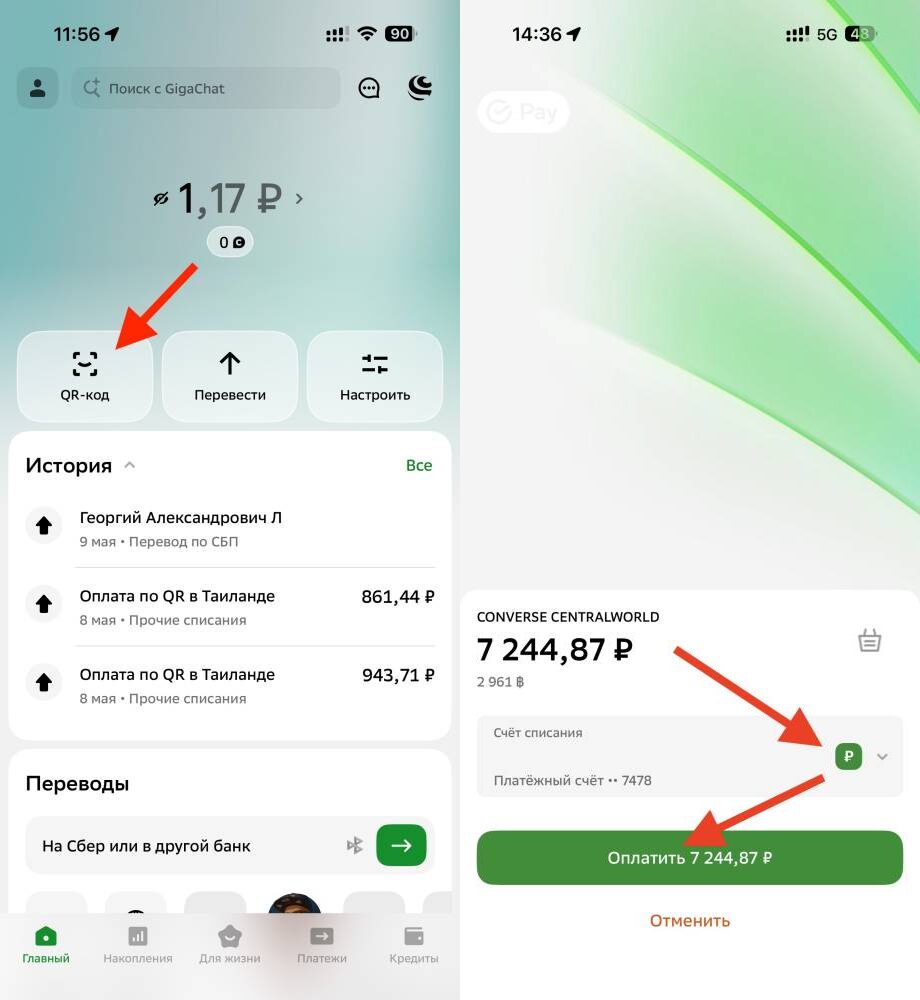
Here’s the payment amount that came up. Image: iguides.ru
One of the main questions is what exchange rate Sber uses to convert baht to rubles. Let’s do the math. Our colleagues at iGuides tested a payment at a Converse store: 2,961 Thai baht = 7,244.87 rubles. That gives an exchange rate of 2.45 rubles per 1 baht. For comparison: the official Central Bank of Russia rate as of May 13, 2026, was 2.26 rubles per 1 baht. This means Sber converts at 7.3% more than the Central Bank rate.
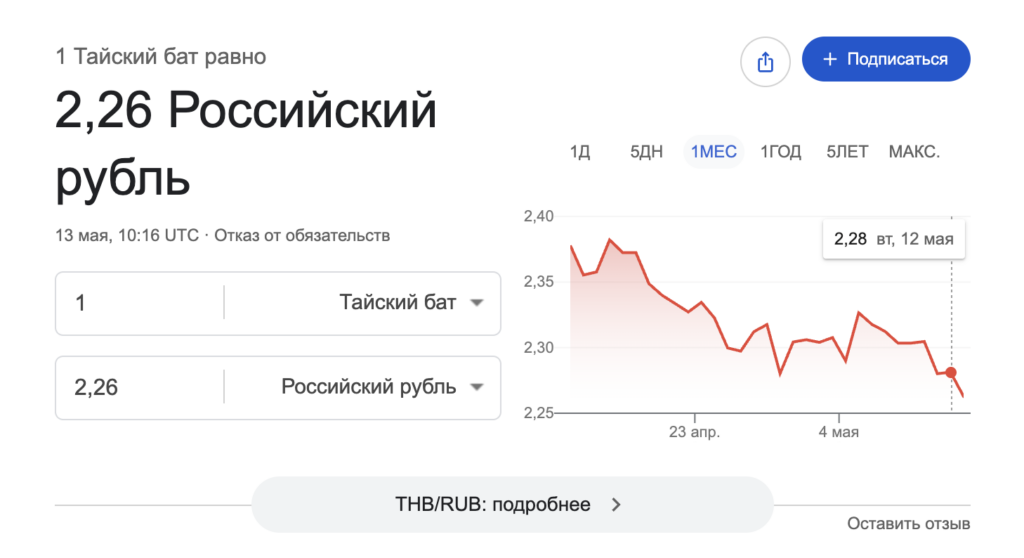
There is a difference from the market exchange rate
Is that a lot or a little? Depends on what you compare it to. If you exchange cash rubles for baht at an exchange booth at Bangkok airport, the difference can reach 10-15%. At a regular street exchange office — 3-5%. So Sber’s rate is somewhere in the middle: not ideal, but not outrageous either. Plus — no additional fees. Meaning you see the final amount and pay exactly that, with no surprises. For the Converse purchase of 2,961 baht, the difference between Sber’s rate and the Central Bank rate is about 490 rubles. On large purchases, that’s noticeable, but for ice cream or coffee — practically imperceptible.
Why QR Payment via Sber in Thailand Might Not Go Through
And here’s where it gets really interesting. QR payment doesn’t work everywhere — and that’s the main limitation. According to reviews from those who’ve already tested the service, the QR code worked successfully at a Converse store, when buying ice cream at the Grand Palace, but at New Balance and Levi’s the payment didn’t go through. The terminals in those stores simply didn’t support Thai QR.
Another unpleasant situation is payment blocking by Sber. After several consecutive purchases, the bank’s security system may block QR payments for 24 hours, deeming them suspicious. Imagine: you’re at a market in Bangkok, you’ve picked up some souvenirs, and on the third purchase, your ability to pay is simply shut off. And you have to wait a full day.
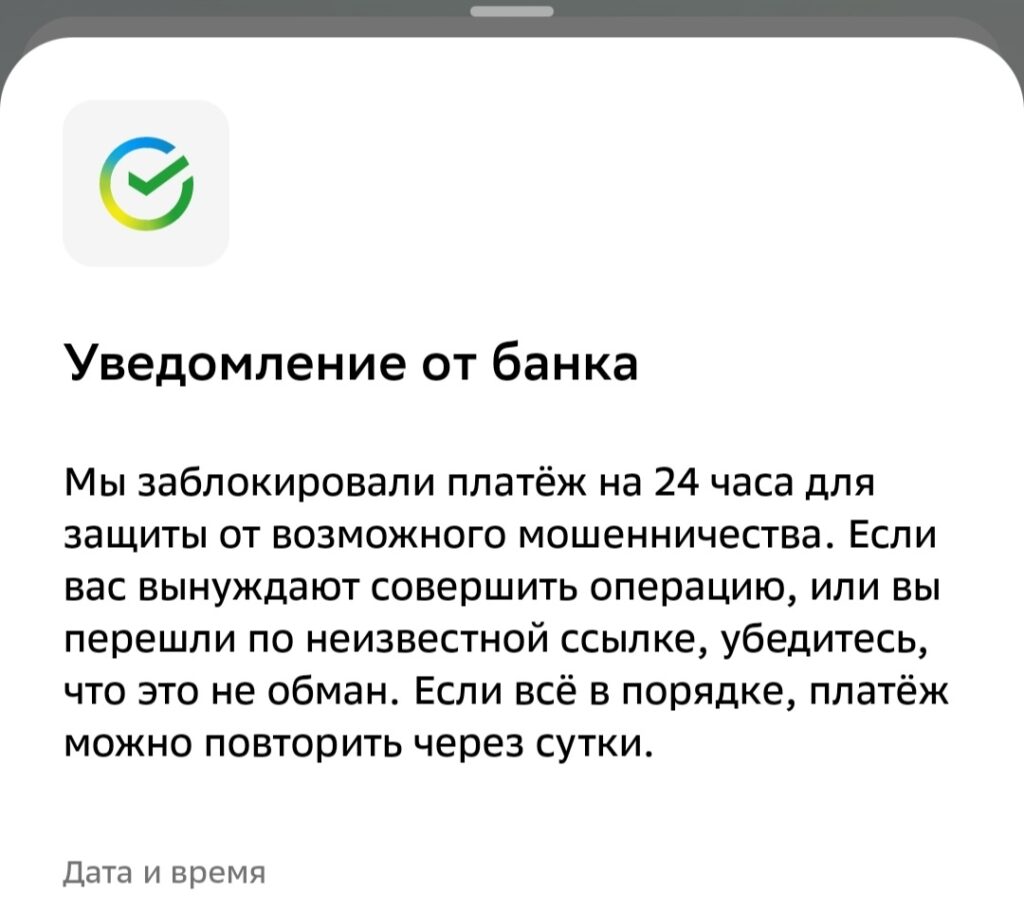
You might get blocked for 24 hours, so notify the bank about your trip. Image: pikabu.ru
To avoid this, notify the bank about your trip in advance. The Sber app has a feature to report traveling abroad. It’s not guaranteed to 100% prevent blocking, but it will definitely improve your chances.
There are also less obvious downsides. Not all sellers know what Thai QR is — especially at markets and small shops. If a Thai seller is used to accepting only cash or cards, they may simply not understand your request. In large shopping centers, things are usually better, but it’s still hit or miss.


