If your Android smartphone stops charging at 80% even though the cable, adapter and charging indicator all seem to work, the most likely explanation is a built-in battery protection setting, not a broken battery or charger. Many modern Android phones can cap charging at a set level to reduce battery wear. The limit can usually be changed in the battery settings, though menu names and options vary by manufacturer, model and firmware.
What you need to know
- Many Android phones include a battery protection feature that most often stops charging at 80%, even while the phone stays plugged in.
- A fixed charge limit is different from adaptive charging. Adaptive charging delays charging so the phone reaches 100% around the time you usually unplug it.
- On the vivo X300 running OriginOS 6, the source author reports that the maximum charge level can be set anywhere from 70% to 100%.
- If charging stops at exactly the same level every time, a software limit is more likely than a faulty charger.
Why manufacturers deliberately limit charging
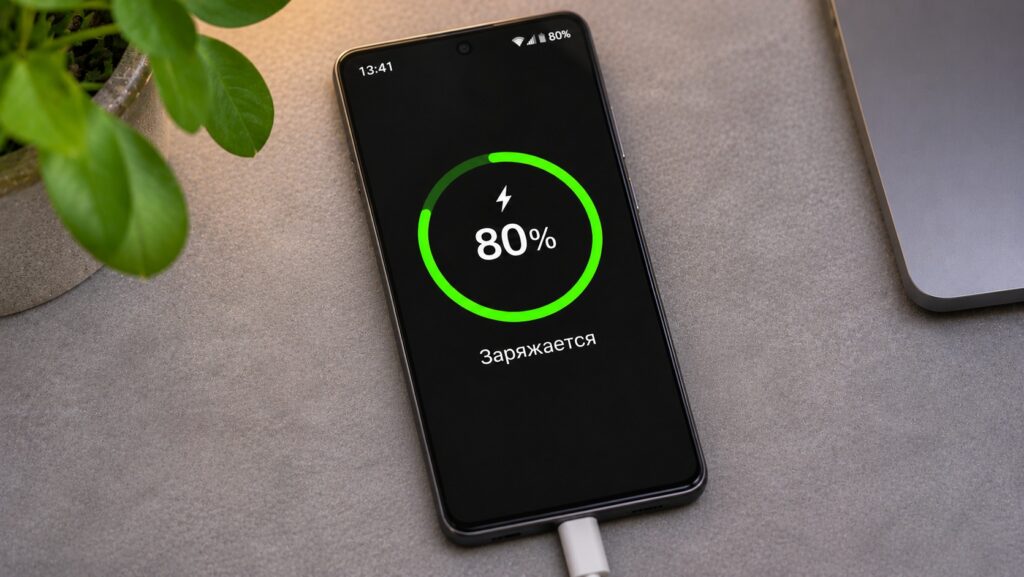
A smartphone charged to 80%
Modern smartphones use lithium-ion batteries, which gradually lose their original capacity. According to the source, two factors take a particular toll: high temperatures and long periods spent at maximum charge. Manufacturers therefore added battery protection features to reduce strain on the battery.
Most often, this protection caps charging at 80%. Once the phone reaches the set level, the system stops adding charge, even if the cable is still connected. This is normal behavior, not a malfunction.
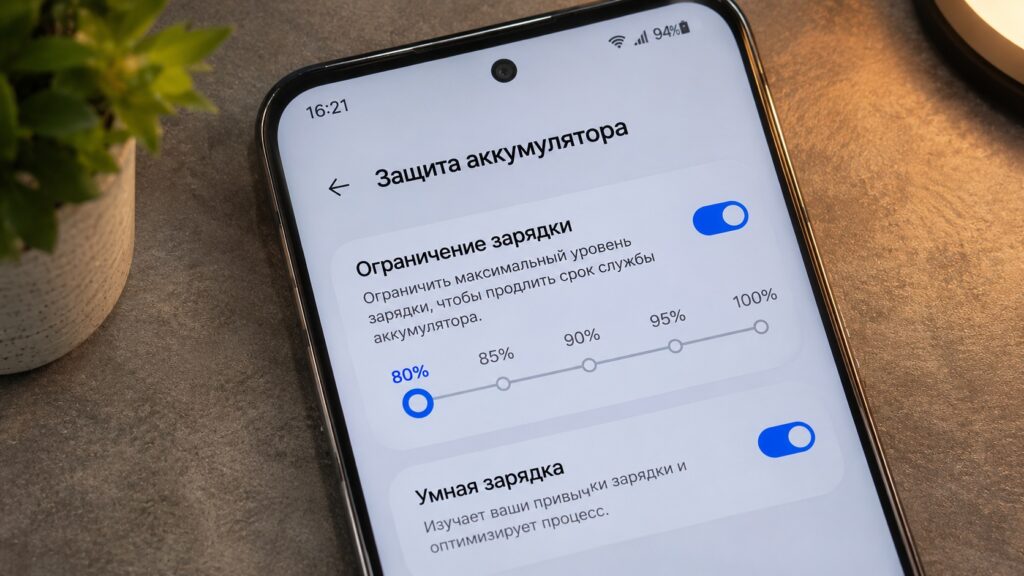
Charging limit in the settings of an Android smartphone

Two kinds of limits that look the same
Limits that look identical at first glance can work in different ways:
- Fixed limit: the battery charges only to a chosen level, such as 80%, until the user changes the setting.
- Adaptive charging: the phone temporarily holds back charging so that it finishes around the time it expects to be unplugged.
Adaptive charging is especially useful overnight. The phone can stay at a partial charge for several hours and then top up to 100% closer to morning, so the battery spends less time fully charged. The source stresses that charging between 20% and 80% is a recommendation for reducing wear, not a requirement. Charging a phone to 100% will not break it.
How to restore full charging in battery settings
If a phone consistently stops at 80%, the first thing to check is the system charge limit. The source author demonstrates the process on their own vivo X300 running OriginOS 6. On this device, the manufacturer lets users choose the maximum charge level themselves, and the options are not limited to the standard 80%.
On the vivo X300, the source describes these steps to restore full charging. Menu names below are translated from the Russian interface, so the wording on an English-language interface may differ:
- Open the phone’s Settings.
- Go to Battery.
- Select Battery health and charging.
- Tap Battery charging optimization.
- Move the Maximum charging level slider to 100%.
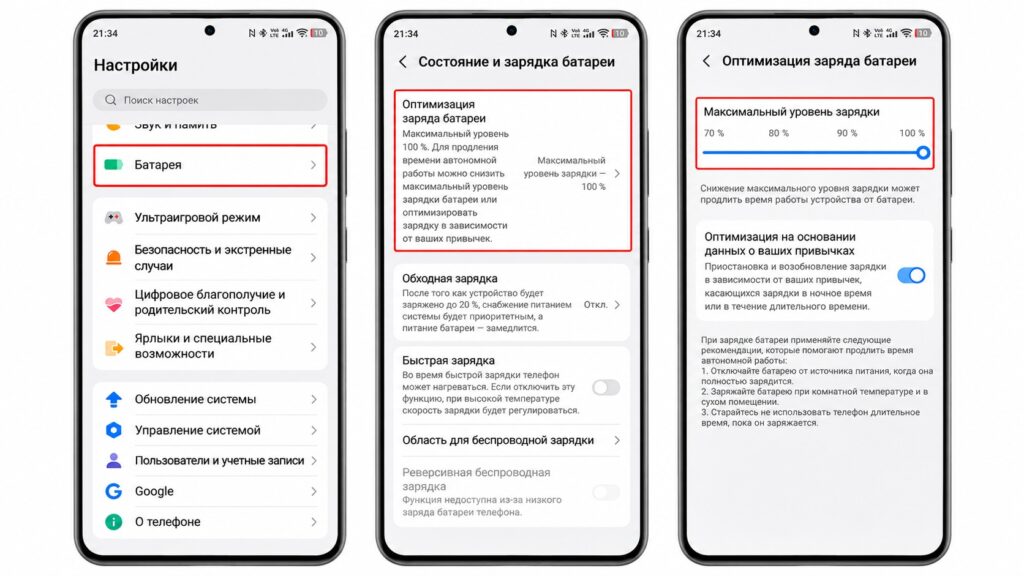
Charge limit settings on the vivo X300

The source author reports that their phone allows a maximum level anywhere from 70% to 100%. This lets users find a compromise between preserving battery life and getting enough runtime. For example, if 80% does not last until evening, the author suggests trying a 90% limit and seeing how battery life changes, rather than abandoning protection entirely. Before a long trip or a long day away from an outlet, full charging can simply be switched back on.
Other brands use different menu names
On Samsung, Xiaomi, HONOR and other Android phones, the menu items may be named differently. The source suggests looking in the battery settings for sections such as battery protection, charging optimization or something similar. Some devices do not let users choose a maximum percentage manually at all, so the available options depend on the model and firmware.
Smart charging that adapts to your routine
A phone can also stop at 80% even when the maximum limit is set to 100%. On the vivo X300, a separate feature handles this. Its name translates roughly as optimization based on data about your habits, and it sits in the same menu as the maximum charge level setting.
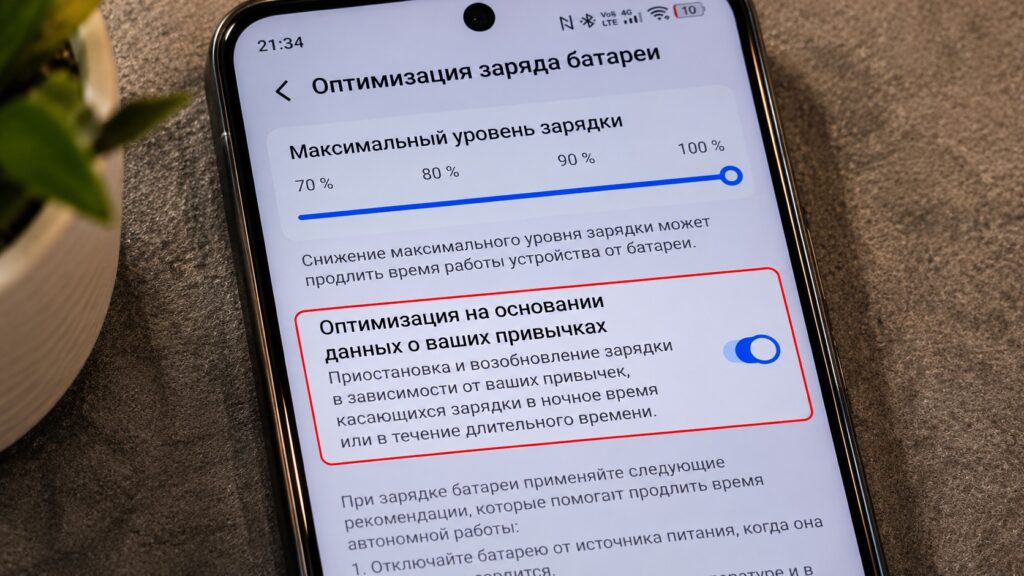
Charging optimization in smartphone settings
The phone analyzes when it is usually plugged in and tries to reduce the time the battery spends at a high charge. For example, if the device is regularly charged overnight, the system may pause charging and resume it later.
The key point is not to confuse the two mechanisms. The slider sets a hard maximum level, while habit-based optimization controls when charging happens. If the limit is set to 80%, turning off the adaptive feature alone will not let the battery reach 100%. The source recommends leaving smart charging on in most cases. However, if the phone misjudges your daily routine or does not finish charging in time, the feature can be turned off.

When stopping at 80% is not about protection
Sometimes a phone stops charging properly because of a genuine technical problem. If the maximum limit is set to 100%, adaptive charging is off and the battery still does not charge further, other causes should be checked.
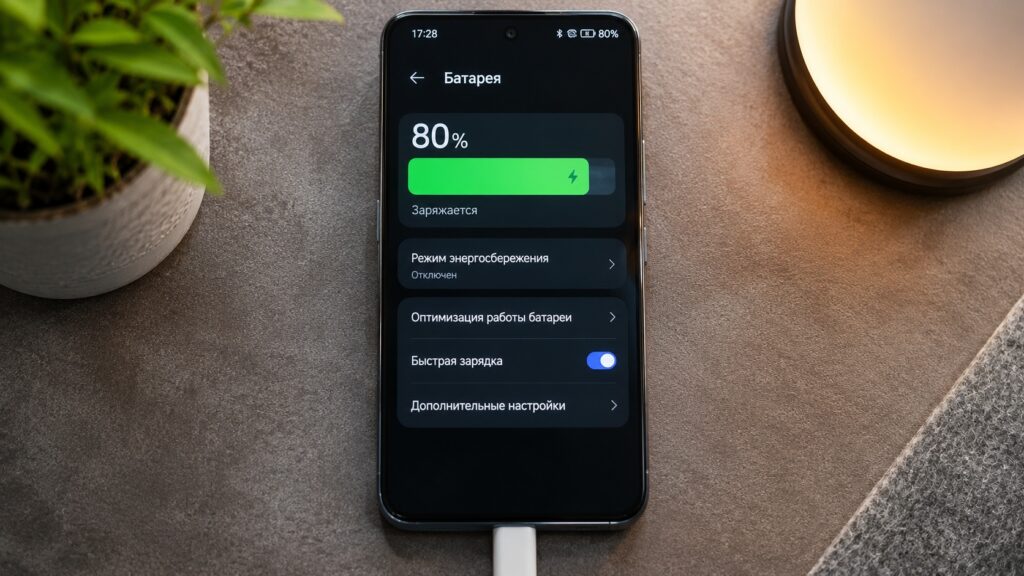
A smartphone that charges only to 80%
The source lists these as the most common causes:
- Overheating: the system may temporarily slow or pause charging to protect the battery.
- A faulty cable: a damaged cable or adapter can disrupt the power supply.
- Port problems: a dirty or damaged USB-C port can sometimes interfere with normal charging.
- A software glitch: charging may misbehave after a system update.
- Battery faults: a worn battery or controller problems can cause unusual behavior.
The source recommends these first steps:
- Unplug the phone, let it cool down and try charging again.
- If the problem continues, check the cable and adapter.
- Restart the phone.
- Make sure the charging limits really are turned off.
A faulty charger usually shows other symptoms besides stopping at 80%, such as slow or unstable charging. If the phone stops charging at exactly the same level every time, a software limit is the more likely cause. If these simple checks do not help, and the phone gets noticeably hot or shuts down on its own, the source advises taking it to a service center.

Charging to 100% will not kill your battery
Once you know about these protection settings, an obvious question follows: should you charge your phone fully at all, especially when the manufacturer itself offers an 80% cap to extend battery life?
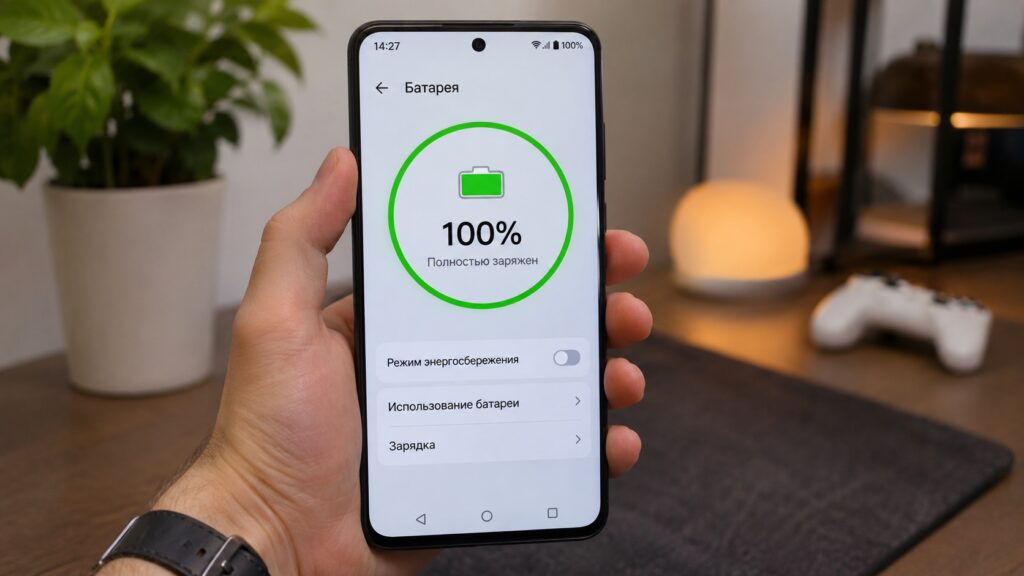
A smartphone charged to 100%
According to the source, the answer depends on how you use the device. A limit does reduce the time the battery spends at a high charge. However, you also voluntarily give up 20% of the available capacity. For a phone that already struggles to last until evening, that may be too big a sacrifice. The source suggests basing the choice on your own habits:
- If the phone is near a charger for most of the day, the 80% limit can stay on.
- If you want a balance between battery life and protection, try 90%.
- If you have a long trip or a busy day ahead, charge fully.
Battery temperature matters no less. Citing the results of a long-term experiment it covered previously, the source notes that avoiding strong heat is often more beneficial than constantly watching every percentage point.
So if your phone has stopped charging past 80%, there is no need to panic. In most cases, checking the battery protection settings and adjusting the limit is enough. Whether to keep the limit on is up to the owner. As the source concludes, preserving battery life only makes sense when it does not get in the way of using the phone normally.