Place your phone on a wireless charging pad and within half an hour it will be noticeably warmer than the same device charged via cable at the same input wattage. The reason isn’t a defect — it’s physics. Wireless charging converts electricity into a magnetic field and back again, and every conversion step sheds energy as heat. According to testing by iFixit, a standard Qi charger with slightly misaligned coils can consume nearly twice as much wall power as a cable to deliver the same charge. Even the best magnetic-alignment standards like Qi2 and MagSafe still trail a good cable by roughly 20–25 percentage points in efficiency. The practical question is whether that extra heat actually damages your battery — and what you can do about it.
What you need to know
- Wireless charging involves five energy conversions versus one for wired, producing significantly more waste heat at each step.
- In iFixit’s test, MagSafe/Qi2 drew 59% more power from the wall than entered the battery; a misaligned Qi pad was nearly twice as wasteful as cable.
- After 500 charge cycles, battery capacity loss was about 23% with wireless charging versus 18% with cable, according to the source’s cited data.
- Overnight wireless charging is the worst-case scenario because it combines sustained heat with a full state of charge — both accelerate battery aging.
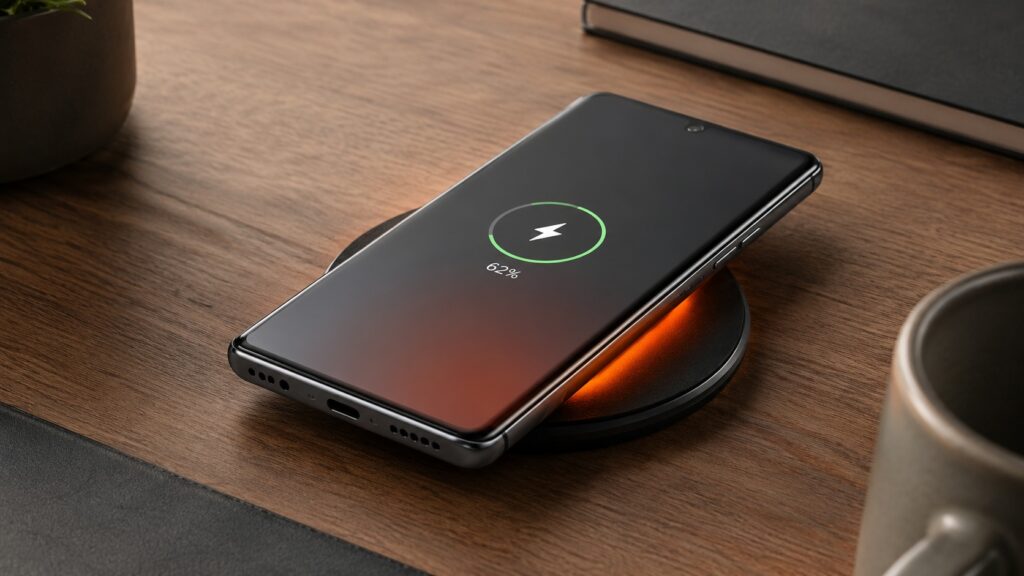
Understanding why smartphones heat up on wireless chargers
Where the extra heat comes from
Wired charging is relatively straightforward: a power adapter converts AC mains power to DC at the correct voltage, and that current flows directly into the battery. One conversion, one set of losses.
Wireless charging is far more complex. The adapter still produces DC, but the charging pad’s circuitry converts it back into high-frequency AC, pushes it through a flat coil, and generates an alternating magnetic field. A receiving coil inside the phone captures part of that field and converts it back into current, which is then rectified once more for the battery. That amounts to five conversions instead of one, and each step dissipates energy as heat.
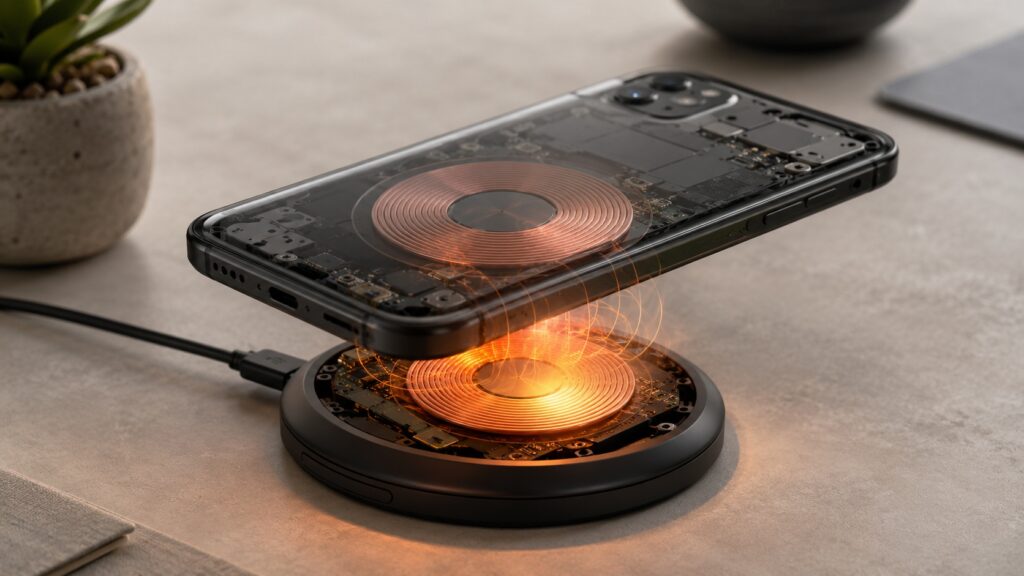
The alternating magnetic field is the core of the efficiency problem
The biggest single loss occurs during the air-gap transfer. The transmitting coil’s magnetic field radiates in all directions, but the receiving coil only captures the portion that passes through its plane. The rest simply dissipates into the surrounding space — a fundamental limitation of the technology.

How much energy is wasted — iFixit’s test numbers
The iFixit team charged an iPhone 15 Pro from 0 to 100% using different methods and measured every watt-hour. Their findings:
- Wired charging with a modern adapter drew roughly 36% more power from the wall than actually entered the battery — typical adapter overhead.
- MagSafe (Qi2 standard), the most efficient wireless option tested, required 59% more wall power than the battery received.
- Standard Qi pad with slight coil misalignment consumed nearly double the energy compared to cable.
The percentage gaps may sound modest, but they translate directly into real heat — heat you can feel in your hand, heat that warms the desk beneath the pad, and, most importantly, heat that stays trapped inside the phone.
Why coil alignment matters so much
The more precisely the transmitter and receiver coils are aligned, the lower the losses. This is exactly why the Qi2 standard introduced magnetic alignment: Qi2 and MagSafe chargers lock the coils into position to within fractions of a millimeter.
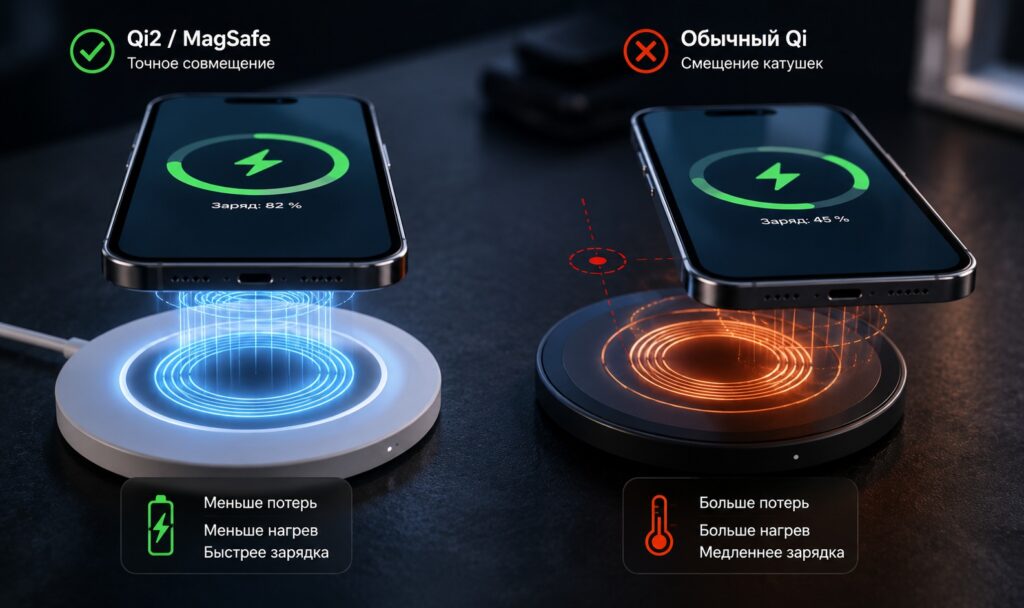
The Qi2 standard partially solves the alignment problem
A standard Qi pad without magnets is far less forgiving: a misalignment of just a few millimeters can double the energy losses. That’s why, in iFixit’s test, the plain Qi charger lost twice as much energy as cable, while MagSafe stayed noticeably closer to wired efficiency. If you use a mat without magnetic alignment, the habit of placing your phone “roughly in the center” is genuinely costing you extra heat.

How hot does the phone actually get?
Heat is generated in two places simultaneously — inside the charging pad and inside the phone’s receiving coil — so both devices warm up. In iFixit’s test, wired charging briefly pushed battery temperature to around 30 °C. With wireless charging, the battery consistently stayed above 30 °C and in worst-case scenarios reached 40–45 °C, with the back panel becoming noticeably warm to the touch.
There’s a secondary consequence: the phone’s charge-management system throttles current as temperature rises to protect the battery. This is why wireless charging is almost always slower than cable at the same rated wattage.
Is this heat actually dangerous for the battery?
A lithium-ion battery is a chemical system, and temperature affects it directly. The reference resource Battery University considers 30 °C the lower threshold of “elevated temperature”: above that mark, side reactions accelerate, irreversibly consuming active lithium and gradually eroding capacity.
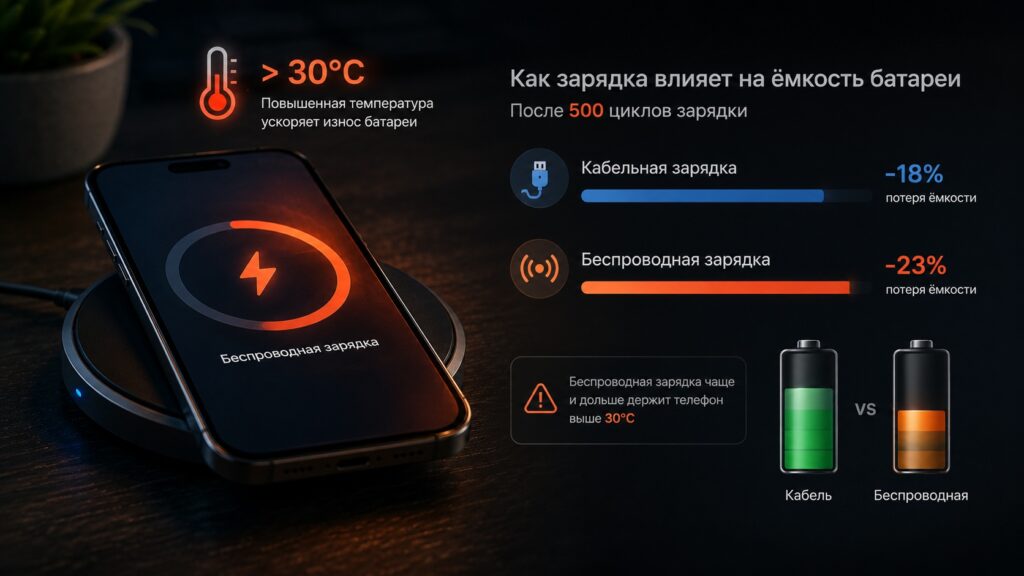
Wireless charging does pose a greater risk to long-term battery health than wired
According to the data cited in the source, after 500 charge cycles a battery charged via cable loses about 18% of its capacity, while one charged wirelessly loses about 23%. The primary reason is that wireless charging keeps the phone above 30 °C more frequently and for longer periods. Five percentage points over a year to a year and a half isn’t catastrophic, but it’s noticeable for anyone who keeps a phone for three to four years.
The worst-case scenario: charging overnight
The most damaging pattern for battery longevity is leaving a phone on a wireless pad all night. The battery reaches 100% relatively quickly, but the pad continues to “ping” the phone for hours afterward, maintaining low-level heat. Meanwhile, the battery sits at its upper charge limit the entire time. The combination of full charge and elevated temperature is the single biggest accelerator of battery aging.

A straightforward mitigation is to enable the charge limit feature (typically 80%) available in both iOS and Android. This addresses both factors at once: the temperature drops sooner because charging ends earlier, and the battery never reaches its stressful upper voltage limit. In this mode, the difference between wireless and wired charging becomes minimal.
Practical recommendations
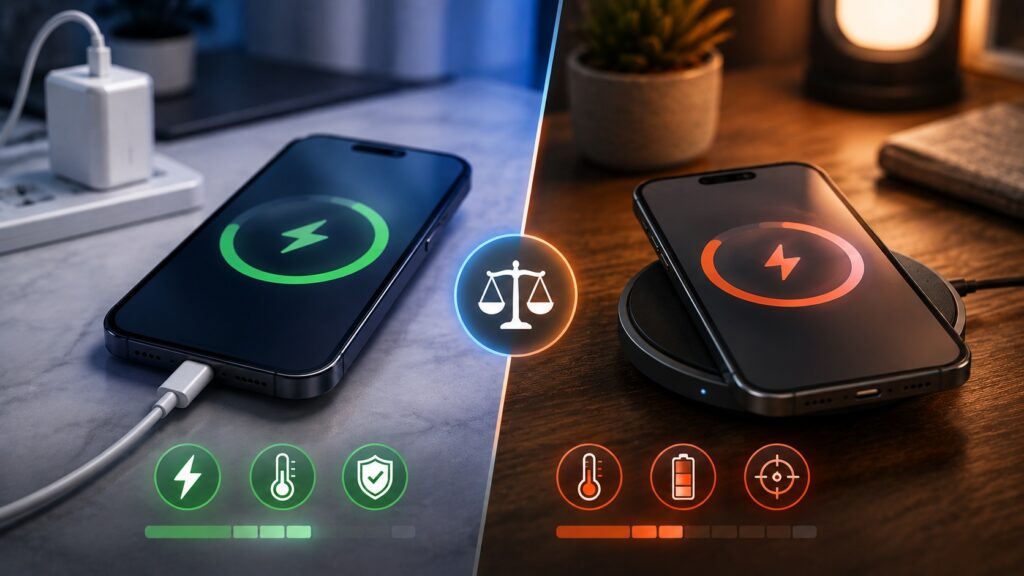
Wireless charging has its own advantages — the key is using it wisely
The bottom line: wireless charging is safe to use, and there’s no reason to panic about the heat. But convenience does come at a cost — higher temperatures and slightly faster battery aging. Even Qi2 and MagSafe, the most efficient wireless standards available, trail a good cable by roughly 20–25 percentage points in efficiency. The physics of five energy conversions can’t be circumvented.
A sensible compromise:
- For fast, cool charging — especially when you need a quick top-up before heading out — use a cable.
- Use a wireless pad for daytime convenience at a desk, where you frequently pick up and set down the phone.
- If you charge overnight, enable the 80% charge limit and consider removing thick cases that trap heat.
- If you use a pad without magnetic alignment, take a moment to center the phone carefully to avoid doubling energy losses.
For most users, the practical sweet spot is simple: wireless for convenience, cable when you need speed and minimal heat.


