Despite the fact that there are many interesting browsers available on Android, many people continue to use the built-in Google Chrome as their primary browser. It’s stable and feature-rich, but even it has problems. Chrome on Android has stopped launching for many users. When trying to open the browser, a notification saying “You can have up to 5 windows” appears, and the app immediately closes, even if no other windows are open. Google has already assigned the issue the highest priority and is looking for a solution, but until one is available, Chrome can only be launched through a workaround.
Solving the five windows problem in Chrome
Why Chrome on Android Isn’t Working
The problem appeared in recent days and affects the stable version Chrome 148.0.7778.178. When launched, the browser instantly shows a message that the 5-window limit has been reached and closes. This happens regardless of the number of open apps, even with completely free RAM.
Most complaints come from Samsung tablet owners: Galaxy Tab S9 FE, Tab S6 Lite, and Tab A11+. A similar error has also been reported by Lenovo and Xiaomi tablet owners. It appears the bug affects tablets specifically, not smartphones.
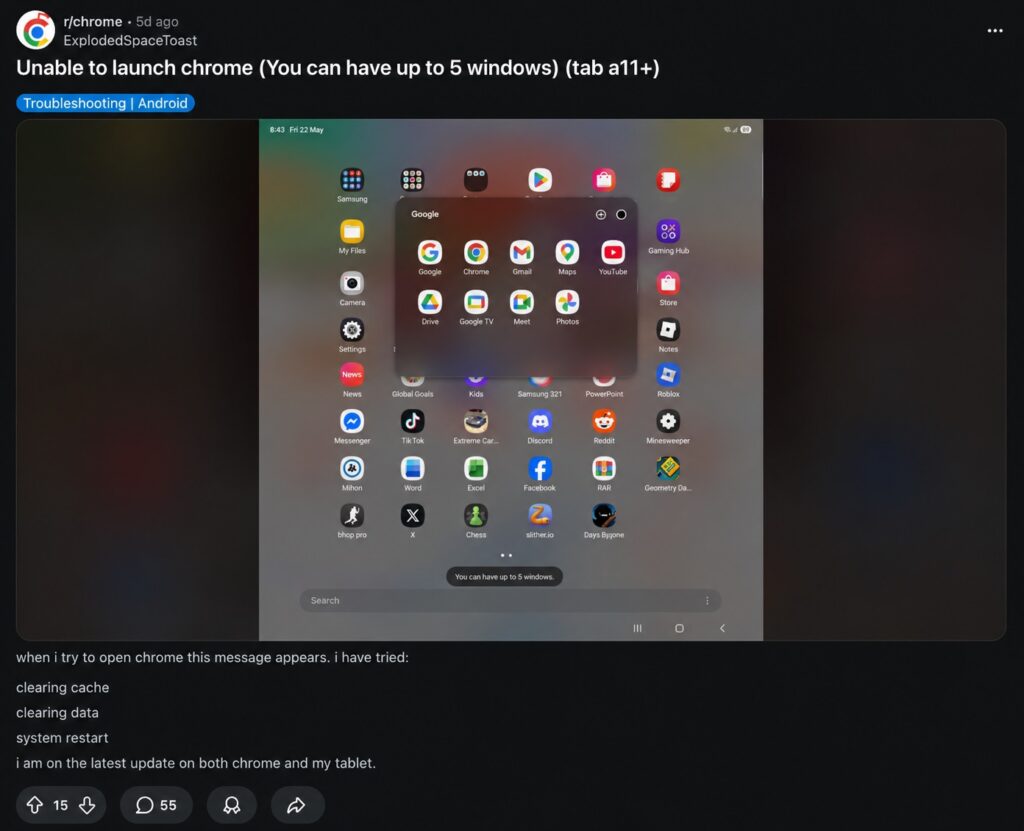
The problem has affected many users
Users on Reddit have tried clearing the cache, force-stopping the app, and restarting the device — nothing helps. The browser simply won’t even show the start page. If you actively use Google Chrome for Android, this problem may affect you too.
What the Chrome 5-Window Limit Error Means
According to data from the Chromium tracker, the cause lies in a relatively new browser feature. Chrome recently learned to open incognito tabs as separate desktop-style windows — specifically for tablets. On devices with limited RAM, the browser loses track of these windows after they’re closed. As a result, Chrome thinks all 5 windows are occupied, even though there are actually no open windows at all.
Essentially, the browser blocks itself: it’s convinced the limit has been reached and won’t let the user even enter the app. Google is currently considering code changes that would disable the desktop incognito window feature on tablets with limited RAM.
Google Has Classified the Chrome Window Limit Bug as Critical
In the official Chromium bug tracker, the issue has been assigned P1 status — the highest priority. This means the Google engineering team is working on a fix as their top priority.
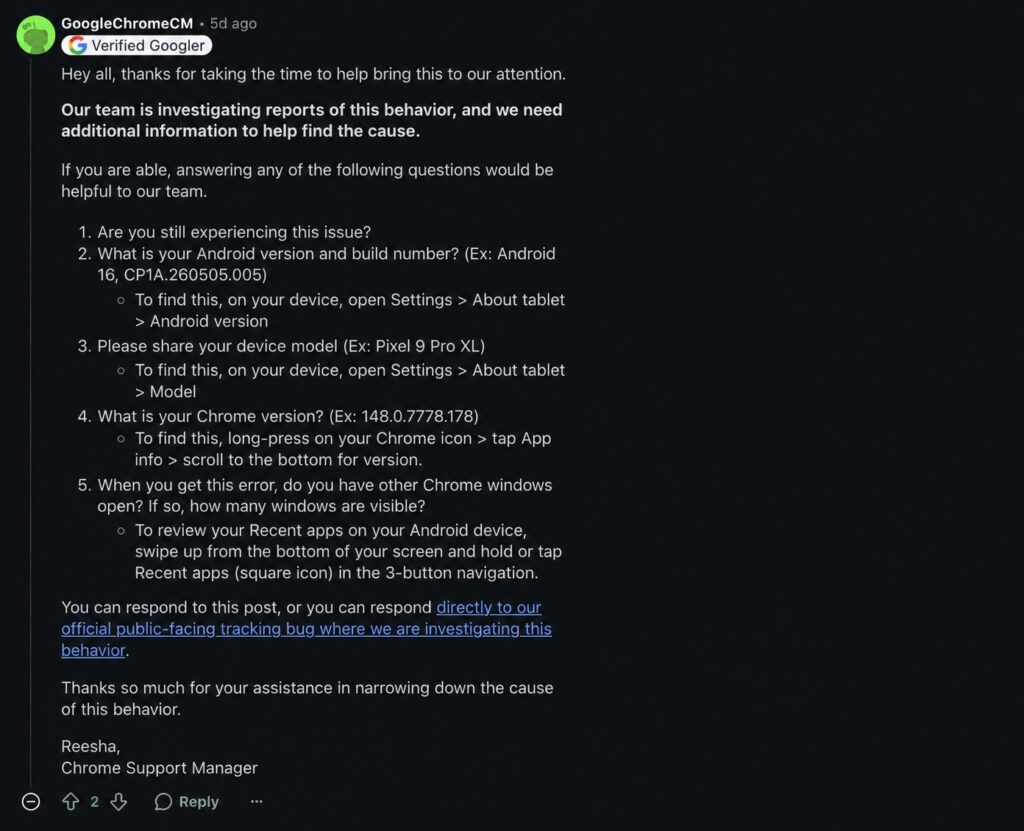
Google acknowledged the error and proposed a solution
Additionally, a verified Chrome support manager posted a public request to users on Reddit. He asked everyone who encountered the error to share their Android build number, device model, and number of windows — so engineers could more accurately reproduce the bug. Such an open data collection effort from the Chrome team is rare, further confirming the seriousness of the issue.
How to Launch Chrome on Android
Until Google releases an official patch, the only working method is to roll back Chrome to its factory version. Several users on forums have confirmed that this helps. Here’s what you need to do:
- Open Google Play and find the Google Chrome app.
- Tap “Uninstall updates” (this button will appear instead of “Update” if Chrome is a pre-installed app).
- Wait for the browser to revert to the factory version, then launch it.
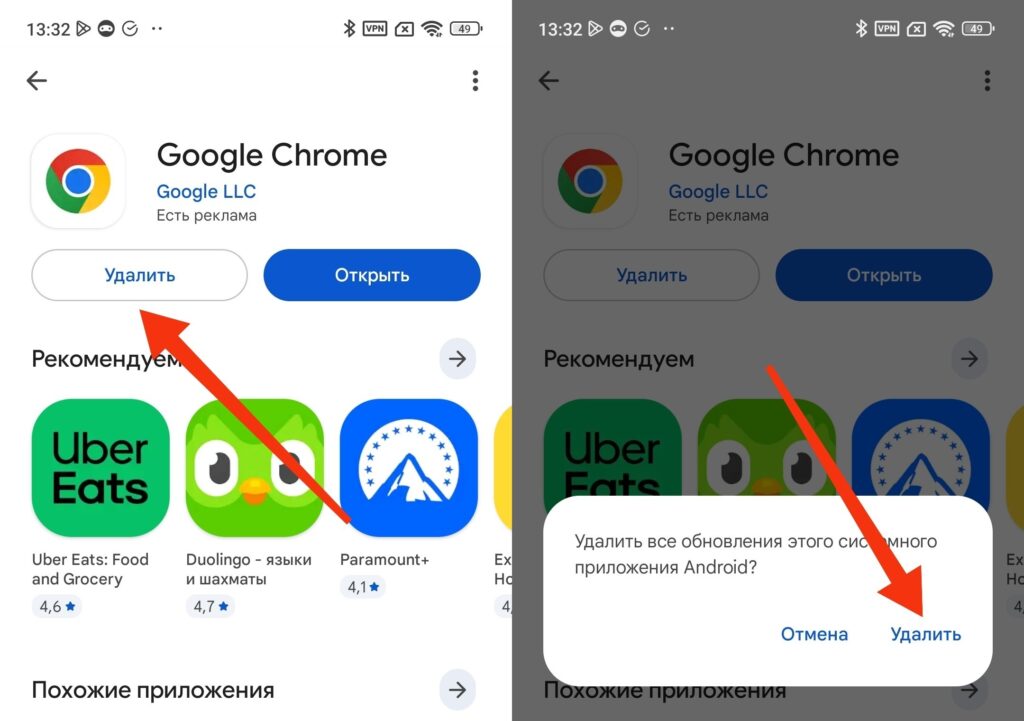
To fix the problem, you need to uninstall Chrome updates
Keep in mind that rolling back may cause you to lose local tabs that weren’t synced with your Google account. All bookmarks, passwords, and history linked to your account will remain intact. After rolling back, do not update Chrome until Google releases a fixed version.


