Chrome comes pre-installed on most Android phones, but according to the source author, it noticeably lags behind alternatives like Firefox, Brave, Edge, and Samsung Internet in several key areas. Extensions, interface customization, and privacy transparency — features that rival browsers have offered for years — remain absent or limited in Chrome on Android. Here is a breakdown of the specific shortcomings and who might benefit from switching.
What you need to know
- Chrome on Android still does not support browser extensions on phones and tablets; Google is reportedly working on extension support only for Android-based desktop devices.
- Alternatives like Samsung Internet offer fully customizable toolbars, tab bars, and menus, while Chrome limits toolbar customization to a single button chosen from five options.
- Chrome lacks a clear privacy dashboard showing what the browser has blocked, a feature already available in several competing browsers.
The source author deliberately moved away from Chrome for several reasons
Chrome still has no extension support on phones
The source author identifies this as the single biggest shortcoming. Most popular alternative Android browsers already support extensions — including ad blockers, third-party password managers, and price trackers. These extensions address many of the gaps that Chrome leaves open.
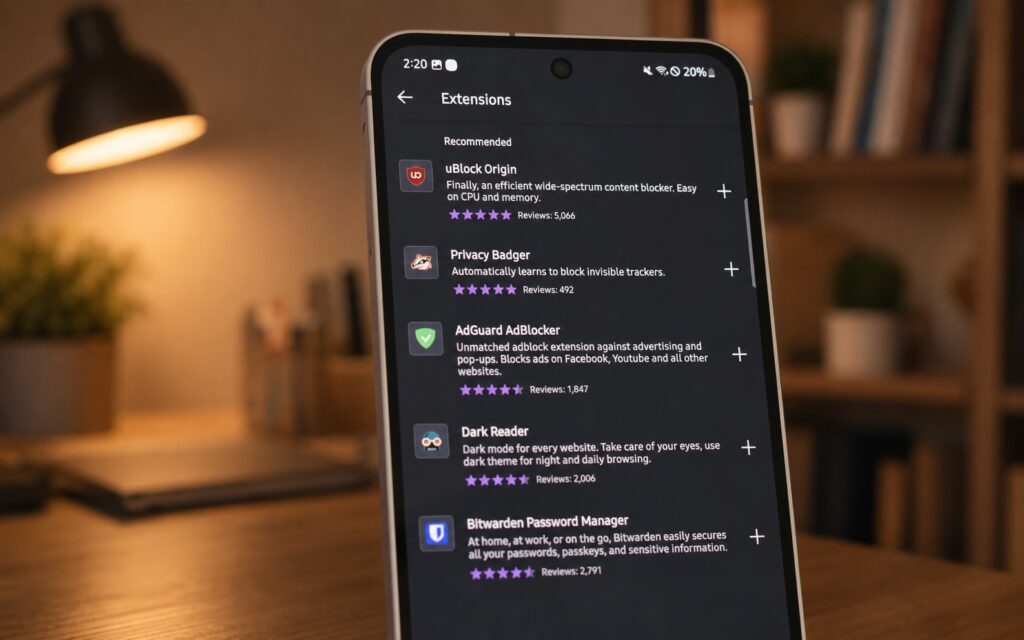
Useful extensions that are simply unavailable in Chrome on Android
The reason for the omission is arguably straightforward: Google’s revenue depends heavily on advertising, and ad blockers directly undermine that model. According to the source, Google is working on a version of Chrome with extension support, but it is aimed at Android-based desktop computers — not phones or tablets. There is no indication that smartphone users should expect this feature soon.

Interface customization is extremely limited
The source author notes that the ability to move the address bar to the bottom of the screen was treated as noteworthy news for Chrome — something that competing browsers have offered for years. The contrast with alternatives is stark.
For example, Samsung Internet allows users to add a tab bar at the top of the screen, enabling desktop-style tab switching on a phone. Chrome offers nothing comparable. Its toolbar customization is limited to adding a single button from a choice of five: new tab, share page, voice search, translate, or bookmarks. Samsung Internet, by contrast, lets users fully configure the toolbar with options like read aloud, text size, desktop mode, close tab, and more.
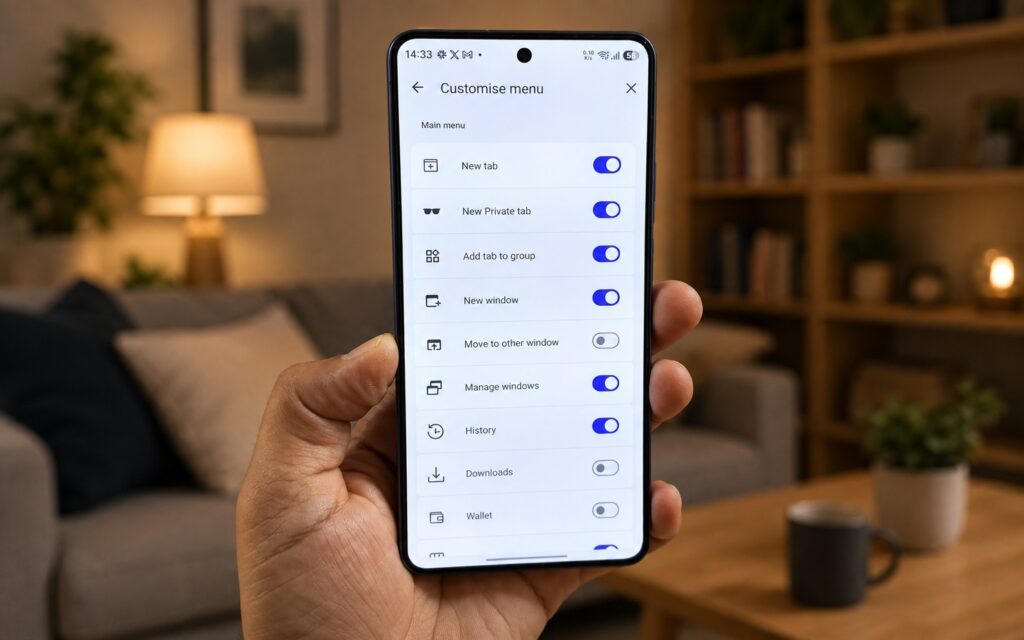
Samsung Internet’s customization options compared to Chrome
The rigidity extends to Chrome’s main menu, which does not allow users to add, remove, or reorder items. Most alternative browsers let users reorganize the menu to match their actual browsing habits. Chrome does not even allow setting a custom background image on the start page — a small detail, but one the source author considers telling.

Privacy transparency is lacking
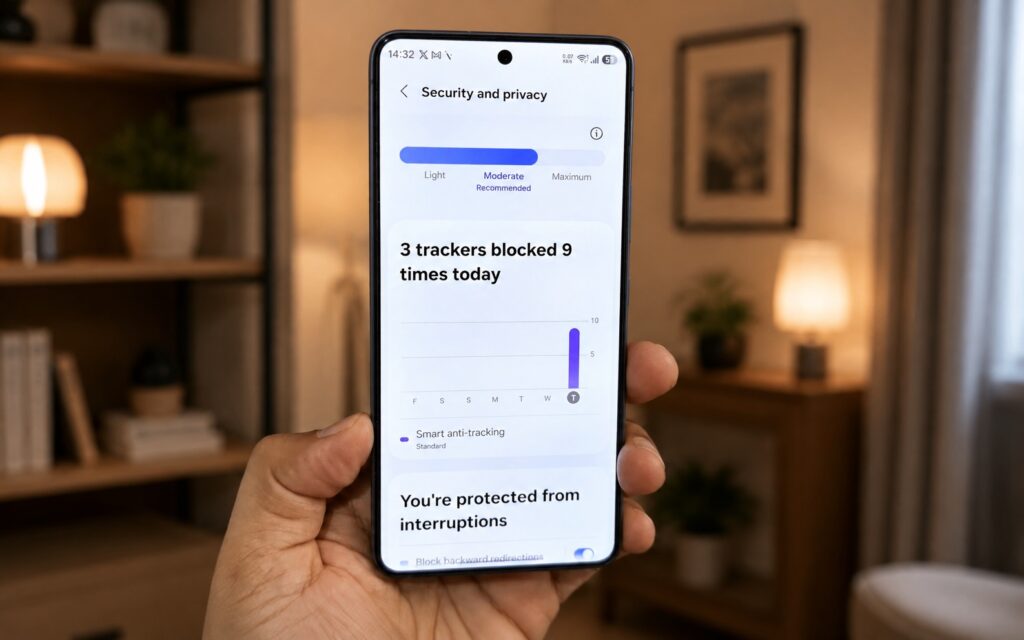
Chrome blocks something, but it is unclear exactly what
The source author also points to the absence of a clear privacy dashboard in Chrome. Competing browsers offer visual panels that show users exactly what has been blocked and how much tracking has been prevented. Chrome’s privacy reporting, by comparison, feels less transparent, making it harder for users to see what protection is actually being applied.
Who should consider switching
The source author is careful to note that switching browsers just for the sake of it makes little sense. If you only open a few websites a day, Chrome remains fast, familiar, and ready out of the box.
However, the source suggests that alternatives like Firefox, Edge, or Samsung Internet are worth considering if you value:
- Extensions — ad blockers, password managers, price trackers
- Flexible toolbar and menu customization
- A tab bar and desktop-like browsing mode on a phone
- Clear, visual privacy controls
There is also a practical concern for owners of older devices: Google has been gradually dropping Chrome support for older Android phones, which makes choosing an alternative browser not a preference but a necessity in those cases.


