On the evening of May 12, Google introduced the Android 17 operating system, detailing its key features. One of the major changes to the OS was the expansion of AirDrop support in Quick Share. Additionally, Google named specific Samsung, OPPO, OnePlus, and Honor models that will receive this feature. It refers to the ability to exchange files directly between Android smartphones and Apple devices (iPhone, iPad, and Mac) without internet, cloud services, or cables. The list is currently limited to flagships, but it’s significantly broader than before.
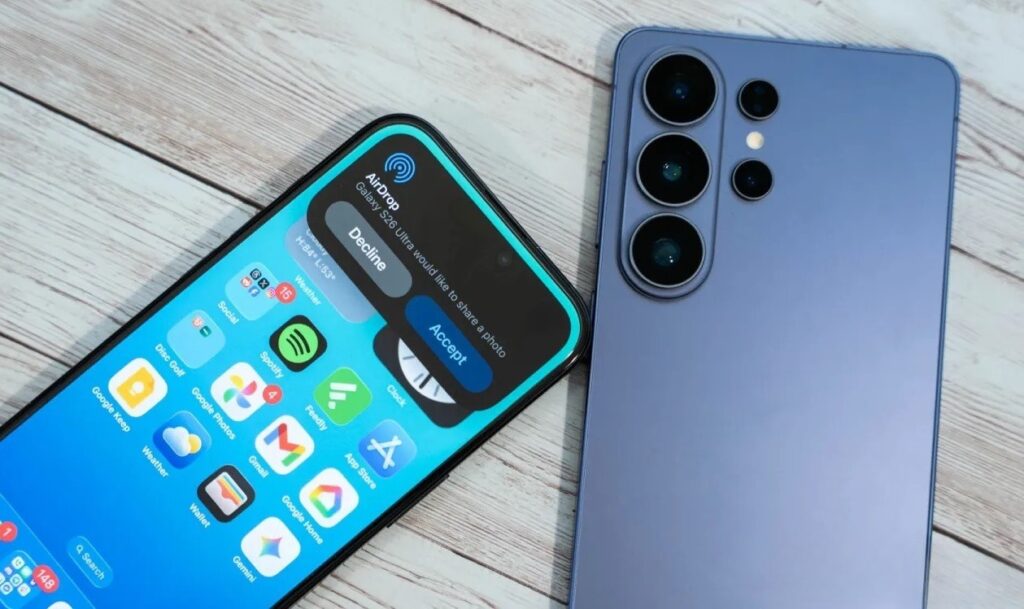
Google officially added AirDrop to Android and listed supported devices. Image: 9to5google.com
List of Android Smartphones with AirDrop
During the The Android Show: I/O Edition presentation, Google shared a list of devices that will next receive AirDrop support through Quick Share. The list includes:
- Samsung Galaxy S24 (entire series)
- Samsung Galaxy S25 (entire series)
- Samsung Galaxy Z Fold 6 and Z Fold 7
- Samsung Galaxy Z Flip 6 and Z Flip 7
- Samsung Galaxy Z TriFold
- OPPO Find X8 (series)
- OnePlus 15
- Honor Magic V6
- Honor Magic 8 Pro
Previously, the feature worked on Google Pixel 10 and Pixel 9, Samsung Galaxy S26, OPPO Find X9, and Vivo X300 Ultra. This means support is now extending to previous-generation models: Galaxy S24 and S25, as well as Samsung foldable devices.
What Is Quick Share with AirDrop Support and How Does It Work
Quick Share is a built-in Android feature for fast file transfer between devices via Bluetooth and Wi-Fi Direct, without an internet connection. In the fall of 2025, Google added compatibility with the Apple AirDrop protocol. Since then, owners of supported Android smartphones can send photos, videos, and documents directly to iPhone, iPad, and Mac — and receive files from them.
The process is simple: on both devices, you need to enable the “Everyone for 10 minutes” visibility mode — and after that, the recipient will appear in the Quick Share or AirDrop list. The “Contacts Only” mode doesn’t work between platforms yet — this requires cooperation from Apple, and Google has already expressed interest in such an improvement.
Quick Share with AirDrop on One UI 8.5
For Samsung devices, the key requirement will be updating to One UI 8.5. This is the shell version where AirDrop support through Quick Share appears on models beyond the Galaxy S26. The One UI 8.5 beta is already available for the listed models, and in the US, the full update started rolling out on May 11.
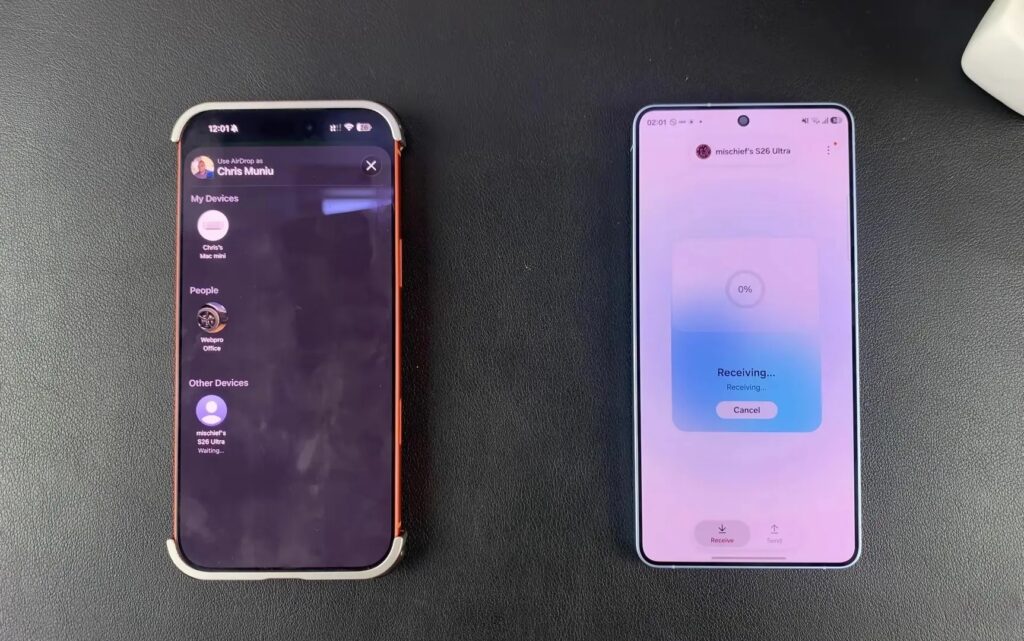
On Samsung, the feature will arrive with One UI 8.5. Image: WebPro Education
Exact timelines for Russia haven’t been announced yet, but typically Samsung updates arrive there with a delay of several weeks. A separate nuance: Samsung devices have a toggle to enable and disable AirDrop compatibility, whereas on Pixel the feature is active by default.
What to Do If There’s No AirDrop Support
Google has provided a fallback option. Right now, on any Android smartphone, you can generate a QR code in Quick Share and send a file to an iPhone through the cloud. An important note: this transfer doesn’t use up Google Drive storage. It’s not a full replacement for direct AirDrop transfer, but it works well for occasional photo or document sharing.
Additionally, Google announced the integration of Quick Share into third-party apps. The first will be WhatsApp. This will allow local file transfers through the messenger, bypassing servers. Useful if your phone doesn’t support AirDrop directly.
What Is Quick Share with AirDrop For
If you live in a mixed ecosystem (an Android smartphone and a Mac at work, or an iPhone belonging to someone in your family), Quick Share with AirDrop eliminates the hassle of messengers, cloud services, and email. Transferring a large video or a batch of photos from Android to iPhone is now as easy as between two iPhones.
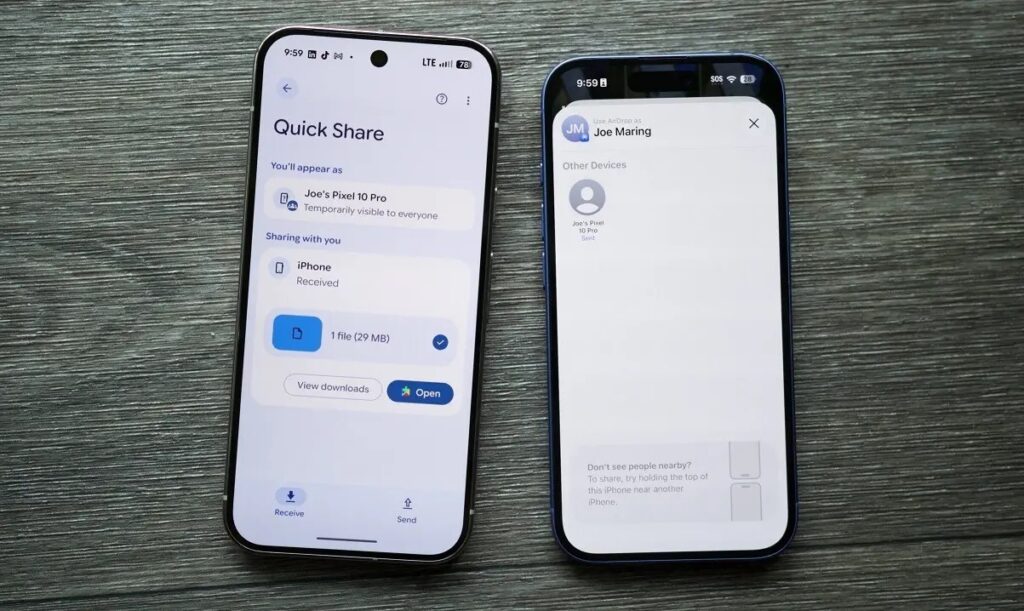
Many people will find this feature truly useful. Image: androidauthority.com
If everyone around you is on Android, the feature is less relevant: regular Quick Share already works great. The same applies to owners of budget and mid-range smartphones: support is currently limited to flagships, and it’s unknown whether it will extend further down. According to 9to5Google, the feature may have hardware requirements for Bluetooth and Wi-Fi, and also requires an up-to-date version of Android.
The main takeaway: Google is moving in the right direction, but there’s no large-scale rollout to all Android devices yet. If you have a Samsung flagship, OPPO, OnePlus, or Honor from the list — expect the update in the coming months. If not — use the QR code in Quick Share as a temporary solution.


