
Journaling is good for mental health, but personal entries need to be stored securely
Keeping a diary is one of the simplest and most effective practices for mental health. But it has a side effect: your secret entries can be read by others. And if the diary is digital, someone can get to it through your phone, cloud storage, or an unprotected laptop. I found several specific ways to keep personal entries truly personal. No paranoia — just an understanding of what you need to protect against and how.
The Benefits of Journaling for Mental Health
Before hiding your entries, it’s worth understanding why you should keep a diary. Constantly replaying the same worries in your head — rumination — pulls you into an emotional vortex. A diary helps break that cycle. And a diary has no mandatory rules: you don’t need to write every day, beautifully, or literarily. That’s according to Behavioral Health Partners, and there’s no reason not to believe it.
In practice, a diary solves several problems: it helps offload emotions, notice recurring issues, separate facts from interpretations, prepare for a difficult conversation, and simply stop keeping everything in your head. Journaling helps bring order when the world around you feels like chaos.
But a diary doesn’t have to be a confession with the passport details of everyone involved. The more sensitive the entry, the fewer direct names, dates, and specific wording it should contain. This isn’t cowardice — it’s basic digital and everyday hygiene.
Who Might Read Your Diary
Security isn’t about tools and software. It starts with understanding the specific threats you face. The digital security guide from the Electronic Frontier Foundation (EFF) recommends first asking yourself four questions, and only then choosing apps: what are you protecting, from whom, what are the consequences of a leak, and how much inconvenience are you willing to tolerate for protection.
For a diary, this looks like:
- If the threat is a casually curious guest, a paper diary in an inconspicuous place and code names instead of real ones will suffice;
- If the threat is someone who lives with you and actually goes through your things, you need a hiding spot outside obvious places plus minimal direct data in the text;
- If the threat is access to your phone or computer, paper may be safer than digital;
- If the threat is device theft, then a password, disk encryption, and a secure notes app matter.
If there’s a controlling person near you, don’t make sudden spy-like changes: a new password, a mysterious flash drive, a sudden safe. For such a person, this alone can become grounds for conflict. Safety matters more than a dramatic pose.
Where to Best Store a Personal Diary
The best paper diary for privacy is not a leather-bound book with a lock and the inscription “My Secret”. A little lock on a diary is protection from a cat, and only if the cat is lazy. Real protection is being inconspicuous, so the diary should look boring.
Write in an ordinary notebook, a notepad for work notes, a folder with receipts. Covers labeled “Meal Plans,” “Drafts,” “Excel Cheat Sheet” work better than romantic decoration.
You don’t need to keep everything in one place. You can write entries on separate sheets: move old ones somewhere else and only keep recent ones on hand. If someone stumbles upon one part, you won’t lose everything.
Bad hiding spots — where people will look first:
- Under the mattress or pillow;
- In the nightstand or desk drawer;
- Behind books on a visible shelf;
- In a backpack or bag;
- In a box labeled “Personal.”
Good hiding spots: among boring documents, in a box with appliance manuals, in a folder with old warranty cards, in an archive box that nobody touches. Even better — store it outside the home, with a trusted person, in a work locker. And don’t hide paper in the bathroom, on the balcony, or near a radiator, because moisture, grease, and heat will destroy your entries faster than any spy.
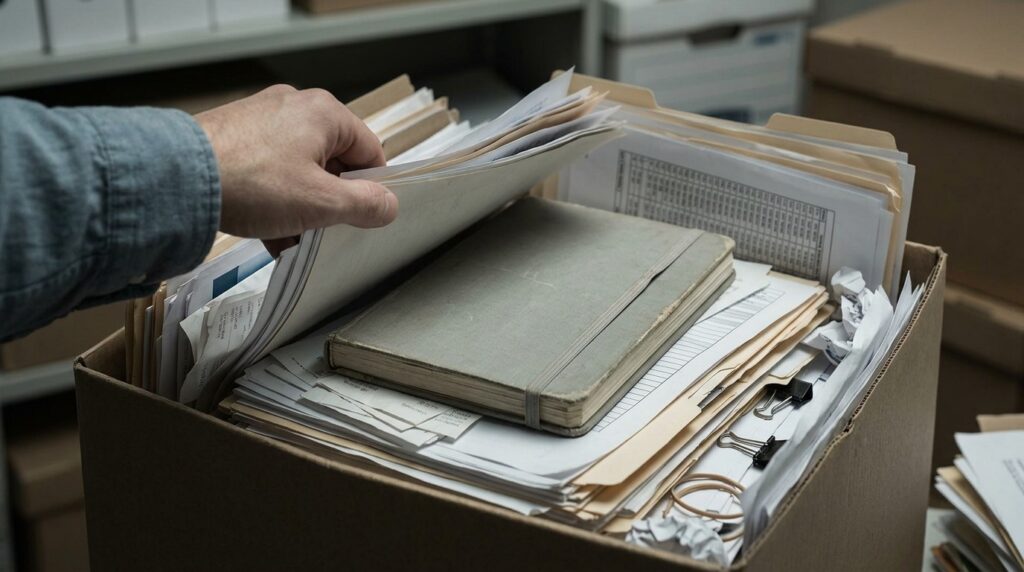
The best hiding spot for a diary is among documents no one will pay attention to
How to Encrypt Diary Entries
A homemade cipher where each letter is replaced by another can be cracked in minutes. For serious secrets, you need digital protection. But for a paper diary, there’s a workable compromise: encrypting only the most sensitive details.
The idea is simple: write in normal language, but conceal names, places, dates, and events.
For example:
Yesterday I talked to Maple. He brought up R4 again. I snapped, but then realized it wasn’t about him — it was about the old story with M.
The decryption key is only in your head. Maple is a specific person. R4 is a specific topic. M is a specific place or event.
A few rules to make this work:
- Replace names with odd pseudonyms: “Maple,” “North,” “Guitarist.” Don’t use the first letters of real names — if a person named Svetlana becomes “S.,” that’s not a cipher;
- Shift dates by the same number of days. Say, plus 11: “May 12” in the entry is actually May 1;
- Code places by categories: M1 — home, M2 — work, M3 — bar;
- For events, create your own labels: R1 — conflict, R2 — money, R3 — relationships, R4 — work;
- The key to these codes must not be stored near the diary.
You can go further and add decoy words: part of the text looks like an everyday note, while the real emotions are hidden in code words. For example, “weather” = mood, “renovation” = conflict. But don’t overcomplicate it to the point where a month later you’re sitting over your own entry like an archaeologist over an ancient tablet.
How to Protect a Digital Diary
If you keep a diary on a computer or phone, don’t write it in Google Docs, in Telegram’s “Saved Messages,” or in regular unprotected notes. Convenience and privacy often conflict here.
For proper protection you need three things: a password on the device, disk encryption, and an app with strong data protection.
BitLocker is a built-in encryption feature in Windows that encrypts disk data using the AES algorithm. FileVault on Mac uses XTS-AES-128 encryption with a 256-bit key to protect against unauthorized access. If you use Linux, there’s LUKS. All these tools are already built into the operating system — you just need to enable them.
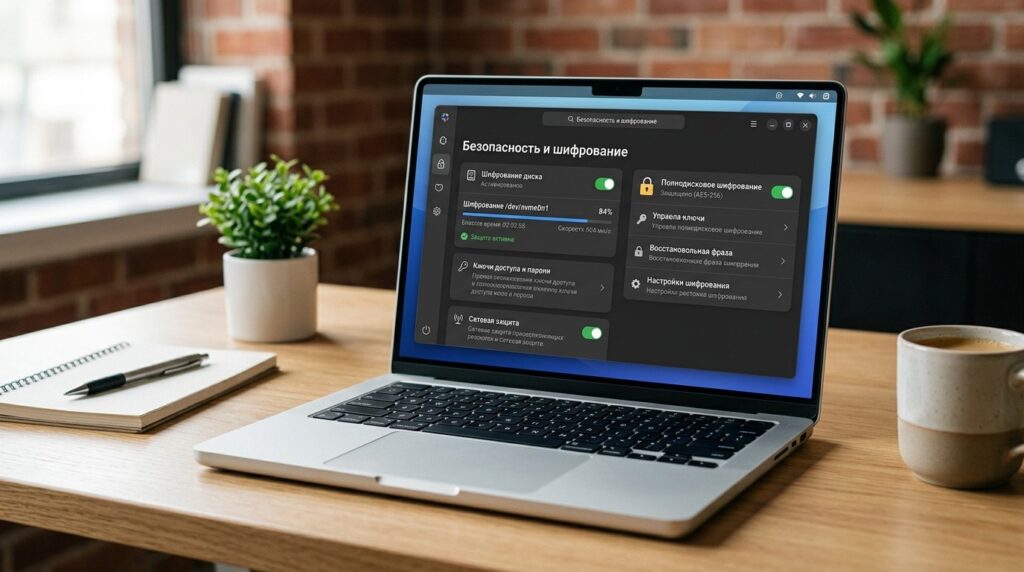
Disk encryption is a built-in feature in Windows and macOS that you simply need to turn on
For individual files or a diary folder, VeraCrypt is an excellent choice. It’s a free, open-source program that creates a virtual encrypted disk inside a file — it works like a regular folder, but all contents are securely protected. VeraCrypt works on Windows, macOS, and Linux.
A simple set of steps to protect a digital diary:
- Set a strong password on your phone and laptop — not “123456” and not your birthday;
- Enable auto-lock after 30–60 seconds;
- Disable notification previews on the lock screen;
- Keep your diary in an app with encryption;
- Make a backup — also encrypted.
Mistakes When Keeping a Personal Diary
Even a small slip can undo all your protection efforts.
Here’s a list of the most common blunders:
- Don’t keep a diary in a messenger. “Saved Messages” in Telegram is not a safe;
- Don’t email entries to yourself;
- Don’t keep scans or photos of paper diary pages in your phone’s gallery, especially if auto-sync with the cloud is enabled;
- Don’t dictate your diary into services that then store the audio on their servers;
- Don’t name files “diary,” “secret,” “personal,” “therapy” — that’s the first thing that will catch someone’s eye;
- Don’t keep the only copy in a single location;
- Don’t use a password that can be guessed from your interests.
A separate note on cloud services: if you write in an app that syncs through the cloud without end-to-end encryption, your entries are theoretically accessible to others.