In 2026, having only one app store on Android is nearly impossible. Half of all Russian services have long existed exclusively in RuStore, while the other half of games, messengers, and everyday small apps sit comfortably in Google Play. I’ve been using both every day, and over this time I’ve accumulated a few observations — what works, what’s annoying, and where you can accidentally lose data. If you’re just figuring out what to install, this breakdown of which is better — RuStore or Google Play should help.
Can you use RuStore and Google Play on the same phone?
Can You Have RuStore and Google Play on the Same Smartphone
Yes, you can, and there won’t be any system conflicts between the stores. For Android, an app store is just another application that can download and update others. You can install three stores if you want — the phone won’t even flinch. Google itself has nothing against RuStore for Android — no blocks or security warnings appear when installing the Russian store, as long as you downloaded it from the official website. And in general, there are plenty of worthy alternatives for Android.
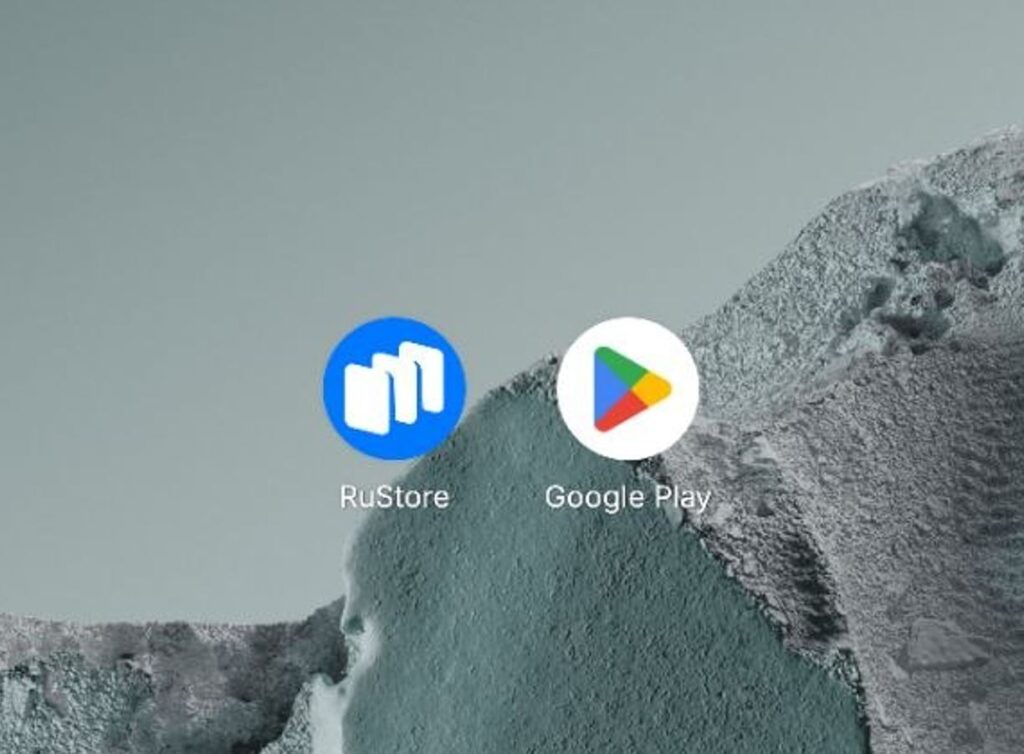
Both apps can work on the same phone without any issues
I’ve been keeping both for a long time: Google Play handles everything international — games, YouTube, Telegram, messengers, fitness trackers — while RuStore covers banks, government services, Avito, Ozon, VKontakte, and everything that’s either absent from Google Play or hasn’t been updated there since 2022.
How RuStore Differs from Google Play
Before figuring out where to update apps on Android, here are a few basic differences worth keeping in mind. First of all, RuStore needs to be downloaded from the official website for any smartphone. At the same time, Google Play is built into Android unless you have a Chinese firmware.
| Parameter | Google Play | RuStore |
|---|---|---|
| Owner | VK | |
| Need to download | Pre-installed almost everywhere, except Chinese firmware | By default on smartphones for Russia or from the website |
| What’s available | Global catalog of apps and games | Focus on Russian services, banks, and government apps |
| Can it be removed | Can only be disabled | Yes, like a regular app |
Google Play has been around for a very long time — as of early 2026, it has approximately 1.8 million apps available — the largest store in the world. RuStore is quite young, launched in 2022. By early 2026, it has about 110 thousand apps from 70 countries, and it continues to grow. RuStore also gets apps like Telegram and Google Services — they just appear a bit later.
RuStore or Google Play — Where Do Apps Appear First
Based on my observations, it’s roughly even: sometimes Yandex Music hits Google Play first, sometimes RuStore. But it feels like Google’s store works slightly faster. However, a lot depends on which app we’re talking about.
- International services (Telegram, WhatsApp, TikTok, Spotify, games from foreign studios) — Google Play is almost always ahead. Sometimes by days, sometimes by weeks — developers simply roll out the release to Play first, and pull it into RuStore later, if they do at all.
- Russian apps (Sber, Tinkoff, VTB, Alfa, Ozon, Wildberries, Gosuslugi, MAX) — RuStore is definitively ahead. Many banks are either completely absent from Google Play or have an ancient version sitting there without updates.
- Neutral apps (Yandex, VK, Kinopoisk) — usually even, releases come out simultaneously in both stores.
Russian apps appear in RuStore first, but not always. There’s no consensus here. For example, I noticed that RuStore doesn’t release updates on weekends.
Where Is It More Convenient to Update Apps — RuStore or Google Play
The main rule is simple: update the app on your phone from where you installed it. Here’s why. Every app has a developer’s digital signature. If you installed a Telegram update from Google Play and then tried to update it through RuStore, and the signatures of those builds turn out to be different, it won’t work.
In the best case, RuStore will offer to delete the old version and install it fresh. In the worst case — the update might accidentally delete cache files. It doesn’t happen with every app, but the risk is real, and it’s not worth testing on your chat with loved ones. This happened to me once with Yandex Music.
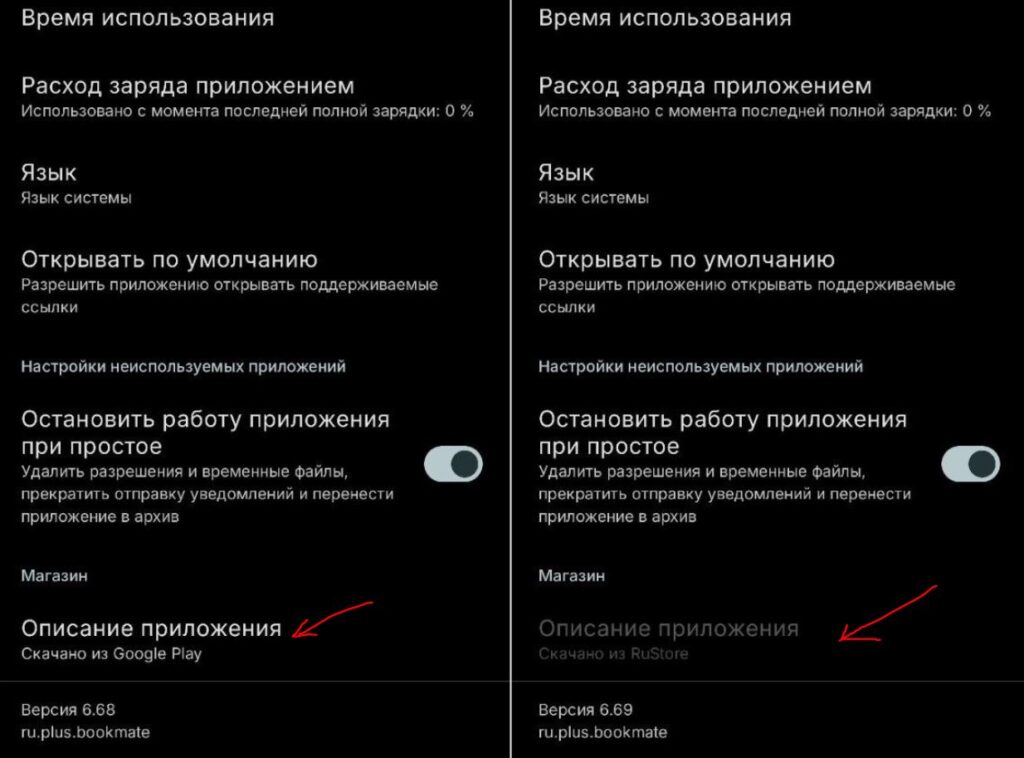
You can check where the app was downloaded from yourself
RuStore, by the way, tries to update all apps on your phone by default, even those you installed from other sources. This is a long-standing feature of its, and it’s genuinely annoying. Here’s the solution:
- Go to the app card and tap the three dots in the upper right corner.
- Uncheck “Update automatically.”
- You can also add the app to exceptions through “Auto-update settings.” After that, RuStore will stop meddling with other installations.
After that, it will simply disappear from the updates list and you’ll be able to download updates from Google Play.
Can You Update Apps in RuStore and Google Play Simultaneously
If an app is installed from Google Play and the signature matches the version in RuStore, nothing bad will happen — it’ll update from whichever is faster. But such coincidences are the exception. In practice, you’ll get one of three outcomes:
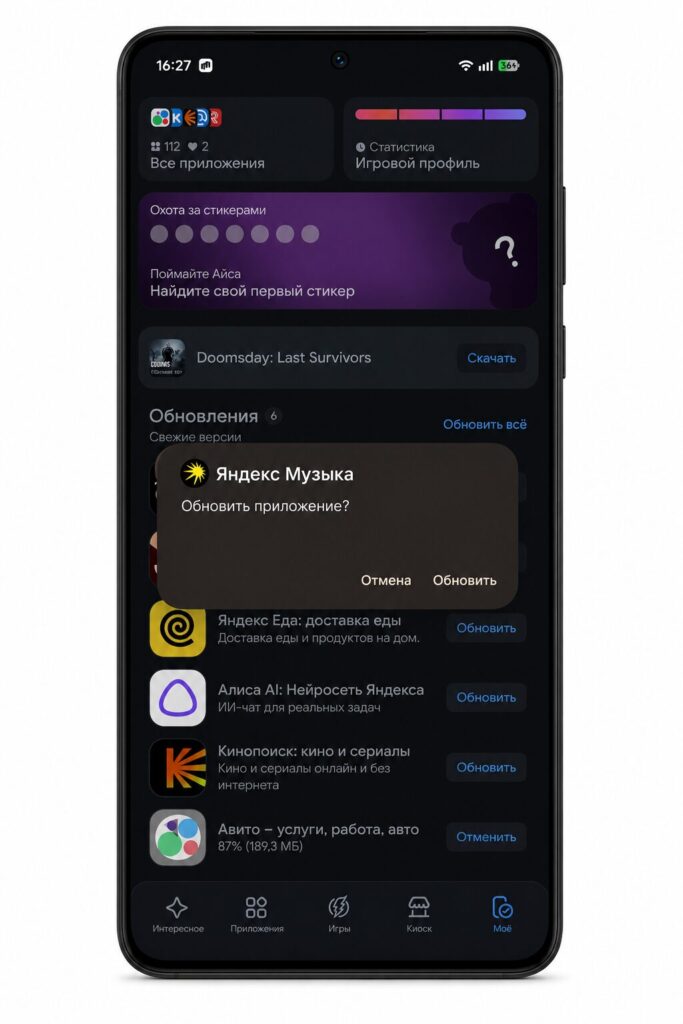
Updating through RuStore often requires confirmation
- The store will simply refuse to update, stating that the version was installed from a different source.
- The app will suggest reinstallation with loss of all data — conversations, history, cache.
- A duplicate will appear — two icons of the same app on the home screen. This happens with games and some services where the developer publishes different builds for Play and RuStore.
The simplest approach is to update foreign services through Google Play and Russian ones through RuStore. This way you won’t have any confusion and won’t waste extra data. You can also enable auto-update in one of the stores so you can download updates manually in the other.
RuStore or Google Play — Which Is Better for Android
Here’s what I’ve understood over two years. Let me explain where it’s best to update apps on Android without getting confused and accidentally breaking anything.
- Google Play — messengers, games, Western services, fitness, YouTube — everything that gets regular updates and has an international release.
- RuStore — banks, marketplaces, delivery services, government services, taxis, parking — everything Russian and sanctioned.
If an app is available in both stores and you haven’t decided yet, install it from RuStore — it definitely won’t disappear or stop updating there. For games and foreign software, Google Play is easier — update speed is higher.


