Telegram X is an experimental Telegram client that was once considered a faster and more modern alternative to the official app. Here’s what this app actually is, why it was removed, and whether it’s worth looking for a replacement among other alternative Telegram clients, which have become quite numerous recently. Plus, with their help, you can easily add a second Telegram to your iPhone and use two apps at once.
Telegram X stood out from the main app with its black icon
What Is Telegram X for iPhone
Telegram X appeared in January 2018 as an experimental messenger client, written from scratch in Swift. Pavel Durov’s team positioned it as a faster and smoother version of Telegram: new animations, a different UI engine, more efficient battery usage, and an alternative approach to chat design. Essentially, it was a testing ground where developers tried out new ideas before bringing them to the main client.
Do you still remember this app? Image: digital-report.ru
The experiment turned out to be so successful that in October 2018, Telegram X for iOS replaced the old official client built on Objective-C. In other words, the familiar Telegram app you use today on your iPhone is actually Telegram X, just under a different name. After that, the separate version became unnecessary and was gradually abandoned.
How to Download Telegram X on iPhone in 2026
Bad news: the app has been gone from the App Store for a long time, and there’s no way to install it the usual way. If you go to the store’s search and type Telegram X, you’ll see dozens of third-party clones from unknown developers — but that’s not the real client from the Telegram team.
The good news only applies to those who previously downloaded Telegram X on their Apple ID. In that case, the app remains in your purchase history, and you can still restore it to your device:
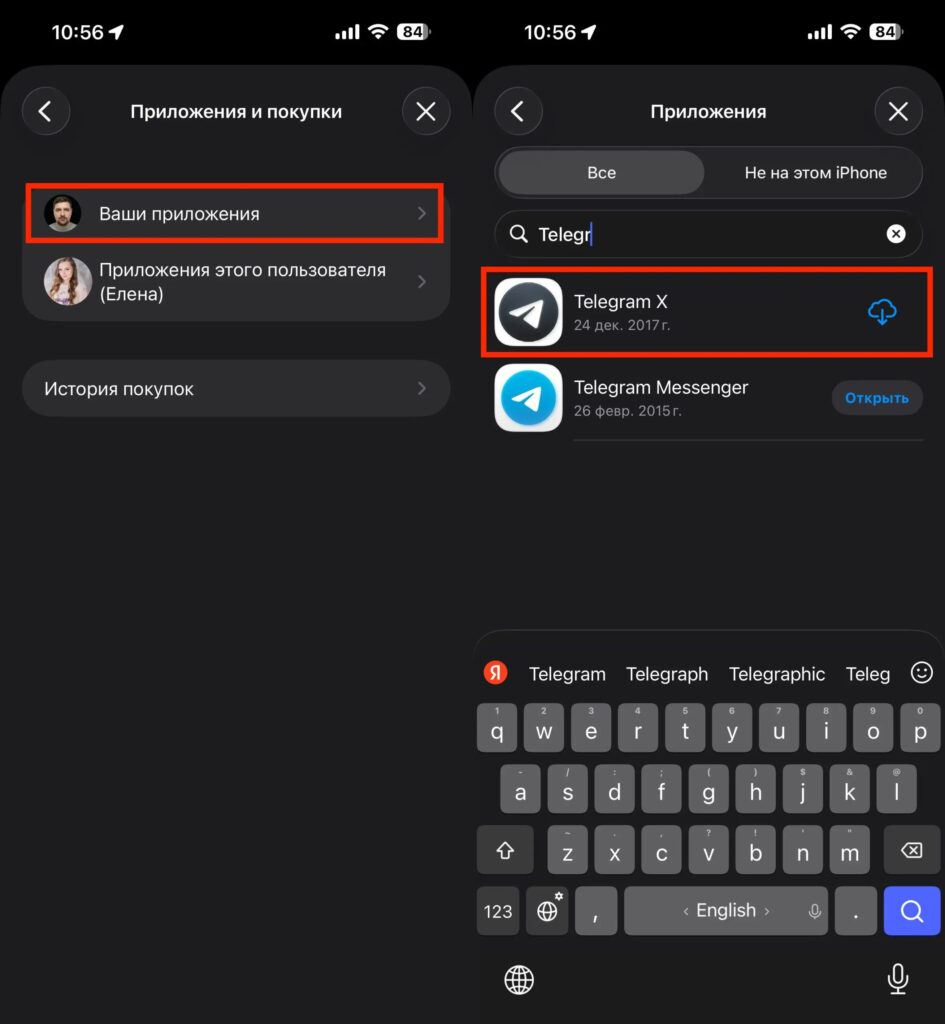
You can find Telegram X in your purchases and download it to your iPhone
- open the App Store and tap on the profile icon in the upper right corner;
- go to the “Purchased” section, then to “My Purchases”;
- select the “Not on this iPhone” filter and find Telegram X in the list;
- tap the cloud icon with an arrow next to the app.
If Telegram X isn’t in your purchase history — unfortunately, there’s no way to install it anymore. The app has been delisted, which means new users cannot download it at all.
Why Authorization Fails in Telegram X on iPhone
Let’s say you got lucky and the app actually installed. But don’t celebrate just yet: when you try to log into your account, you’ll hit a wall. Telegram X for iOS hasn’t been supported for quite some time. As a result, the app either hangs indefinitely on the phone number entry screen or throws an error after sending the verification code.
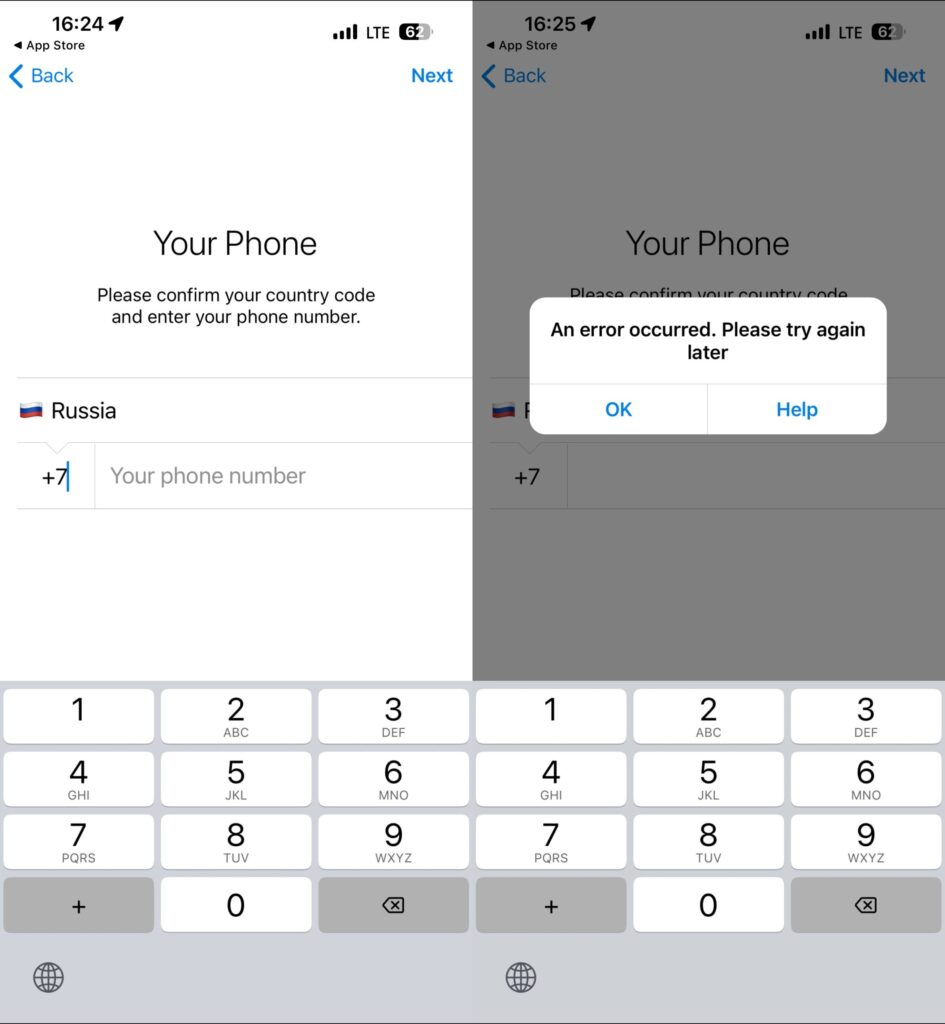
You won’t be able to log in anymore
No VPN, reinstallation, or settings reset will fix this problem — it’s on the client’s side. Telegram X on iPhone today is a beautiful monument to the messenger’s history that you can’t do anything useful with. Even if someone online claims that “everything works” for them — most likely they’re referring to screenshots from the past or a different app with a similar name.
Alternative Telegram Clients for iPhone
Since the original Telegram X is unavailable, it makes sense to look for something similar. There are indeed several third-party clients in the App Store that offer additional features:
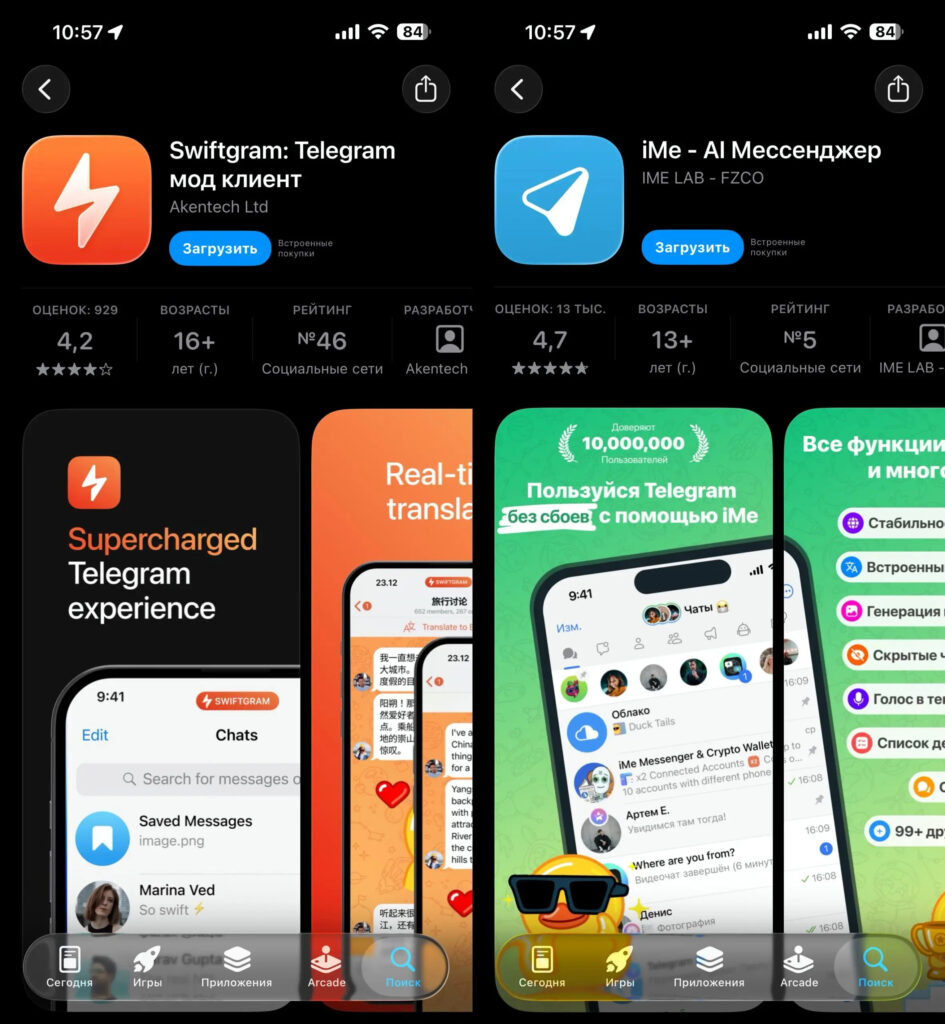
There are many alternative Telegram clients in the App Store
- Nicegram — arguably the most well-known alternative client with support for multiple accounts simultaneously, a built-in AI assistant, and extended privacy settings;
- Swiftgram — a minimalist open-source client, ad-free, without AI wallets or other unnecessary features;
- iMe Messenger — a solid alternative Telegram client with a wide range of useful features.
All of them work through the same system as the official Telegram, so your chats, groups, and channels will be available as usual. But before downloading an alternative client, you should understand — it’s not always safe.
Is It Dangerous to Use Third-Party Telegram Clients
Telegram, unlike WhatsApp, has never fought against third-party clients — on the contrary, the company openly publishes its API and encourages the creation of mods. That sounds great, but this openness has a downside: anyone can create an infected client, and store moderators don’t always catch such apps in time.
The most recent example is the story of the Telega client, which on April 9, 2026, was removed from the App Store. This app gained popularity amid the slowdown of Telegram in Russia: the creators promised stable connectivity without a VPN, and in February 2026, the app even climbed to the top of the most downloaded free apps in the Russian App Store.
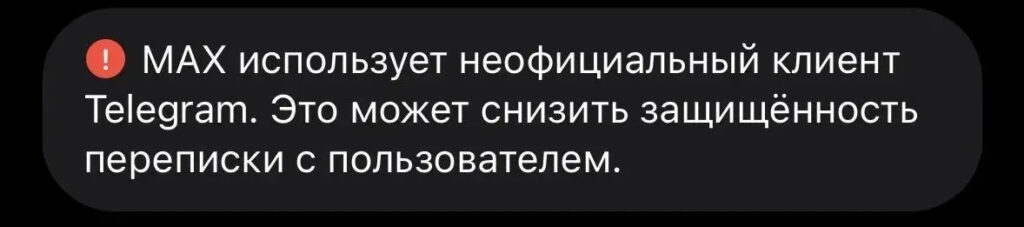
Telegram now warns you if your contact is using an unofficial app
In March, an anonymous technical analysis of the latest version of the client appeared online, whose authors claimed that on March 18, the developers activated a hidden function: Telega began replacing Telegram data center addresses with its own servers and using an additional RSA key that doesn’t exist in the official app. In practice, this means a classic MITM attack — all user traffic goes through the client developers’ infrastructure.