Imagine: you open Telegram, and there’s a message from Telegram itself with a blue checkmark and the official logo. It says that someone has requested the deletion of your account linked to your phone number. If it wasn’t you — urgently press the button to cancel the process. It sounds alarming, looks official, and your hand instinctively reaches for the button. This is exactly the reflex that scammers are counting on, as they are currently mass-hijacking Telegram accounts from Russians. The scheme went mainstream for a reason: Telegram is now used by millions in Russia — making it all the more attractive to cybercriminals.
Scammers have come up with a new way to steal Telegram accounts
New Telegram Account Theft Scheme
The victim receives a message from an account that disguises itself as official Telegram: the same logo, blue verification checkmark, and polished text. The message states that a request to delete the account linked to your phone number has been received. Then comes the classic technique — pressure and a deadline: if you don’t cancel the action within 24 hours, the account will be deleted “along with all messages, files, and contacts,” and the two-step authentication password will be reset.
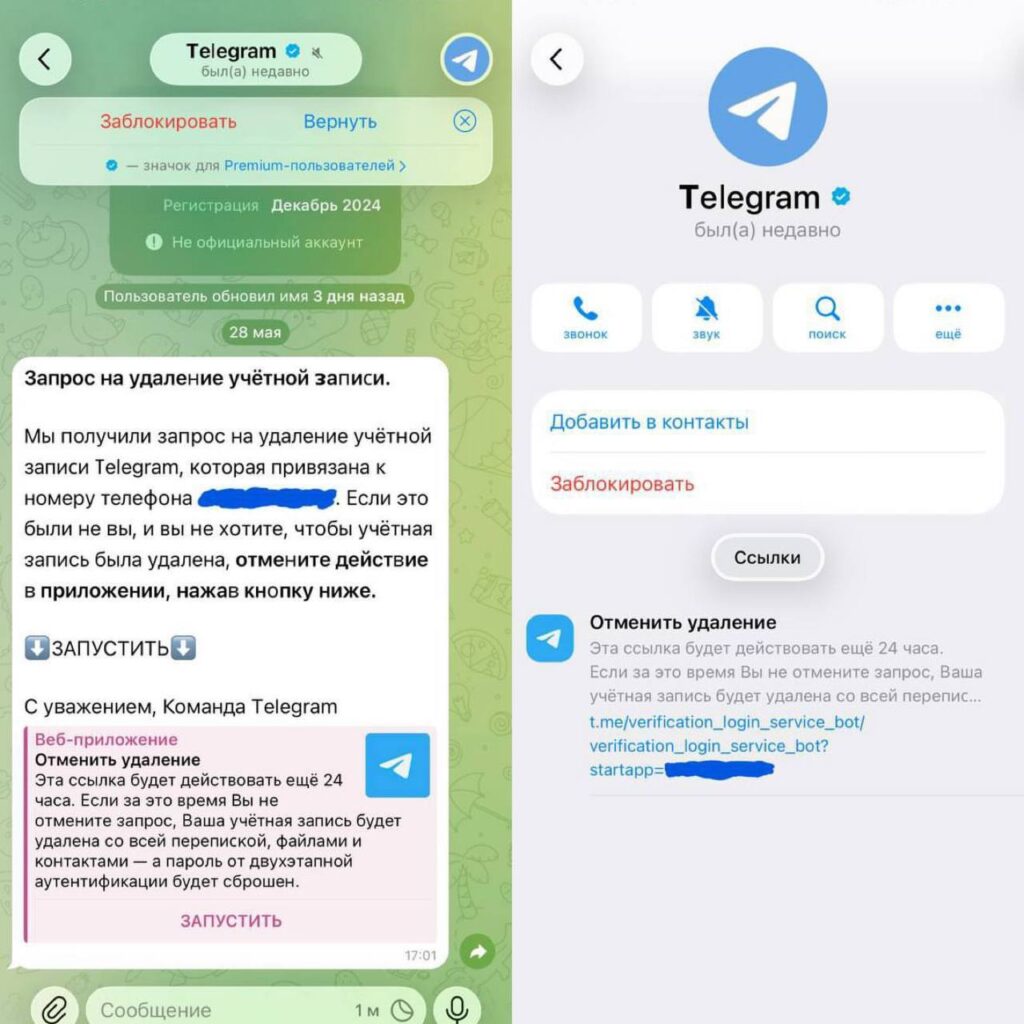
This is what the new scam looks like
At the bottom of the message is a large “LAUNCH” button and a link to a so-called web application. Essentially, it’s a regular Telegram bot with an innocent-looking name like “verification login service,” but it has nothing to do with Telegram. When a person clicks the button, the bot asks them to enter a five-digit code, supposedly needed “for verification” or “to cancel the deletion.”
This is where the deception lies. An SMS or Telegram notification code is needed for exactly one thing — to log into the account on a new device. There is no such thing as “user verification” or “deletion cancellation” via a code. By entering the digits into the bot’s form, you effectively authorize the scammer on their device, and they gain full access to your messages.
The scammers are banking on scale: the messenger remains one of the most popular in the country, and alarming messages land especially easily.
Differences Between the Real Telegram Account and Scammers
The good news is that spotting a fake isn’t difficult — even before you read the text. The official Telegram service bot has a number of features that scammers cannot replicate.
The main marker: the real Telegram service account never has a “last seen recently” status. System notifications come from a service channel that has no last seen time. This is the first red flag.
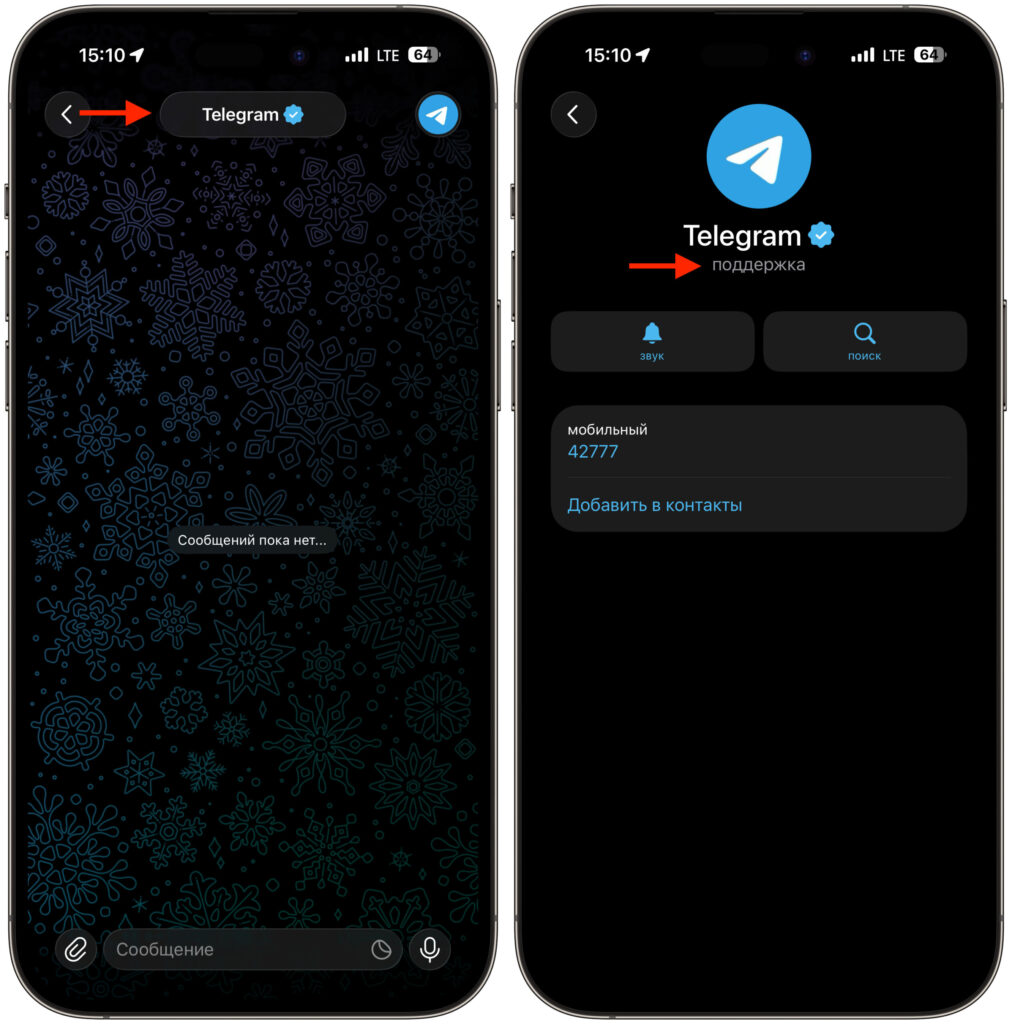
This is what the official Telegram support account looks like. No last seen time, no creation date, no “Block” button
Next — details in the sender’s profile, if you open their card:
- A direct label “Not an official account” — the real service never labels itself this way.
- A recent registration date, such as December 2024, whereas official service accounts have existed for years.
- A note that the user changed their name a few days ago — scammers rename the account to look like Telegram right before the mass mailing.
- A “Block” button in the card — system notifications never have one.
And lastly: the real Telegram never asks you to cancel account deletion through some bot or external link. All important account actions happen only within the app’s official settings.
What Happens If You Give Your Telegram Code to Scammers
Let’s say someone panicked and entered the code. What happens next? Scammers instantly connect their device to the account. If the victim doesn’t have a cloud password enabled (two-step authentication), access is lost immediately and completely.
A hijacked account is rarely deleted — it’s much more valuable in working condition. Through it, they send spam and the same scam to your contacts, ask people to transfer money “as a loan until tomorrow” on your behalf, and if you have a channel or chat with an audience — the platform is used for fake ad sales or publishing dubious content. Sometimes they change the cloud password and linked email so you can’t quickly regain access.
If you did enter the code, you need to act immediately. Go to “Settings — Devices” and terminate all sessions except the current one. Then in the “Privacy — Bots and Websites” section, revoke permissions from the suspicious service. Immediately set a cloud password if you didn’t have one, and change the linked email address. If you’ve completely lost access, write to support at recover@telegram.org.
Telegram Security Settings You Should Enable
The best protection against this scheme is simple and free. Just follow a few rules, and the hijacking attempt will fail even if you accidentally click a link.
- Enable the cloud password in “Settings — Privacy — Cloud Password.” Without it, a single code is enough to log in; with it — it’s not.
- Never, under any circumstances, share codes from SMS and notifications with anyone. The person who sent you the code actually requested it themselves.
- Don’t press buttons or open bots from alarming messages, even if they look official.
- Check the sender’s card — a “recently” status, a “not an official account” label, and a recent registration date give away the fake.
- Remember: Telegram does not conduct conversations about account deletion through bots and third-party links.
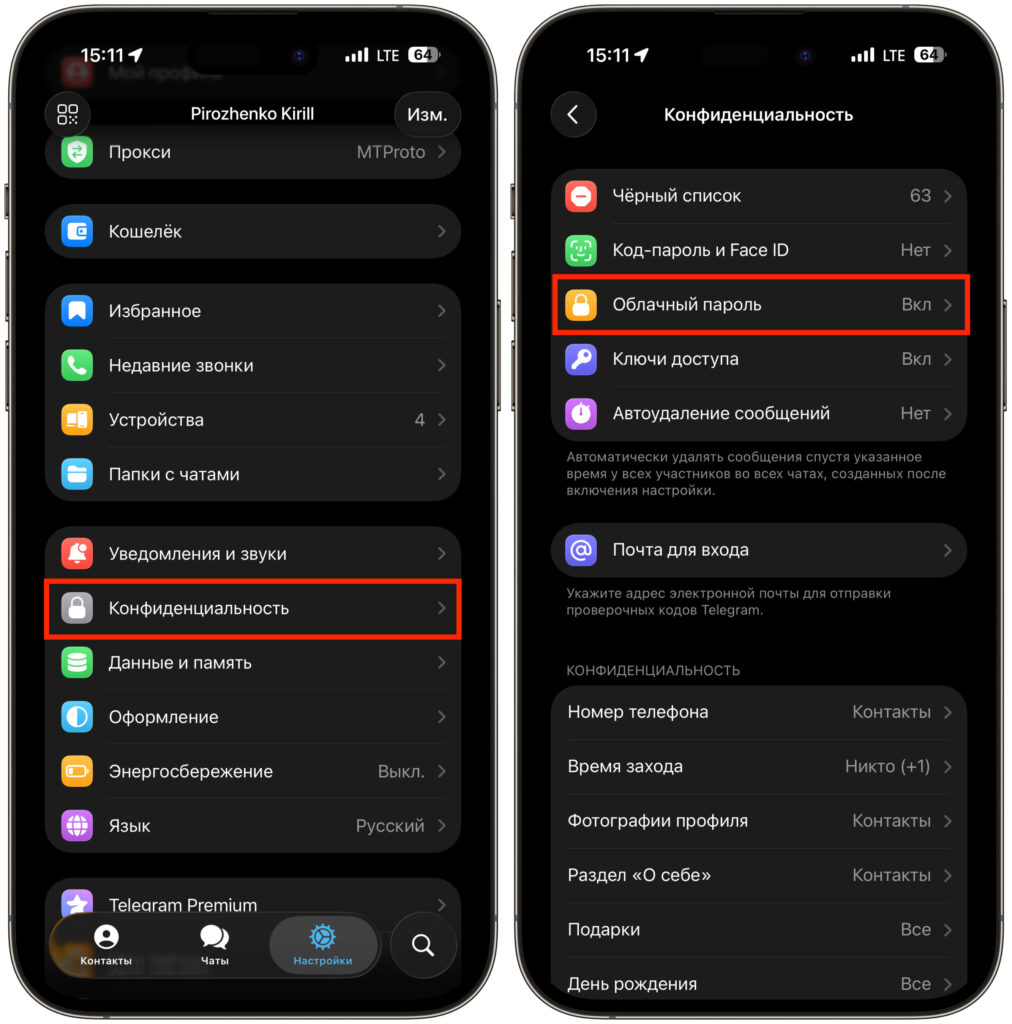
A cloud password will protect you even if someone obtains the login code
The scheme relies entirely on fear and haste. Just pause for a second, open the sender’s profile, and remember the “last seen recently” status — and the scammers’ entire construct falls apart. Save these instructions and forward them to those who might get confused: elderly relatives, colleagues, and channel owners.


