Nothing has announced Nothing OS 5.0, a major update to its Android skin built on Android 17. An open beta launches immediately following the announcement, with the stable release to follow later. The update brings a new system font, deeper personalization options, revamped AI tools, performance improvements, and features inherited from Android 17 itself. Here is a breakdown of what changes, which devices will receive the update, and when.
What you need to know
- Nothing OS 5.0 is based on Android 17; the open beta begins August 25, 2026, with stable releases rolling out from mid-October 2026 through January 2027 depending on the device.
- Nothing Phone (1), Nothing Phone (2), and CMF Phone 1 are not on the supported list and will not receive this update.
- New AI features include real-time transcription in Essential Voice, smart collections in Essential Space, and an on-device no-code app builder (Essential Apps Builder, currently in beta).
- Android 17 brings split notification and quick-settings shades, improved Quick Share with QR codes, and a new three-color privacy indicator system.
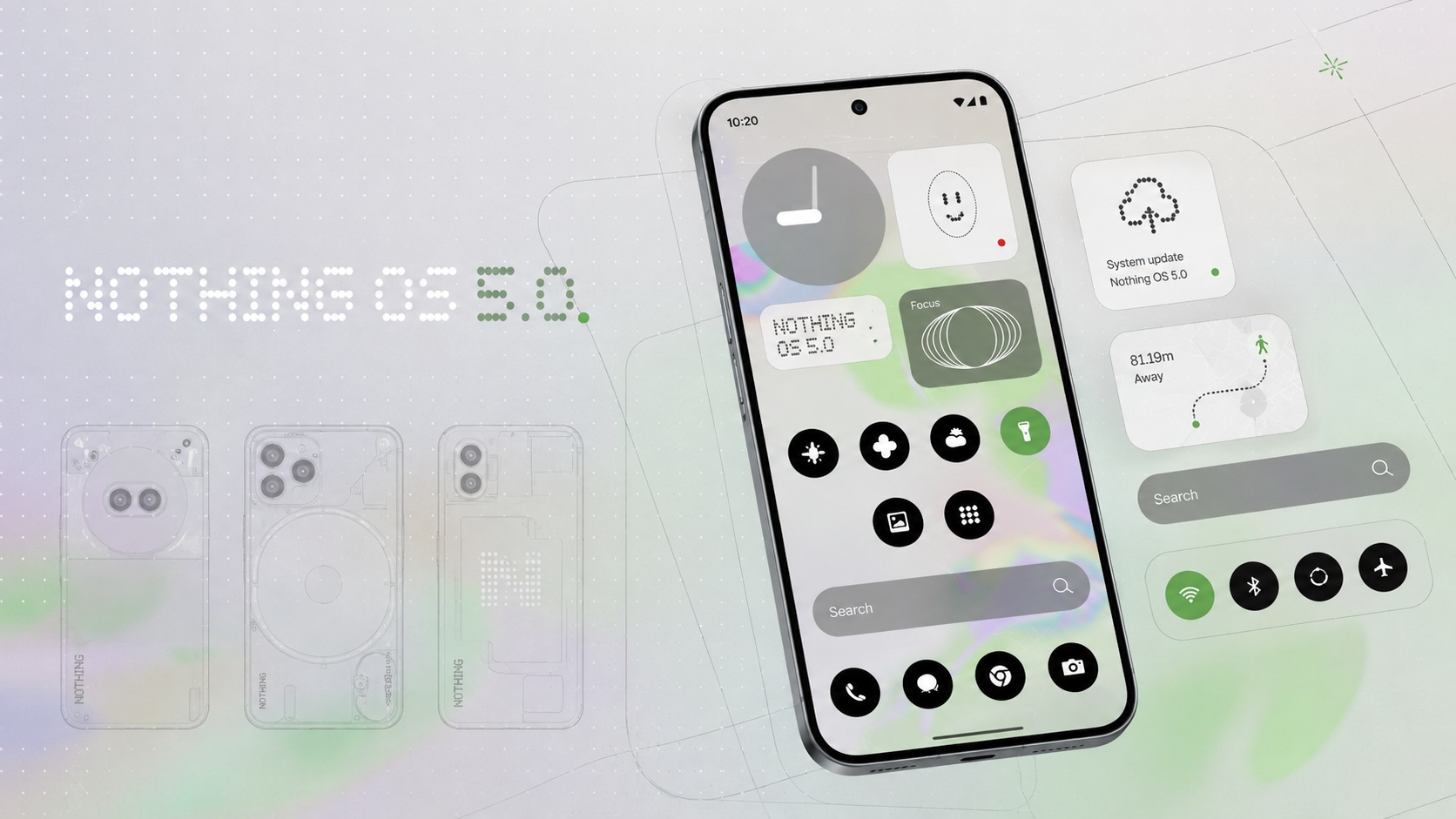
A major update arrives for Nothing smartphones
Redesigned visuals and a new system font
The most visible change is a new system font called Geist. According to Nothing, it improves readability across everyday interface elements and gives the OS a more distinctive look. Text sizing, spacing, and hierarchy have also been refined to make settings, menus, and widgets more consistent.
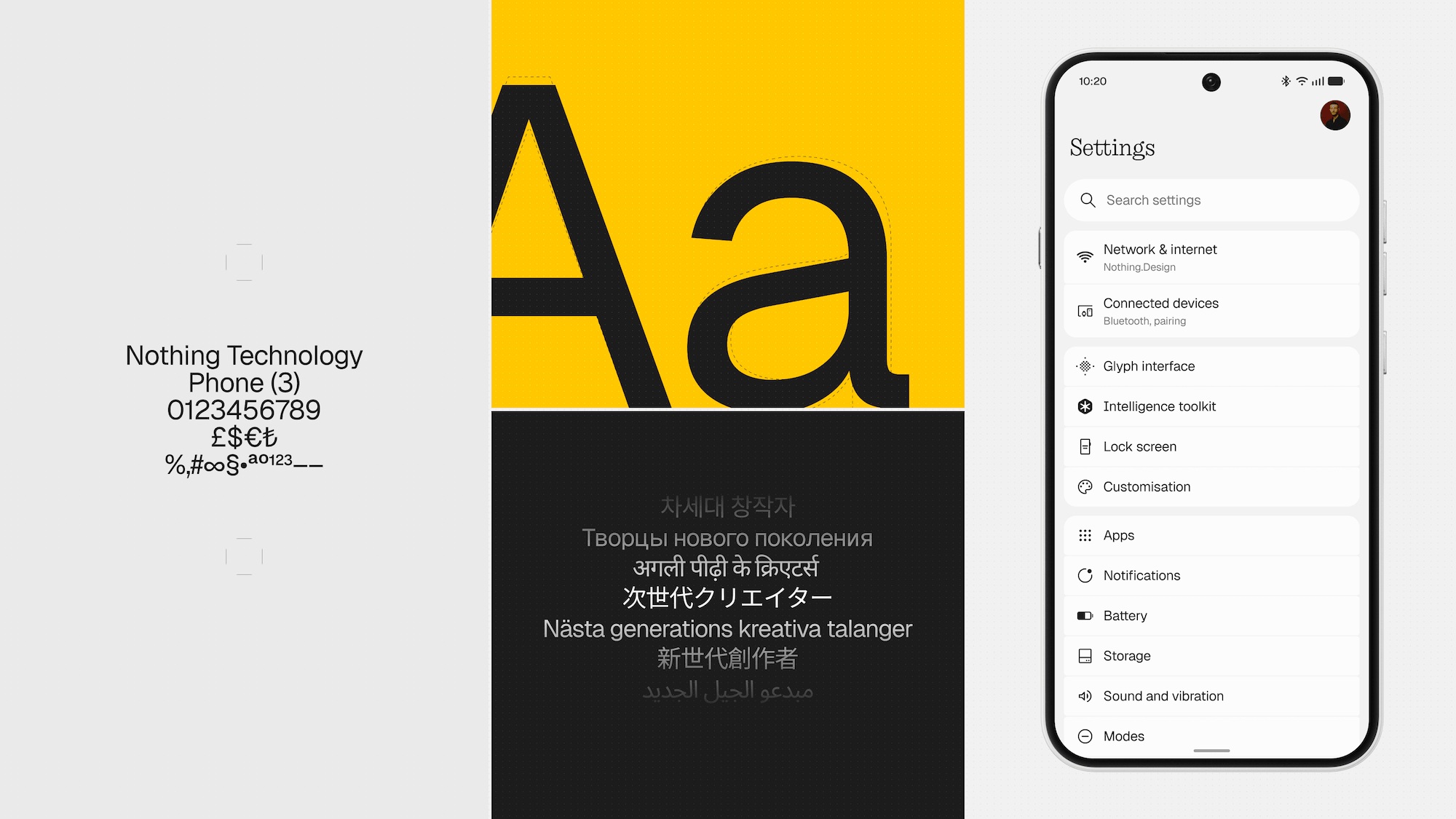
The new system font in Nothing OS 5.0. Image: Nothing
The Gallery app has been reworked as well. The albums page now lets users pin frequently used albums to the top, while less-used ones move to a separate section below. Album order can be changed via long-press and drag. Nothing’s signature translucent design elements have been added throughout the interface.
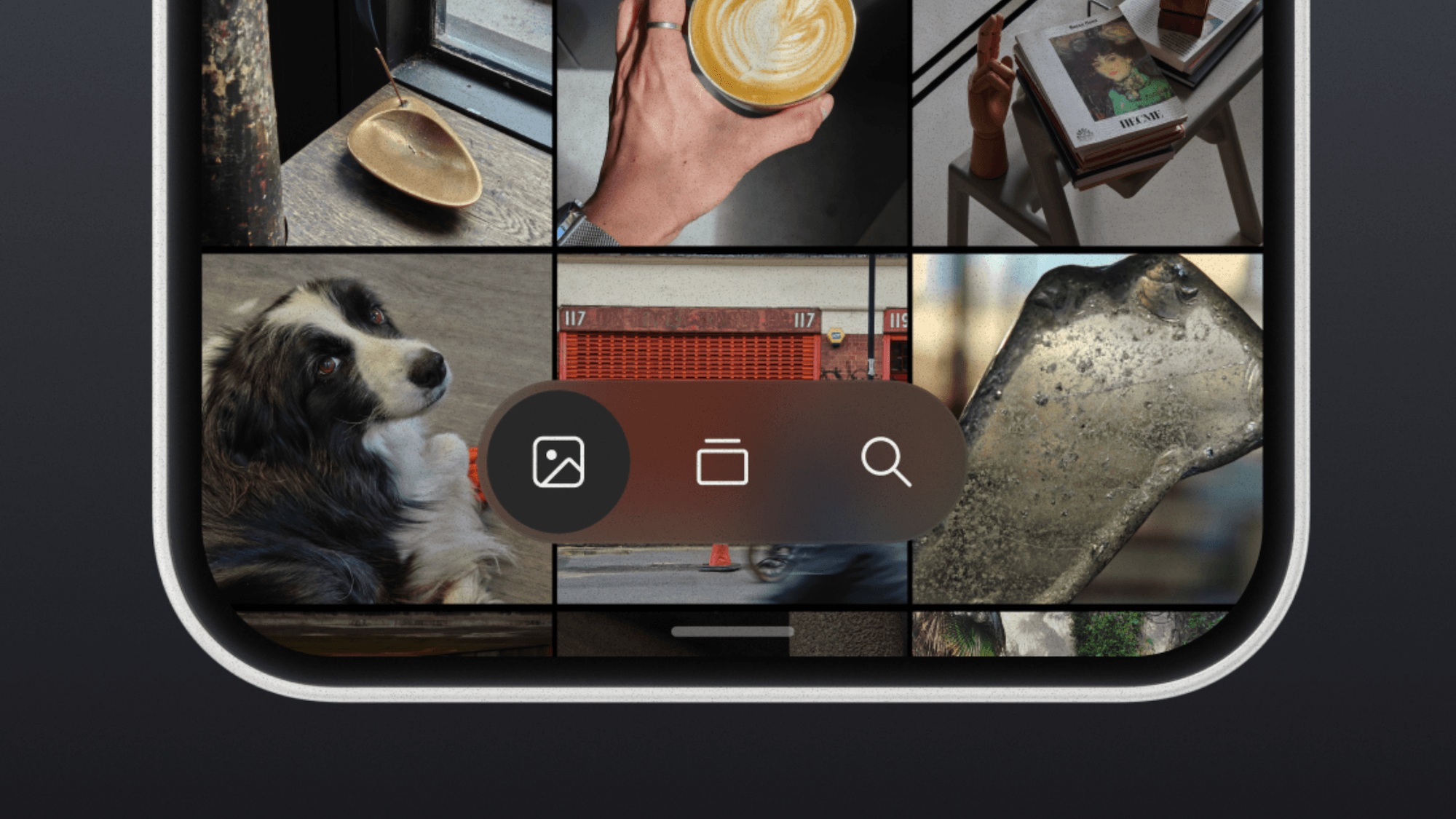
The redesigned Gallery app. Image: Nothing
The Camera app receives a small but practical improvement: when scanning a QR code, the result now stays fixed in place rather than following the code as it moves in the viewfinder, making it easier to tap without re-scanning.
Personalization: adaptive palette, new lock screens, and widgets
Nothing OS 5.0 puts heavy emphasis on visual customization. On the redesigned home screen, app icons pick up a subtle color tint from the wallpaper, widgets use adaptive colors, and 1×1 quick-settings tiles adopt wallpaper colors more prominently. Changing the wallpaper automatically updates these elements.
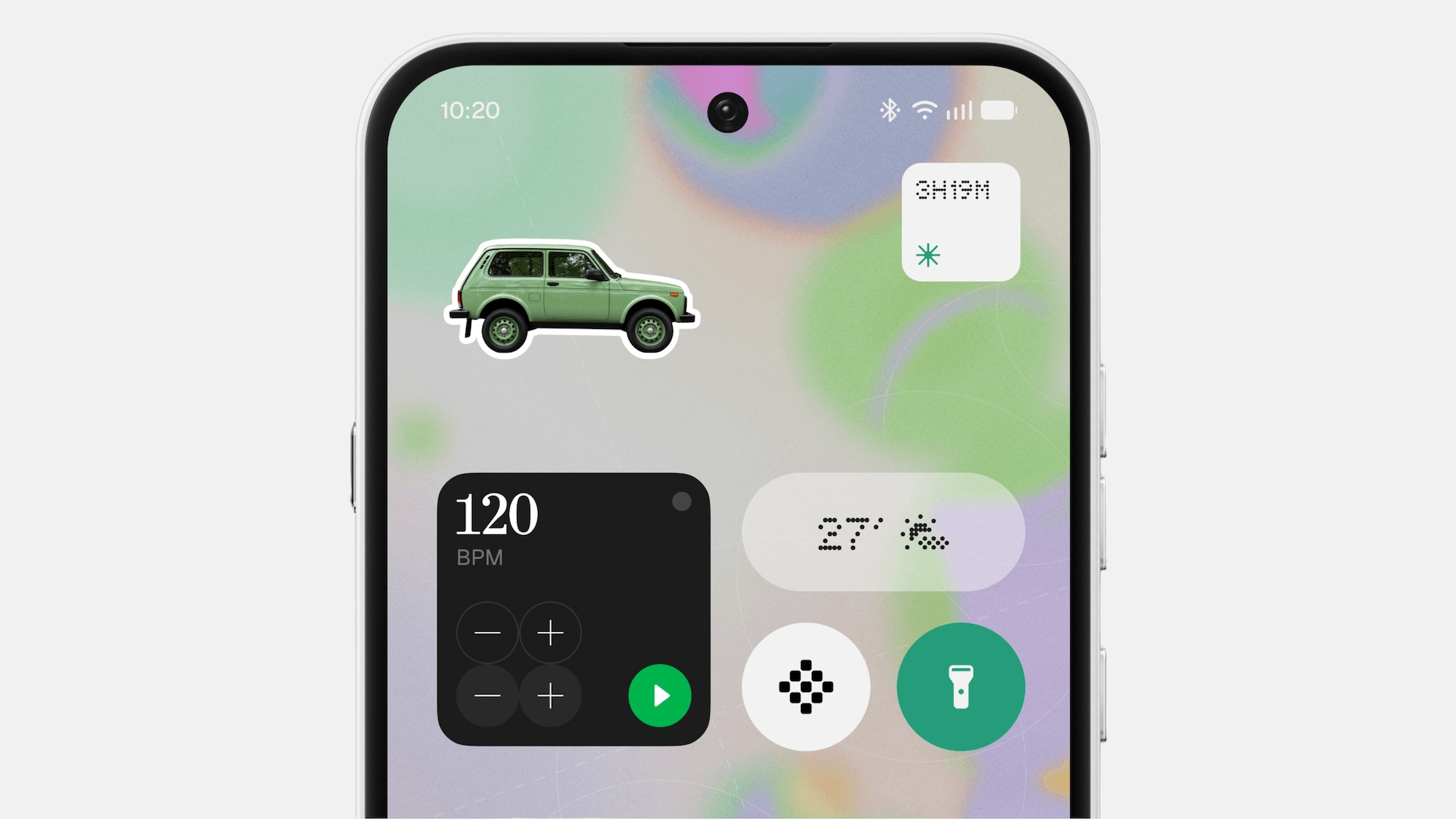
Stickers can now be added to the home screen. Image: Nothing

An important caveat: the redesigned home screen will be offered as a separate theme alongside the classic Nothing OS look — it does not replace it. Users can choose whichever style they prefer. However, the revamped launcher and the Micrographics clock will not be included in the open beta; they will arrive only with the stable release.
Two new lock screen styles have been added. Gooey is a vibrant, fluid design. Micrographics combines date, time, weather, and upcoming calendar events into a single dial with a mechanical typographic aesthetic. Clock colors can be derived from the wallpaper.
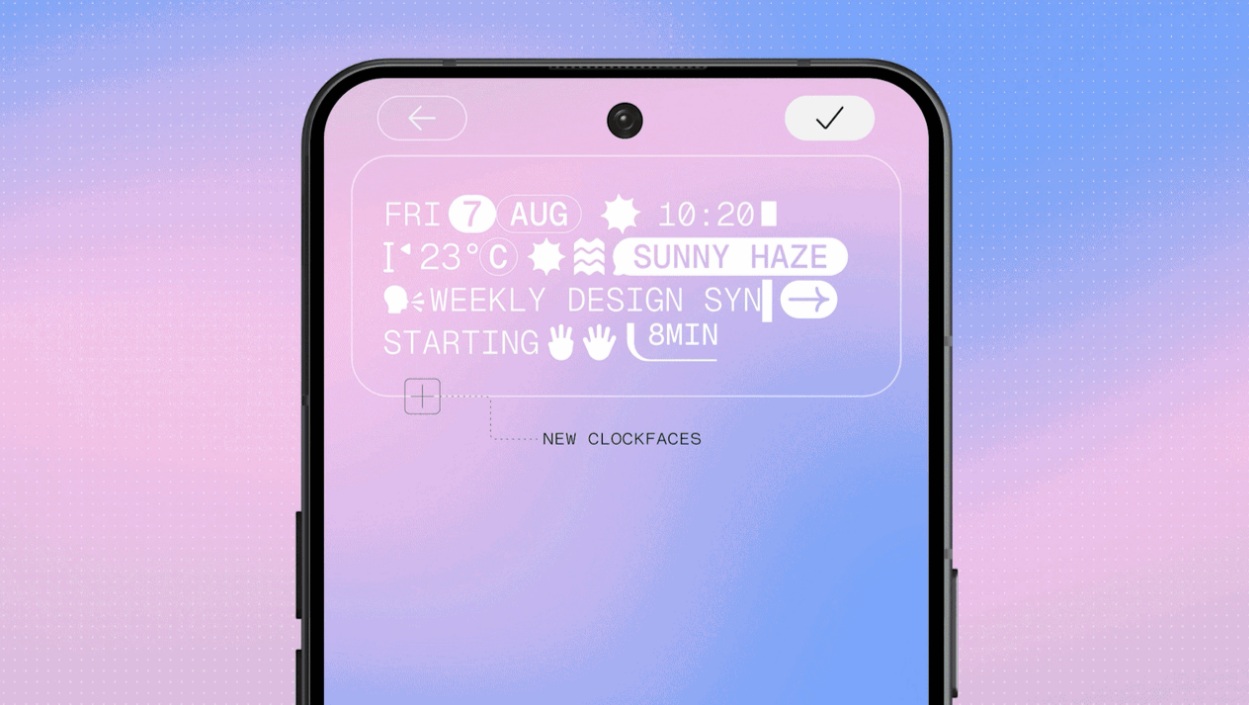
The lock screen now offers broader customization options. Image: Nothing
Several new widgets have been introduced:
- Collector — saves and displays items you photograph or select from the gallery (coffee cups, sneakers, bicycles, etc.) on the home screen and lock screen as a visual collection, rather than losing them in the general photo feed.
- Away Time — shows how often and for how long you put your phone down. It does not block apps or impose limits; it simply provides a perspective on your usage habits.
- Glyph Timer — a countdown timer whose progress is illuminated on the rear Glyph panel, allowing you to track time without turning on the screen.
Glyph-related features have been consolidated into a dedicated Glyph app, gathering supported functions, sounds, ringtones, and schedules in one place instead of scattering them across settings menus. Home screen editing has also been streamlined: users can now select multiple icons or widgets at once and move them together, including between pages.
Performance, animations, and quick Bluetooth controls
Nothing says the update delivers more responsive performance through smarter background process management: the active app receives more resources, while frequently used apps are kept ready in the background. In practice, this should mean fewer unnecessary app reloads when multitasking.
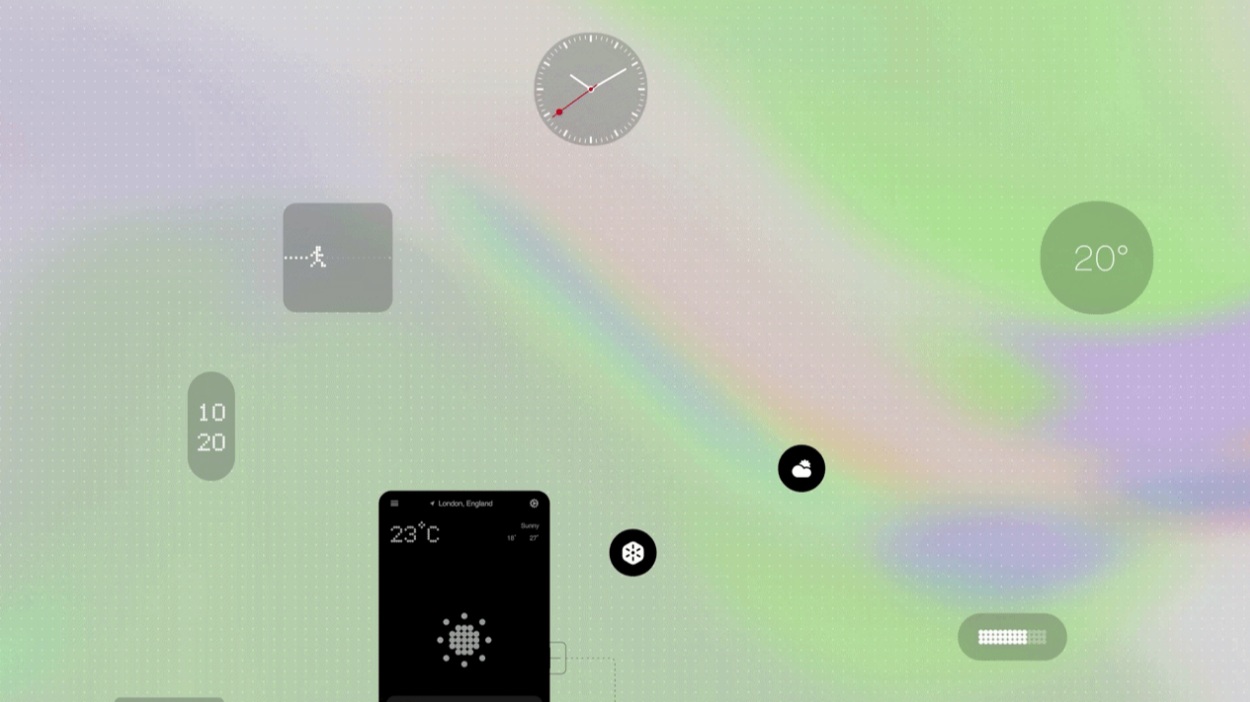
Nothing promises smoother system performance. Image: Nothing
Animations have been reworked to be gesture-responsive. If you begin a gesture — opening an app, for example — and change direction mid-swipe, the animation now follows your finger rather than completing the original motion. This applies to apps, folders, widgets, the multitasking view, and status bar icons.

A practical addition for headphone and speaker users: Bluetooth device management has moved into Quick Settings. Connecting or disconnecting a supported device can now be done with a single tap without opening the full Bluetooth menu.
Essential AI tools: voice, collections, and no-code apps
Nothing has updated its suite of AI tools. Essential Voice now better distinguishes when speech should remain a paragraph versus when it should be formatted as a list, and it displays the transcription in real time during recording rather than only after it ends. Real-time translation is promised later this year. With the Ear (3) earbuds, audio can be recorded directly through the charging case.
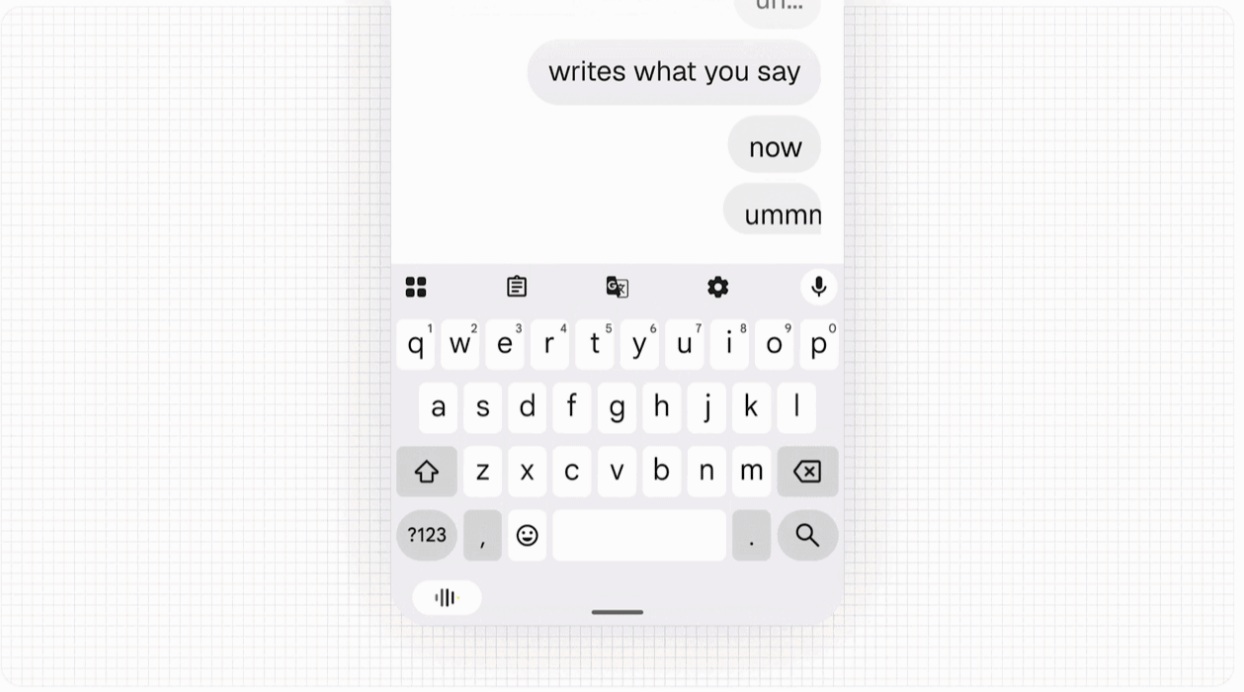
Essential Voice now works significantly faster. Image: Nothing
Essential Space gains smart collections: after a user creates a new collection, the system automatically suggests matching saved entries. When it detects a common theme across several notes, it proposes creating a dedicated collection for them.
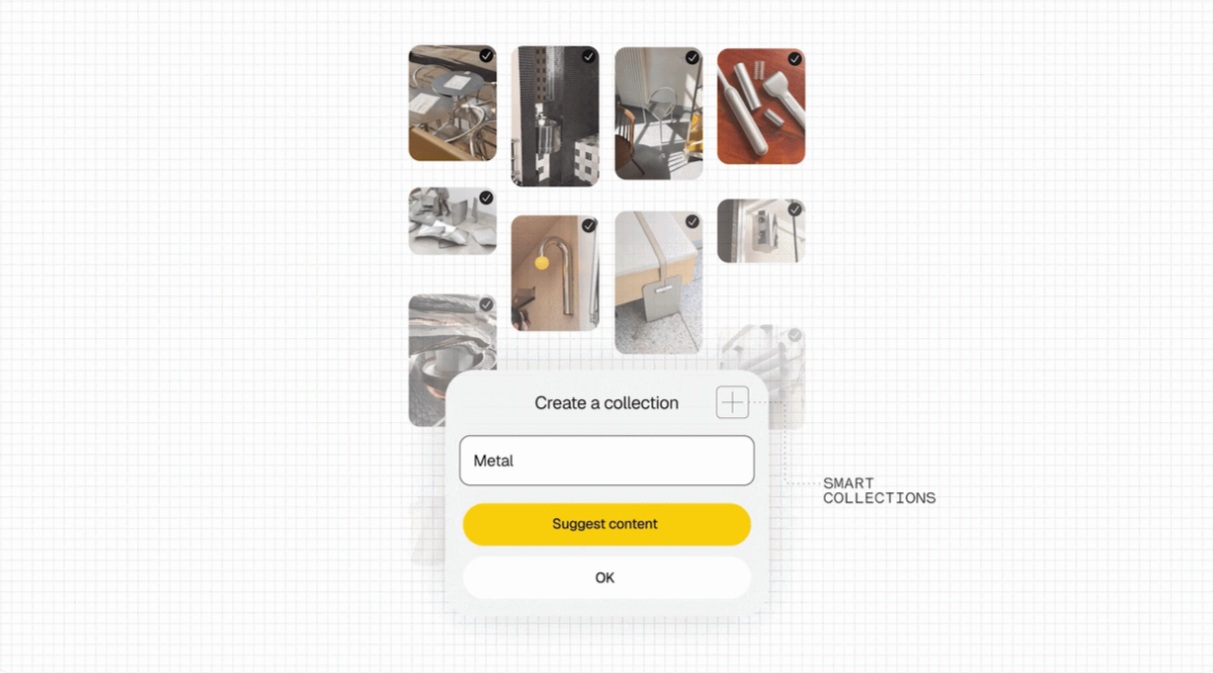
Smart collections in Essential Space. Image: Nothing
Essential Space also gains support for the MCP protocol, which allows compatible AI services to search and read selected information from a user’s saved entries without manual copy-pasting. At launch, access is read-only: third-party tools cannot modify user data. This feature is expected to arrive via Google Play in October.
Another notable addition is Essential Apps Builder, which has moved from a website to an on-device app. Users describe the tool they want in plain language, preview it, refine it, and place the finished tool on their home screen — no coding required. The feature is currently in beta and is being rolled out to users gradually.
What comes from Android 17
Because Nothing OS 5.0 is built on Android 17, several platform-level features are included:
- Split notification and quick-settings shades: notifications and quick settings can be separated into two panels — swiping down from the top left opens notifications, swiping from the top right opens quick settings. The combined single-shade option remains available.
- Improved Quick Share: file transfers can now generate a QR code that can be scanned by an iPhone or another Android device’s camera, opening a secure web link for downloading without installing any app.
- Three-color privacy indicators: a new status bar system uses green for camera and microphone access, blue for location sharing, and yellow for AI data processing.
- Live Updates in the status bar: compatible apps can display real-time information as capsules in the status bar (up to two simultaneously); tapping a capsule expands it into a full notification.
Smaller but noteworthy additions include per-app dark mode (accessible via Settings → Display → Dark theme → Advanced), a separate volume control for the assistant so it is no longer tied to media volume, a pill-shaped action menu in the recent apps view (with options like split screen and app info), volumetric 3D Noto emoji, and new Unicode symbols.

Supported devices and rollout schedule
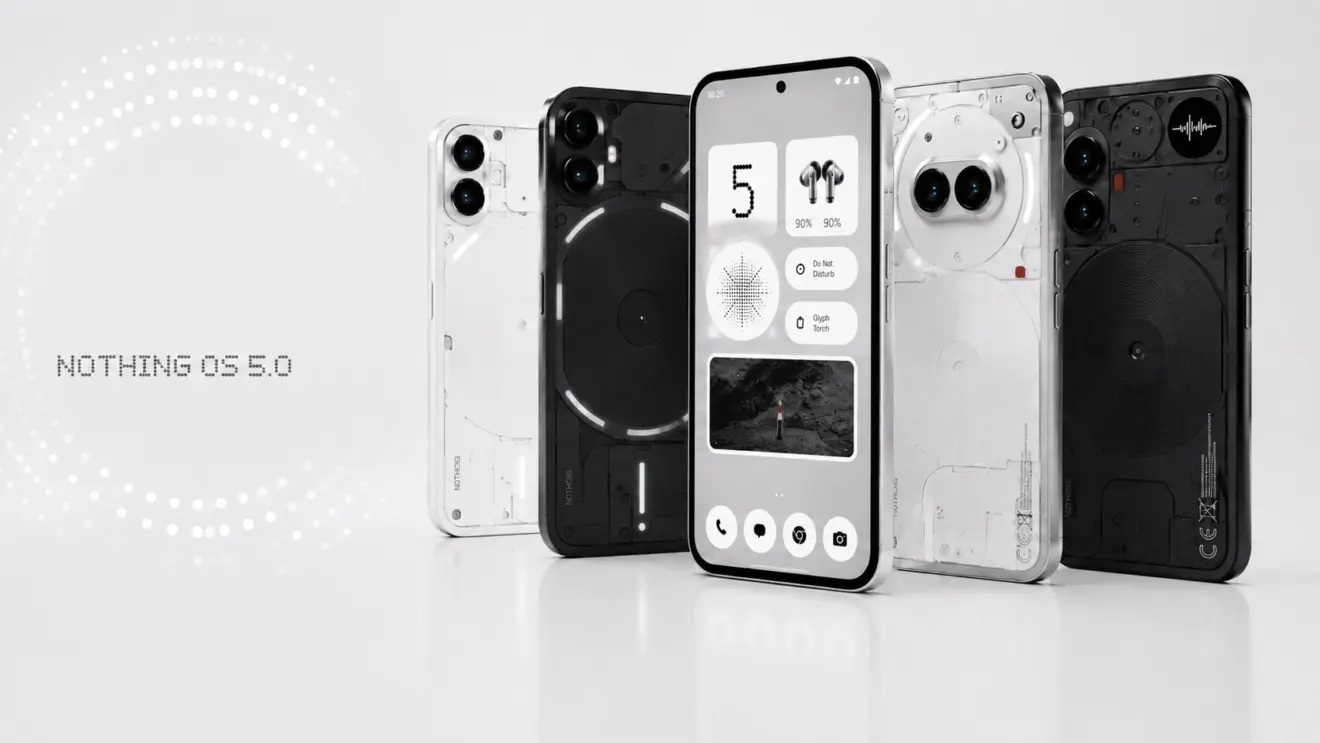
The update will not reach all Nothing smartphones.
The Nothing OS 5.0 open beta based on Android 17 begins rolling out on August 25, 2026. The stable release follows later, with Nothing confirming the following device-specific timelines at its presentation:
- Nothing Phone (3) — mid-October 2026
- Nothing Phone (3a) — early November 2026
- Nothing Phone (3a) Pro — early November 2026
- Nothing Phone (3a) Lite — late December 2026
- Nothing Phone (4a) — early November 2026
- Nothing Phone (4a) Pro — early November 2026
- Nothing Phone (4b) — mid-January 2027
- Nothing Phone (2a) — mid-November 2026
- Nothing Phone (2a) Plus — mid-November 2026
- CMF Phone 2 Pro — mid-January 2027
The Nothing Phone (3) is set to receive the stable update first, in mid-October 2026.
Devices that will not receive the update
Nothing Phone (1), Nothing Phone (2), and CMF Phone 1 are absent from the supported list, as they have exhausted their promised major Android updates. Nothing Phone (2) and CMF Phone 1 will continue to receive security patches until mid-2027, while Nothing Phone (1) has already reached end of life.
How to install Nothing OS 5.0
When the update becomes available for a given device on its scheduled date, it will be delivered over the air. To install it:
- Open the phone’s Settings.
- Navigate to System → System update.
- Tap the button to download and install the update.
After the download and installation complete, restart the phone. It will boot into Nothing OS 5.0.
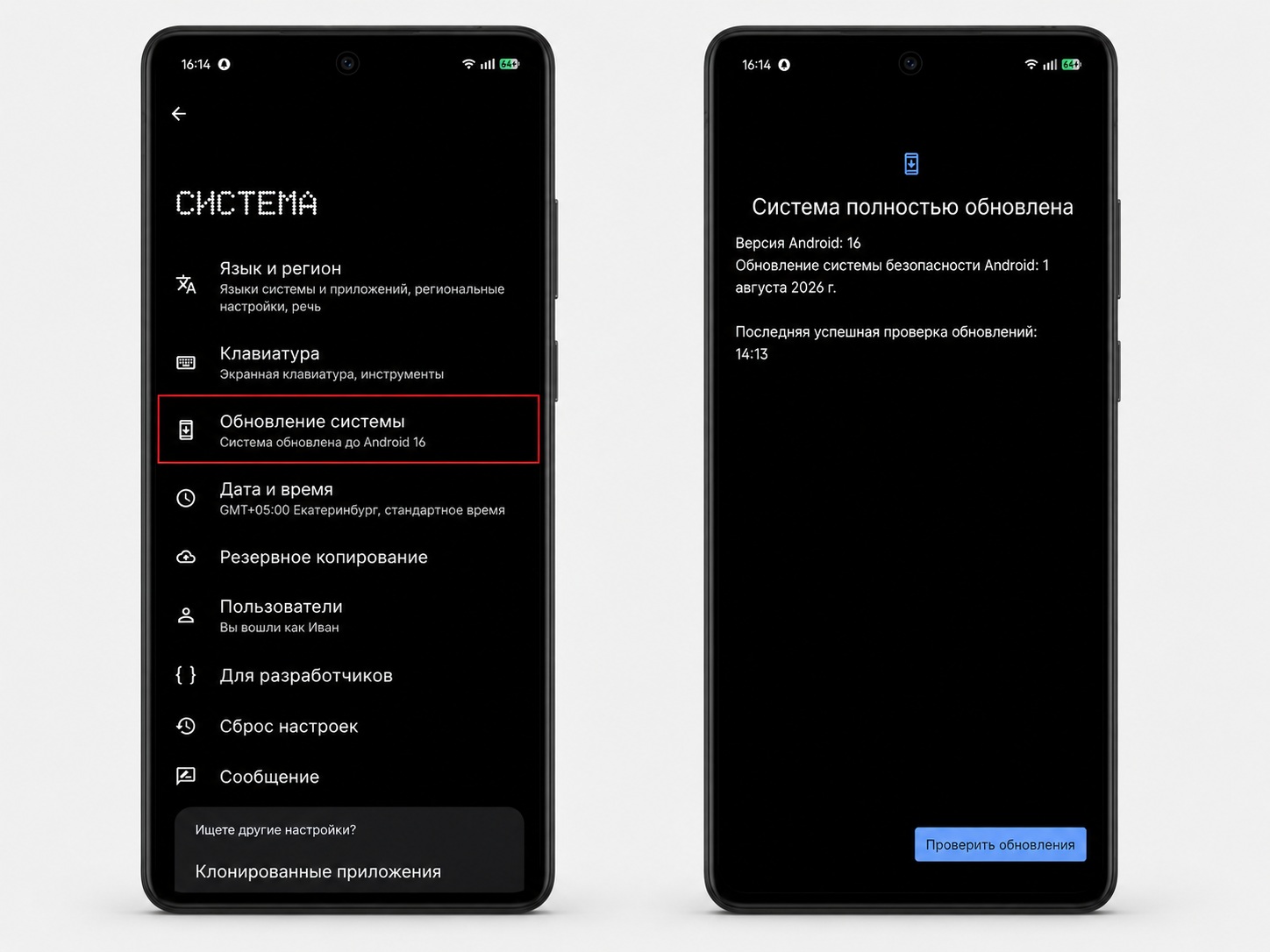
The update can be installed through the phone’s settings.


