The story of the national messenger being removed from the App Store has taken an unpleasant turn. Not only did the app disappear from the store, but now MAX won’t launch for some users: on startup it only shows an “Update” button, and there’s no way to update. Why this happened and, most importantly, what to do about it — let’s break it down step by step.

MAX. It seems like it’s over. Now it doesn’t work at all
Why MAX Won’t Open on iPhone
The root of the problem is that the app requires a mandatory update. Previously, this was routine: a new version came out, MAX asked you to update, you pressed the button and continued using it. But now the app is no longer in the App Store, meaning there’s nowhere to get the update from. As a result, for some users MAX won’t launch: the only active element on the screen is the “Update” button, which leads nowhere. You tap it and nothing happens — the messenger just hangs on that screen.
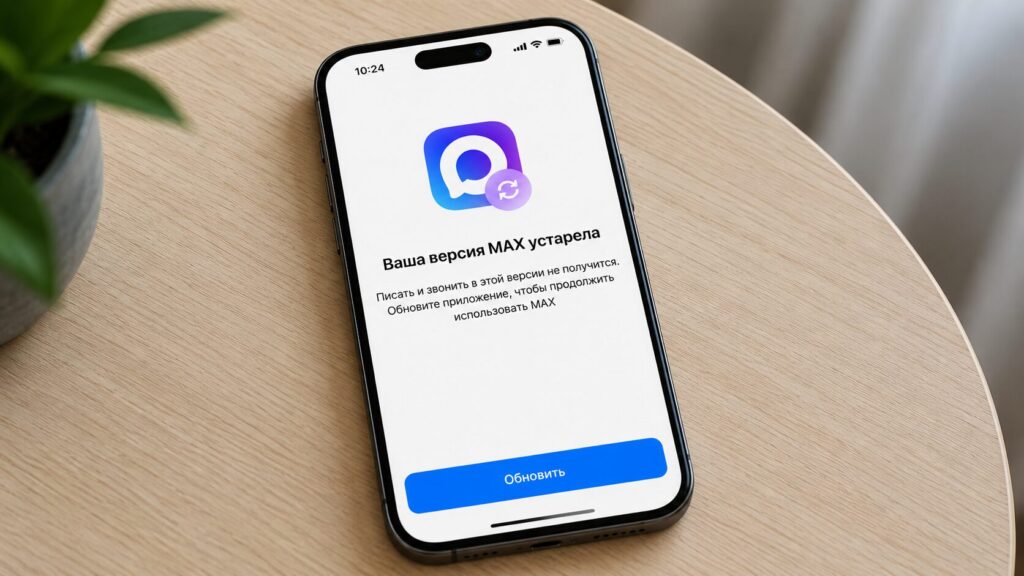
MAX requires an update that is unavailable
It’s a vicious circle: the system won’t let you use the app until you update, but updating is impossible. The developers simply didn’t disable forced updates in time, and older builds ended up trapped.
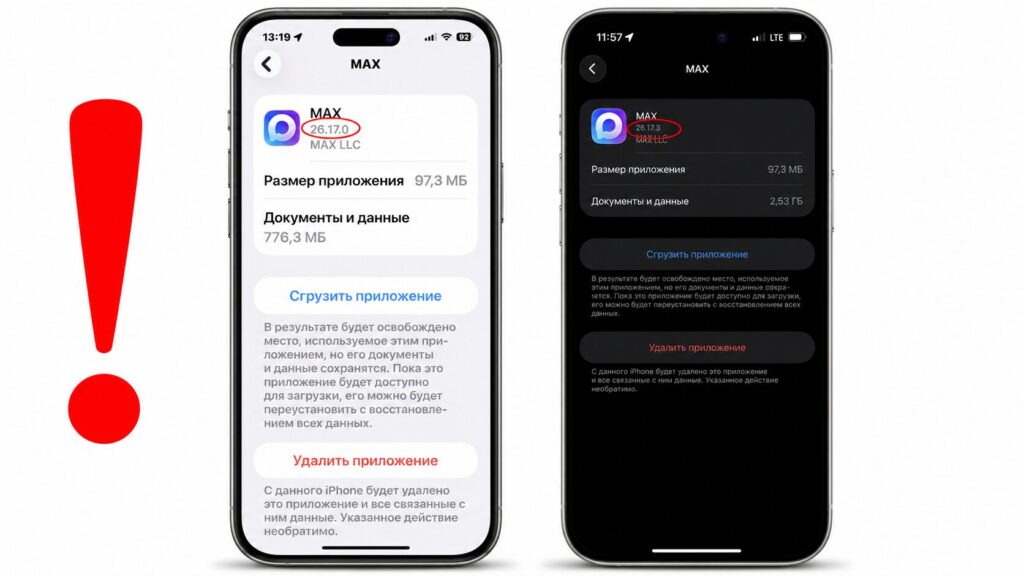
These versions are still working without issues
The good news: not everyone is affected — it all comes down to the installed version. We checked ourselves: on build 26.17.0 (iPhone 16e) and 26.17.3 (iPhone 15 Pro Max), the national messenger works without issues. So if you have one of these versions installed, everything is likely fine and there’s no need to panic just yet. But those whose MAX managed to request an update were less fortunate.
MAX Web Version Not Working
At the same time, the desktop version of MAX also failed. Not only did the web version in the browser stop opening, but the standalone PC app stopped working too. We ran checks on Firefox, Chrome, Yandex Browser, and Safari on Mac — the result was the same everywhere: the messenger simply won’t load.
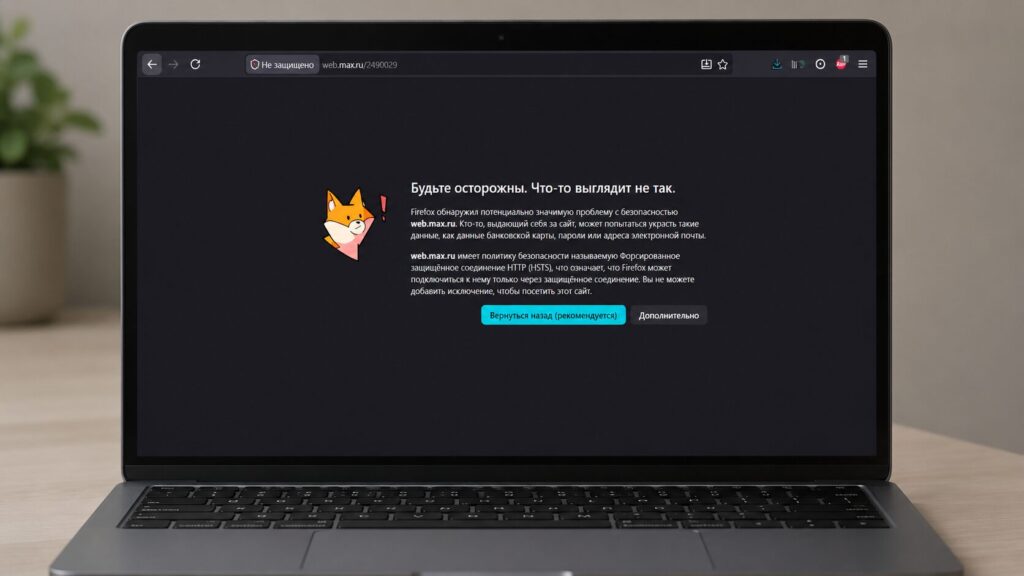
The web version of MAX also stopped opening on PC. But the desktop app works
It’s doubly frustrating: the web client used to be a backup option — if it didn’t work on the phone, you could open it in a browser on your laptop and keep chatting. Now that workaround is gone too, although the desktop MAX app for PC still works without issues. You’ll have to download it, but from third-party sources since the website is unavailable.
What to Do If MAX Doesn’t Work on iPhone
The main rule — don’t delete the app. If MAX is working for you, leave it alone: while chats will be preserved if you delete it, you won’t be able to reinstall the messenger on your iPhone — it’s simply not in the App Store anymore.

MAX has completely stopped working for some iPhone users. Don’t delete it!
Also, check your version: you can see it right in the app, in the profile settings. If the number matches the ones we checked above, the forced update screen is likely not a threat for you yet. First and foremost, to prevent MAX from disappearing from your iPhone, disable automatic offloading.
- Open “Settings.”
- Go to the App Store section.
- Turn off “Offload Unused Apps.”
- This way iOS won’t touch the app even if you haven’t used it in a while, and won’t show you that screen with the useless “Update” button.
And remember about notifications: after MAX was removed from the App Store, push notifications for new messages and calls no longer arrive, so you’ll have to open MAX manually to not miss anything. If the messenger is absolutely essential and it has stopped working on your iPhone, Android remains an option: MAX is available on RuStore, Google Play, and AppGallery there.